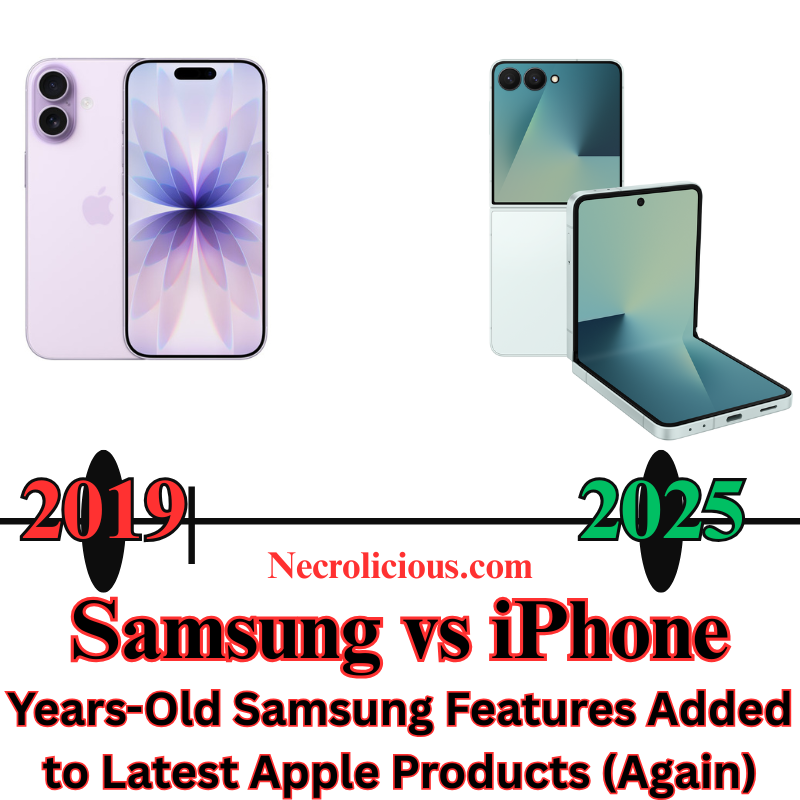
In a significant move to foster competition in the digital marketplace, Japan’s Fair Trade Commission has announced that a landmark law will take effect on 18 December 2025. This legislation targets the longstanding dominance of global tech giants such as Apple & Google over smartphone ecosystems, aiming to empower consumers with enhanced options for app stores, web browsers & search engines. As the nation continues to solidify its position as a leader in mobile technology innovation, this development signals a proactive stance on regulating Big Tech while balancing the need for user security.
Breaking the Monopoly: What the Law Entails
At its core, the new regulations prohibit companies like Apple & Google from restricting access to third-party app stores on iOS & Android devices sold in Japan. Previously, users were largely confined to the official App Store for iPhones or the Google Play Store for Android phones, limiting choices & potentially stifling innovation from smaller developers. Under the updated framework, these firms must permit alternative distribution channels, opening the door for independent app marketplaces to thrive.
Beyond app stores, the law extends its reach to default services. For the first time, new smartphone users — & those updating their operating systems — will encounter prompts offering multiple selections for web browsers & search engines. This means an end to the automatic preselection of Safari or Chrome as defaults, or Google Search as the primary engine, providing greater flexibility tailored to individual preferences.
The Fair Trade Commission emphasises that these changes are designed to “improve convenience by encouraging new market entrants.” By levelling the playing field, the authority anticipates a surge in diverse offerings, from localised apps optimised for Japan’s unique digital landscape to innovative tools that cater to specific user needs, such as enhanced privacy features or seamless integration with domestic services.
The Broader Implications for Consumers & the Tech Sector
For everyday smartphone users in Japan, the immediate benefits could include access to a wider array of applications without the barriers imposed by proprietary ecosystems. Developers, too, stand to gain: reduced reliance on dominant platforms may lower commission fees — often as high as 30% — allowing for more affordable apps & faster iteration on user feedback. In a market where mobile penetration exceeds 90%, this could accelerate the adoption of cutting-edge technologies, including AI-driven tools & augmented reality experiences that align with Japan’s forward-thinking tech culture.
However, the transition is not without challenges. Public comments submitted to the Fair Trade Commission have highlighted legitimate concerns over user security. Critics argue that third-party app stores might introduce vulnerabilities, such as unvetted software or inconsistent data protection standards, potentially exposing users to malware or privacy breaches. The commission acknowledges these risks & has committed to ongoing monitoring, with provisions for swift enforcement against non-compliant entities. To mitigate these issues, the law includes safeguards requiring all app distributors to adhere to rigorous certification processes, ensuring that security remains paramount.
This balanced approach reflects Japan’s regulatory philosophy: promoting fair competition without compromising the trust that underpins its world-class digital infrastructure. As one of Asia’s largest economies, Japan’s actions could serve as a model for other nations grappling with similar antitrust dilemmas in the smartphone sector.
A Step Towards a More Inclusive Digital Future
The enactment of this law on 18 December marks a pivotal moment in Japan’s efforts to democratise access to technology. By challenging the status quo, it not only enhances consumer choice but also invigorates the local tech ecosystem, fostering innovation that benefits developers, businesses & users alike. While security concerns warrant vigilant oversight, the potential rewards — a more dynamic, user-centric mobile landscape — are substantial.
As the implementation unfolds, stakeholders will watch closely to assess its real-world impact. For now, this legislation underscores Japan’s commitment to an open & equitable digital economy, one where choice drives progress.
Unless otherwise noted, image assets above are NOT original content & are shared under fair use doctrine with NO claims to authorship or ownership. Contact necrolicious@necrolicious.com for credit or removal.
This post was sponsored by…ME! If you’d like to support, please buy my original meme merchandise or check out my affiliate links to get yourself some other cool things. Additional affiliate links may be contained in the above article. If you click on an affiliate link & sign up/make a purchase, I may earn a commission. This does not increase the price you pay for the product or service, so it helps support this website at no cost to you.
It’s nearly 2026, but my 2019 Samsung Galaxy S10 remains in daily use. Why? It was part of the final mainline Galaxy S lineup to ever include a microSD card slot. For me & countless other Android enthusiasts, this single feature represented genuine freedom: expandable storage that could be upgraded or replaced for pennies compared to the ever-escalating cost of built-in memory. When Samsung dropped the slot with the Galaxy S20 in 2020 & every flagship since, many of us felt the industry was simply copying Apple’s long-standing refusal to offer expandable storage on any iPhone. We warned that removing this incalculably beneficial feature would be bad for business – & now, in late 2025, it appears that prediction is proving more correct than ever. Soaring DRAM prices are pushing manufacturers to the limit, & the latest supply-chain intelligence strongly suggests that microSD card slots are being seriously reconsidered for future flagship devices. The feature we refused to surrender may be on the verge of a full-scale return.
In an era where smartphone storage demands continue to escalate, the prospect of expandable memory options returning to flagship devices has sparked considerable interest among consumers & industry observers alike. Recent reports suggest that surging prices for DRAM – the core component in device memory – may compel leading manufacturers to reinstate the microSD card slot, a feature absent from premium handsets for over six years. This potential revival could alleviate the financial burden on buyers facing ever-higher costs for internal storage upgrades, offering a more flexible & cost-effective alternative.
The Surge in DRAM Prices: A Catalyst for Change
Dynamic Random Access Memory (DRAM) forms the backbone of smartphone storage, enabling the seamless multitasking & high-resolution media handling that modern users expect. However, global supply constraints have driven DRAM prices to unprecedented levels, with shortages projected to endure until at least the fourth quarter of 2027. Analysts note that prices for 12GB LPDDR5X components – essential for contemporary flagships – have more than doubled, climbing from $33 at the year’s outset to $70 per unit.
This escalation stems from broader semiconductor challenges, including production bottlenecks & heightened demand from data centres & AI applications. Even established players like Samsung have prioritised profitability over internal supply chains, reportedly declining bulk memory requests from their own mobile division in favour of quarterly contracts. As a result, manufacturers face mounting pressure to maintain competitive pricing without eroding margins, prompting a reevaluation of longstanding design choices.
With DRAM costs showing no signs of abating through 2026, reinstating microSD slots emerges as a pragmatic response for manufacturers. By enabling consumers to purchase entry-level storage models & augment them with high-capacity cards, brands can mitigate the need for across-the-board price hikes. This strategy not only preserves shipment volumes but also appeals to value-driven buyers, fostering loyalty in a saturated market.
Emerging standards like microSD Express further bolster the case, promising read & write speeds exceeding 800 MB/s – on par with internal SSDs. Samsung’s own 512 GB P9 Express card, available for around $75, exemplifies this evolution, delivering rapid transfers without the performance bottlenecks of older formats. Chinese supply chain whispers indicate that new flagships slated for the latter half of 2026 could integrate these slots.
Such a revival would democratise access to ample storage, empowering photographers, videographers, & power users to sidestep the escalating cost of built-in memory.
Looking Ahead: A More Inclusive Storage Landscape
Your trusty Galaxy S10 might soon stop being the last of its kind. As smartphone innovation accelerates, the rumoured return of microSD slots signals a potential recalibration towards consumer-centric design. The flexibility many of us miss may soon enhance the devices of tomorrow.
Unless otherwise noted, image assets above are NOT original content & are shared under fair use doctrine with NO claims to authorship or ownership. Contact necrolicious@necrolicious.com for credit or removal.
This post was sponsored by…ME! If you’d like to support, please buy my original meme merchandise or check out my affiliate links to get yourself some other cool things. Additional affiliate links may be contained in the above article. If you click on an affiliate link & sign up/make a purchase, I may earn a commission. This does not increase the price you pay for the product or service, so it helps support this website at no cost to you.
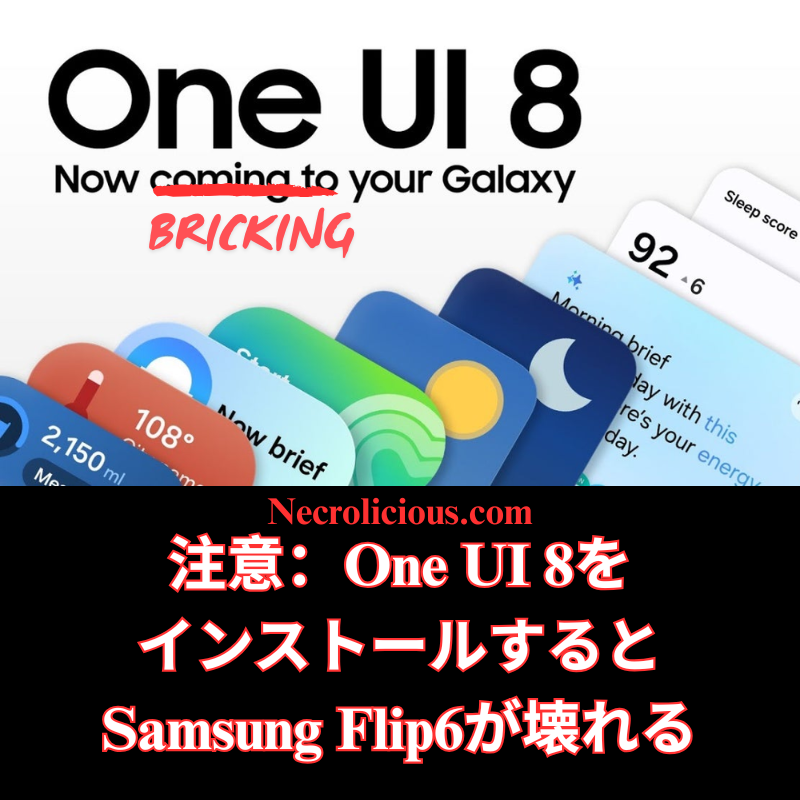
As the title says, installing One UI 8 on my Samsung Galaxy Z Flip6 has bricked it.
You might be thinking, “One UI 8 came out a while ago—why post this now?” The answer is simple: in Japan, Samsung devices & updates arrive several months later than in the rest of the world, despite being neighbours with Samsung’s home country, Korea.
Anyway, I saw One UI 8 finally launched here & I installed it. As soon as it was done, I found the inner screen on my Flip6 no longer worked.
A bit of research revealed this is a regrettably common problem with Flip series phones after the update, though it was something I had never personally experienced before.
Suggested fixes online included holding the power & volume down buttons for 20 seconds to perform a soft reset. This actually worked; the inner screen came back on. However, the moment the screen turned off once, it was gone for good until another reset.
Through continual trial & error, I discovered that this soft reset method temporarily restored the inner, main screen about 30% of the time, but whether the screen timed out or was shut off manually, the only way to restore it again was yet another reset. The current condition is already bad enough, & I think continuously resetting the phone is probably even more harmful to the motherboard or other internal components, so I don’t want to keep doing resets constantly.
I went to one of the official Samsung stores, of which there are only two in the entire country of Japan. They informed me there was no capacity to even attempt a repair for weeks since there were no available reservation slots. Unlike America, which has numerous authorised third-party repair locations (uBreakiFix, etc.) under Galaxy Care, Japan appears to have no secondary repair options I’m aware of. There’s a slim chance Docomo can repair Samsung phones bought from them at their facilities, but since I bought mine directly from the Samsung store, that route doesn’t appear open to me. I hope that if Samsung comes across this post that, apart from not releasing updates that brick devices, their main takeaway is that they should expand their repair capacity, & possible include 3rd parties as Samsung facilities abroad have done for their customers.
So I have no choice but wait until a slot opens & hope Samsung can fix it.
In the meantime, I’m stuck using only the cover screen.
This means, unfortunately, you can expect content delays. I used my Flip6 for everything—writing scripts, recording & editing my videos. I can try filming on a secondary device like my DJI Pocket 3, but that removes the makeshift teleprompter features the Flip6 main display previously gave me.
This has been an incredibly frustrating experience, but there are no real alternatives except waiting for Samsung to sort it out.
Apologies to everyone for any inconvenience.
In closing, I just want to caution everyone who also has a Samsung Flip6, or any of the Flip series, to think twice & definitely back up your data before attempting to install One UI 8.
Unless otherwise noted, image assets above are NOT original content & are shared under fair use doctrine with NO claims to authorship or ownership. Contact necrolicious@necrolicious.com for credit or removal.
This post was sponsored by…ME! If you’d like to support, please buy my original meme merchandise or check out my affiliate links to get yourself some other cool things. Additional affiliate links may be contained in the above article. If you click on an affiliate link & sign up/make a purchase, I may earn a commission. This does not increase the price you pay for the product or service, so it helps support this website at no cost to you.
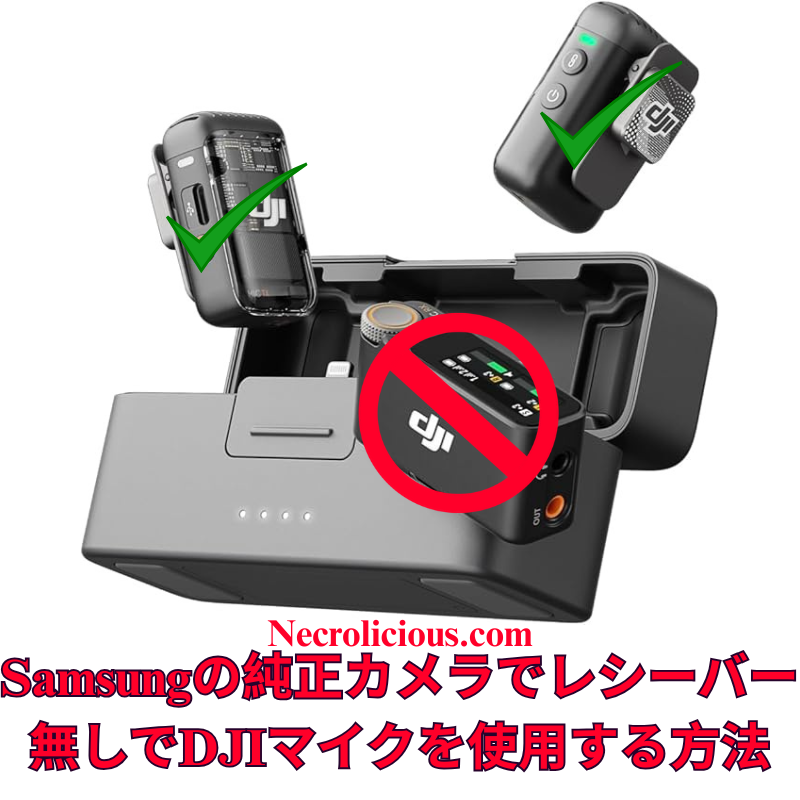
ついこの間まで、俺は「DJI Mic を受信機なしで使う方法」を記事&動画で紹介していました。 ところがここ数週間、特にYouTubeで多くのクリエイターが「DJIがこっそり出した“秘密のモバイル受信機”」に大騒ぎしています。スマホ撮影向けに静かに発売されたこのアイテム、頻繁に完売しており、メルカリなどで法外な転売価格で取引されている状況です。
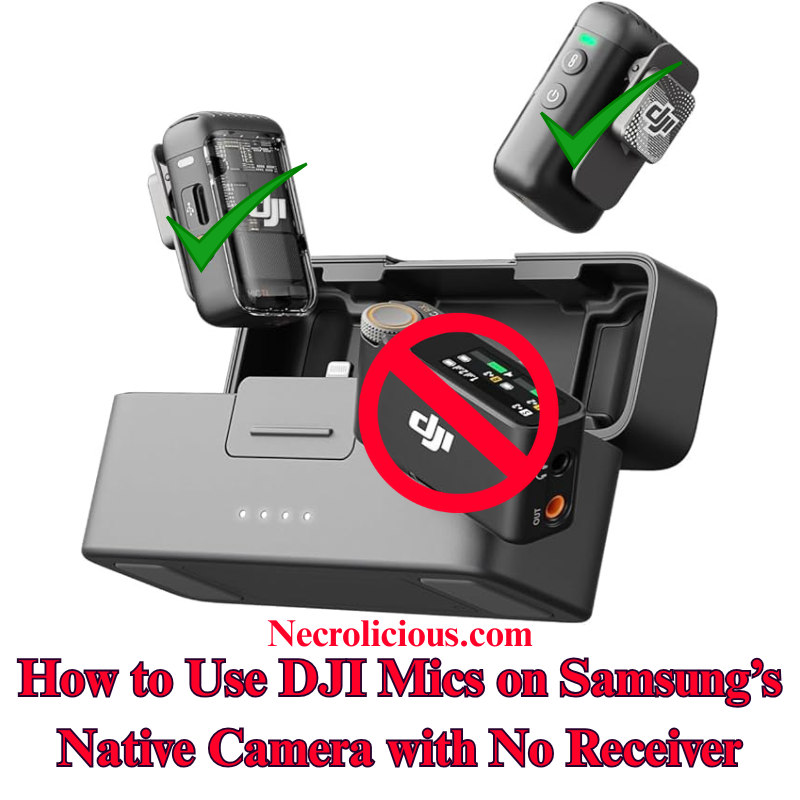
Not even all that long ago, I wrote & provided video instructions for how to use DJI Mic devices without receivers. However, in recent weeks, many content creators, particularly on Youtube, have been going crazy over a supposedly “secret” item: a mobile receiver that DJI quietly released for content creators who use their phones to record.
This secret item has frequently sold out to the point that many people are paying exorbitantly high markups on eBay & the like just to get their hands on one. So I’m here to remind you that you don’t actually need this device. I don’t say that just in the general sense that you should forgo all worldly possessions, give up on your content creation dreams & become a monk, but to show you again how you can get this device’s functionality, FOR FREE, without the need or use of any external receiver.
Starting off with iPhone since you people may well not be able to use this receiver, should you even be able to get your hands on one, due to the fact that it only comes in a USB-C configuration & is incompatible with older iPhone devices with Lightning ports.
Install RØDE Reporter: Search for “RØDE Reporter” in the App Store (don’t worry, it’s free–no signup or subscription necessary), download it, & grant microphone permissions when prompted.
Connect DJI Mic 2 via Bluetooth: Press & hold the pairing button on the DJI Mic 2 transmitter until the indicator flashes, entering pairing mode. On your iPhone, navigate to Settings > Bluetooth & select the DJI Mic 2 (it may appear as “headphones”).
Confirm Connection in RØDE Reporter: Launch the app & verify it displays “External Microphone” rather than “Internal Microphone,” indicating the DJI Mic 2 is connected.
Open the Native Camera App: Keep RØDE Reporter running in the background. Launch the iPhone’s Camera app, select Video mode, & the DJI Mic 2 will capture audio wirelessly.
Record Your Video: Begin recording. Create a short test clip to ensure audio quality & levels are satisfactory.
NOTE: The Bluetooth connection may route audio output to the DJI Mic 2, which lacks speakers. Disable Bluetooth or power off the Mic 2 to hear playback through your iPhone speakers after recording.
Much easier than iPhone, there’s no need for you to download anything, simply go to your native camera app & enter Pro Video mode to pair your DJI Mic via Bluetooth.
Connect DJI Mic 2 via Bluetooth: Power on the DJI Mic 2 transmitter. Press and hold the record button (link button) for three seconds until the status indicator flashes blue, entering Bluetooth pairing mode. On your Samsung Galaxy device, navigate to Settings > Connections > Bluetooth, ensure Bluetooth is enabled & select “DJI Mic 2” from the list of available devices (it may appear as a headset or microphone). Confirm any pairing prompts. The indicator will turn solid blue once connected.
Launch the Native Camera Application in Pro Video Mode: Open the stock Camera application on your Samsung Galaxy device. Swipe left or tap “MORE” at the bottom, then select “PRO VIDEO”. This mode provides advanced controls, including the ability to select external audio inputs.
Select the DJI Mic 2 as Audio Input: In Pro Video mode, locate the audio settings icon (typically a microphone symbol) above or near the record button on the right side of the screen. Tap it to access the audio source menu. Choose “Bluetooth” or “External Mic” (it may list the DJI Mic 2 directly). Ensure the internal microphone is disabled if prompted. The application will now utilise audio from the DJI Mic 2.
Record Your Video: Adjust video parameters such as resolution, frame rate, or exposure as required. Press the record button to begin capturing video. The DJI Mic 2 will wirelessly record high-quality audio synchronised with your footage. Record a short test clip to verify audio levels and clarity.
At its original $15 MSRP this mobile receiver that DJI released was generously priced. However, generous pricing proves futile with minimal supply, as evidenced by the secondary market AKA scalpers selling the DJI mobile receiver several times its original price. Still, armed with my how-to instructions above, you no longer need to purchase one at all so you can use that money you saved to buy yourself a shirt on the Necrolicious Store to look cool in all the videos you record.
Unless otherwise noted, image assets above are NOT original content & are shared under fair use doctrine with NO claims to authorship or ownership. Contact necrolicious@necrolicious.com for credit or removal.
This post was sponsored by…ME! If you’d like to support, please buy my original meme merchandise or check out my affiliate links to get yourself some other cool things. Additional affiliate links may be contained in the above article. If you click on an affiliate link & sign up/make a purchase, I may earn a commission. This does not increase the price you pay for the product or service, so it helps support this website at no cost to you.
広範なオンライン調査とテストを経て、DJI Mic 2をSamsung Galaxyデバイスのネイティブカメラアプリケーションにワイヤレスで接続することが、他のプラットフォームに比べて格段に簡単であることを確認しました。iOSではカメラアプリでのBluetoothオーディオ入力が制限されていますが、SamsungのOne UIでは、標準のカメラアプリのプロビデオモード内で外部Bluetoothマイクを直接選択できます。これにより、サードパーティ製アプリや追加のアダプターが不要となり、高品質なオーディオを求めるクリエイターにとって、余分な機器なしでシームレスなソリューションを提供します。この方法は、Samsung Galaxyの最新モデル(S23およびS24シリーズ)でDJI Mic 2のトランスミッターを直接使用してテストおよび検証済みです。この方法は他のブランドのBluetoothマイクでも機能する可能性がありますが、DJI Mic MiniやMic 3などの代替品についてはテストしていません。他のBluetoothマイクで試した場合は、コメント欄で結果を共有してください。
この方法の価値
DJI Mic 2は、32ビットフロート内部録音やインテリジェントノイズキャンセリングなどの優れたオーディオ品質を提供します。しかし、レシーバーはモバイルビデオ制作において不要なコストと複雑さを追加します。SamsungのプロビデオモードでのBluetoothマイクのネイティブサポートは、コスト効果が高く、持ち運びが簡単で、プロフェッショナルなオーディオ基準を維持するソリューションを提供し、クリエイターの録音プロセスを簡素化します。
DJI Mic 2をレシーバーなしでビデオ録画するためのステップごとのガイド
DJI Mic 2をBluetoothで接続する: DJI Mic 2トランスミッターの電源を入れます。録音ボタン(リンクボタン)を3秒間長押しし、ステータスインジケーターが青く点滅してBluetoothペアリングモードに入るのを確認します。Samsung Galaxyデバイスで、設定 > 接続 > Bluetoothに移動し、Bluetoothが有効になっていることを確認し、利用可能なデバイスリストから「DJI Mic 2」(ヘッドセットまたはマイクとして表示される場合があります)を選択します。ペアリングのプロンプトを承認します。接続が完了すると、インジケーターが青く点灯します。
DJI Mic 2をオーディオ入力として選択する: プロビデオモードで、画面右側の録画ボタンの上または近くにあるオーディオ設定アイコン(通常はマイクのシンボル)を探します。それをタップしてオーディオソースメニューにアクセスします。「Bluetooth」または「外部マイク」を選択(DJI Mic 2が直接表示される場合があります)。必要に応じて内部マイクを無効にしてください。アプリはこれでDJI Mic 2からのオーディオを使用します。
ビデオを録画する: 解像度、フレームレート、露出などのビデオパラメータを必要に応じて調整します。録画ボタンを押してビデオ撮影を開始します。DJI Mic 2はワイヤレスで高品質なオーディオを映像と同期して録音します。オーディオレベルと明瞭さを確認するために、短いテストクリップを録画することをお勧めします。
仕組み
SamsungのOne UIは、AndroidのBluetoothオーディオフレームワークを基盤としており、プロビデオモードでiOSに見られる制限なしに外部マイク入力をサポートします。ペアリングが完了すると、DJI Mic 2は標準のBluetoothオーディオデバイスとして機能し、プロビデオモードでは入力ソースを明示的に選択できます。これにより、追加のソフトウェアやハードウェアを必要とせずに、ネイティブアプリ内でリアルタイムのワイヤレスオーディオキャプチャが実現します。
追加のガイダンス
ゲイン調整: 録画前にDJI Mic 2のタッチスクリーンまたはDJI Mimoアプリ(インストールされている場合)を使用してゲイン設定を調整します。さまざまな環境で最適なオーディオレベルを確認するためにテストクリップを録画することをお勧めします。
ファームウェアおよびソフトウェアのアップデート: DJI Mimoアプリを通じてDJI Mic 2のファームウェアを最新に保ち、Samsung Galaxyデバイスが最新のAndroid/One UIバージョンを実行していることを確認して、接続の問題を防ぎます。
この方法により、クリエイターはSamsungのネイティブカメラアプリを使用して、DJI Mic 2でプロフェッショナルグレードのビデオとオーディオをレシーバーなしでキャプチャできます。あなたのGalaxyデバイスでこの方法を試しましたか?または別のソリューションを発見しましたか?コメントでフィードバックを共有し、志望するビデオグラファーを支援するためにこのガイドを広めてください。
完全なセットアップを希望する場合は、レシーバーを含むフルDJI Mic 2キットがより幅広い互換性を確保します。最近のMic 3のリリースに伴い、Mic 2の価格は過去最低レベルに達しており、購入を検討する絶好の機会です。
Following extensive online research and testing, I have confirmed that connecting the DJI Mic 2 wirelessly to a Samsung Galaxy device’s native Camera application is significantly more straightforward than on other platforms. Unlike iOS, which restricts Bluetooth audio input in its Camera application, Samsung’s One UI enables direct selection of external Bluetooth microphones within the Pro Video mode of the stock Camera application. This eliminates the need for third-party applications or additional adapters, offering a seamless solution for creators seeking high-quality audio without extra equipment. I have tested & verified this method on recent Samsung Galaxy models, including the S23 & S24 series, using the DJI Mic 2 transmitter directly. This approach is likely to function with other Bluetooth microphones from various brands, though I have not tested alternatives such as the DJI Mic Mini or Mic 3. If you experiment with a different Bluetooth microphone, please share your results in the comments below.
Why This Method is Valuable
The DJI Mic 2 delivers exceptional audio quality, with features such as 32-bit float internal recording and intelligent noise cancellation. However, the receiver adds unnecessary cost & complexity for mobile video production. Samsung’s native support for Bluetooth microphones in Pro Video mode provides a cost-effective, portable solution that maintains professional audio standards, simplifying the recording process for creators.
Step-by-Step Guide to Recording Video with DJI Mic 2, No Receiver
Connect DJI Mic 2 via Bluetooth: Power on the DJI Mic 2 transmitter. Press and hold the record button (link button) for three seconds until the status indicator flashes blue, entering Bluetooth pairing mode. On your Samsung Galaxy device, navigate to Settings > Connections > Bluetooth, ensure Bluetooth is enabled & select “DJI Mic 2” from the list of available devices (it may appear as a headset or microphone). Confirm any pairing prompts. The indicator will turn solid blue once connected.
Launch the Native Camera Application in Pro Video Mode: Open the stock Camera application on your Samsung Galaxy device. Swipe left or tap “MORE” at the bottom, then select “PRO VIDEO”. This mode provides advanced controls, including the ability to select external audio inputs.
Select the DJI Mic 2 as Audio Input: In Pro Video mode, locate the audio settings icon (typically a microphone symbol) above or near the record button on the right side of the screen. Tap it to access the audio source menu. Choose “Bluetooth” or “External Mic” (it may list the DJI Mic 2 directly). Ensure the internal microphone is disabled if prompted. The application will now utilise audio from the DJI Mic 2.
Record Your Video: Adjust video parameters such as resolution, frame rate, or exposure as required. Press the record button to begin capturing video. The DJI Mic 2 will wirelessly record high-quality audio synchronised with your footage. Record a short test clip to verify audio levels and clarity.
How It Works
Samsung’s One UI, built on Android’s Bluetooth audio framework, supports external microphone input in Pro Video mode without the restrictions found in iOS. Once paired, the DJI Mic 2 functions as a standard Bluetooth audio device & Pro Video mode allows explicit selection of the input source. This ensures real-time wireless audio capture directly within the native application, eliminating the need for additional software or hardware.
Additional Guidance
Gain Adjustment: Adjust the DJI Mic 2’s gain settings via its built-in touchscreen or the DJI Mimo application (if installed) before recording. Test clips are recommended to ensure optimal audio levels in varied environments.
Firmware & Software Updates: Keep the DJI Mic 2 firmware updated via the DJI Mimo application, and ensure your Samsung Galaxy device runs the latest Android/One UI version to prevent connectivity issues.
Limitations for Live Streaming: This Bluetooth method may introduce slight latency, making it less suitable for live streaming. For such applications, consider using the wired receiver connected via a USB-C adapter.
Alternative Applications: If Pro Video mode is unavailable or you encounter issues, applications such as Open Camera or Blackmagic Camera support Bluetooth microphones and can serve as alternatives. However, for seamless integration, the stock Camera application is recommended. Note that older Samsung models with Exynos processors (e.g., pre-S21 European variants) may have compatibility limitations; Snapdragon-based devices, such as the S23 or S24 series, perform optimally.
Stereo Recording: For dual transmitters, pair both via Bluetooth, but verify stereo support in Pro Video settings, as mono is the default. Full stereo recording may require the receiver.
This method enables creators to capture professional-grade video & audio using the DJI Mic 2 with Samsung’s native Camera application, without requiring a receiver. Have you tested this approach on your Galaxy device, or discovered alternative solutions? Please share your feedback in the comments & distribute this guide to assist fellow aspiring videographers.
For those preferring a complete setup, the full DJI Mic 2 kit, including the receiver, ensures broader compatibility. With the recent release of the Mic 3, prices for the Mic 2 have reached their lowest levels, making it an excellent time to consider purchasing.
Unless otherwise noted, image assets above are NOT original content & are shared under fair use doctrine with NO claims to authorship or ownership. Contact necrolicious@necrolicious.com for credit or removal.
This post was sponsored by…ME! If you’d like to support, please buy my original meme merchandise or check out my affiliate links to get yourself some other cool things. Additional affiliate links may be contained in the above article. If you click on an affiliate link & sign up/make a purchase, I may earn a commission. This does not increase the price you pay for the product or service, so it helps support this website at no cost to you.
Appleは、AirPods Pro 3の心拍数トラッキング&Apple Watch Series 11の血圧モニタリングを含む健康重視のアップデートを披露しました。AirPods Pro 3の心拍数センサーは、赤外線を使用して血流を測定し、フィットネスアプリと同期して50種類以上のワークアウトを追跡します。一方、Apple Watch Series 11は高血圧検出&スリープスコア機能(FDA承認待ち)を導入しています。Apple Watch Ultra 3は衛星接続&高速充電を追加し、価格は749ドルから始まります。しかし、サムスンはこれらの健康機能を長年提供しています。Galaxy Buds(Buds3 Proなど)は、2024年の発売以来、特にS24やZ Fold6などの互換デバイスとペアリングした場合、心拍数モニタリングを搭載しています。サムスンのGalaxy Watchシリーズ(2025年のGalaxy Watch7を含む)は、Galaxy Watch4(2021)以来、血圧モニタリング&詳細なスリープスコアを含む睡眠追跡を提供しており、一部のモデルはAppleのFDA承認計画よりかなり前にこれらの機能でFDA承認を受けています。さらに、サムスンのウェアラブルはSamsung Healthアプリと統合されており、Appleのエコシステムロックされたアプローチとは異なり、非サムスンAndroidデバイスを含む幅広いエコシステム互換性を提供します。
アクティブノイズキャンセリング&オーディオ品質
AppleはAirPods Pro 3のアクティブノイズキャンセリング(ANC)を強調し、AirPods Pro 2の2倍、初代AirPods Proの4倍のノイズ除去を主張しています。イヤホンはフィット感を向上させる更新されたデザイン&強化された空間オーディオも備えています。しかし、サムスンのGalaxy Buds3 Proは、2024年の発売以来、警報やサイレンなどの環境音に適応する適応型ノイズキャンセリングを提供しています。Buds3 Proは、互換デバイスでBluetooth経由で最大24ビット/96kHzをサポートする2ウェイスピーカー&平面磁気ツイーターを備え、Appleの空間オーディオ機能に匹敵するか、それを上回る機能を備えています。
Appleはイベントで折り畳み式iPhoneを発表しませんでしたが、iPhone Airの超薄型デザインは、2026年にサムスンのGalaxy Z Foldシリーズに似たブックスタイルの折り畳み式iPhoneの舞台を設定するとアナリストは示唆しています。サムスンは2019年のGalaxy Fold以来、折り畳み式スマートフォンで先駆者であり、2025年までに7世代の改良を重ねています。2025年半ばに発売されたGalaxy Z Fold7&Z Flip7は、耐久性のあるヒンジ、7.8インチのインナーディスプレイ(Fold)、&Galaxy AIを搭載した高度なマルチタスク機能を備えています。サムスンの折り畳み式デバイスは、Appleの噂される折り畳み式がようやく取り組もうとしている、より大きく、汎用性の高いディスプレイ&生産性機能を提供してきました。
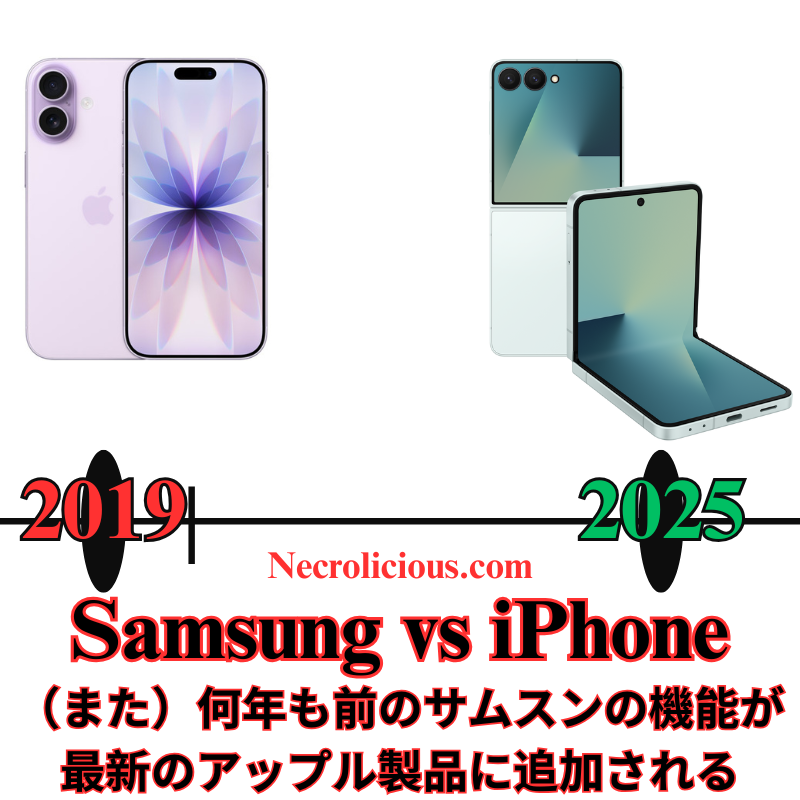
At Apple’s highly anticipated “Awe Dropping” event on 9 September 2025, the tech giant unveiled a slew of new products & features, including the iPhone 17 series (with the all-new iPhone Air), Apple Watch Series 11, Apple Watch Ultra 3, Apple Watch SE 3, & AirPods Pro 3. Held at its Cupertino headquarters, the event generated significant buzz around hardware refinements & incremental AI updates. However, several showcased features have been available on Samsung devices for some time. From live translation in earbuds to AI-powered functionalities, Samsung has been setting the pace in these areas, whilst Apple’s recent innovations, including its much-touted Apple Intelligence, appear to be playing catch-up. This article explores the key features Apple promoted at its latest event & how Samsung has long offered similar capabilities in its Galaxy ecosystem.
Live Translation: AirPods Pro 3 vs Galaxy Buds
One of the standout features Apple highlighted for the AirPods Pro 3 was Live Translation, a capability that allows users to hear real-time translations of in-person conversations directly through their earbuds. Powered by Apple Intelligence & iOS 26, this feature enables users to communicate across select languages (such as English, French, German, Portuguese, & Spanish) by translating speech into the user’s preferred language in their earbuds, whilst the iPhone displays or speaks the translated response for the other party. Apple positioned this as a transformative tool for travel, work, & cross-lingual communication, available in beta with the AirPods Pro 3, AirPods Pro 2, & AirPods 4 with Active Noise Cancellation (ANC).
However, Samsung has offered a similar feature, called Live Translate, on its Galaxy Buds series since early 2024. Compatible with devices like the Galaxy S24, Galaxy Z Fold6, & Galaxy Z Flip6, Samsung’s Live Translate works through the Galaxy Wearable app & Galaxy AI suite, enabling real-time translation during phone calls & in-person conversations. Users can hear translations through their Galaxy Buds, Buds Pro, or Buds FE, with the phone displaying or speaking the translated text for the other party. Unlike Apple’s implementation, which requires specific AirPods models with the H2 chip, Samsung’s feature supports a broader range of its earbuds & works offline with pre-downloaded language packs, offering greater versatility for users in areas with limited connectivity.
Samsung’s Interpreter Mode, another Galaxy AI feature, further enhances this capability by providing split-screen translations for in-person conversations, making it a robust tool for multilingual interactions. Whilst Apple’s Live Translation is a welcome addition, it’s not a novel concept, as Samsung has been refining this technology for over a year, with support for 13 languages & counting.
Apple Intelligence vs Galaxy AI: A Delayed Promise
Apple’s event also emphasised Apple Intelligence, the company’s AI platform, which powers features like Live Translation, Workout Buddy for fitness motivation, & visual intelligence for tasks like calendar integration. However, Apple Intelligence was notably understated during the event, with CEO Tim Cook focusing more on hardware improvements than AI as a consumer-facing feature. Reports suggest Apple is still catching up in the AI race, with some of its promised features from WWDC 2025, such as advanced Siri upgrades, delayed or scaled back—pushing key capabilities like enhanced Siri to 2026.
In contrast, Samsung’s Galaxy AI, introduced with the Galaxy S24 series in late 2023, has been a cornerstone of its ecosystem for nearly two years. Galaxy AI powers a wide range of features, including Live Translate, Interpreter Mode, Chat Assist for message tone-checking, Transcript Assist for multilingual summaries, & Circle to Search for translating on-screen content. These tools are deeply integrated across Samsung’s flagship devices, including the Galaxy S25, Z Fold7, & Z Flip7, & are available both on-device & via the cloud, with offline functionality for many features. Samsung’s head start in AI development has allowed it to offer a more mature & versatile suite compared to Apple Intelligence, which is still in beta & limited to select devices & languages. Features like Magic Cue—proactively surfacing information across apps—& advanced photo search via Google Gemini integration feel futuristic, leaving Apple’s current offerings, like basic Genmoji, several steps behind.
iPhone Air vs Galaxy S25 Edge: The Thin Phone Race
Apple’s introduction of the iPhone Air, a 5.5mm-thick model billed as the thinnest iPhone ever, was a headline-grabbing moment at the event. Marketed as a sleek addition to the iPhone 17 lineup at $999, it aims to compete in the ultrathin smartphone market with a 6.5-inch display & Ceramic Shield 2 protection.
However, Samsung beat Apple to the punch with the Galaxy S25 Edge, launched in May 2025, which measures just 5.4mm thick—0.2mm slimmer than the iPhone Air. Samsung’s device also integrates bold AI features &, in some configurations, foldable screen technology, offering a unique form factor that Apple’s iPhone Air does not match. Whilst Apple’s design is undeniably elegant, Samsung’s earlier entry into the thin-phone market & its incorporation of foldable displays in devices like the Galaxy Z Fold7 & Z Flip7 demonstrate a more ambitious approach to hardware innovation. Apple’s rumoured foldable iPhone, expected in 2026, suggests it’s still a year behind Samsung in this space.
Vapour Chamber Cooling: iPhone 17 Pro vs Galaxy Devices
The iPhone 17 Pro & Pro Max introduced a vapour chamber cooling system to manage heat dissipation during high-performance tasks like gaming & video capture. This marks a shift from Apple’s traditional graphite-based cooling, aligning with high-end Android competitors. The vapour chamber, combined with an aluminium frame, enhances thermal performance, preventing throttling & supporting demanding workloads.
Samsung, however, has implemented vapour chamber cooling in its flagship devices since the Galaxy S20 series (2020). Models like the Galaxy S24 Ultra, Z Fold6, & S25 Edge use advanced vapour chambers to dissipate heat from high-performance chips, enabling sustained performance during gaming & multitasking. Samsung’s cooling systems have been optimised for foldable devices, which face unique thermal challenges due to their compact designs, giving Samsung a five-year head start over Apple’s adoption of this technology.
Camera Systems: 48MP Across the Board vs Samsung’s High-Resolution Sensors
The iPhone 17 series features a 48MP Fusion Main camera, a 48MP Fusion Ultra Wide camera, & an 18MP Center Stage front camera across all models, with the Pro models adding a 48MP telephoto lens supporting 4x-8x optical zoom. These upgrades enable advanced computational photography & macro photography, powered by an updated image signal processor (ISP).
Samsung has offered high-resolution camera sensors for years, with the Galaxy S23 Ultra (2023) & S24 Ultra (2024) featuring a 200MP main camera using the ISOCELL HP2 sensor. This allows for greater detail & cropping flexibility compared to Apple’s 48MP sensors, which are only now catching up in resolution but lack the pixel density of Samsung’s offerings. The Galaxy S25 series continues this trend, with a 200MP main sensor & a 50MP ultra-wide lens, outpacing Apple’s ultra-wide camera in resolution. Additionally, Samsung’s periscope telephoto lenses, introduced in the Galaxy S20 Ultra (2020), have offered 5x-10x optical zoom, surpassing Apple’s 8x zoom cap until the iPhone 17 Pro’s recent upgrade.
Health & Fitness Features: Apple Watch & AirPods vs Galaxy Wearables
Apple showcased health-focused updates, including heart rate tracking on the AirPods Pro 3 & blood pressure monitoring on the Apple Watch Series 11. The AirPods Pro 3’s heart rate sensor, which uses infrared light to measure blood flow, syncs with the Fitness app to track over 50 workout types, whilst the Apple Watch Series 11 introduces hypertension detection & a sleep score feature (pending FDA clearance). The Apple Watch Ultra 3 adds satellite connectivity & faster charging, with pricing starting at $749.
Samsung, however, has offered similar health features for some time. Galaxy Buds, such as the Buds3 Pro, have included heart rate monitoring since their 2024 release, particularly when paired with compatible Galaxy devices like the S24 or Z Fold6. Samsung’s Galaxy Watch series, including the Galaxy Watch7 (2025), has provided blood pressure monitoring & sleep tracking, including detailed sleep scores, for years, with some models receiving FDA clearance for these features well before Apple’s announced plans for FDA approval. Additionally, Samsung’s wearables integrate with the Samsung Health app, which offers broader ecosystem compatibility, including with non-Samsung Android devices, unlike Apple’s ecosystem-locked approach.
Active Noise Cancellation & Audio Quality
Apple touted the AirPods Pro 3’s Active Noise Cancellation (ANC), claiming it removes up to twice the noise of the AirPods Pro 2 & four times that of the original AirPods Pro. The earbuds also feature an updated design for better fit & enhanced spatial audio. Samsung’s Galaxy Buds3 Pro, however, have offered comparable ANC since their 2024 launch, with adaptive noise cancellation that adjusts to environmental sounds like alarms or sirens. The Buds3 Pro also include two-way speakers & planar magnetic tweeters for high-quality audio, supporting up to 24-bit/96kHz over Bluetooth on compatible devices—features that rival or surpass Apple’s spatial audio capabilities.
Foldable Devices: Apple’s Tease vs Samsung’s Dominance
Whilst Apple didn’t unveil a foldable iPhone at the event, analysts suggest the iPhone Air’s ultrathin design sets the stage for a foldable iPhone in 2026, likely adopting a book-style design similar to Samsung’s Galaxy Z Fold series.
Samsung has been a pioneer in foldable smartphones since the Galaxy Fold in 2019, with seven generations of refinement by 2025. The Galaxy Z Fold7 & Z Flip7, launched in mid-2025, feature durable hinges, 7.8-inch inner displays (Fold), & advanced multitasking capabilities powered by Galaxy AI. Samsung’s foldables have consistently offered larger, more versatile displays & productivity features that Apple’s rumoured foldable is only beginning to approach.
Whilst Apple’s “Awe Dropping” event showcased impressive hardware & promising AI-driven features, it’s clear that Samsung has been ahead in several key areas. Live Translate, a flagship feature for the AirPods Pro 3, has been a staple in Samsung’s Galaxy Buds since 2024, with broader language support & offline capabilities. Galaxy AI, now nearly two years old, offers a more mature & versatile suite of tools compared to the still-evolving Apple Intelligence. The iPhone Air, though sleek, follows in the footsteps of the Galaxy S25 Edge, & Samsung’s health & fitness features in its wearables have long matched or exceeded those introduced in Apple’s latest devices. Vapour chamber cooling, high-resolution 200MP cameras, & foldable devices have been staples of Samsung’s lineup since 2020 or earlier, whilst Apple is only now adopting these technologies.
Apple’s ecosystem integration & polish remain strong selling points, but Samsung’s earlier adoption of these technologies highlights its leadership in innovation. As Apple continues to roll out Apple Intelligence & refine its offerings, it will need to bring more unique features to the table to close the gap with Samsung’s established advancements. For now, Samsung’s Galaxy devices & wearables continue to set a high bar that Apple is striving to meet.
Unless otherwise noted, image assets above are NOT original content & are shared under fair use doctrine with NO claims to authorship or ownership. Contact necrolicious@necrolicious.com for credit or removal.
This post was sponsored by…ME! If you’d like to support, please buy my original meme merchandise or check out my affiliate links to get yourself some other cool things. Additional affiliate links may be contained in the above article. If you click on an affiliate link & sign up/make a purchase, I may earn a commission. This does not increase the price you pay for the product or service, so it helps support this website at no cost to you.