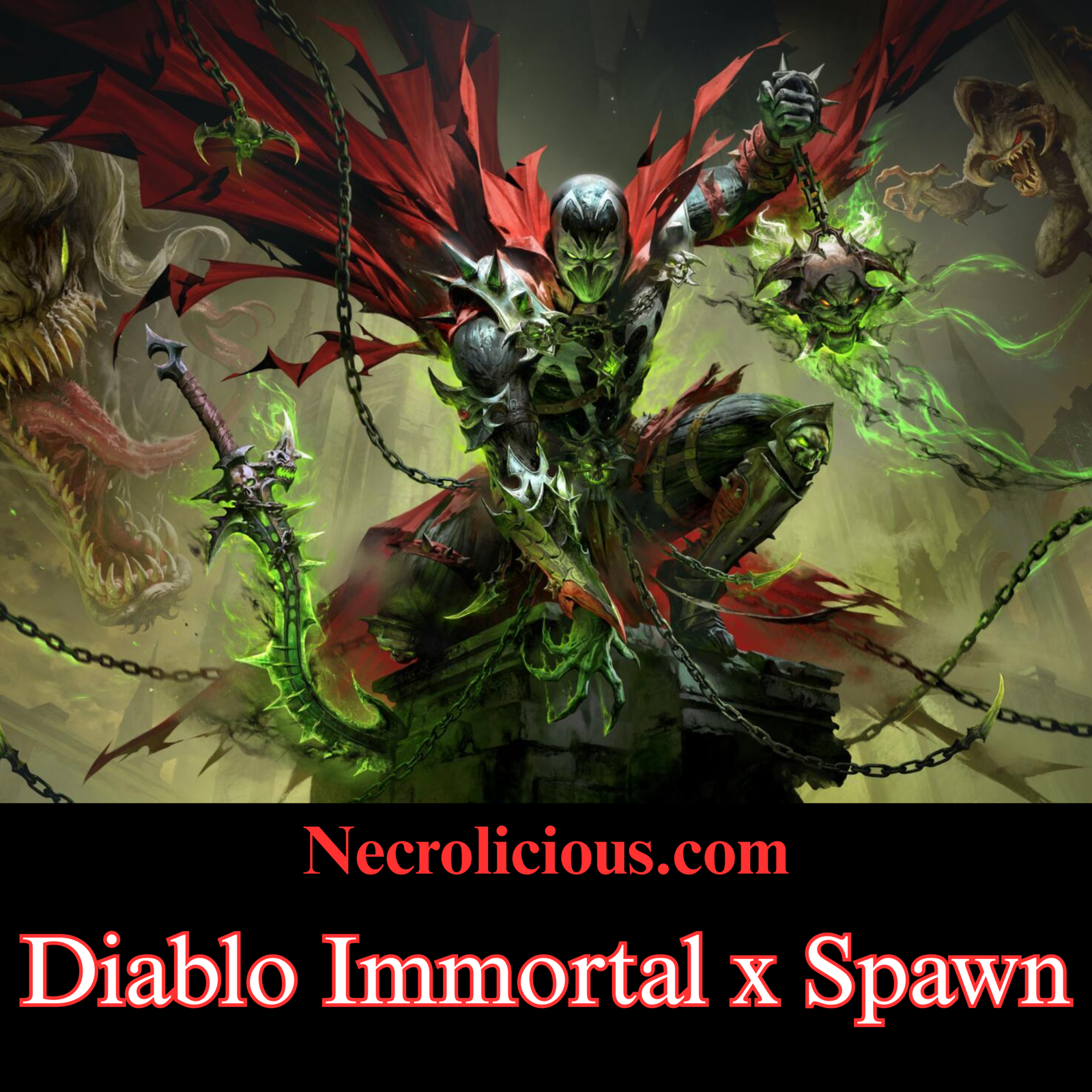
Official channels confirmed on 8 September 2026 that Todd McFarlane’s Spawn will enter Sanctuary on 29 September. The announcement was paired with striking key art: a Hellspawn figure in spiked armour, red cape, chains & green necrotic fire, framed by snarling demons. The pitch is simple. Two visions of hell are being placed in the same game.
That premise is not new for Immortal. The title has spent several years testing how far a free-to-play action RPG can push licensed darkness. Spawn is the latest external property in that line. It also sits beside an older marketing experiment that many players have forgotten: a 2022 European campaign that put Cradle of Filth frontman Dani Filth on camera. This article gathers the official dates, the earlier collaborations, that metal advertisement & the practical questions players are already asking.
The Official Announcement & Key Dates
This collaboration could only be made in hell. Spawn is coming to Diablo Immortal on September 29th.
Attending Blizzcon? You won’t want to miss out on the Diablo Immortal panel with the legendary Todd McFarlane on September 13th. pic.twitter.com/GEao1NWcbW
Social media posts used a short line: “Let hell come.” The body text stated that Diablo Immortal x Spawn arrives on 29 September. Some regional reports list 30 September AEST. Treat 29 September as the headline date unless your server cluster publishes a local maintenance window that shifts it by a few hours.
A companion trailer features McFarlane himself. He described the work as meshing “my hell” with Diablo’s hell & called the pairing a match made in hell. He also confirmed attendance at BlizzCon on 13 September for a Diablo Immortal panel. That session is scheduled to include a live drawing in which he reinterprets Diablo characters through Spawn’s visual language, plus a question period & a signing for attendees.
As of 9 September 2026, Blizzard has not published a full loot table. Players should expect the same structure used in recent Immortal events: a limited mode or boss, a Legendary Gem, weapon or armour cosmetics, a familiar skin & a paid Phantom Market bundle. That pattern is consistent. It is not yet confirmed item by item for Spawn.
How Immortal Built a Pattern of Dark Crossovers
Immortal’s first major non-Blizzard collaboration was Berserk in May 2025. That event, titled Struggler’s Path, ran roughly 1–30 May. It added a Nosferatu Zodd encounter, an Eclipse-themed rewrite of Survivor’s Bane, the Crimson Behelit Legendary Gem, Dragon Slayer weapon cosmetics & a Golem familiar. The Golden Age arc supplied the narrative spine. The Eclipse sequence remains the closest Immortal has come to staging another property’s signature catastrophe inside its own systems.
DOOM: The Dark Ages followed in April 2026. Slayer’s Reign ran from mid-April to 13 May. Survivor’s Bane became Slayer’s Bane. Players received six Slayer-inspired skills, Imps on the field, a Cyberdemon boss, The Crucible Legendary Gem, Praetor armour looks & Cacodemon or mount familiars. Official write-ups later grouped Berserk & DOOM as Immortal’s previous “dark worldview” partners when Spawn was revealed. That grouping is accurate. Both properties share hell, demons & a lone warrior who has already been to the other side.
Other collaborations were larger in marketing terms yet looser in tone:
World of Warcraft’s 20th-anniversary event in November 2024 brought a Lich King encounter & Frostmourne cosmetics.
Hearthstone’s Heroes of the Hearth event in July–August 2025 added collectible cards that altered combat & a tavern-styled trial mode.
StarCraft’s Battle for Beyond event in May–June 2026 dropped Zerg & Protoss into Sanctuary with Infested Rifts, Tal’darim bosses & Kerrigan-adjacent cosmetics.
StarCraft is the outlier. Alien infestation can be grotesque. It is not gothic hell in the Spawn sense. Berserk & DOOM remain the useful comparisons.
Readers who follow licensed dark-fantasy objects will recognise the same collector logic that appears when McFarlane’s own lines expand. Our earlier look at McFarlane Toys’ Q-Figs launch & its Japan-market impact sits in that adjacent space: Spawn as a visual brand that travels across toys, comics & now a live-service ARPG.
What Is Confirmed versus What Players Are Inferring
Confirmed:
In-game start date of 29 September 2026.
McFarlane’s BlizzCon appearance on 13 September with live drawing, discussion & signing.
Official key art that already shows class-agnostic Spawn iconography: chains, necrotic green, red cape, infernal architecture.
A reveal trailer & a broader Dev Update that also covers the Made to Suffer patch on 17 September.
Not confirmed in public notes at the time of writing:
Whether Spawn is a full playable skin set for every class or a smaller bundle.
Whether there is a named boss drawn from Spawn lore (Malebolgia is the obvious candidate; nothing official names him).
Exact gem effects, familiar names or event duration.
Whether any rewards persist after the event window.
Immortal’s recent external events have usually lasted three to four weeks. A late-September start would place the close around late October if that template holds. Do not spend currency on that assumption until the patch notes appear.
A recurring criticism on the announcement post was familiar: why Spawn here rather than in Diablo IV. That complaint is not new. Coverage of the DOOM event made the same comparison. Immortal’s versions of Berserk & DOOM included rewritten modes & bosses. Diablo IV often received cosmetics first. Whether that gap is a design choice or a production constraint is a separate argument. For players who already live in Immortal, the useful question is narrower: will Spawn’s event include a mode worth running on a free account, or is the spectacle reserved for the shop?
Licensed gothic games keep testing that line. When the Stoker estate endorsed a dedicated title, the story was about permission & fidelity rather than a battle pass. Our report on the first video game to carry an explicit blessing from Bram Stoker’s family is a reminder that some dark IPs still treat adaptation as a literary contract. Spawn in Immortal is the opposite model: a live-service drop with a creator on a convention stage.
Practical Takeaways for 13 September & 29 September
Watch the BlizzCon panel if you care about art direction. McFarlane’s live drawings are the first chance to see how Diablo silhouettes survive his line work.
Log in on 29 September for the usual login track. Recent collabs placed a gem, a weapon cosmetic & crests on the free side of the calendar.
Keep platinum & real-money budgets closed until the Phantom Market preview is public. Immortal’s premium bundles for Berserk & DOOM were priced for collectors, not for completionists on a budget.
If you play on multiple regions, confirm the AEST versus PDT cut. The 29 versus 30 September discrepancy is a timezone issue, not two different launches.
Metal & hellish action games have crossed paths before. The Limp Bizkit trailer that accompanied the Netflix Devil May Cry series is another example of a loud rock brand stapled to demon-hunting fiction. Those pairings work when the image is honest. They sour when the image is only a shop window. Spawn’s test will be whether McFarlane’s hell is playable or merely wearable.
FAQ
When does the Diablo Immortal Spawn collaboration start? 29 September 2026, with some Oceania listings showing 30 September AEST.
Is Todd McFarlane involved beyond the trailer? Yes. He is scheduled for the Diablo Immortal BlizzCon panel on 13 September, including a live drawing session.
Has Immortal done similar crossovers before? Yes. The closest are Berserk in May 2025 & DOOM: The Dark Ages in April 2026. Both added modes, gems & cosmetics rather than shop items alone.
Did Dani Filth appear in a Diablo Immortal advertisement? Yes. In August 2022 he featured in a Music For Nations campaign with Bury Tomorrow & Witch Fever. That was marketing, not an in-game event.
Will Spawn also come to Diablo IV? Nothing in the September 2026 announcement confirms a Diablo IV version.
Do I need to spend money to see the collaboration? Login rewards & a free event track have accompanied recent Immortal crossovers. Premium armour, familiars & extra cosmetics have sat in paid bundles. Wait for the 29 September notes before treating either list as final.
Unless otherwise noted, image assets above are NOT original content & are shared under fair use doctrine with NO claims to authorship or ownership. Contact necrolicious@necrolicious.com for credit or removal.
This post was sponsored by…ME! If you’d like to support, please buy my original meme merchandise or check out my affiliate links to get yourself some other cool things. Additional affiliate links may be contained in the above article. If you click on an affiliate link & sign up/make a purchase, I may earn a commission. This does not increase the price you pay for the product or service, so it helps support this website at no cost to you.
If you would like to support my work more directly, I accept voluntary cryptocurrency donations in BTC, ETH, XRP & XLM sent directly to necrolicious.x. necrolicious.x is an Unstoppable Domains name that resolves to the wallet addresses I have configured. Simply enter necrolicious.x as the recipient in a supported wallet (such as Trust Wallet, Blockchain.com or others that support Unstoppable Domains). Donation Disclaimer: All cryptocurrency donations sent to me are final, voluntary gifts & are non-refundable & irreversible. These donations are not tax-deductible since I am not a registered charitable organization, & no tax receipts will be issued. No memo or destination tag is required for XRP or XLM donations, as the domain resolves directly to a wallet address. By sending a donation you acknowledge & accept all associated risks, including cryptocurrency price volatility, network fees & potential loss of funds due to incorrect network selection or transaction errors. I am not responsible or liable for any loss related to your donation. No goods, services or other benefits are provided in exchange for donations. This is not financial, tax, legal or investment advice. Please consult a qualified professional regarding any implications of your donation.
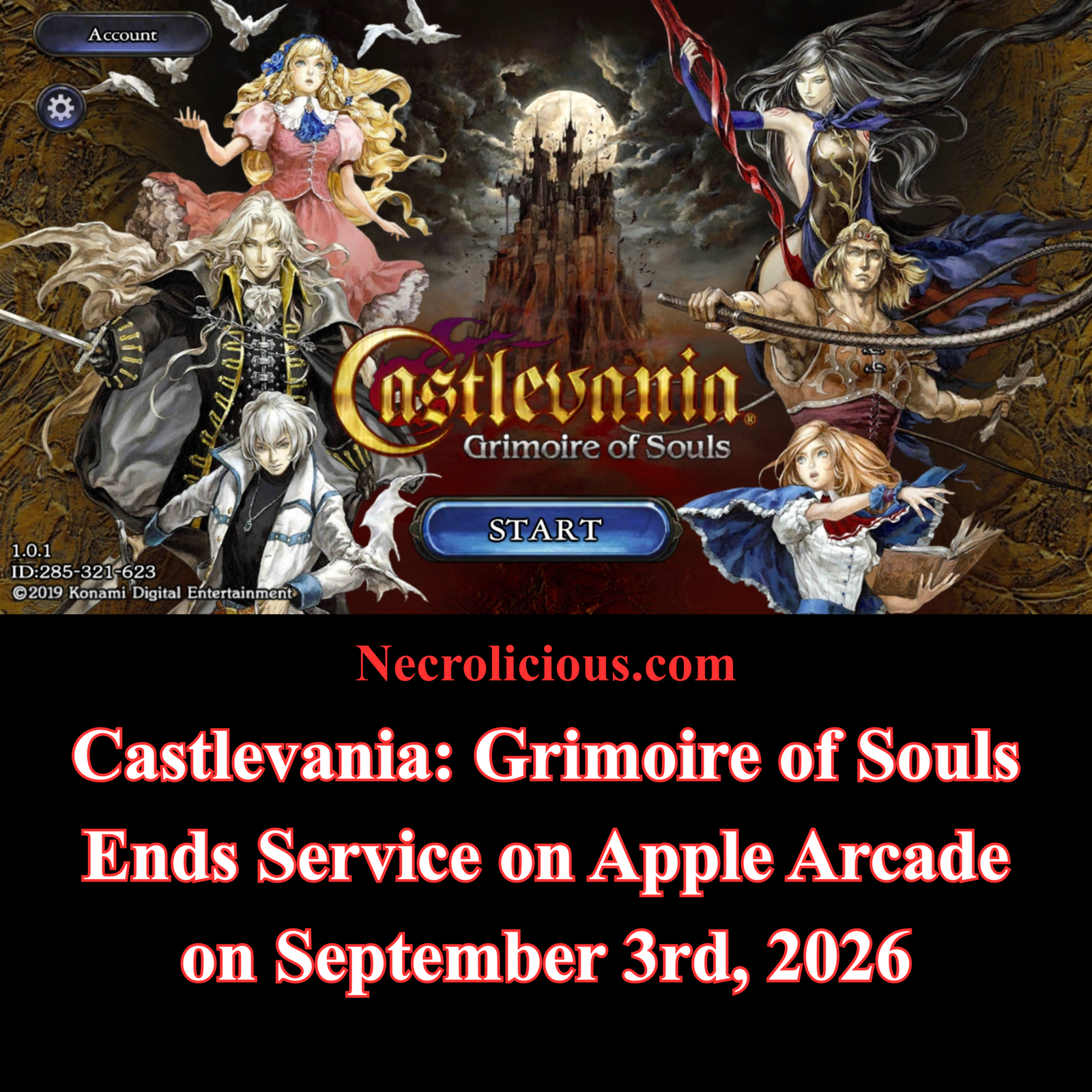
Konami has confirmed the final chapter for one of its more unusual modern Castlevania experiments. Castlevania: Grimoire of Souls (known in Japan as Akumajō Dracula Grimoire of Souls) will leave Apple Arcade on 20 August 2026 & fully end service on 3 September 2026. The announcement from the official Japanese Castlevania account closes a turbulent five-year run on the subscription service after an even shorter soft-launch period that began in 2019.
For many players the news arrives as both expected & bittersweet. The title never achieved the longevity of the classic 2D entries yet left a distinct mark through its ensemble cast, familiar gothic aesthetics & an ambitious multiplayer component that ultimately vanished.
From Canadian Soft Launch to Apple Arcade Exclusive
Grimoire of Souls first appeared as a free-to-play soft launch exclusive to Canada in September 2019 on both iOS & Android. That version featured online multiplayer modes including co-op Bounty Hunt sessions that recalled the spirit of Castlevania: Harmony of Despair. Progress, equipment & character power levels built during that period became inaccessible when Konami discontinued the soft launch in September 2020.
The game returned in September 2021 as an Apple Arcade exclusive. Microtransactions disappeared, visuals received polish & menus were redesigned, yet the multiplayer systems did not return. Players who had invested time in the original Canadian build expressed clear frustration at the loss of their data & the shift to a single-player focused experience. Android users often accessed the soft launch more readily through region tools or installers, while many iPhone owners found the Canadian App Store restrictions more difficult to navigate.
The Apple Arcade edition still delivered a substantial roster of playable characters drawn from across the series: Alucard, Simon Belmont, Maria Renard, Charlotte Aulin & Shanoa among them. Side-scrolling stages revisited locations & enemies familiar to long-time fans while framing the action around magical grimoires that threatened to resurrect Dracula.
Story Resolution Arrived in 2022
Early Apple Arcade players who reached the mid-game introduction of a corrupted Soma Cruz often encountered what felt like a cliffhanger. The May 2022 version 1.4.0 update resolved that narrative thread. New grimoires completed the main story, purified the Dark King version of Soma, added him & Trevor Belmont as Alter Arts characters & provided revelations connected to the events of Castlevania III: Dracula’s Curse. New Game+ mode, additional shops & quality-of-life adjustments accompanied the conclusion.
Subsequent patches remained limited to bug fixes & security updates. By 2022 the core campaign stood complete; later years offered little new content. The decision to end service therefore arrives after a prolonged period of maintenance rather than active expansion.
The Pattern of Castlevania Multiplayer Experiments
Grimoire of Souls was not the first Castlevania title to explore multiplayer. Castlevania: Harmony of Despair, released on Xbox Live Arcade in 2010 & PlayStation Network in 2011, gathered an ensemble of series protagonists for up to six-player online co-op stages built around loot & boss encounters. That game retains a small but dedicated community through Discord groups & emulation, yet official matchmaking activity remains sparse years later.
Both experiments illustrate a recurring difficulty: sustaining online populations & ongoing support for multiplayer-focused Castlevania projects. Local multiplayer options existed in limited form on the PlayStation 3 version of Harmony of Despair, but the broader online ambitions of both titles proved short-lived relative to the single-player classics that define the franchise.
First-Hand Memories from Tokyo Game Show 2019
Personal encounters with the game often remain more memorable than sales figures or service timelines. During the 2019 Tokyo Game Show the title appeared as a playable demo at the Konami booth, offering both single-player stages & multiplayer Bounty Hunt sessions well before the Canadian soft launch. I planned my ever first trip to Japan around this event & waited more than an hour for a turn. I experienced the early build ahead of most of the world & even received a promotional Castlevania “whip” (that was actually a jump rope). Such physical souvenirs from the booth have since become scarce mementos of a version that never received a full global free-to-play release.
These early impressions captured the excitement of seeing series veterans designed by Ayami Kojima & scored by Michiru Yamane in a fresh mobile context. The subsequent commercial path—soft launch, shutdown, Arcade revival & now final closure—did not erase the power of my initial impressions.
Looking Ahead to Castlevania: Belmont’s Curse
The end of Grimoire of Souls coincides with renewed activity elsewhere in the franchise. Castlevania: Belmont’s Curse, developed with Evil Empire & Motion Twin, arrives on 15 October 2026 for PlayStation 5, Xbox Series X|S, PC & Nintendo Switch. Set in 1499 Paris twenty-three years after Castlevania III: Dracula’s Curse, the game follows Rose Belmont & returns to 2D exploration-focused action. Previews emphasise fluid whip combat, non-linear maps & bosses drawn from both series tradition & French historical legend.
The contrast is instructive. Where Grimoire of Souls experimented with live-service multiplayer & mobile monetisation models, the new title positions itself as a more traditional single-player entry timed for the series’ 40th anniversary. Fans seeking offline ports of the completed Grimoire of Souls campaign have voiced that desire repeatedly beneath the official end-of-service posts, though no such plans have been confirmed.
Practical Takeaways for Remaining Players
Existing Apple Arcade downloads remain playable until the 3 September 2026 service termination.
New downloads end on 20 August 2026.
The May 2022 update contains the full story resolution for those who stopped earlier.
Progress from the 2019–2020 soft launch cannot be recovered.
Community discussion continues around potential future offline or console releases of the finished content.
Castlevania: Grimoire of Souls never became a flagship entry, yet its journey—from Tokyo Game Show demo through soft-launch multiplayer, progress loss, story completion & quiet Arcade years—illustrates both the risks of live-service experiments & the enduring appeal of the series’ core formula. As the servers prepare to close, the title leaves behind a complete campaign, a roster of familiar faces & a set of memories that, for some players, still hold personal significance.
When exactly does Castlevania: Grimoire of Souls stop working? New downloads end on 20 August 2026. Full service termination occurs on 3 September 2026 (PDT-aligned times).
Was the multiplayer version different from the Apple Arcade release? Yes. The 2019 Canadian soft launch included online co-op & related modes that were removed for the 2021 Arcade edition.
Did the story receive a proper ending? The May 2022 update completed the main narrative, resolved the corrupted Soma Cruz arc & added New Game+.
Is there any chance of an offline or console port? No official plans have been announced. Fan requests continue, particularly given the completed state of the campaign.
Unless otherwise noted, image assets above are NOT original content & are shared under fair use doctrine with NO claims to authorship or ownership. Contact necrolicious@necrolicious.com for credit or removal.
This post was sponsored by…ME! If you’d like to support, please buy my original meme merchandise or check out my affiliate links to get yourself some other cool things. Additional affiliate links may be contained in the above article. If you click on an affiliate link & sign up/make a purchase, I may earn a commission. This does not increase the price you pay for the product or service, so it helps support this website at no cost to you.
If you would like to support my work more directly, I accept voluntary cryptocurrency donations in BTC, ETH, XRP & XLM sent directly to necrolicious.x. necrolicious.x is an Unstoppable Domains name that resolves to the wallet addresses I have configured. Simply enter necrolicious.x as the recipient in a supported wallet (such as Trust Wallet, Blockchain.com or others that support Unstoppable Domains). Donation Disclaimer: All cryptocurrency donations sent to me are final, voluntary gifts & are non-refundable & irreversible. These donations are not tax-deductible since I am not a registered charitable organization, & no tax receipts will be issued. No memo or destination tag is required for XRP or XLM donations, as the domain resolves directly to a wallet address. By sending a donation you acknowledge & accept all associated risks, including cryptocurrency price volatility, network fees & potential loss of funds due to incorrect network selection or transaction errors. I am not responsible or liable for any loss related to your donation. No goods, services or other benefits are provided in exchange for donations. This is not financial, tax, legal or investment advice. Please consult a qualified professional regarding any implications of your donation.
Konami’s Gamescom 2026 staging area reveal shows a substantial custom structure themed around Belmont’s Curse. Gothic towers, a large central red-moon banner displaying the title, & atmospheric detailing create an immersive presence on the convention floor. This represents a clear step up from the more modest stations that accompanied the mobile Castlevania: Grimoire of Souls that I saw when I attended Tokyo Game Show 2019.
Gamescom 2026 takes place from 26 to 30 August at the Koelnmesse exhibition centre in Cologne, Germany. Whether the exact Gamescom structure travels to Tokyo Game Show in mid-September is doubtful. International shipping of large custom builds between late August & mid-September is logistically demanding & costly. Japanese publishers typically fabricate major thematic elements locally for TGS, adapting concepts to the available space & local regulations. Konami is confirmed as a major exhibitor, so a themed Belmont’s Curse area with playable demos is highly probable, even if the physical staging differs.
Stage vs Real Life
Earlier in the year, private influencer & media events took place inside the Chapelle Reille in Paris. Those sessions used the existing architecture of a deconsecrated Gothic church—stained glass, vaulted ceilings, dramatic red lighting, suits of armour & long tables of playable stations—rather than a purpose-built castle facade. The two setups serve different purposes: one for a large public trade show, the other for an intimate, atmospheric preview that we all wish we could have gone to.
The Unfulfilled Anniversary Promise
The February portal-site message stated that Belmont’s Curse marked the beginning of numerous new products. The Japanese wording refers to “numerous new developments.” As of mid-August 2026 the official site continues to feature the same statement with no additional game announcements. “Products” is broad language that could encompass merchandise, collaborations, stage productions, collections or other media rather than a sequence of full titles.
The original game’s anniversary falls in late September, placing Tokyo Game Show in a potentially strategic window. Konami could still reveal further plans there. At present, however, the silence after the initial teaser is noticeable.
Practical Takeaways for Fans
Expect a strong Belmont’s Curse presence at both Gamescom (first public playable) & TGS (likely themed area & demos).
Additional anniversary projects remain possible but unconfirmed; TGS timing is more favourable than Gamescom for further reveals.
Looking Ahead
Join us at Gamescom 2026, and play Castlevania: Belmont's Curse for the first time! 🦇
Castlevania: Belmont’s Curse launches on 15 October 2026 across PlayStation 5, Xbox Series X|S, PC & Nintendo Switch. It returns the series to 2D action-exploration roots while introducing Rose Belmont as protagonist in a 1499 Paris setting twenty-three years after Castlevania III: Dracula’s Curse. The elaborate event support demonstrates genuine investment after the long hiatus. Whether the 40th anniversary ultimately delivers the broader slate originally suggested will become clearer in the coming weeks. Until then, the single confirmed title carries the weight of renewed expectations for a franchise that once defined an entire genre of atmospheric exploration.
FAQ
Will additional Castlevania games be announced at Gamescom or Tokyo Game Show 2026? No specific further titles have been confirmed. Gamescom focuses on the first public demo of Belmont’s Curse & a Silent Hill: Townfall trailer. TGS offers a stronger window due to timing & Konami’s home-market presence, but nothing is guaranteed.
Is Belmont’s Curse a fully Japanese-developed game? No. Primary development is handled by the French studio Evil Empire with advisory input from Motion Twin. Konami provides Japanese production oversight via producer Tsutomu Taniguchi, & key art comes from Japanese illustrator Katsuya Terada.
Why does the art style look different from classic Castlevania titles? The developers & Konami have deliberately expanded the gothic aesthetic with a more colourful & refined presentation. Official materials frame it as a fresh take while retaining series atmosphere.
What does “numerous new products” actually mean? The February 2026 statement used broad language covering potential games, merchandise, media or other developments. Only Belmont’s Curse has been detailed so far.
Unless otherwise noted, image assets above are NOT original content & are shared under fair use doctrine with NO claims to authorship or ownership. Contact necrolicious@necrolicious.com for credit or removal.
This post was sponsored by…ME! If you’d like to support, please buy my original meme merchandise or check out my affiliate links to get yourself some other cool things. Additional affiliate links may be contained in the above article. If you click on an affiliate link & sign up/make a purchase, I may earn a commission. This does not increase the price you pay for the product or service, so it helps support this website at no cost to you.
If you would like to support my work more directly, I accept voluntary cryptocurrency donations in BTC, ETH, XRP & XLM sent directly to necrolicious.x. necrolicious.x is an Unstoppable Domains name that resolves to the wallet addresses I have configured. Simply enter necrolicious.x as the recipient in a supported wallet (such as Trust Wallet, Blockchain.com or others that support Unstoppable Domains). Donation Disclaimer: All cryptocurrency donations sent to me are final, voluntary gifts & are non-refundable & irreversible. These donations are not tax-deductible since I am not a registered charitable organization, & no tax receipts will be issued. No memo or destination tag is required for XRP or XLM donations, as the domain resolves directly to a wallet address. By sending a donation you acknowledge & accept all associated risks, including cryptocurrency price volatility, network fees & potential loss of funds due to incorrect network selection or transaction errors. I am not responsible or liable for any loss related to your donation. No goods, services or other benefits are provided in exchange for donations. This is not financial, tax, legal or investment advice. Please consult a qualified professional regarding any implications of your donation.
Samsung’s summer Galaxy Unpacked event in London on 22 July 2026 delivered a clear update to the foldable portfolio. While the wider book-style models demonstrate impressive engineering, I approach these announcements as a dedicated Z Flip user. My focus remains on the clamshell experience that has shaped my daily carry for several generations, & I leave broader coverage of the larger devices to others.
In a piece published shortly before the event, I outlined five upgrades that would address recurring priorities for enthusiasts. These reflected practical use, repair history & the distinctive appeal of the form factor. With official details now available, this article evaluates delivery against those original wishes in the same sequence.
5. Mint Colour Made Standard
Colour selection carries particular weight for a device that often functions as a personal accessory. Previous generations positioned Mint as a popular yet frequently restricted option, often limited to direct Samsung channels. This created friction for buyers seeking carrier financing or trade-in promotions alongside their preferred shade.
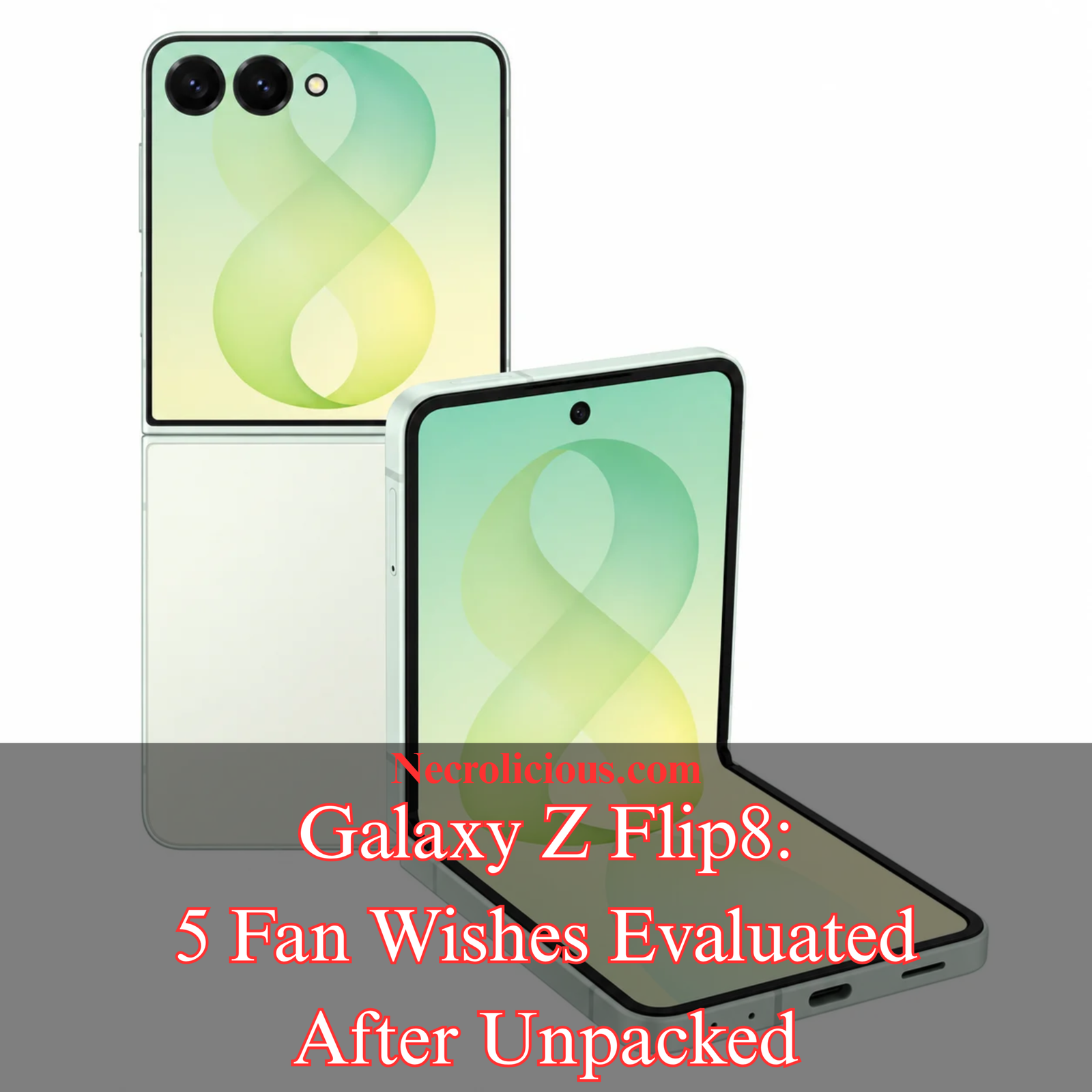
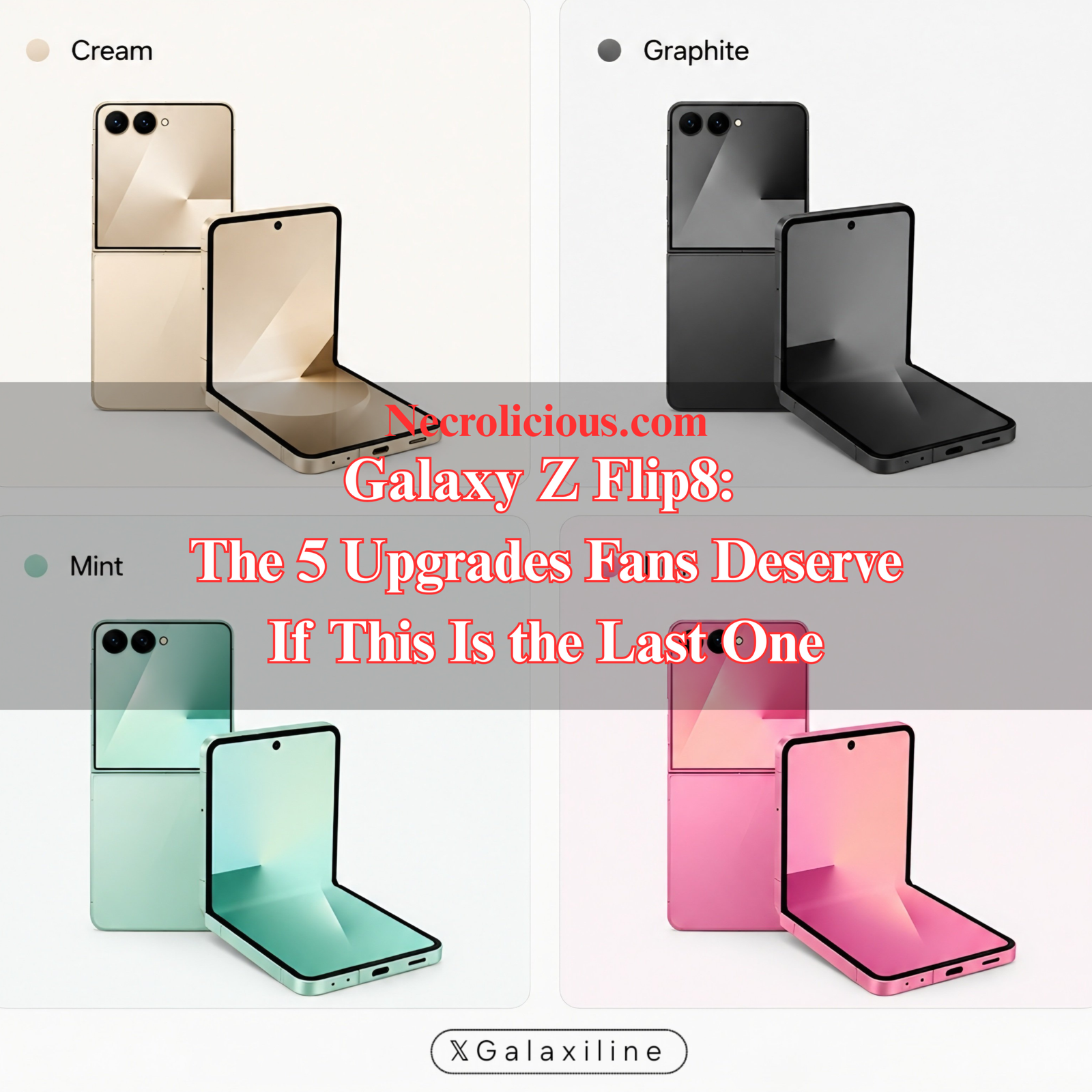
The Galaxy Z Flip 8 continues this pattern. Official colours available through carriers & most retailers are Graphite, Cream & Pink. Mint remains a Samsung.com exclusive. It can be purchased only via Samsung’s official online store (or selected direct outlets depending on stock), meaning it cannot be combined with most carrier trade-in or financing offers in Japan. This preserves the lifestyle appeal of the shade for those who prioritise it, yet the limitation remains unchanged from earlier generations.
4. Return of Expandable Storage
The removal of microSD card support from recent flagship devices has remained a point of discussion for users who value flexibility with media libraries, high-resolution captures or future-proofing without immediate premium costs. Rising component prices have kept the topic relevant, particularly for a compact device where internal storage choices carry weight.
The Galaxy Z Flip 8 retains fixed internal storage configurations of 256 GB & 512 GB. No microSD slot has been introduced. This decision aligns with Samsung’s established design priorities around performance, water resistance & slim profiles, yet it leaves a gap for those who previously relied on expandable capacity. Practical workarounds include cloud services & disciplined local file management, though these do not fully replicate the convenience of physical expansion for certain workflows.
3. Meaningful Advances in Long-term Durability
Durability has featured prominently in discussions of earlier Z Flip models, with reports of hinge wear, dust ingress & occasional screen issues appearing across owner feedback. Personal experience with prior generations included instances of screen degradation over time, underscoring the value of incremental hardware improvements for users intending longer ownership cycles.
Samsung has highlighted refinements to the hinge mechanism & overall structural resilience on the new model, alongside continued IP48-rated protection. The device is thinner when unfolded (approximately 6.1 mm) & lighter at around 180 g, making it the lightest Z Flip to date. These build on gains seen in the preceding generation. Samsung Care+ (known as Galaxy Care in Japan) remains available as an optional paid plan covering accidental damage & other issues. No expansion of the service’s scope or any price increases have been announced post-Unpacked. Coverage continues on standard terms, with occasional regional promotions offering short free periods in certain markets.
2. Good Trade-in Deals Accessible Through Carriers
Trade-in value frequently determines the effective cost of an upgrade, especially in markets where carrier programmes combine credits with plan commitments. Pre-order activity for the Galaxy Z Flip 8 began in Japan on 23 July 2026 at 09:00. The official Samsung Japan starting price for the base 256 GB model is ¥192,680 (tax included).
Docomo is offering 7,000 dポイント (period- & use-limited) for customers who reserve & purchase the Flip 8 within the specified windows & claim via Samsung Wallet. SoftBank & au continue their established return-programme structures that can significantly reduce long-term cost if the device is returned after 13 or 25 months. Samsung’s own trade-in service is also available on Samsung.com, providing a direct reduction against the purchase price. Exact trade-in valuations for individual older devices vary by condition & channel & should be checked on the live calculators.
Best method to achieve the lowest price in Japan Those seeking Mint must purchase from Samsung.com & combine it with Samsung’s trade-in tool. For Cream, Graphite or Pink, compare three options side-by-side: Samsung.com trade-in, Docomo’s 7,000-point campaign plus its trade-in values, & SoftBank or au return programmes. The latter often deliver the lowest effective cost for users willing to return the handset later. Factor in any credit-card or Rakuten Pay bonuses at checkout. Because pre-orders opened only hours ago, full boosted trade-in tables are still being populated; refreshing the carrier sites remains advisable before finalising.
1. Continuation of the Z Flip Series
Beyond individual specifications, the longer-term direction of the clamshell lineup holds personal significance for users who value its unique combination of portability & one-handed operation. The form factor has evolved through successive hinge & display refinements, offering an experience distinct from conventional slab smartphones or larger book-style foldables.
The July 2026 event presented the Z Flip 8 as part of an active & evolving range rather than a concluding chapter. No indication of discontinuation emerged, & the presentation focused on ongoing refinement of the clamshell design alongside other form factors. This provides reassurance for enthusiasts who appreciate the series’ distinctive character & incremental progress in areas such as crease visibility & handling.
Additional Features Announced for the Galaxy Z Flip 8
Beyond the five original wishes, the event introduced notable capabilities relevant to Flip users. Agentic AI features powered by Gemini Intelligence received emphasis, enabling multi-step tasks across apps with screen context awareness. These appear optimised for the new hardware & were demonstrated primarily on the announced devices. Similarly, My FanCam offers AI-driven video tracking that centres a selected person while moving through the frame, with options for social media aspect ratios. Both features were positioned for the new Z Flip 8 & do not appear scheduled for retroactive rollout to older Flip models at this stage. Users on previous generations will receive general One UI 9 refinements, but the more advanced agentic & tracking capabilities look tied to the latest hardware.
Overall Assessment & Practical Takeaways
The Galaxy Z Flip 8 addresses the majority of the outlined priorities in meaningful ways. Series continuity & durability refinements represent clear alignments with enthusiast expectations, while the absence of expandable storage maintains the established design philosophy. Mint’s continued exclusivity & the need to monitor live trade-in values remain points for careful consideration. Samsung Care+ continues unchanged in scope & pricing.
For prospective buyers, several considerations apply. Those who prioritise aesthetic flexibility within carrier channels will find Graphite, Cream & Pink readily available. Individuals focused on storage expansion may need to rely on cloud solutions or higher internal capacities. Durability-conscious owners benefit from evaluating Galaxy Care alongside careful use. Regional differences in pricing, carrier support & pre-order incentives warrant direct comparison on the day of ordering.
The clamshell form factor occupies a distinct position within Samsung’s foldable strategy. Its evolution reflects both technical constraints & user preferences for compact, stylish devices. Official specifications confirmed at the event, including integration with One UI 9 based on Android 17, provide a foundation for software refinement over the supported lifespan.
Practical ownership continues to benefit from informed choices around colour, protection & upgrade timing. For users with previous Z Flip models, the refinements offer incremental improvements without requiring a complete shift in interaction style.
Will the Galaxy Z Flip 8 include a microSD card slot? No. The model retains fixed internal storage options only.
Has Samsung confirmed the end of the Z Flip series? No. The event positioned the lineup as ongoing, with no discontinuation announced.
When do pre-orders & trade-in details become available in Japan? Pre-order activity began on 23 July 2026 at 09:00. Full terms & live calculators are available on carrier & Samsung sites.
Is Mint available through carriers in Japan? No. Mint is a Samsung.com exclusive.
Are advanced AI features like My FanCam available on older Z Flip models? They do not appear scheduled for retroactive rollout. General One UI 9 refinements will reach supported older devices, but the highlighted agentic & tracking capabilities were demonstrated on the new hardware.
Have there been any changes to Samsung Care+ / Galaxy Care? No expansion of coverage or price increases have been announced. The service remains available on standard terms for the new devices.
For further context on pre-event expectations, the original outline of these priorities remains available on this site. Related discussions of file sharing improvements across Galaxy devices & broader considerations around storage economics also appear in earlier articles. Official announcements from Samsung provide the primary reference for the assessments presented here.
Unless otherwise noted, image assets above are NOT original content & are shared under fair use doctrine with NO claims to authorship or ownership. Contact necrolicious@necrolicious.com for credit or removal.
This post was sponsored by…ME! If you’d like to support, please buy my original meme merchandise or check out my affiliate links to get yourself some other cool things. Additional affiliate links may be contained in the above article. If you click on an affiliate link & sign up/make a purchase, I may earn a commission. This does not increase the price you pay for the product or service, so it helps support this website at no cost to you.
If you would like to support my work more directly, I accept voluntary cryptocurrency donations in BTC, ETH, XRP & XLM sent directly to necrolicious.x. necrolicious.x is an Unstoppable Domains name that resolves to the wallet addresses I have configured. Simply enter necrolicious.x as the recipient in a supported wallet (such as Trust Wallet, Blockchain.com or others that support Unstoppable Domains). Donation Disclaimer: All cryptocurrency donations sent to me are final, voluntary gifts & are non-refundable & irreversible. These donations are not tax-deductible since I am not a registered charitable organization, & no tax receipts will be issued. No memo or destination tag is required for XRP or XLM donations, as the domain resolves directly to a wallet address. By sending a donation you acknowledge & accept all associated risks, including cryptocurrency price volatility, network fees & potential loss of funds due to incorrect network selection or transaction errors. I am not responsible or liable for any loss related to your donation. No goods, services or other benefits are provided in exchange for donations. This is not financial, tax, legal or investment advice. Please consult a qualified professional regarding any implications of your donation.
Samsung has confirmed its next Galaxy Unpacked event for 22 July 2026 in London. The Galaxy Z Flip 8 is widely expected to appear alongside new book-style foldables. Recent reports indicate the clamshell model could represent the final entry in the Z Flip series as the company shifts focus toward wider form factors.
For many enthusiasts the announcement carries mixed feelings. The Z Flip line has delivered a distinctive pocketable experience that sets it apart from conventional slab phones. As someone who has owned multiple generations, I have clear priorities for what the next model should deliver. The following five wishes reflect both practical considerations & the personal connection many users feel toward this form factor.
5. Mint Colour Made Standard
Colour choice carries particular weight for a device positioned as a lifestyle accessory. Mint has been a popular option in previous generations, offering a distinctive alternative to standard finishes. Leaks for the Z Flip 8 suggest the palette will include Cream, Graphite & Pink, with Mint appearing in some reports as a potential Samsung Online exclusive.
Exclusive colours create a practical limitation. Buyers who want a specific shade must purchase directly from Samsung, forgoing carrier trade-in programmes or financing arrangements. Making Mint available as a standard variant through carriers would remove this friction while preserving the appeal of limited editions for those who prefer them.
The distinction matters for users who plan upgrades around promotional periods. A broader colour strategy would allow more people to combine aesthetic preference with the best available commercial terms.
4. Return of Expandable Storage
The removal of microSD card slots from flagship devices several years ago remains a frequent point of discussion among users who value flexibility. Rising DRAM prices have intensified the conversation. Component costs have increased sharply, with some reports noting that shortages could persist into late 2027.
For a compact foldable the ability to expand storage without paying a premium for higher internal capacity would offer clear advantages. Photographers & videographers who rely on the Z Flip for quick capture would benefit from the option to add high-speed cards as needed. It would also reduce pressure on internal memory during software updates or when storing large media libraries.
Samsung has not indicated that the Z Flip 8 will reintroduce expandable storage. However, market conditions make the feature worth reconsidering for at least some models in the range. Readers interested in the broader context may wish to consult my analysis of whether microSD slots could return amid current storage economics.
3. Meaningful Advances in Long-term Durability
Durability concerns have featured prominently in user discussions of earlier Z Flip generations. Reports of hinge-related issues, dust ingress, & unexpected screen failures appeared regularly with the Z Flip 4, 5 & 6. Some owners described full screen breakage from minor debris or even a single hair becoming trapped in the hinge mechanism.
Personal experience aligns with these accounts. One earlier model developed a large dead zone on the inner display after roughly a year of use. Repair options proved limited when the device had been purchased outside Japan. Subsequent ownership of a later model, covered by Samsung Care, still required multiple screen & component replacements over time.
The Z Flip 7 introduced a redesigned hinge & refinements that reduced crease visibility while improving structural resilience. Independent testing confirmed the model withstood bending forces effectively. These steps represent progress. For owners who do not replace devices annually, further gains in hinge sealing, screen protection layers, & overall resistance to everyday wear would provide greater confidence in long-term ownership. Samsung Care remains a sensible consideration for any foldable purchase, yet hardware improvements that reduce the frequency of repairs would deliver the most meaningful benefit.
2. Good Trade-in Deals Accessible Through Carriers
One of the most immediate barriers to upgrading remains the value offered when trading in an existing device. In markets such as the United States major carriers frequently provide substantial credits that can reduce or eliminate the net cost of a new handset when combined with a qualifying plan. Older devices, including previous Z Flip models or iPhones from a few generations back, often receive meaningful credits of several hundred pounds equivalent that make the upgrade feel more attainable.
In Japan the situation differs. Pre-order incentives for recent Z Flip models have typically centred on accessory bundles rather than significant storage upgrades or aggressive trade-in programmes. When the Z Flip 6 launched, for example, many buyers received Galaxy Buds rather than additional internal storage. Carrier availability has also been selective, with some retailers omitting certain colours or variants entirely.
Even outside Japan, previously common free storage upgrades appear to be disappearing worldwide. Rising component costs, particularly for memory, have made such promotions less sustainable according to the latest industry rumours. A more competitive trade-in structure would benefit buyers who prefer to finance through their carrier while still accessing the colour or storage option they want. Practical improvements could include clearer valuation tables, higher credits for recent flagships, or bundle options that do not force a choice between direct-purchase exclusives & carrier support. Such changes would align the Japanese market experience more closely with the flexibility seen elsewhere without requiring unrealistic subsidies.
1. Continuation of the Z Flip Series
Beyond individual features, the longer-term direction of the lineup carries personal significance. The clamshell form factor has provided a distinctive experience that conventional smartphones do not replicate. Many owners describe a renewed appreciation for their device after switching to the Z Flip series, noting both the practical benefits of one-handed use & the visual appeal that often draws comments from others.
Earlier generations demonstrated clear evolution in hinge design & display quality. The possibility that the Z Flip 8 could mark the end of the line has prompted reflection among long-term users. A successor would allow continued refinement of the form factor that many have come to prefer.
Samsung has not confirmed the discontinuation of the Z Flip series. Should the 8 prove the final model, a strong emphasis on durability & refinement would help owners maximise the lifespan of their device.
Practical Considerations for Buyers
Anyone evaluating the Z Flip 8 should weigh several factors. Trade-in values & carrier support vary significantly by region. Durability has improved with each generation yet remains a consideration best addressed through careful handling & appropriate protection plans. Colour availability & storage options will influence the final purchase decision for many.
The device is expected to launch with the Snapdragon 8 Elite Gen 5 chipset in certain markets & the Exynos 2600 elsewhere, paired with 12 GB of RAM & storage beginning at 256 GB. Official pricing & full specifications will be confirmed at the 22 July event.
When will the Galaxy Z Flip 8 be announced? Samsung has scheduled Galaxy Unpacked for 22 July 2026 in London. Pre-orders are likely to begin shortly afterwards, with retail availability expected in early August.
Will the Z Flip 8 include a microSD card slot? Current leaks & reports do not indicate the return of expandable storage. The model is expected to ship with fixed internal storage options only.
How much has durability improved in recent Z Flip models? The Z Flip 7 introduced a refined hinge & demonstrated stronger performance in independent bend testing. Earlier generations experienced more frequent reports of hinge & screen issues.
Will Mint be available through carriers? Leaks suggest Mint may be offered as a Samsung Online exclusive. Standard colours such as Cream, Graphite & Pink are expected to appear through carrier channels.
Is the Z Flip series ending after the 8? Rumours indicate the possibility, although Samsung has not issued an official statement. The company continues to develop new foldable form factors.
The Z Flip line has earned a dedicated following through its distinctive design & incremental refinements. The wishes outlined here reflect both enthusiast priorities & the practical realities of ownership in different markets. Official details from the July event will clarify which of these elements materialise in the final product.
Unless otherwise noted, image assets above are NOT original content & are shared under fair use doctrine with NO claims to authorship or ownership. Contact necrolicious@necrolicious.com for credit or removal.
This post was sponsored by…ME! If you’d like to support, please buy my original meme merchandise or check out my affiliate links to get yourself some other cool things. Additional affiliate links may be contained in the above article. If you click on an affiliate link & sign up/make a purchase, I may earn a commission. This does not increase the price you pay for the product or service, so it helps support this website at no cost to you.
If you would like to support my work more directly, I accept voluntary cryptocurrency donations in BTC, ETH, XRP & XLM sent directly to necrolicious.x. necrolicious.x is an Unstoppable Domains name that resolves to the wallet addresses I have configured. Simply enter necrolicious.x as the recipient in a supported wallet (such as Trust Wallet, Blockchain.com or others that support Unstoppable Domains). Donation Disclaimer: All cryptocurrency donations sent to me are final, voluntary gifts & are non-refundable & irreversible. These donations are not tax-deductible since I am not a registered charitable organization, & no tax receipts will be issued. No memo or destination tag is required for XRP or XLM donations, as the domain resolves directly to a wallet address. By sending a donation you acknowledge & accept all associated risks, including cryptocurrency price volatility, network fees & potential loss of funds due to incorrect network selection or transaction errors. I am not responsible or liable for any loss related to your donation. No goods, services or other benefits are provided in exchange for donations. This is not financial, tax, legal or investment advice. Please consult a qualified professional regarding any implications of your donation.
.Koei Tecmo has grown its workforce significantly in recent years. Many enthusiasts now wonder whether this expansion could eventually support a new entry in the Fatal Frame series that leverages modern smartphone augmented reality technology. The timing feels particularly pointed given the company’s stated priorities.
Koei Tecmo Workforce Growth in Context
In July 2026 Automaton West reported that Koei Tecmo had increased its headcount from approximately 2500 employees to over 3000 in just two years. The company added 193 new domestic hires in 2026 alone after reaching 2850 the previous year. President & CEO Hisashi Koinuma confirmed that the long-term target of 5000 employees remains unchanged.
This growth forms part of a broader mid-term strategy first outlined in late 2024. The plan centres on expanding the number of active development lines across existing brands such as Team NINJA, Omega Force & Gust. A new dedicated AAA Studio was also established to experiment with fresh concepts without risking established fan expectations for core series.
The expansion supports goals around self-publishing & global infrastructure. Examples include the in-house release of Nioh 3 which enabled simultaneous PC availability & strong sales performance. Internal training programmes accompany hiring to build talent capable of sustaining higher output.
Fatal Frame’s Natural Fit with Augmented Reality
The Fatal Frame series centres on the Camera Obscura mechanic. Players photograph ghosts to repel or capture them. This core loop aligns closely with camera-based augmented reality experiences available on contemporary smartphones.
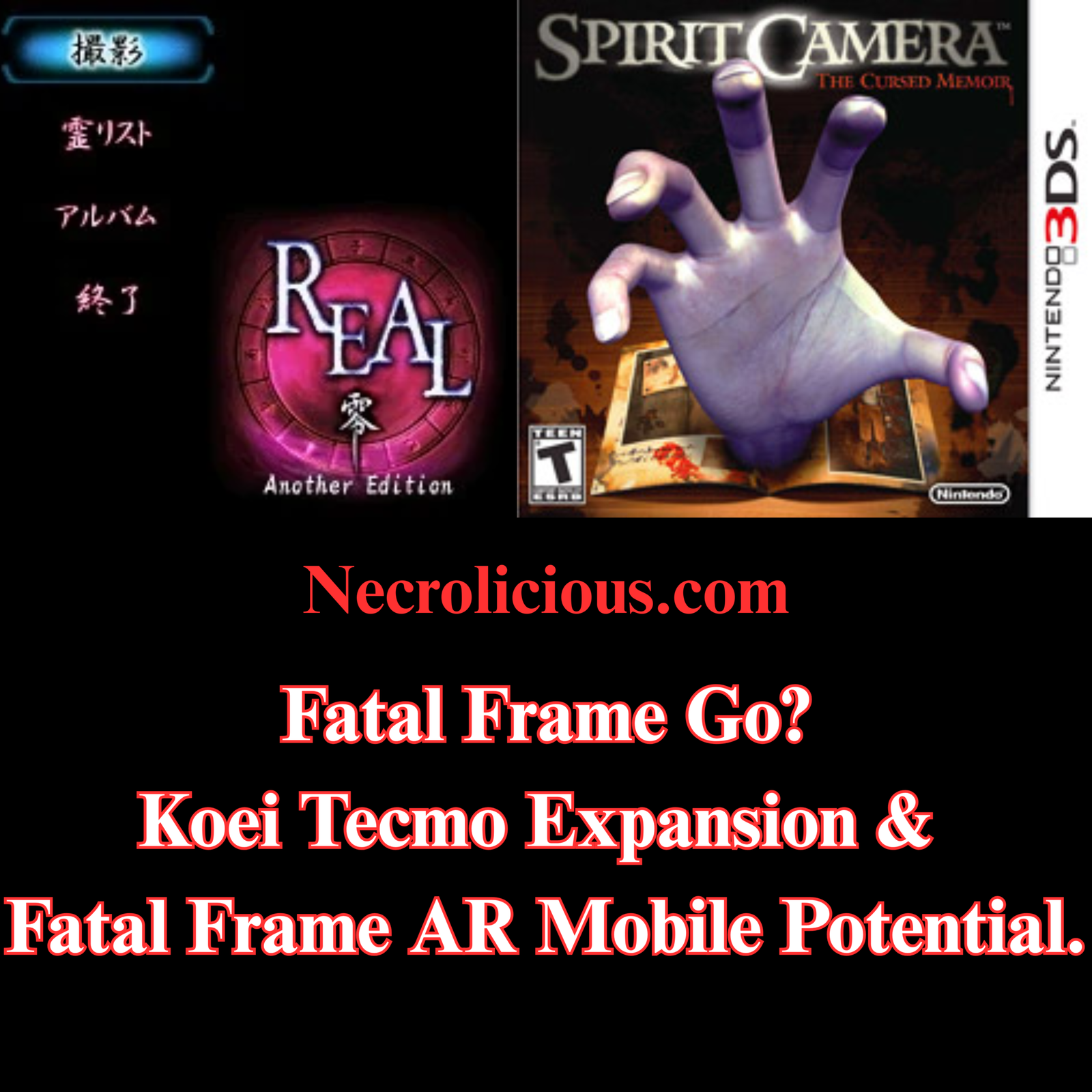
Historical context strengthens the connection. In 2004 Tecmo released Real Zero Another Edition exclusively in Japan for feature phones. Players used the device’s camera to photograph real surroundings while ghosts appeared superimposed in the images. The experience allowed collection of different ghosts & delivered clues through in-game emails. Service continued until 2011.
A later spin-off Spirit Camera The Cursed Memoir arrived on Nintendo 3DS in 2012. It made extensive use of the handheld’s camera & early AR features. Players could hunt ghosts within their actual rooms by treating the device itself as the Camera Obscura.
These experiments occurred when camera phones & AR capabilities remained rudimentary. Modern smartphones offer far superior sensors, processing power & frameworks such as ARKit or ARCore. Depth sensing & real-time tracking now support more convincing overlays & interactions.
The recent Fatal Frame II Crimson Butterfly Remake developed by Team NINJA demonstrates renewed investment in the franchise. Released in March 2026 across PlayStation 5, Nintendo Switch 2, Xbox Series X|S & PC, the title updates graphics, sound & controls while introducing new gameplay elements. Series creator Makoto Shibata noted in pre-release interviews that the remake was built in a manner close to developing a new game. Any future entry would likely evolve from the systems established here.
Strategic Focus on AAA Over Mobile
Koei Tecmo has explicitly adjusted its outlook on mobile games. Representatives noted in 2024 that the mobile market is mature & that significant further growth appears unlikely. The current medium-term plan instead emphasises raising quality across the portfolio to AAA standards & balancing major titles with middle-class releases.
This represents a deliberate pivot. Earlier strategies placed greater weight on smartphone expansion alongside console projects. The revised approach prioritises console & PC development capacity. Resources now flow toward bigger releases that can command premium pricing & stronger brand positioning.
The 4th Medium-Term Management Plan covering fiscal years 2025 to 2027 reinforces this direction. Quantitative growth of pipelines & qualitative improvements sit at the centre. Mobile & online categories still feature in forecasts yet receive more modest growth expectations than in previous cycles.
Third-Party AR Ghost Hunting Experiences on Smartphones
Several independent developers & platforms have created AR experiences centred on ghost hunting or paranormal investigation using phone cameras. These titles operate outside official Fatal Frame channels yet echo similar themes.
AR Ghost Hunt on iOS encourages players to scan real environments & eliminate overlaid ghosts. Movement through physical space forms a core part of play.
Go Ghost Hunting supports capture of virtual ghosts that appear in chosen real-world locations via augmented reality on phones or tablets.
Ghost Hunter AR available on itch.io for Android requires scanning surroundings to establish a play area then uses an EMF-style reader to locate & interact with a ghost.
AR Ghost Hunt on Android powered by ARCore focuses on exploring locations & gathering paranormal evidence through the camera.
Snapchat’s Ghost Phone experience from 2022 allows users to hunt supernatural beings within their own homes by interacting with camera-based AR elements & unlocking different modes.
Additional apps function more as novelty detectors. Titles such as Real Ghost Detector + Radar overlay visual effects & sounds on the live camera feed to simulate spirit activity. These often incorporate radar displays or distortion effects triggered by device sensors.
Itch.io hosts further short-form experiments tagged with both augmented reality& horror. Some allow direct confrontation with ghosts that manifest in the player’s immediate surroundings.
Quality & depth differ considerably. Dedicated games tend to include structured mechanics such as scanning or evidence collection. Detector-style apps lean toward entertainment & visual spectacle rather than sustained gameplay loops. None replicate the atmospheric tension or narrative focus of mainline Fatal Frame entries.
Balanced Outlook & Practical Considerations
Koei Tecmo’s workforce expansion & AAA emphasis make a major new mobile Fatal Frame project unlikely in the immediate term. The company has prioritised console & PC capacity to support steady releases across multiple brands. Mobile remains part of the business yet receives reduced priority for aggressive scaling.
Success of the Crimson Butterfly Remake could nevertheless open doors. Strong performance across platforms might encourage smaller-scale experiments including AR spin-offs. Historical precedents within the series show willingness to explore camera-based formats when technology permits.
Enthusiasts following the franchise since its PlayStation 2 origins will recognise the recurring appeal of real-world integration. The 2004 Real Zero experiment & 2012 Spirit Camera title both demonstrated early understanding of how the Camera Obscura concept could extend beyond traditional screens.
Practical takeaways include monitoring post-launch data from the 2026 remake. Sales figures, review sentiment & any subsequent developer comments will indicate appetite for further entries. Third-party AR options currently provide accessible alternatives for those seeking immediate camera-based ghost hunting on smartphones.
Technology continues to advance. Improvements in phone sensors & AR frameworks lower barriers for future development. Should Koei Tecmo revisit mobile opportunities the Fatal Frame IP possesses inherent advantages that few other series can claim.
Will Koei Tecmo release a new mainline Fatal Frame game soon? No official announcement exists beyond the 2026 Crimson Butterfly Remake. Interviews indicate any future title would build on systems developed for the remake.
Are there official Fatal Frame games for modern smartphones? The series has not seen a major official release on contemporary mobile platforms. Historical spin-offs such as Real Zero Another Edition appeared on older feature phones.
How do third-party AR ghost hunting apps compare to Fatal Frame? They offer camera overlay mechanics but generally lack the narrative depth, atmosphere & refined gameplay of official entries. Many function as short experiences or novelty tools.
Could improved AR technology revive interest in mobile Fatal Frame projects? Modern smartphone capabilities exceed those available during earlier experiments. This technical progress creates stronger foundations should the company choose to explore the format again.
Unless otherwise noted, image assets above are NOT original content & are shared under fair use doctrine with NO claims to authorship or ownership. Contact necrolicious@necrolicious.com for credit or removal.
This post was sponsored by…ME! If you’d like to support, please buy my original meme merchandise or check out my affiliate links to get yourself some other cool things. Additional affiliate links may be contained in the above article. If you click on an affiliate link & sign up/make a purchase, I may earn a commission. This does not increase the price you pay for the product or service, so it helps support this website at no cost to you.
If you would like to support my work more directly, I accept voluntary cryptocurrency donations in BTC, ETH, XRP & XLM sent directly to necrolicious.x. necrolicious.x is an Unstoppable Domains name that resolves to the wallet addresses I have configured. Simply enter necrolicious.x as the recipient in a supported wallet (such as Trust Wallet, Blockchain.com or others that support Unstoppable Domains). Donation Disclaimer: All cryptocurrency donations sent to me are final, voluntary gifts & are non-refundable & irreversible. These donations are not tax-deductible since I am not a registered charitable organization, & no tax receipts will be issued. No memo or destination tag is required for XRP or XLM donations, as the domain resolves directly to a wallet address. By sending a donation you acknowledge & accept all associated risks, including cryptocurrency price volatility, network fees & potential loss of funds due to incorrect network selection or transaction errors. I am not responsible or liable for any loss related to your donation. No goods, services or other benefits are provided in exchange for donations. This is not financial, tax, legal or investment advice. Please consult a qualified professional regarding any implications of your donation.
Players of Marvel Rivals have encountered intense online discussions since the official reveal of Jubilation Lee AKA Jubilee on July 7th, 2026. The character arrives as a Strategist in Season 9 with a distinctive visual style, integrated lore elements & comparisons to her previous appearances in other media. Let’s examine the design choices, her abilities, cosmetic options & community feedback while drawing on official sources, comic history & first-hand observation of player reactions.
The Official Reveal in Season 9
Marvel Rivals announced Jubilee on 7 July 2026. Promotions heralded her entry with pyrotechnic plasma bursts shaped into vibrant projectiles & highlighted a storyline twist tied to the Timestream Entanglement event where her son Shogo remains trapped in dragon form. Jubilee seeks aid from Apocalypse in Thebes & becomes his Horseman of Famine in exchange.
The reveal positions Jubilee within an Egyptian-themed narrative arc alongside other updates to maps & team mechanics. Players gain access to her immediately upon the season start, subject to standard progression systems in the free-to-play title.
Vampire Powers as Core Character Trait
Jubilee’s vampiric abilities form an inherent part of her kit rather than an optional feature. The official description states that combined with her vampiric powers every firework she releases becomes an invigorating celebration on the battlefield. This integration draws directly from comic precedents.
In the 2010 X-Men series during the Curse of the Mutants storyline Jubilee was bitten & transformed into a vampire. She retained mutant traits for years before a later cure involving the Phoenix Force. Marvel Rivals nods to this history by blending plasma generation with restorative or draining effects that benefit allies or hinder foes.
Practical observation from gameplay footage confirms these powers operate through her primary fire, tracking orbs & ultimate ability. Healing circles, damage pushes & status effects appear consistently across demonstrations. No separate activation is required.
Players do not need any specific outfit to access these mechanics. The vampiric tinge enhances her Strategist role by supporting team sustain alongside damage output. This design choice rewards strategic positioning & ability timing without relying on cosmetic purchases.
A dedicated skin called Midnight Mutant releases alongside Jubilee on 10 July 2026. The gothic black-and-red design features bat motifs, red eyes & a darker aesthetic. Trailers showcase her in this variant performing the same ability set with adjusted particle colours for thematic consistency.
Official communications describe the skin as available through the in-game store or battle pass progression. It emphasises the “dark side” interpretation referenced in promotional quotes such as “I want to drink deep. I want to taste life.”
Importantly this outfit changes only appearance & select visual effects. Core damage, healing & control values remain identical to the default model. Similar patterns appear across Marvel Rivals where legendary or epic skins offer custom animations or recolours without altering balance.
For enthusiasts seeking variety the Midnight Mutant option pairs well with other dark-themed cosmetics released in the same wave, including variants for Wolverine & Rogue. Acquisition requires in-game currency or direct purchase once the season begins. No gameplay advantage accrues from equipping it.
Jubilee Appearances in Fortnite & Animated Media
Fortnite Jubilee
Jubilee entered Fortnite in August 2024 as part of the X-Men collaboration during Chapter 5 Season 3. The skin released on 10-11 August 2024 with her classic yellow coat, pink accents & visor elements rendered in the battle royale style. It formed part of a bundle alongside other mutants & returned to the item shop periodically.
This version emphasises her traditional mutant identity with bright colour palettes & explosive projectile visuals adapted to Fortnite mechanics. Players could equip it for matches alongside emotes & accessories tied to the X-Men set.
Separately Jubilee features prominently in animated series including X-Men ’97. Her portrayal there retains the energetic personality, yellow jacket & firework powers seen in earlier 1990s animation. These depictions maintain consistent character traits across decades of media adaptations.
Cross-media presence strengthens recognition for new players encountering her in Marvel Rivals. The Fortnite skin offers one reference point for her established look while the animated series provides narrative depth regarding her relationships within the X-Men team.
However, the Jubilee design I wanted in Rivals most was the “Bishojo Jubilee” drawn by Japanese artist Shunya Yamashita. Please add this skin, Marvel!!!
Shunya Yamashita’s Bishojo Jubilee
Community Discussions on Visual Similarity
Luna Snow & Jubilee side-by-side
Following the reveal a noticeable portion of discussion centred on perceived resemblance between the Marvel Rivals Jubilee model & Luna Snow. Critics highlighted shared facial structures, hair framing & body proportions in the game’s stylised rendering. Some posts labelled the approach lazy or indicative of limited face templates common in hero shooters.
Observations show repeated side-by-side comparisons. One prominent post included images arguing that such features appear across comic interpretations of both characters. Replies noted similar debates surrounding other heroes such as Black Cat where stylisation creates overlapping aesthetics.
This reaction reflects broader patterns in games with unified art directions. Stylised titles often produce comparable silhouettes & expressions among characters of similar age, build & cultural background. Jubilee & Luna Snow both represent young women of Asian descent rendered with glossy highlights & expressive features.
Balanced examination reveals distinctions in colour schemes, costume details & thematic focus. Jubilee retains her signature yellow coat & pink elements while Luna Snow incorporates blue, white & idol-inspired motifs. The Rivals art team applied consistent lighting & shading techniques across the roster.
Historical Context from Comics & Representation
Jubilee debuted in Uncanny X-Men #244 in 1989 created by writer Chris Claremont & artist Marc Silvestri. Her fireworks powers & youthful outsider status quickly established her as a fan favourite within the mutant team. Subsequent runs explored her growth, including the vampire arc that Marvel Rivals adapts.
The character’s Asian-American heritage has contributed to diverse representation in superhero media. Adaptations in animation & games have preserved core traits while allowing artistic interpretation suited to each medium’s style.
In Marvel Rivals the design integrates these roots with modern gameplay priorities. The addition of vampiric elements expands strategic depth for the Strategist class without overwriting established identity. Community members familiar with comic history often cite this continuity as a strength when addressing visual critiques.
Practical takeaway for players: focus on ability synergy rather than surface comparisons. Jubilee’s kit supports X-Men themed line-ups effectively when paired with heroes sharing mobility or area control tools. Experimentation during the free access period following launch yields the clearest understanding of her role.
To evaluate similarity concerns first-hand players can review official trailers released by Marvel Rivals. Side-by-side viewing with Luna Snow footage clarifies proportional differences in motion & particle work.
For those prioritising visual distinction the default model preserves more of her classic colour identity. The Midnight Mutant variant suits darker thematic preferences or collection goals. Neither impacts competitive balance.
Historical parallels in other titles show that initial design debates frequently subside once gameplay data accumulates. Focus on team composition & map awareness delivers greater returns than aesthetic preference alone.
FAQ
Do players need the Midnight Mutant skin for vampire powers? No. Vampire powers form part of Jubilee’s base kit available with the default appearance from launch.
When does Jubilee release in Marvel Rivals? Jubilee arrives with Season 9 on 10 July 2026 UTC alongside The Mystery of Thebes content.
How does Jubilee compare visually to her Fortnite version? The Fortnite skin from August 2024 emphasises classic bright colours while the Rivals model adopts a stylised in-game aesthetic with added lore elements.
Why do some players mention similarity to Luna Snow? Shared stylised facial features & proportions in the game’s art style prompt discussion although costume colours & themes differ significantly.
Unless otherwise noted, image assets above are NOT original content & are shared under fair use doctrine with NO claims to authorship or ownership. Contact necrolicious@necrolicious.com for credit or removal.
This post was sponsored by…ME! If you’d like to support, please buy my original meme merchandise or check out my affiliate links to get yourself some other cool things. Additional affiliate links may be contained in the above article. If you click on an affiliate link & sign up/make a purchase, I may earn a commission. This does not increase the price you pay for the product or service, so it helps support this website at no cost to you.
If you would like to support my work more directly, I accept voluntary cryptocurrency donations in BTC, ETH, XRP & XLM sent directly to necrolicious.x. necrolicious.x is an Unstoppable Domains name that resolves to the wallet addresses I have configured. Simply enter necrolicious.x as the recipient in a supported wallet (such as Trust Wallet, Blockchain.com or others that support Unstoppable Domains). Donation Disclaimer: All cryptocurrency donations sent to me are final, voluntary gifts & are non-refundable & irreversible. These donations are not tax-deductible since I am not a registered charitable organization, & no tax receipts will be issued. No memo or destination tag is required for XRP or XLM donations, as the domain resolves directly to a wallet address. By sending a donation you acknowledge & accept all associated risks, including cryptocurrency price volatility, network fees & potential loss of funds due to incorrect network selection or transaction errors. I am not responsible or liable for any loss related to your donation. No goods, services or other benefits are provided in exchange for donations. This is not financial, tax, legal or investment advice. Please consult a qualified professional regarding any implications of your donation.
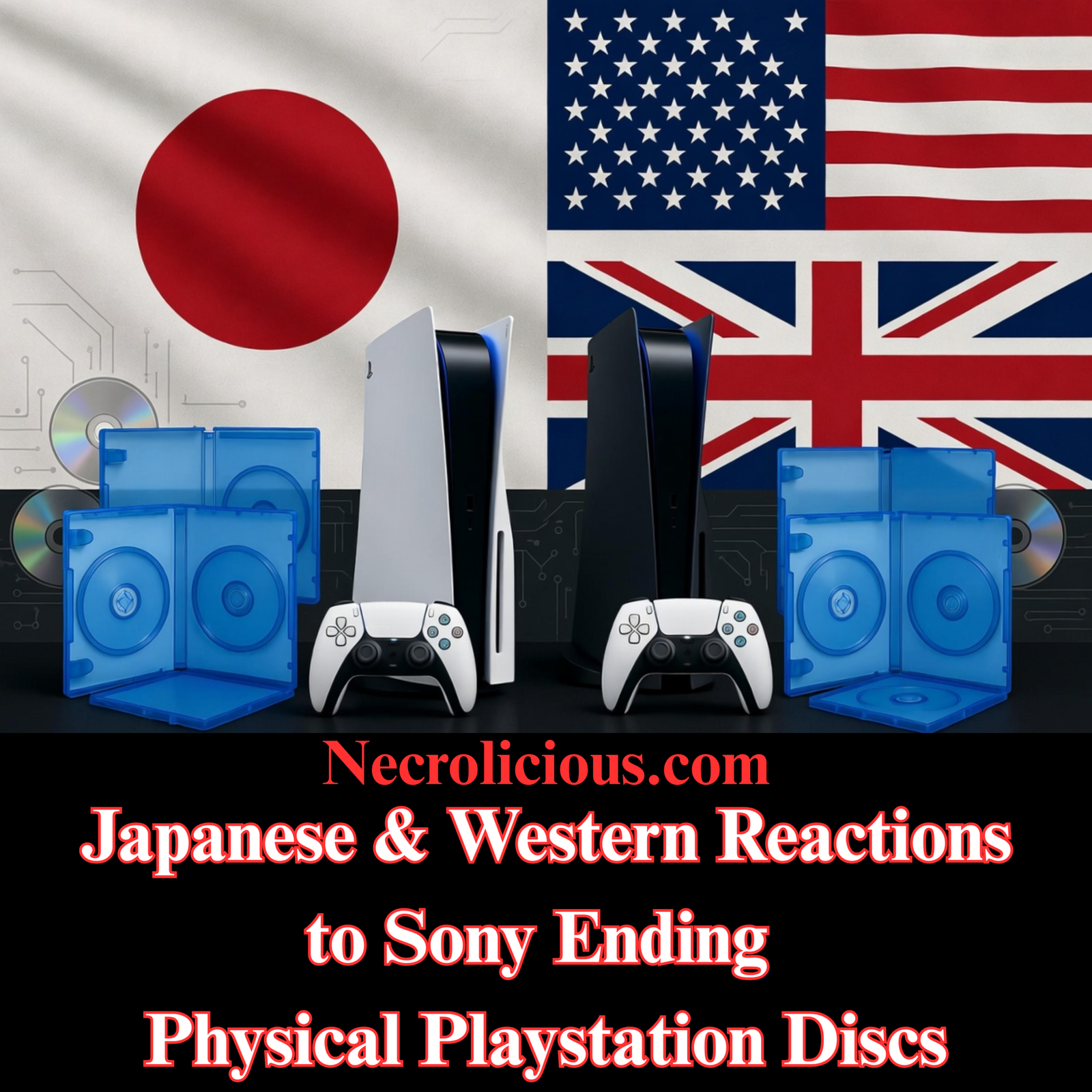
When Sony confirmed the end of physical disc production for new PlayStation games from January 2028, reactions diverged sharply between Western gamers & those in Japan. In the days since the announcement, Western platforms have seen sustained criticism alongside corporate responses such as social media pauses, while Japanese responses have remained more measured. This divergence reveals differing cultural priorities around physical media, even as digital convenience continues to advance.
The official announcement, published on the PlayStation Blog in both English & Japanese editions, applies uniformly worldwide. It states that new games releasing after the cutoff will be available only via the PlayStation Store & at retailers in digital formats. Existing titles & those launching before January 2028 remain unaffected. No regional exceptions were noted for Japan or elsewhere.
Scope of the Policy & Official Context
Sony framed the change as adaptation to consumer trends, noting that digital preference significantly outpaces physical discs. The decision affects all new releases on PlayStation consoles, including third-party titles. Retailers may continue selling digital codes, but physical discs themselves will no longer be manufactured.
This marks a clear endpoint for optical media on the platform after decades of support. Historical context shows physical discs enabled resale, lending & offline preservation in ways many players still value. The policy aligns with broader industry shifts, yet it arrives amid heightened sensitivity to digital licensing terms.
Western Reactions: Focus on Ownership & Access
In English-language spaces such as forums, social platforms & news comment sections, responses emphasised concerns over true ownership. Many users highlighted risks of server shutdowns rendering purchased content inaccessible, echoing past closures of older PlayStation stores. Discussions frequently referenced the phrase that buying no longer equates to owning, with some advocating alternative acquisition methods including piracy.
Practical worries included impacts on preservation, the second-hand market & collector value. High-engagement posts framed the move as accelerating a shift toward temporary licences rather than permanent media. Balanced voices acknowledged convenience benefits of digital distribution while questioning long-term reliability without physical backups.
In the days immediately following the announcement, the backlash manifested in visible corporate responses. PlayStation’s official social media accounts across X, Instagram, Facebook & Bluesky fell silent for more than 24 hours, with no new posts appearing after the initial statement. Unrelated updates from associated Sony accounts were quickly inundated with thousands of critical replies focused on physical ownership. This pause has been widely noted as an attempt to navigate the intense public reaction.
Japanese Netizen Responses: Pragmatic Concerns Over Outrage
Coverage in Japanese outlets including the Japan Times, Famitsu & ITmedia presented the announcement factually, often alongside notes on concurrent PlayStation Store changes for older hardware. Reader comments & social media posts on platforms such as X showed disappointment, particularly among those who value packaging & physical collections.
Common themes included potential effects on used-game retailers & future access if digital services change. However, outright anger appeared less prevalent than in Western discussions. Many expressed resignation that the industry trend toward digital was inevitable, with some noting they had already shifted purchasing habits. Concerns centred on preservation & second-hand ecosystems rather than immediate calls for protest or alternative acquisition.
One recurring observation was that physical preference persists in Japan despite smaller average living spaces, creating an irony where storage constraints meet strong collector traditions. Reactions remained civil & focused on adaptation rather than confrontation. Coverage & discussion in Japanese outlets and communities have not shown significant escalation in the days following the announcement, with focus remaining on practical continuity for collectors and second-hand markets.
Cultural Context: Physical Media Traditions in Japan
Japan maintains a robust culture around physical game releases, limited editions & retro collecting. Data from earlier industry reports indicated higher proportions of physical sales for certain platforms compared with many Western markets. This preference extends to homebrew scenes, where small publishers produce boxed cartridges with manuals & artwork.
The announcement intersects with these traditions at a moment when digital adoption continues rising even in Japan. Historical parallels exist with earlier transitions, such as the move from cartridges to discs, yet physical media retains cultural resonance through tactile ownership & display value. Smaller housing may eventually favour digital for practicality, but enthusiast communities continue supporting physical options where available.
Corporate & Promotional Fallout in the Days Following the Announcement
The timing of the announcement coincided with heightened attention on Grand Theft Auto VI, whose physical edition contains only a download code rather than a disc. Reports also surfaced of PlayStation adjusting promotional branding and app icons around the title, including temporary themed changes that were later reverted. These elements have been cited by observers as amplifying perceptions of an accelerating shift away from physical media. The developments have not prompted any policy reversal from Sony, but they underscore the broader industry movement and the challenges of managing collector expectations.
Opportunities for Indies & Retro Scenes
Removal of physical disc options on PlayStation could redirect attention toward platforms that retain physical support. Nintendo Switch cartridges, PC limited editions & retro formats offer alternatives for developers seeking tangible releases.
The Game Boy Color homebrew title Dracula: Dark Reign, released physically in 2026 by Incube8 Games with a clear cartridge & boxed presentation, illustrates ongoing demand in retro scenes. Such projects demonstrate that independent creators can deliver collector-focused physical products outside major console ecosystems.
Publishers specialising in limited runs have long partnered with indies to produce premium editions. Heightened awareness of ownership issues may encourage more studios to pursue these channels on platforms where physical remains viable. Multi-platform titles could prioritise physical on Switch or through specialist distributors, capturing collector interest while digital handles updates.
Physical media need not remain static. Modern cartridges & discs already function in hybrid arrangements. The physical component provides the base game & ownership verification, while patches, updates, downloadable content & expansions download separately to console storage.
On Switch, physical carts pair with account-linked DLC that installs to internal memory or SD cards. Similar patterns apply on other consoles, where the disc or cartridge serves as installer & licence. Some releases preload additional content or offer complete editions bundling prior expansions.
Discussions since the announcement have highlighted that many current physical releases already function in this hybrid manner, allowing updates and expansions while preserving the physical base for ownership. This approach preserves offline play for the core experience & resale potential of the physical copy. Expansions enhance rather than replace the owned base. Limitations exist around storage requirements & reliance on ongoing support for digital additions, yet the model bridges traditional permanence with contemporary live-service flexibility.
Practical Takeaways for Collectors & Players
Collectors concerned about the 2028 cutoff can focus on pre-cutoff physical releases & titles from other platforms. Building libraries on Switch or through limited-edition publishers provides continued access to physical formats.
For those prioritising ownership, hybrid purchasing strategies work well: acquire the physical base for permanence & supplement with digital expansions as needed. Monitoring developer statements on long-term support remains advisable.
Retro & homebrew communities offer additional avenues. Physical releases in these spaces often emphasise complete, self-contained experiences with strong collector appeal. Players exploring alternatives may consider Nintendo’s ongoing physical support or specialist publishers for limited editions on other platforms. Monitor ongoing discussions around major titles like Grand Theft Auto VI and their physical formats, as these continue to intersect with the broader debate.
Balanced Outlook
Sony’s decision reflects measurable shifts in purchasing behaviour, yet it removes a hybrid option that many players have relied upon. Western emphasis on ownership debates contrasts with Japanese focus on practical continuity & market effects. Both perspectives underscore enduring value placed on physical media even as digital capabilities expand.
Indie & retro sectors stand positioned to respond through alternative physical channels. The hybrid model already demonstrates compatibility between permanent physical bases & ongoing digital enhancements. Players retain agency through platform choice & purchasing decisions.
For deeper exploration of physical retro releases, including vampire-themed homebrew examples, see our coverage of titles like Dracula: Dark Reign. Additional context on limited physical editions appears in our feature on indie collector strategies. Analysis of ownership debates in the digital era can be found in our dedicated guide. Insights into Japanese gaming culture & physical traditions feature in our article on regional collecting practices.
FAQ
Will Nintendo or Microsoft follow Sony’s approach? No official announcements indicate similar cutoffs. Nintendo continues strong support for physical cartridges on current & upcoming hardware.
Can physical copies still receive updates & DLC after purchase? Yes. Modern physical games routinely support downloaded patches & expansions while the disc or cartridge provides the base & ownership verification.
What happens to existing physical PlayStation libraries? Titles released before January 2028 remain available in physical form. Post-cutoff games will launch digitally only.
Are there ways to secure physical releases for future titles? Focus on Switch, PC limited editions or retro/homebrew platforms. Specialist publishers continue producing physical versions for many independent releases.
How does the hybrid model affect long-term preservation? The physical component preserves the original base game offline. Digital additions depend on ongoing platform support, creating a layered approach to access & ownership.
Unless otherwise noted, image assets above are NOT original content & are shared under fair use doctrine with NO claims to authorship or ownership. Contact necrolicious@necrolicious.com for credit or removal.
This post was sponsored by…ME! If you’d like to support, please buy my original meme merchandise or check out my affiliate links to get yourself some other cool things. Additional affiliate links may be contained in the above article. If you click on an affiliate link & sign up/make a purchase, I may earn a commission. This does not increase the price you pay for the product or service, so it helps support this website at no cost to you.
If you would like to support my work more directly, I accept voluntary cryptocurrency donations in BTC, ETH, XRP & XLM sent directly to necrolicious.x. necrolicious.x is an Unstoppable Domains name that resolves to the wallet addresses I have configured. Simply enter necrolicious.x as the recipient in a supported wallet (such as Trust Wallet, Blockchain.com or others that support Unstoppable Domains). Donation Disclaimer: All cryptocurrency donations sent to me are final, voluntary gifts & are non-refundable & irreversible. These donations are not tax-deductible since I am not a registered charitable organization, & no tax receipts will be issued. No memo or destination tag is required for XRP or XLM donations, as the domain resolves directly to a wallet address. By sending a donation you acknowledge & accept all associated risks, including cryptocurrency price volatility, network fees & potential loss of funds due to incorrect network selection or transaction errors. I am not responsible or liable for any loss related to your donation. No goods, services or other benefits are provided in exchange for donations. This is not financial, tax, legal or investment advice. Please consult a qualified professional regarding any implications of your donation.
Apple has signalled that memory & storage costs have become unsustainable. Price increases for iPhones & other Apple products now appear unavoidable. In Japan, the weak yen will likely make these price increases more noticeable for local buyers.
This development fits a wider pattern across consumer electronics. It stems from a global DRAM shortage. The shortage has already affected consoles & other devices.
What Drives the Current DRAM Shortage
Artificial intelligence demands have redirected memory production. Data centres require large volumes of high-bandwidth memory. As a result manufacturers have shifted capacity away from standard DRAM used in phones & consoles.
For example, reports indicate that a significant share of global output now serves AI needs. Prices for certain memory types rose sharply in late 2025. In addition, supply for consumer devices has tightened.
Therefore, companies face higher bills of materials. This situation differs from past shortages. Those episodes proved shorter. The current pressure appears more sustained because AI investment continues.
Moreover, new fabrication plants will take time to come online. Relief may arrive only in 2027 or later. On the other hand, consumer products must absorb costs in the meantime.
Tim Cook stated in a Wall Street Journal interview that price increases are unavoidable. The company has tried to shield customers. However, the scale of memory cost rises has made that approach difficult.
Estimates suggest increases around 20% for higher-end models. These figures come from component cost modelling. Memory costs in particular have climbed substantially. Storage components follow the same trend.
As a result, upcoming iPhones may carry higher starting prices. Adjustments could appear with the next major refresh. In addition, Macs & iPads may see changes earlier. Apple retains strong pricing power. Nevertheless, the pressure on margins is real.
Japan Pricing & the Role of Yen Depreciation
Japan has offered competitive iPhone pricing when converted to dollars. Current models rank among lower-cost options globally. However, the yen has stayed weak against the dollar. Rates hover near 162 yen per dollar.
This weakness raises the local cost of imported components. Apple has adjusted Japan prices during earlier yen weakness. For instance, notable increases occurred in 2022 across several product lines. When the yen weakened sharply, Apple raised iPhone prices in Japan by up to 25% (e.g., iPhone 13 starting price jumped from ¥98,800 to ¥117,800). Similar adjustments occurred for other products.
Those moves protected dollar margins.
Therefore, the new memory-driven costs will likely translate into higher yen prices. The percentage rise in Japan may match or exceed global figures. In addition yen volatility adds uncertainty for buyers.
Current comparisons show Japan prices only modestly above US list figures before tax. The gap largely reflects consumption tax. Nevertheless, yen effects amplify the impact for Japanese consumers. Having followed these trends the pattern is clear. Local buyers often feel currency movements more acutely than headline percentages suggest.
Sony has already confirmed price increases for PlayStation 5 models. These took effect in April 2026 across regions. In Japan the disc edition rose from ¥79,980 to ¥97,980. The Pro model moved from ¥119,980 to ¥137,980.
Nintendo announced Switch 2 adjustments. Japan saw the change first. The price moved from ¥49,980 to ¥59,980. Company statements cited rising component costs.
These examples show consistent industry responses. Earlier console generations often saw price drops over time. Current conditions point in the opposite direction. In addition, some personal computer makers have signalled specification adjustments for 2026 models.
Therefore, enthusiasts may see fewer aggressive price reductions. On the other hand, demand for current stock remains strong in Japan. Retail queues during launches illustrate this point.
Practical Advice for Buyers
Current-generation devices, especially non-Apple ones, may offer better value before further adjustments. Stock from 2025 can secure established specifications. Trade-in programmes & promotions can offset part of any increase.
Moreover, monitoring exchange rates helps with timing. Refurbished options from authorised sellers continue to deliver reliable performance. In addition, devices with expandable storage provide future flexibility.
Nevertheless, waiting carries risk. Some 2026 models may carry higher prices alongside similar or lower specifications in certain areas. As a result, many enthusiasts now consider purchasing sooner rather than later.
Necrolicious “Abundant” Funny Luxury Skeleton Skull Meme 100% Cotton Unisex Tee Buy on Printify
Frequently Asked Questions
Will iPhone prices rise in Japan? Yes. Global memory costs & yen weakness point to higher local prices. Historical adjustments during similar periods support this outlook.
How large might the increases be? Estimates centre on around 20 per cent for higher-end models. Exact figures will depend on final component costs & currency movements at launch.
Are other products affected? Yes. PlayStation 5 & Nintendo Switch 2 have already seen confirmed regional price rises. Similar dynamics appear across laptops & other electronics.
When might costs ease? Additional memory production capacity is expected from 2027. Interim periods may involve continued elevated pricing.
Should buyers act now? Current stock offers a window. Trade-ins & promotions can help secure value before potential further changes.
Unless otherwise noted, image assets above are NOT original content & are shared under fair use doctrine with NO claims to authorship or ownership. Contact necrolicious@necrolicious.com for credit or removal.
This post was sponsored by…ME! If you’d like to support, please buy my original meme merchandise or check out my affiliate links to get yourself some other cool things. Additional affiliate links may be contained in the above article. If you click on an affiliate link & sign up/make a purchase, I may earn a commission. This does not increase the price you pay for the product or service, so it helps support this website at no cost to you.
If you would like to support my work more directly, I accept voluntary cryptocurrency donations in BTC, ETH, XRP & XLM sent directly to necrolicious.x. necrolicious.x is an Unstoppable Domains name that resolves to the wallet addresses I have configured. Simply enter necrolicious.x as the recipient in a supported wallet (such as Trust Wallet, Blockchain.com or others that support Unstoppable Domains). Donation Disclaimer: All cryptocurrency donations sent to me are final, voluntary gifts & are non-refundable & irreversible. These donations are not tax-deductible since I am not a registered charitable organization, & no tax receipts will be issued. No memo or destination tag is required for XRP or XLM donations, as the domain resolves directly to a wallet address. By sending a donation you acknowledge & accept all associated risks, including cryptocurrency price volatility, network fees & potential loss of funds due to incorrect network selection or transaction errors. I am not responsible or liable for any loss related to your donation. No goods, services or other benefits are provided in exchange for donations. This is not financial, tax, legal or investment advice. Please consult a qualified professional regarding any implications of your donation.
Share this:
Cookie Consent
We use cookies to improve your experience on our site. By using our site, you consent to cookies.
Registers a unique ID on mobile devices to enable tracking based on geographical GPS location.
1 day
VISITOR_INFO1_LIVE
Tries to estimate the users' bandwidth on pages with integrated YouTube videos. Also used for marketing
179 days
PREF
This cookie stores your preferences and other information, in particular preferred language, how many search results you wish to be shown on your page, and whether or not you wish to have Google’s SafeSearch filter turned on.
10 years from set/ update
YSC
Registers a unique ID to keep statistics of what videos from YouTube the user has seen.
Session
DEVICE_INFO
Used to detect if the visitor has accepted the marketing category in the cookie banner. This cookie is necessary for GDPR-compliance of the website.
179 days
LOGIN_INFO
This cookie is used to play YouTube videos embedded on the website.