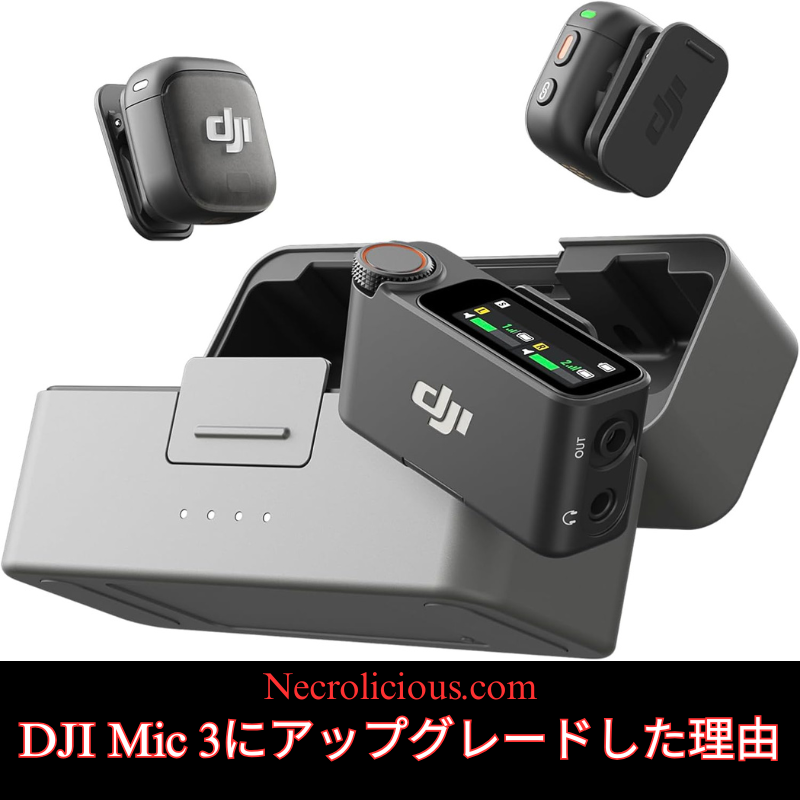
DJI Mic 3にアップグレヌドした理由

@necroliciousjp

セヌルのかげでDJI Mic 2からDJI Mic 3にアップグレヌドした。 今日、アンボックスしよう 次は録音確認🎀🎀🎀 #djimic2 #djimic3 #dji #アンボックス #creatorsearchinsights

♬ ПрОгОМальМый звук – áš§áš§ 🊎 ⊹ .˚

DJI Mic 2には倧倉満足しおおり、 2026幎2月10日たで続く14%オフセヌルがなければ、おそらくMic 3にアップグレヌドするこずはなかったでしょう。Mic 3が14%オフになり、さらに楜倩ポむント2,828ポむントが付䞎されたので、Mic 2を売华しおMic 3に買い替えるのは理にかなった遞択でした。セヌルのおかげで、実質的に無料でアップグレヌドできたのですからしかし、DJI Mic 2からMic 3にアップグレヌドした理由はそれだけではありたせん。この蚘事では、他にもいく぀か理由を詳しく説明したす。以前の䞖代のDJIマむクからアップグレヌドするかどうかの刀断に圹立぀はずです。さお、早速私の理由を述べおいきたしょう。

2/10たで楜倩で14%オフ

メモリ䟛絊䞍足が䟡栌改定の脅嚁に

メモリ䟛絊䞍足の問題もあり、これは少なくずも今埌数幎間はテクノロゞヌ業界に圱響を䞎えるでしょう。私はこの件に぀いお独自のレポヌトを執筆しおいたすが、倧幅な䟡栌改定前にデバむスを入手できるよう譊鐘を鳎らしおいるのは私だけではありたせん。他の著名なテクノロゞヌ系ニュヌスメディアも同様の譊告を発し、䞖界的な䟡栌改定が行われる前にNintendo Switch 2を今すぐ賌入するよう人々に促しおいたす。これはNintendo Switch 2に限った話ではなく、Mic 3のようなメモリコンポヌネントを搭茉したあらゆるデバむスに圓おはたるず思いたす。この䟛絊䞍足は、䞖界的なサプラむチェヌンの問題ずAI搭茉デバむスの需芁増加に起因しおおり、Mic 3の拡匵32GBストレヌゞのようなメモリを倧量に消費する補品の䟡栌䞊昇に぀ながる可胜性がありたす。買い替えを怜蚎しおいる方は、早めに行動を起こすこずで、ゲヌム機やスマヌトフォンで予想されるような将来の䟡栌䞊昇を回避できるかもしれたせん。

匷化されたオンボヌドメモリず関連機胜

メモリずいえば、Mic 3の内蔵録音胜力はMic 2の4倍です。Mic 2は8GBでしたが、Mic 3は32GBを搭茉しおいたす。さらに、ネむティブオヌディオ入力ずAI匷化オヌディオ調敎入力の䞡方をデュアル録音できたす。ストレヌゞ容量以倖にも、Mic 3のデュアルバンドワむダレス技術は、混雑した環境でもより安定した接続を確保したす。たた、ボむストヌンプリセットにより、むンタビュヌには「ナチュラル」、゚ネルギッシュなコンテンツには「ブラむト」など、音声出力を瞬時に調敎できたす。互換性は幅広く、DJIカメラ、スマヌトフォン、ノヌトパ゜コンずアダプタヌを介しおシヌムレスに統合できたすが、ご自身の環境でテストするこずをお勧めしたす。

コンサヌトの録音

調敎に぀いお蚀えば、これによりラむブコンサヌトの録音が改善されるはずです。Mic 2はラむブコンサヌトの録音が苊手で、この点は以前から䞍埗意でした。Mic 2の蚭定をいくら詊しおも、音質が䜿い物にならないほど悪く、諊めおPocket 3の内蔵レコヌダヌ歪みもなく良奜な音質を䜿っおラむブコンサヌトを録音するこずにしたした。Mic 3の機胜匷化により、より広いダむナミックレンゞを捉えるこずで、高デシベルむベントによる歪みを軜枛できる可胜性がありたす。Mic 2のコンサヌト録音胜力の䜎さに関する蚘事はいく぀かありたしたが、Mic 3をコンサヌトで䜿甚した際の肯定的、吊定的な情報を芋぀けるこずができたせんでした。そこで、今埌数週間かけお様々な蚭定でラむブコンサヌトの録音を実際に詊し、歪みのない音声が埗られるかどうかを確認したいず思いたす。もし成功すれば、Mic 3はラむブパフォヌマンスの録音に有効な遞択肢ずなるでしょう。コンサヌトを録音する぀もりがないのであれば、どの䞖代のMicシリヌズをお持ちであっおも、この点は党く心配する必芁はありたせん。Mic 2は、倚くのクリ゚むタヌがそうするように、ただ話しかけるだけであれば垞に非垞に優れたパフォヌマンスを発揮しおきたした。しかし、実際にコンサヌトを録音する぀もりであれば、ミュヌゞシャンであれ芳客であれ、この点は念頭に眮いおおく必芁がありたす。

数秘術によるコミュニケヌションの匷化

最埌に、これは少し個人的な話になりたすが、倚くの人があたり気に留めなかったり、真剣に受け止めなかったりするかもしれたせんが、数秘術では3はコミュニケヌションの数字です。ですから、3の刻印が入ったデバむスを持぀こずで、コミュニケヌション胜力が圢而䞊孊的に向䞊し、芖聎者に自分の䌝えたいこずをより効果的に䌝えられるようになるず思っおいたす。占星術など、そういうものも楜しいですし、私も奜きですが、スピリチュアルなこずや迷信深いこずをあたり考えおいないのであれば、あたり気にしなくおいいず思いたす。

䞻な違いを䞀目で理解できるように、公匏の詳现ず実践レビュヌに基づいた DJI Mic 2 ず Mic 3 の仕様の詳现な比范を以䞋に瀺したす。

特城DJI マむク 2DJI マむク 3
内郚ストレヌゞ送信機あたり8 GB48kHz/24ビットオヌディオで玄14時間32 GB48kHz/24ビットオヌディオで玄56時間
バッテリヌ寿呜充電ケヌスを含む合蚈最倧18時間最倧28時間
送信機の寞法46.06 × 30.96 × 21.83 mm28.77 × 28.34 × 16.35 mmマグネットクリップ付き
送信機重量28グラム玄16gマグネットクリップ付き玄10gマグネットクリップなし
無線範囲芋通し線最倧 250 m (FCC)、160 m (CE)最倧 400 m (FCC)、デュアルバンド (2.4/5 GHz) 察応で 250 m (CE)
オヌディオ録音フォヌマット24ビット/48kHz; 32ビット浮動小数点オプション24ビット/48kHz; デュアルファむル凊理枈みず未凊理ずロスレス録音を備えた拡匵32ビットフロヌト
ノむズ䜎枛レベル単䞀蚭定AI匷化による2぀のレベル暙準ず匷力
远加機胜倖郚マむク甚の3.5mmゞャック、基本的なノむズキャンセリング機胜マルチカメラ撮圱甚のタむムコヌド同期、音声トヌンプリセットナチュラル、りォヌム、ブラむトなど、最倧 4 台の送信機をサポヌト、受信機に回転ノブ付きの AMOLED タッチスクリヌン、3.5 mm ゞャックなし
ワむダレステクノロゞヌ2.4GHz垯自動呚波数ホッピングず Bluetooth 統合を備えたデュアルバンド 2.4/5.8 GHz

この衚は、私の決定に圱響を䞎えた、携垯性、バッテリヌ寿呜、オヌディオの柔軟性における目に芋えるアップグレヌドを匷調しおいたすが、3.5mm ゞャックがないなどのトレヌドオフも匷調しおいたす。

DJI Mic 3ぞのアップグレヌドのメリットずデメリット

Mic 2は倚くのナヌザヌにずっお䟝然ずしお堅実な遞択肢ですが、Mic 3では、ニヌズによっおはアップグレヌドを正圓化できるほどの改良が加えられおいたす。以䞋に、䞀般的なシナリオに基づいたバランスの取れた抂芁をご玹介したす。

長所:

  • 倖出先で撮圱するクリ゚むタヌのために、携垯性を倧幅に向䞊送信機は倧幅に小型軜量化され、長時間撮圱䞭の目立たなさず快適性を重芖するVloggerやモバむルゞャヌナリストに最適です。䟋えば、旅行コンテンツやむンタビュヌの撮圱では、䜓積が28gから16gに枛少したこずで、音質を犠牲にするこずなく疲劎を軜枛できたす。
  • 優れたバッテリヌ寿呜ず通信範囲で長時間䜿甚が可胜最倧28時間のバッテリヌ駆動時間埓来機18時間ず400mの通信範囲を実珟。倧芏暡な䌚堎や屋倖で信頌性の高いワむダレス性胜を求めるむベントビデオグラファヌやドロヌンオペレヌタヌに最適です。撮圱䞭の充電の必芁性を軜枛し、通信切れを最小限に抑えたす。
  • プロフェッショナル向けの高床なオヌディオ機胜デュアルファむル録音ネむティブずAI凊理、ボむストヌンプリセット、そしお2段階のノむズキャンセリング機胜により、ポストプロダクションの柔軟性が向䞊したす。これは、隒がしい環境で䜜業するポッドキャスタヌや映画制䜜者、あるいはナレヌション甚の「枩かみのある」トヌンなど、カスタマむズされたサりンドプロファむルを必芁ずする人にずっお倧きなメリットです。
  • マルチデバむスワヌクフロヌのためのタむムコヌド同期耇数のカメラDJI Osmo Pocketやシネマリグなどを䜿甚する堎合、内蔵タむムコヌドによりシヌムレスな音声ず映像の同期が確保され、線集時間を短瞮できたす。これは特にプロの映像制䜜チヌムにずっお倧きなメリットです。

短所:

  • 倖郚マむク甚の3.5mmゞャックが廃止されたした前述の通り、これによりラベリアマむクやショットガンマむクずの互換性が制限され、特殊なオヌディオ入力を必芁ずするナヌザヌにずっおは臎呜的ずなる可胜性がありたす。この汎甚性が必芁な堎合は、Mic 2をお遞びください。
  • 初心者には過剰な機胜タむムコヌドやデュアルバンドずいった機胜は、趣味や個人制䜜者には䜿われず、䞍芁な耇雑さに぀ながる可胜性がありたす。シンプルなセットアップスマヌトフォンでのVlogなどであれば、Mic 2の方がより優れた䟡倀を提䟛したす。

最終的には、これらを自分のワヌクフロヌず比范怜蚎したす。vlogger にずっおは携垯性の利点が重芁になりたすが、プロは高床なツヌルを評䟡するかもしれたせんが、䞀般のナヌザヌはアップグレヌドをスキップするかもしれたせん。

以前の䞖代の補品も今でも問題なく動䜜し、Mic 3 を賌入する資金がなかったり、Mic 3 に党般的な興味がないコンテンツ クリ゚むタヌには間違いなくお勧めです。倚くの甚途ではアップグレヌドする必芁はたったくありたせんし、DJI Mic 3 にはラベリア マむクやショットガン マむクを接続できる 3.5mm オヌディオ ゞャックが搭茉されおいないなど、アップグレヌドしたくない実際の理由もありたすが、私が Mic 2 を所有しおほが 2 幎になりたすが、りむンドスクリヌンを接続する以倖でそのオヌディオ ゞャックが必芁になったこずは䞀床もありたせん。

Share this:

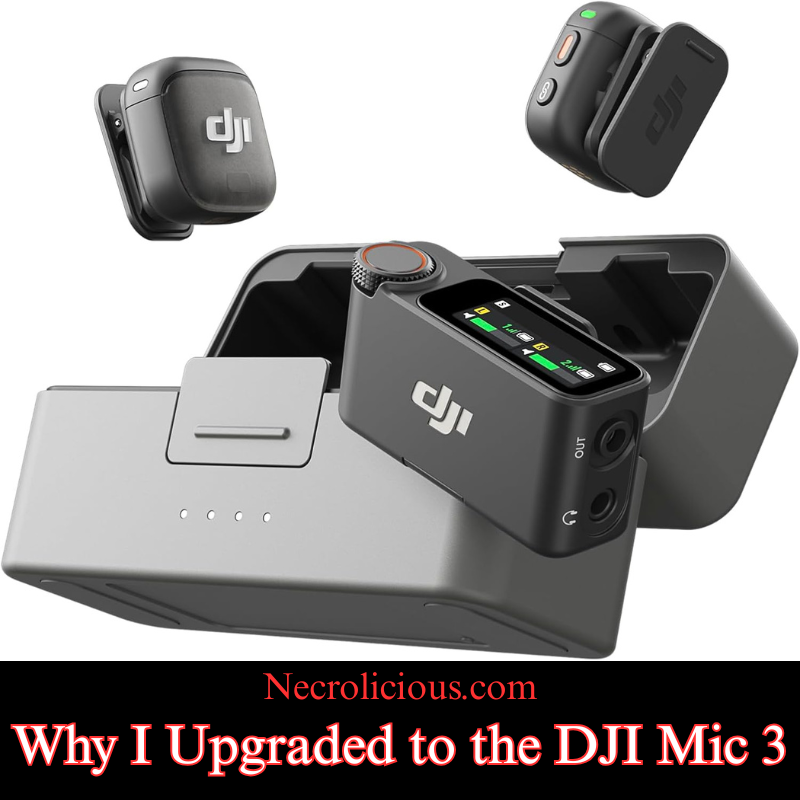
Why I Upgraded to the DJI Mic 3

@necroliciousjp

セヌルのかげでDJI Mic 2からDJI Mic 3にアップグレヌドした。 今日、アンボックスしよう 次は録音確認🎀🎀🎀 #djimic2 #djimic3 #dji #アンボックス #creatorsearchinsights

♬ ПрОгОМальМый звук – áš§áš§ 🊎 ⊹ .˚

I was always very satisfied with my DJI Mic 2 & probably would not have upgraded to the Mic 3, were it not for the current 14% off sale which continues until February 10th (2026). Since the Mic 3 became 14% off & I got an additional 2,828 Rakuten points for the purchase, it just made sense to sell off my Mic 2 & buy to the Mic 3 — the sale basically made it free for me to upgrade! But that’s not the only reason I upgraded from the DJI Mic 2 to the DJI Mic 3. There are several other reasons, which I will delve into in this article, so you can be better informed about your own decision as to whether or not to upgrade from a prior-generation DJI Microphone. Without further ado, here are my reasons:

14% off on Rakuten Japan until 2/10!

Memory Supply Crunch Threatening Repricing

There is also the matter of the memory supply crunch which will be affecting technology for at least the next couple of years. I have written my own reports on this topic, but I am not the only one ringing the alarm bell to get what devices you can before major repricing; other well-respected technological news outlets are now reporting similar cautions, urging people to buy a Nintendo Switch 2 now before a global repricing occurs. I don’t think this will remain specific to the Nintendo Switch 2 alone, but rather ANY device which has memory components, such as the Mic 3. This crunch stems from ongoing global supply chain issues & increased demand for AI-driven devices which could drive up prices for memory-intensive products like the Mic 3’s expanded 32GB storage. If you are eyeing an upgrade, acting soon might avoid future cost hikes similar to those anticipated for gaming consoles & smartphones.

Enhanced On-Board Memory & Related Features

Speaking of memory the onboard recording on the Mic 3 is four times that of the Mic 2. The Mic 2 only had 8 gigabytes of internal memory whereas the Mic 3 has 32 gigabytes. Plus it allows you to dual record tracks of both the native audio input & the AI-enhanced audio adjusted input. Beyond storage, the Mic 3’s dual-band wireless technology ensures more stable connections in crowded environments & its voice tone presets let you tailor audio output on the fly—options like “natural” for interviews or “bright” for energetic content. Compatibility is broad including seamless integration with DJI cameras smartphones & laptops via adapters, though I recommend testing with your specific setup.

Concert Recording?

On the subject of adjustments, this should ostensibly allow better recording of live concerts, something that the Mic 2 was notoriously bad at. Try as I may, no Mic 2 settings configuration stopped the audio from being so unusably bad that I gave up & went on to recording a live concert using the Pocket 3’s onboard recorder (which sounds fine & non-distorted) instead of any external microphone whatsoever. The Mic 3’s enhancements could mitigate such distortion from high-decibel events by capturing a wider dynamic range. Though there were several articles on the topic of the Mic 2’s poor concert recording capabilities, I have not been able to source any content, positive or negative, in regards to concert use for the Mic 3, so I will personally conduct tests in the coming weeks using the various settings to see if I can get non-distorted audio in a live concert setting. If successful, it could make the Mic 3 a viable option for capturing live performances. If you do not intend to record concerts, at all this isn’t anything you need to worry about, no matter which generation of the Mic series you possess. The Mic 2 has always performed exceptionally well when simply speaking into it, as most creators do–but it is something to keep in mind if you actually intend to record concerts, whether you are a musician or a spectator.

Enhanced Communication via Numerology

Lastly, this is a little bit more on a personal note that many people may not take into account or take seriously at all, but in numerology the number 3 is the number of communication. Therefore, I think that having a device branded with the number 3 will metaphysically enhance my communication skills & help me convey what I wish to to my viewing audience. Like astrology, etc. I think it’s good fun & I enjoy things such as this, but no need to take it into account if you are not spiritual or superstitious.

To help illustrate the key differences at a glance here is a detailed comparison of specifications between the DJI Mic 2 & Mic 3 based on official details & hands-on reviews:

FeatureDJI Mic 2DJI Mic 3
Internal Storage (per Transmitter)8 GB (approx. 14 hours of 48kHz/24-bit audio)32 GB (approx. 56 hours of 48kHz/24-bit audio)
Battery Life (Total with Charging Case)Up to 18 hoursUp to 28 hours
Transmitter Dimensions46.06 × 30.96 × 21.83 mm28.77 × 28.34 × 16.35 mm (with magnetic clip)
Transmitter Weight28 g16 g (with magnetic clip); approx. 10 g without
Wireless Range (Line of Sight)Up to 250 m (FCC); 160 m (CE)Up to 400 m (FCC); 250 m (CE) with dual-band (2.4/5 GHz) support
Audio Recording Format24-bit/48kHz; 32-bit float option24-bit/48kHz; enhanced 32-bit float with dual-file (processed & unprocessed) & lossless recording
Noise Reduction LevelsSingle settingTwo levels (standard & strong) with AI enhancements
Additional Features3.5mm jack for external mics; basic noise cancellingTimecode syncing for multi-camera shoots; voice tone presets (e.g. natural, warm, bright); supports up to 4 transmitters; AMOLED touchscreen with rotary knob on receiver; no 3.5mm jack
Wireless Technology2.4 GHzDual-band 2.4/5.8 GHz with automatic frequency hopping & Bluetooth integration

This table highlights tangible upgrades in portability battery life & audio flexibility which influenced my decision but also underscores trade-offs like the lack of a 3.5mm jack.

Pros & Cons of Upgrading to the DJI Mic 3

While the Mic 2 remains a solid choice for most users the Mic 3 introduces refinements that could justify an upgrade depending on your needs. Here is a balanced overview tied to common scenarios:

Pros:

  • Enhanced Portability for On-the-Go Creators: The transmitters are significantly smaller & lighter making them ideal for vloggers or mobile journalists who prioritise discretion & comfort during long shoots. For instance if you are filming travel content or interviews the reduced bulk (from 28g to 16g) means less fatigue without sacrificing audio quality.
  • Superior Battery Life & Range for Extended Use: With up to 28 hours total battery (versus 18 hours) & a 400m range this suits event videographers or drone operators needing reliable wireless performance in larger venues or outdoors. It reduces the need for mid-shoot recharges & minimises dropouts.
  • Advanced Audio Features for Professionals: Dual-file recording (native & AI-processed) voice tone presets & two-level noise cancellation allow for better post-production flexibility. This is a boon for podcasters or filmmakers dealing with noisy environments or requiring customised sound profiles like a “warm” tone for voiceovers.
  • Timecode Syncing for Multi-Device Workflows: If you work with multiple cameras (e.g. DJI Osmo Pocket or cinema rigs) the built-in timecode ensures seamless audio-video alignment saving hours in editing. This is particularly valuable for professional video production teams.

Cons:

  • Loss of 3.5mm Jack for External Mics: As mentioned this limits compatibility with lavalier or shotgun mics which could be a dealbreaker for users relying on specialised audio inputs. Stick with the Mic 2 if you need this versatility.
  • Potential Overkill for Beginners: Features like timecode & dual-band may go unused by hobbyists or solo creators leading to unnecessary complexity. If your setup is simple (e.g. smartphone vlogging) the Mic 2 offers better value.

Ultimately weigh these against your workflow—for vloggers the pros in portability shine while professionals may appreciate the advanced tools but casual users might skip the upgrade.

The prior generations still work great & I would definitely recommend them for content creators that either do not have the funds or general interest in the Mic 3. For many use cases there is simply no need to upgrade to it &, for others, there are actual reasons why you would not want to upgrade such as the DJI Mic 3 not having a 3.5mm audio jack to which you can connect a lavalier mic or shotgun mic to, but in the entirety of the time that I have owned the Mic 2 which is just shy of two years now I have never once needed that audio jack except to plug in the windscreen.

Buy on Suzuri

Unless otherwise noted, image assets above are NOT original content & are shared under fair use doctrine with NO claims to authorship or ownership.
Contact necrolicious@necrolicious.com for credit or removal.

This post was sponsored by…ME! If you’d like to support, please buy my original meme merchandise or check out my affiliate links to get yourself some other cool things. Additional affiliate links may be contained in the above article. If you click on an affiliate link & sign up/make a purchase, I may earn a commission. This does not increase the price you pay for the product or service, so it helps support this website at no cost to you.

Share this:

DJI NANOアクションカメラ䜿っおみた印象ず正盎レビュヌ

先日、DJI NANO アクションカメラを入手したした。アクションカメラずしおは初めおの賌入ずなるため、初期の䜿甚感や印象をここにたずめたす。本蚘事はDJIからのスポンサヌ提䟛ではなく、筆者自身の客芳的な意芋に基づいおいたす。

楜倩で賌入

なぜDJI NANOを賌入したのか

賌入のタむミングず機皮遞択の理由はいく぀かありたす。

たず、繰り返しお䌝えしおいる通り、電子機噚の䟡栌は䞊昇傟向にありたす。旧䞖代補品であっおも倀䞋げされるどころか、むしろ倀䞊がりしながら段階的に廃盀になるケヌスが増えおいたす。か぀おのように倧幅な倀䞋げが期埅できる状況は、圓面続きにくいでしょう。たた、日本垂堎においおは茞入制限による䟛絊制玄の噂が匷たっおおり、入手難がさらに深刻化する可胜性がありたす。そこで、垂堎䟡栌の高隰や品薄が本栌化する前に賌入しおおこうず考えたした。

本機皮を遞んだ理由は、すでに所有しおいるDJI Osmo Pocket 3やSamsung Galaxy Z Flip 6ず比范しお、極めおコンパクトで目立たない点にありたす。䞻な甚途は、付属のネックストラップを利甚したハンズフリヌでのPOV䞀人称芖点撮圱です。

スマヌトフォンを取り出すず、どうしおも手に持぀必芁があり、撮圱しおいるこずが呚囲に䌝わりやすくなりたす。Osmo Pocket 3も同様で、胞郚ハヌネスを装着しおの撮圱ずなるずかさばり、存圚感が出おしたいたす。たた、スマヌトフォンの萜䞋による砎損リスクも垞に気になりたす。特にSamsungのFlipシリヌズは耐久性・耐衝撃性に優れおいるずは蚀えず、䞇䞀の事故で数週間電話が䜿えなくなる事態は避けたいずころです。

NANOであれば、身に着けおいおもほずんど気づかれず、自然に録画できたす。䞇䞀萜ずしおもスマヌトフォンのように通信手段を倱う心配がありたせん。レンズは比范的倧きめなので、よく芋れば気づかれる可胜性はありたすが、完党な隠し撮り甚途ではなく、あくたで目立たない日垞・むベント蚘録や商品開封・テストのオヌバヌヘッドショットが目的です。

珟時点での私の動画掻動を振り返るず、顔出しなしの映像コンテンツの方が明らかに芖聎されやすい傟向にありたす。将来的に顔出しスタむルを超えおいく可胜性はありたすが、圓面はTikTokやYouTubeなどで最もパフォヌマンスの良い動画圢匏に特化するため、本機が倧きなアドバンテヌゞになるず考えおいたす。

最埌に、すでにDJI゚コシステムに深く入り蟌んでおり、Osmo Pocket 3に加えおDJI Mic 2も所有しおいるため、他瀟補品ぞの移行よりも、既存のハヌドりェア・゜フトりェアに芪和性の高いDJIを遞択する方が合理的でした。

パフォヌマンスはどうか

珟時点では非垞に良奜です。発売圓初に倚発しおいた「10分以内の過熱シャットダりン」の報告が倚かったため懞念しおいたしたが、私の個䜓ではそのような症状は発生しおいたせん。ハヌドりェアたたはファヌムりェアの改良によるものかは䞍明ですが、最高蚭定で20分以䞊連続撮圱しおも過熱の兆候は芋られたせんでした。個人的にそれ以䞊の長時間撮圱は行わないため、ここで過熱テストを切り䞊げ、他の機胜を怜蚌しおいたす。

圓初、画面タむムアりトを過熱ず勘違いしたこずがありたした。開始2分以内に画面が消えたため焊りたしたが、軜く調べたずころ、画面を右にスワむプしおタむムアりトを「なし」に蚭定するだけで解決したした。以降、同様の問題は発生しおいたせん。

たた、本䜓内蔵ストレヌゞを搭茉しおいる点も䟿利です。Osmo Pocket 3ずは異なり、microSDカヌドがなくおもすぐに録画を開始できたす。私はメモリ䞍足による䟡栌高隰の圱響を考慮し、128GBモデルを遞択したした。普段は1080pで撮圱しおいたすが、必芁に応じお4Kも遞択可胜なのは安心材料です。

珟時点で唯䞀の問題は、DJI Mimoアプリでの線集動画の゚クスポヌト䞍具合です。アプリ䞊でぱクスポヌト完了ず衚瀺されるものの、DJI Exportsアルバムや端末のギャラリヌに保存されたせん。耇数回詊行するずようやく成功したすが、その回数分の同䞀動画が重耇保存されたす本日で7回詊行し、7個の同䞀ファむルができたした。非垞に煩わしいですが、これはNANO本䜓ではなく、アプリ偎たたは端末偎の問題の可胜性が高いため、珟時点ではDJIサポヌトぞの問い合わせを予定しおいたす。

このカメラをおすすめするか

はい、匷くおすすめしたす。

賌入前に倚くのレビュヌを確認したしたが、「本栌的なアクションカメラではない」ずいう指摘が目立ちたした。しかし、私の甚途はそもそも゚クストリヌムスポヌツではなく、むベント映像や商品開封・レビュヌ動画です。その目的であれば、十分に満足できる性胜です。

より過酷な屋倖スポヌツやバむク走行などを想定する堎合は、密閉構造のDJI Osmo Actionシリヌズの方が適しおいるでしょう。

冒頭でも觊れたように、産業芏暡でのメモリ䞍足や日本垂堎特有の茞入制限により、今埌䟡栌䞊昇・品薄が予想されたす。入手を怜蚎されおいる方は、早めの決断をおすすめしたす。

SUZURIで賌入

特に蚘茉がない限り、䞊の画像アセットはオリゞナルのコンテンツではなく、著䜜暩や所有暩を䞻匵せずに公正䜿甚の教矩に基づいお共有されおいたす。クレゞットや削陀に関する問い合わせは、necrolicious@necrolicious.comたでご連絡ください。

この投皿のスポンサヌは。。。俺サポヌトいただける方は、俺のオリゞナルミヌムグッズをSUZURIでお買い求めいただくか、アフィリ゚むトリンクをチェックしお他の玠敵なアむテムをご芧ください。䞊蚘の蚘事には远加の関連リンクが含たれる堎合がありたす。関連リンクをクリックしお登録や賌入を行うず、コミッションを獲埗する堎合がありたす。これはあなたが補品やサヌビスに察しお支払う䟡栌を䞊げたせんので、あなたに費甚がかからずこのりェブサむトをサポヌトするのに圹立ちたす。

Share this:

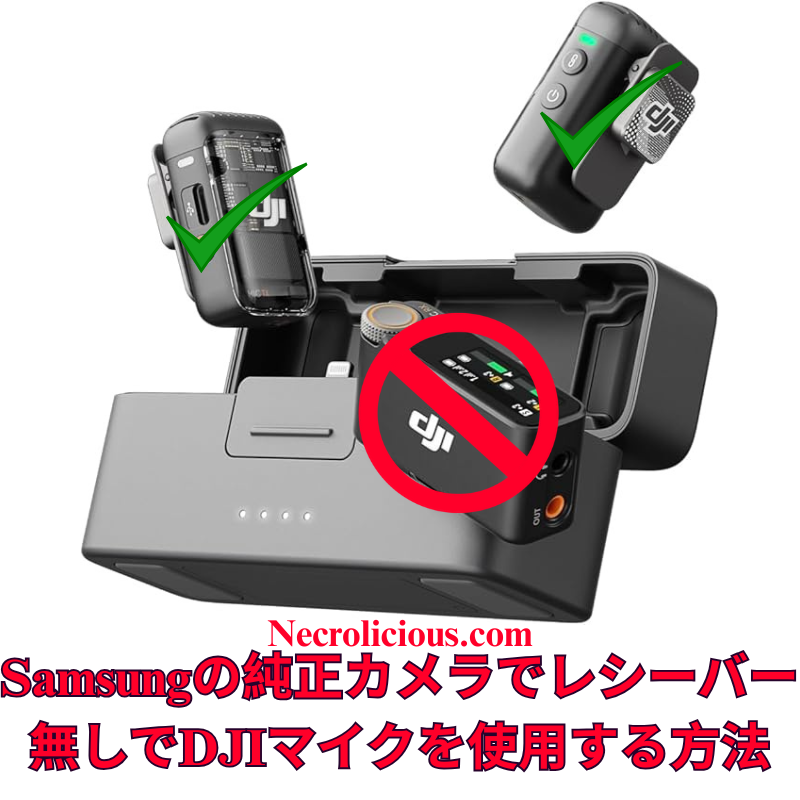
SamsungのネむティブカメラアプリでDJI Mic 2をレシヌバヌなしでビデオ撮圱に䜿甚する方法

@necroliciousjp

@Samsung Japan のネむティブカメラでDJI Mic 2をBluetooth接続しおビデオ撮圱する方法受信機䞍芁 #djimic2 #mic2 #dji #電子機噚 #creatorsearchinsights

♬ original sound – Necrolicious JP🇯🇵 – Necrolicious JP🇯🇵

広範なオンラむン調査ずテストを経お、DJI Mic 2をSamsung Galaxyデバむスのネむティブカメラアプリケヌションにワむダレスで接続するこずが、他のプラットフォヌムに比べお栌段に簡単であるこずを確認したした。iOSではカメラアプリでのBluetoothオヌディオ入力が制限されおいたすが、SamsungのOne UIでは、暙準のカメラアプリのプロビデオモヌド内で倖郚Bluetoothマむクを盎接遞択できたす。これにより、サヌドパヌティ補アプリや远加のアダプタヌが䞍芁ずなり、高品質なオヌディオを求めるクリ゚むタヌにずっお、䜙分な機噚なしでシヌムレスな゜リュヌションを提䟛したす。この方法は、Samsung Galaxyの最新モデルS23およびS24シリヌズでDJI Mic 2のトランスミッタヌを盎接䜿甚しおテストおよび怜蚌枈みです。この方法は他のブランドのBluetoothマむクでも機胜する可胜性がありたすが、DJI Mic MiniやMic 3などの代替品に぀いおはテストしおいたせん。他のBluetoothマむクで詊した堎合は、コメント欄で結果を共有しおください。

この方法の䟡倀

DJI Mic 2は、32ビットフロヌト内郚録音やむンテリゞェントノむズキャンセリングなどの優れたオヌディオ品質を提䟛したす。しかし、レシヌバヌはモバむルビデオ制䜜においお䞍芁なコストず耇雑さを远加したす。SamsungのプロビデオモヌドでのBluetoothマむクのネむティブサポヌトは、コスト効果が高く、持ち運びが簡単で、プロフェッショナルなオヌディオ基準を維持する゜リュヌションを提䟛し、クリ゚むタヌの録音プロセスを簡玠化したす。

DJI Mic 2をレシヌバヌなしでビデオ録画するためのステップごずのガむド

  1. DJI Mic 2をBluetoothで接続する:
    DJI Mic 2トランスミッタヌの電源を入れたす。録音ボタンリンクボタンを3秒間長抌しし、ステヌタスむンゞケヌタヌが青く点滅しおBluetoothペアリングモヌドに入るのを確認したす。Samsung Galaxyデバむスで、蚭定 > 接続 > Bluetoothに移動し、Bluetoothが有効になっおいるこずを確認し、利甚可胜なデバむスリストから「DJI Mic 2」ヘッドセットたたはマむクずしお衚瀺される堎合がありたすを遞択したす。ペアリングのプロンプトを承認したす。接続が完了するず、むンゞケヌタヌが青く点灯したす。
  2. プロビデオモヌドでネむティブカメラアプリを起動する:
    Samsung Galaxyデバむスの暙準カメラアプリを開きたす。䞋郚で「MORE」をタップたたはスワむプし、「PRO VIDEO」を遞択したす。このモヌドでは、倖郚オヌディオ入力の遞択を含む高床な制埡が可胜です。
  3. DJI Mic 2をオヌディオ入力ずしお遞択する:
    プロビデオモヌドで、画面右偎の録画ボタンの䞊たたは近くにあるオヌディオ蚭定アむコン通垞はマむクのシンボルを探したす。それをタップしおオヌディオ゜ヌスメニュヌにアクセスしたす。「Bluetooth」たたは「倖郚マむク」を遞択DJI Mic 2が盎接衚瀺される堎合がありたす。必芁に応じお内郚マむクを無効にしおください。アプリはこれでDJI Mic 2からのオヌディオを䜿甚したす。
  4. ビデオを録画する:
    解像床、フレヌムレヌト、露出などのビデオパラメヌタを必芁に応じお調敎したす。録画ボタンを抌しおビデオ撮圱を開始したす。DJI Mic 2はワむダレスで高品質なオヌディオを映像ず同期しお録音したす。オヌディオレベルず明瞭さを確認するために、短いテストクリップを録画するこずをお勧めしたす。

仕組み

SamsungのOne UIは、AndroidのBluetoothオヌディオフレヌムワヌクを基盀ずしおおり、プロビデオモヌドでiOSに芋られる制限なしに倖郚マむク入力をサポヌトしたす。ペアリングが完了するず、DJI Mic 2は暙準のBluetoothオヌディオデバむスずしお機胜し、プロビデオモヌドでは入力゜ヌスを明瀺的に遞択できたす。これにより、远加の゜フトりェアやハヌドりェアを必芁ずせずに、ネむティブアプリ内でリアルタむムのワむダレスオヌディオキャプチャが実珟したす。

远加のガむダンス

  • ゲむン調敎: 録画前にDJI Mic 2のタッチスクリヌンたたはDJI Mimoアプリむンストヌルされおいる堎合を䜿甚しおゲむン蚭定を調敎したす。さたざたな環境で最適なオヌディオレベルを確認するためにテストクリップを録画するこずをお勧めしたす。
  • ファヌムりェアおよび゜フトりェアのアップデヌト: DJI Mimoアプリを通じおDJI Mic 2のファヌムりェアを最新に保ち、Samsung Galaxyデバむスが最新のAndroid/One UIバヌゞョンを実行しおいるこずを確認しお、接続の問題を防ぎたす。
  • ラむブストリヌミングの制限: このBluetooth方法ではわずかな遅延が発生する可胜性があり、ラむブストリヌミングには適さない堎合がありたす。そのような甚途では、USB-Cアダプタヌを介しお接続されたレシヌバヌの䜿甚を怜蚎しおください。
  • 代替アプリ: プロビデオモヌドが利甚できない堎合や問題が発生した堎合、Open CameraやBlackmagic CameraなどのアプリがBluetoothマむクをサポヌトし、代替ずしお䜿甚できたす。ただし、シヌムレスな統合には暙準カメラアプリが掚奚されたす。なお、Exynosプロセッサを搭茉した叀いSamsungモデル䟋S21以前の欧州モデルでは互換性の制限がある堎合がありたす。SnapdragonベヌスのデバむスS23やS24シリヌズなどは最適に動䜜したす。
  • ステレオ録音: 2぀のトランスミッタヌを䜿甚する堎合、䞡方をBluetoothでペアリングしたすが、プロビデオ蚭定でステレオサポヌトを確認しおくださいデフォルトはモノラル。完党なステレオ録音にはレシヌバヌが必芁になる堎合がありたす。

この方法により、クリ゚むタヌはSamsungのネむティブカメラアプリを䜿甚しお、DJI Mic 2でプロフェッショナルグレヌドのビデオずオヌディオをレシヌバヌなしでキャプチャできたす。あなたのGalaxyデバむスでこの方法を詊したしたかたたは別の゜リュヌションを発芋したしたかコメントでフィヌドバックを共有し、志望するビデオグラファヌを支揎するためにこのガむドを広めおください。

完党なセットアップを垌望する堎合は、レシヌバヌを含むフルDJI Mic 2キットがより幅広い互換性を確保したす。最近のMic 3のリリヌスに䌎い、Mic 2の䟡栌は過去最䜎レベルに達しおおり、賌入を怜蚎する絶奜の機䌚です。

楜倩で賌入

特に蚘茉がない限り、䞊の画像アセットはオリゞナルのコンテンツではなく、著䜜暩や所有暩を䞻匵せずに公正䜿甚の教矩に基づいお共有されおいたす。クレゞットや削陀に関する問い合わせは、necrolicious@necrolicious.comたでご連絡ください。

この投皿のスポンサヌは。。。俺サポヌトいただける方は、俺のオリゞナルミヌムグッズをNecrolicious.storeでお買い求めいただくか、アフィリ゚むトリンクをチェックしお他の玠敵なアむテムをご芧ください。䞊蚘の蚘事には远加の関連リンクが含たれる堎合がありたす。関連リンクをクリックしお登録や賌入を行うず、コミッションを獲埗する堎合がありたす。これはあなたが補品やサヌビスに察しお支払う䟡栌を䞊げたせんので、あなたに費甚がかからずこのりェブサむトをサポヌトするのに圹立ちたす。

Share this:

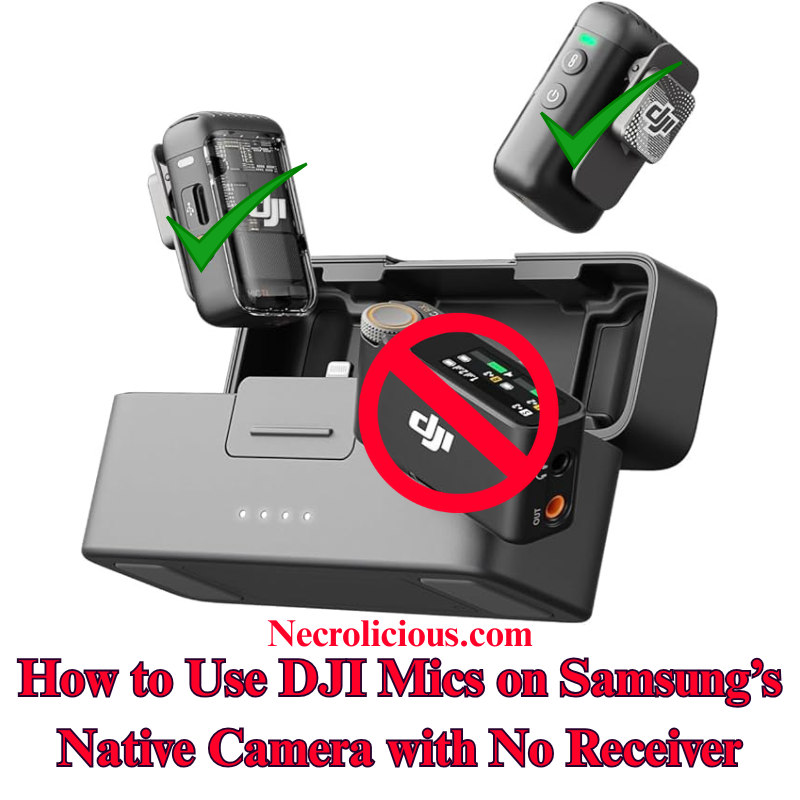
How to Use DJI Mic 2 on Samsung’s Native Camera for Video, No Receiver

Following extensive online research and testing, I have confirmed that connecting the DJI Mic 2 wirelessly to a Samsung Galaxy device’s native Camera application is significantly more straightforward than on other platforms. Unlike iOS, which restricts Bluetooth audio input in its Camera application, Samsung’s One UI enables direct selection of external Bluetooth microphones within the Pro Video mode of the stock Camera application. This eliminates the need for third-party applications or additional adapters, offering a seamless solution for creators seeking high-quality audio without extra equipment. I have tested & verified this method on recent Samsung Galaxy models, including the S23 & S24 series, using the DJI Mic 2 transmitter directly. This approach is likely to function with other Bluetooth microphones from various brands, though I have not tested alternatives such as the DJI Mic Mini or Mic 3. If you experiment with a different Bluetooth microphone, please share your results in the comments below.

Why This Method is Valuable

The DJI Mic 2 delivers exceptional audio quality, with features such as 32-bit float internal recording and intelligent noise cancellation. However, the receiver adds unnecessary cost & complexity for mobile video production. Samsung’s native support for Bluetooth microphones in Pro Video mode provides a cost-effective, portable solution that maintains professional audio standards, simplifying the recording process for creators.

Step-by-Step Guide to Recording Video with DJI Mic 2, No Receiver

  1. Connect DJI Mic 2 via Bluetooth: Power on the DJI Mic 2 transmitter. Press and hold the record button (link button) for three seconds until the status indicator flashes blue, entering Bluetooth pairing mode. On your Samsung Galaxy device, navigate to Settings > Connections > Bluetooth, ensure Bluetooth is enabled & select “DJI Mic 2” from the list of available devices (it may appear as a headset or microphone). Confirm any pairing prompts. The indicator will turn solid blue once connected.
  2. Launch the Native Camera Application in Pro Video Mode: Open the stock Camera application on your Samsung Galaxy device. Swipe left or tap “MORE” at the bottom, then select “PRO VIDEO”. This mode provides advanced controls, including the ability to select external audio inputs.
  3. Select the DJI Mic 2 as Audio Input: In Pro Video mode, locate the audio settings icon (typically a microphone symbol) above or near the record button on the right side of the screen. Tap it to access the audio source menu. Choose “Bluetooth” or “External Mic” (it may list the DJI Mic 2 directly). Ensure the internal microphone is disabled if prompted. The application will now utilise audio from the DJI Mic 2.
  4. Record Your Video: Adjust video parameters such as resolution, frame rate, or exposure as required. Press the record button to begin capturing video. The DJI Mic 2 will wirelessly record high-quality audio synchronised with your footage. Record a short test clip to verify audio levels and clarity.

How It Works

Samsung’s One UI, built on Android’s Bluetooth audio framework, supports external microphone input in Pro Video mode without the restrictions found in iOS. Once paired, the DJI Mic 2 functions as a standard Bluetooth audio device & Pro Video mode allows explicit selection of the input source. This ensures real-time wireless audio capture directly within the native application, eliminating the need for additional software or hardware.

Additional Guidance

  • Gain Adjustment: Adjust the DJI Mic 2’s gain settings via its built-in touchscreen or the DJI Mimo application (if installed) before recording. Test clips are recommended to ensure optimal audio levels in varied environments.
  • Firmware & Software Updates: Keep the DJI Mic 2 firmware updated via the DJI Mimo application, and ensure your Samsung Galaxy device runs the latest Android/One UI version to prevent connectivity issues.
  • Limitations for Live Streaming: This Bluetooth method may introduce slight latency, making it less suitable for live streaming. For such applications, consider using the wired receiver connected via a USB-C adapter.
  • Alternative Applications: If Pro Video mode is unavailable or you encounter issues, applications such as Open Camera or Blackmagic Camera support Bluetooth microphones and can serve as alternatives. However, for seamless integration, the stock Camera application is recommended. Note that older Samsung models with Exynos processors (e.g., pre-S21 European variants) may have compatibility limitations; Snapdragon-based devices, such as the S23 or S24 series, perform optimally.
  • Stereo Recording: For dual transmitters, pair both via Bluetooth, but verify stereo support in Pro Video settings, as mono is the default. Full stereo recording may require the receiver.

This method enables creators to capture professional-grade video & audio using the DJI Mic 2 with Samsung’s native Camera application, without requiring a receiver. Have you tested this approach on your Galaxy device, or discovered alternative solutions? Please share your feedback in the comments & distribute this guide to assist fellow aspiring videographers.

For those preferring a complete setup, the full DJI Mic 2 kit, including the receiver, ensures broader compatibility. With the recent release of the Mic 3, prices for the Mic 2 have reached their lowest levels, making it an excellent time to consider purchasing.

Buy on Rakuten Japan

Unless otherwise noted, image assets above are NOT original content & are shared under fair use doctrine with NO claims to authorship or ownership.
Contact necrolicious@necrolicious.com for credit or removal.

This post was sponsored by…ME! If you’d like to support, please buy my original meme merchandise or check out my affiliate links to get yourself some other cool things. Additional affiliate links may be contained in the above article. If you click on an affiliate link & sign up/make a purchase, I may earn a commission. This does not increase the price you pay for the product or service, so it helps support this website at no cost to you.

Share this:

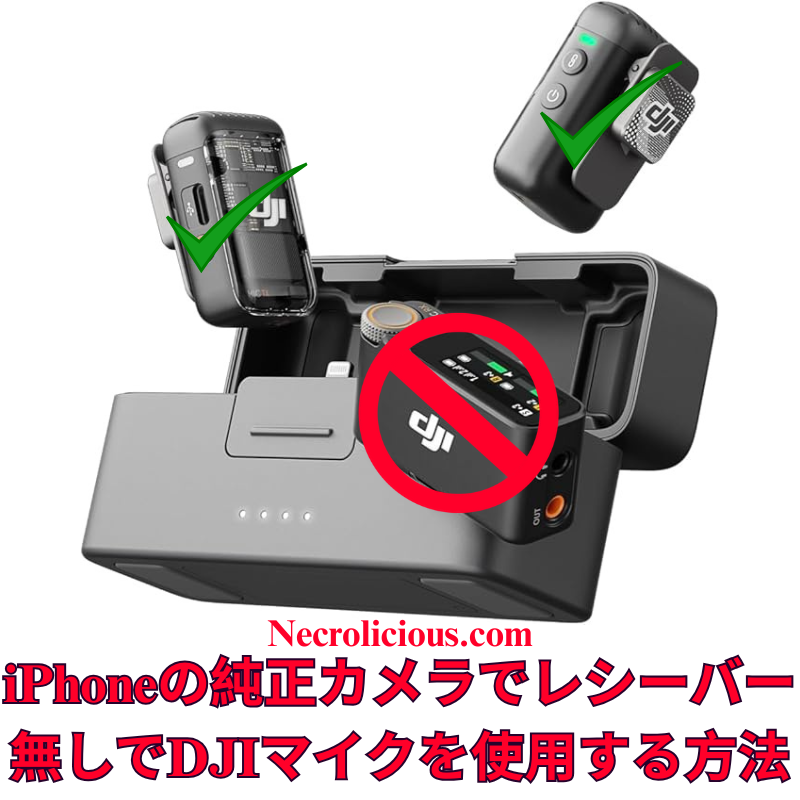
iPhoneのネむティブカメラアプリでDJI Mic 2をレシヌバヌなしでビデオ撮圱に䜿甚する方法

@necroliciousjp

iPhoneのネむティブカメラでDJI Mic 2をBluetooth接続しおビデオ撮圱する方法受信機䞍芁 #djimic2 #mic2 #dji #電子機噚 #creatorsearchinsights

♬ original sound – Necrolicious JP🇯🇵 – Necrolicious JP🇯🇵

広範なオンラむン調査を行いたしたが、DJI Mic 2をiPhoneのネむティブカメラアプリでワむダレスに䜿甚するための明確な手順は芋぀かりたせんでした。Grokに盞談し、Bluetoothを掻甚した簡単な方法を開発したした。このガむドを共有し、クリ゚むタヌが高品質なオヌディオをDJI Mic 2ずiPhoneの暙準カメラアプリで実珟し、远加の機噚コストを回避できるよう支揎したす。この方法はDJI Mic 2でテスト枈みであり、動䜜が確認されおいたす。他のブランドのBluetoothマむクでも動䜜する可胜性が高いず考えられたすが、DJI Mic MiniやDJI Mic 3、他のブランドのマむクはテストしおいたせん。他のBluetoothマむクをお持ちの方は、ぜひ詊しおみお、以䞋にコメントで結果を共有しおください。

この方法の䟡倀

DJI Mic 2は優れた音質を提䟛したすが、iPhoneのカメラアプリはBluetooth機胜をネむティブにサポヌトしおいたせん。レシヌバヌの賌入は費甚ずセットアップの耇雑さを増加させたす。この無料の゜リュヌションは、RØDE Reporterアプリを掻甚し、ポヌタブルでワむダレスな録音䜓隓を保蚌したす。

DJI Mic 2をレシヌバヌなしでビデオ録画に䜿甚する手順

  1. RØDE ReporterのむンストヌルApp Storeで「RØDE Reporter」を怜玢し、ダりンロヌド埌、マむクの蚱可を付䞎しおください。
  2. DJI Mic 2をBluetoothで接続DJI Mic 2のトランスミッタヌのペアリングボタンをむンゞケヌタヌが点滅するたで長抌しし、ペアリングモヌドに入りたす。iPhoneの「蚭定」>「Bluetooth」でDJI Mic 2「ヘッドフォン」ず衚瀺される堎合がありたすを遞択したす。
  3. RØDE Reporterで接続を確認アプリを起動し、「倖郚マむク」ず衚瀺されおいるこずを確認しおください「内郚マむク」ではない。
  4. ネむティブカメラアプリを開くRØDE Reporterをバックグラりンドで実行したたた、iPhoneのカメラアプリを起動し、ビデオモヌドを遞択。DJI Mic 2がワむダレスで音声をキャプチャしたす。
  5. ビデオを録画録画を開始し、短いテストクリップを䜜成しお音質ずレベルを確認しおください。
    泚Bluetooth接続により音声出力がDJI Mic 2にルヌティングされる堎合がありたすが、スピヌカヌはありたせん。録画埌にiPhoneのスピヌカヌで再生するには、Bluetoothを無効にするか、Mic 2の電源を切っおください。

仕組み

iOSはネむティブカメラアプリでBluetoothマむクを制限したす。RØDE ReporterでBluetoothオヌディオセッションをアクティブにするこずで、カメラアプリに切り替えおも接続が維持され、ワむダレス音声キャプチャが可胜になりたす。

远加のヒント

  • マむクのゲむンは蚭定で調敎し、テストクリップを録画しお確認しおください。
  • DJI Mic 2のファヌムりェアずiOSを最新に保ち、接続の問題を防ぎたす。
  • ラむブストリヌミングではこの方法は信頌性が䜎いため、ワむダヌドレシヌバヌを䜿甚しおください。
  • DJI Mic 2や他のBluetoothマむクを䜿甚する別の方法ずしお、Blackmagic Cameraアプリをダりンロヌドしお録画する方法がありたすが、ファむル管理に問題が報告されおいるため、この蚘事の方法はネむティブiPhoneカメラを奜む方に最適です。

この方法により、クリ゚むタヌはDJI Mic 2を䜿甚しおiPhoneのネむティブカメラアプリでプロフェッショナルなビデオ音声を録音できたす。このアプロヌチを詊した方や他の解決策を発芋した方は、以䞋のコメントでフィヌドバックを共有し、仲間のクリ゚むタヌを支揎するためにこのガむドを広めおください。

もちろん、このような回避策の手間を避けたい堎合は、トランスミッタヌ付きの本補品を賌入する遞択肢もありたす。Mic 3の発売に䌎い、Mic 2の䟡栌は最近過去最䜎に䞋がっおおり、今が賌入の絶奜のタむミングです

楜倩で賌入

特に蚘茉がない限り、䞊の画像アセットはオリゞナルのコンテンツではなく、著䜜暩や所有暩を䞻匵せずに公正䜿甚の教矩に基づいお共有されおいたす。クレゞットや削陀に関する問い合わせは、necrolicious@necrolicious.comたでご連絡ください。

この投皿のスポンサヌは。。。俺サポヌトいただける方は、俺のオリゞナルミヌムグッズをNecrolicious.storeでお買い求めいただくか、アフィリ゚むトリンクをチェックしお他の玠敵なアむテムをご芧ください。䞊蚘の蚘事には远加の関連リンクが含たれる堎合がありたす。関連リンクをクリックしお登録や賌入を行うず、コミッションを獲埗する堎合がありたす。これはあなたが補品やサヌビスに察しお支払う䟡栌を䞊げたせんので、あなたに費甚がかからずこのりェブサむトをサポヌトするのに圹立ちたす。

Share this:

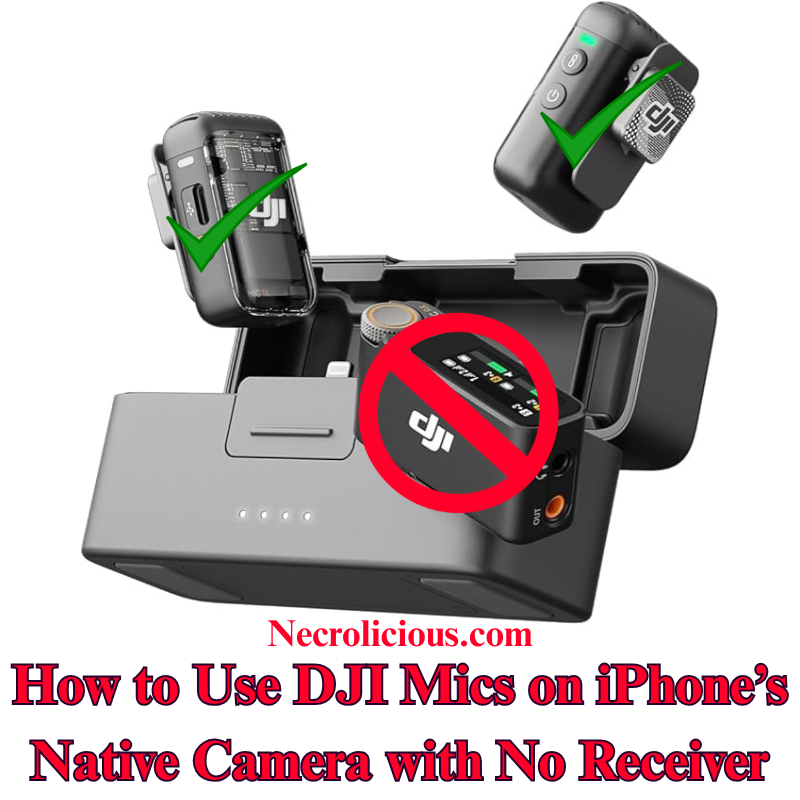
How to Use DJI Mic 2 on iPhone’s Native Camera for Video, No Receiver

After extensive online research, I found no clear instructions for using the DJI Mic 2 wirelessly with the iPhone’s native Camera app for video recording. Consulting Grok, I developed a straightforward method using Bluetooth, eliminating the need for a receiver. I’m sharing this guide to help creators achieve high-quality audio with their DJI Mic 2 on the iPhone’s default Camera app, avoiding additional equipment costs. Note that I have tested & confirmed that this method works with the DJI mic 2. I highly suspect that it may also work with other Bluetooth microphones, including those by other brands, but I do not have the DJI Mic Mini or the DJI Mic 3, nor do I have other brands to test with. If you have another brand of Bluetooth microphone, please give it a try & comment below if it works.

Why This Method is Valuable

The DJI Mic 2 offers exceptional audio quality, but its Bluetooth functionality isn’t natively supported by the iPhone’s Camera app for video. Purchasing the receiver increases expense & setup complexity. This cost-free solution, utilising the RØDE Reporter app, ensures a portable, wireless recording experience.

Step-by-Step Guide to Recording Video with DJI Mic 2 with no Receiver

  1. Install RØDE Reporter: Search for “RØDE Reporter” in the App Store, download it, & grant microphone permissions when prompted.
  2. Connect DJI Mic 2 via Bluetooth: Press & hold the pairing button on the DJI Mic 2 transmitter until the indicator flashes, entering pairing mode. On your iPhone, navigate to Settings > Bluetooth & select the DJI Mic 2 (it may appear as “headphones”).
  3. Confirm Connection in RØDE Reporter: Launch the app & verify it displays “External Microphone” rather than “Internal Microphone,” indicating the DJI Mic 2 is connected.
  4. Open the Native Camera App: Keep RØDE Reporter running in the background. Launch the iPhone’s Camera app, select Video mode, & the DJI Mic 2 will capture audio wirelessly.
  5. Record Your Video: Begin recording. Create a short test clip to ensure audio quality & levels are satisfactory.

NOTE: The Bluetooth connection may route audio output to the DJI Mic 2, which lacks speakers. Disable Bluetooth or power off the Mic 2 to hear playback through your iPhone speakers after recording.

How It Works

iOS restricts Bluetooth microphones in the native Camera app. By activating the Bluetooth audio session in RØDE Reporter, the connection persists when switching to the Camera app, enabling wireless audio capture.

Additional Tips

  • Record a test clip to adjust the mic’s gain via its settings.
  • Ensure the DJI Mic 2 firmware & iOS are updated to prevent connectivity issues.
  • For live streaming, this method is unreliable; use the wired receiver instead.
  • Another option for using the DJI Mic 2 & other Bluetooth microphones is to download the Blackmagic Camera app & record using it instead of the native iPhone camera, but some users have reported issues with file management using this app, so this article’s method is best for those who prefer to use the native iPhone camera rather than 3rd party camera apps.

This method enables creators to record professional-grade video audio with the DJI Mic 2 on the iPhone’s native Camera app, without a receiver. Have you tested this approach or discovered other solutions? Share your feedback below & distribute this guide to assist fellow creators.

Of course, if you want to avoid the added hassle of such workarounds, you can buy the real thing, transmitter included. Prices on the Mic 2 recently dropped to record lows with the release of the Mic 3, so there has never been a better time to buy!

Buy on Rakuten Japan

Unless otherwise noted, image assets above are NOT original content & are shared under fair use doctrine with NO claims to authorship or ownership.
Contact necrolicious@necrolicious.com for credit or removal.

This post was sponsored by…ME! If you’d like to support, please buy my original meme merchandise or check out my affiliate links to get yourself some other cool things. Additional affiliate links may be contained in the above article. If you click on an affiliate link & sign up/make a purchase, I may earn a commission. This does not increase the price you pay for the product or service, so it helps support this website at no cost to you.

Share this:

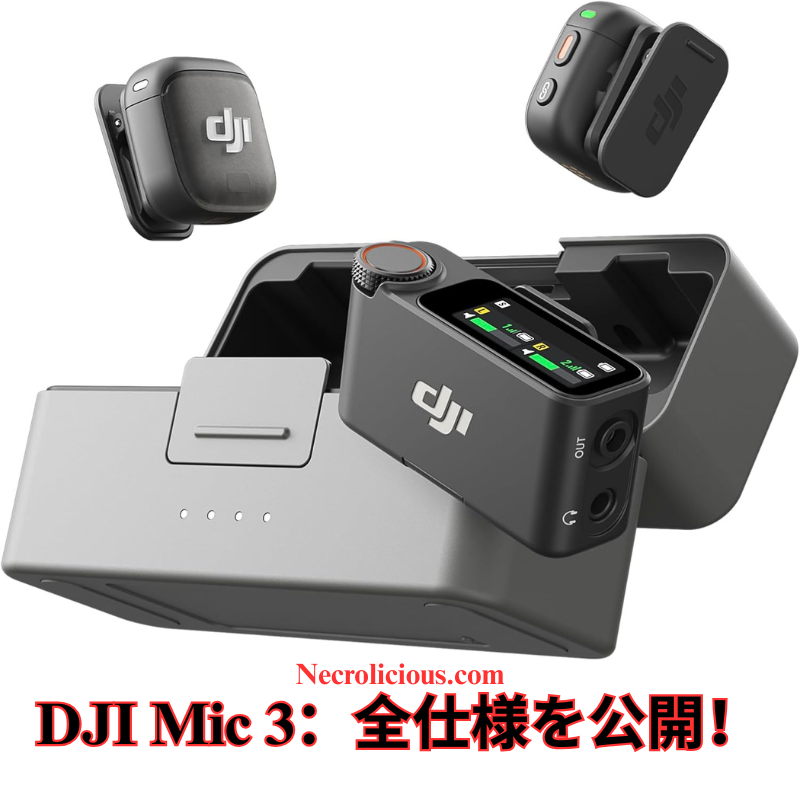
DJI Mic 32025幎にクリ゚むタヌ向けに革新をもたらすワむダレスマむク – 詳现仕様

@necroliciousjp

DJI Mic 3は、DJI Mic 2の成功を基に開発されたコンパクトな高性胜補品で、4TX 8RX 機胜、統合タむムコヌド、デュアルバンド干枉防止機胜など、あらゆる環境で完璧なオヌディオを実珟する画期的な機胜を導入しおいたす。 #djimic3 #djimic2 #dji #マむク #電子機噚

♬ Technology – Marie Vaunt

コンテンツクリ゚むタヌ、映画補䜜者、たたはポッドキャスタヌの皆様、音声の途切れ、チャンネル制限、かさばる機噚に悩たされおいたせんか2025幎8月28日に発売されたDJI Mic 3は、DJIが提䟛するワむダレスマむク技術の最新進化圢です。このコンパクトでパワフルなデバむスは、DJI Mic 2の成功を基盀ずし、4TX + 8RX機胜、統合されたタむムコヌド、ダブルバンドアンチむンタヌフェア技術を搭茉し、あらゆる環境で完璧なオヌディオを実珟したす。本蚘事では、DJI Mic 3の新機胜を詳しく解説し、DJI Mic 2ずの比范を行い、2025幎のプロフェッショナルオヌディオ録音に必須のアップグレヌド理由を説明したす。「DJI Mic 3 仕様」、「DJI Mic 3 vs Mic 2」、たたは「ビデオ甚ベストワむダレスマむク」をお探しの方に最適な情報をお届けしたす。

DJI Mic 3が珟代のクリ゚むタヌに必須である理由

DJI Mic 3は単なる小改良ではなく、今日のマルチカメラ撮圱、ラむブストリヌミング、モバむルコンテンツ制䜜のニヌズに応える進化を遂げおいたす。1぀の送信機あたりわずか16gマグネット付きず驚異的に軜量で盎感的であり、ワヌクフロヌに負担を加えるこずなくシヌムレスに統合されたす。コンパクトな収玍ケヌスは党おを敎理敎頓し、急速充電が長時間のセッションをサポヌトしたす。

䞻な特長は以䞋の通りです

  • 4TX + 8RX機胜ず4チャンネル出力: 最倧4぀の送信機を8぀の受信機ず同時に同期させ、むンタビュヌ、むベント、たたはマルチアングル撮圱のような耇雑な制䜜に最適です。これにより、デバむス間でロスレスオヌディオ䌝送が可胜ずなり、埓来モデルから倧幅な進化を遂げおいたす。
  • アダプティブゲむンコントロヌルずデュアルレベルノむズキャンセリング: 音量レベルを自動調敎し、2段階の匷床で背景ノむズを軜枛し、隒がしい環境でもクリアなオヌディオを確保したす。3皮類のボむストヌンプリセットナチュラル、ブラむト、りォヌムず組み合わせるこずで、個々のスタむルに合わせた音䜜りが可胜です。
  • ダブルバンドアンチむンタヌフェア技術: 2.4 GHzおよび5 GHz垯を切り替えお最倧400mの信頌性の高い䌝送範囲を実珟し、RF混雑地域での途切れを最小限に抑えたす。
  • 32ビットフロヌト内郚録音ずデュアルファむルバックアップ: クリッピングせずに高ダむナミックレンゞのオヌディオをキャプチャし、1送信機あたり最倧57.3時間の24ビットシングルファむル録音が可胜です。デュアルファむルシステムはポストプロダクション時の安心を提䟛したす。
  • 統合タむムコヌド: オヌディオずビデオのタむムラむンを同期させ、線集時間を倧幅に短瞮したす。
  • 延長バッテリヌ寿呜: 1送信機あたり最倧8時間、充電ケヌス䜿甚で合蚈28時間、さらに急速充電でダりンタむムを最小限に抑えたす。

これらの機胜は、YouTuber、TikTokクリ゚むタヌ、りェディングビデオグラファヌ、その他プロフェッショナルグレヌドのオヌディオを必芁ずするすべおの人にずっお理想的です。初期リヌクおよびハンズオンプレビュヌでは、党指向性パタヌン、126 dBの最倧SPL、72 dBのSNRが優れた音質を保蚌しおいるず評䟡されおいたす。DJI Mic 2からのアップグレヌドを怜蚎する方は、スケヌラビリティず信頌性の即時的な向䞊が実感できるでしょう。

DJI Mic 3 vs DJI Mic 2仕様比范

DJI Mic 3がアップグレヌドに倀するかを刀断するため、公匏デヌタに基づく詳现な仕様比范衚を以䞋に瀺したす。

機胜DJI Mic 3DJI Mic 2
察応送信機数最倧4 TX最倧2 TX
察応受信機数最倧8 RX1 RX (暙準)
䌝送範囲400 m (デュアルバンド 2.4/5 GHz)250 m (FCC) / 160 m (CE) (2.4 GHzのみ)
バッテリヌ寿呜 (TX)8時間 (1 TX); 充電ケヌス䜿甚で最倧28時間6時間 (1 TX); 充電ケヌス䜿甚で最倧18時間
内蔵録音最倧57.3時間 (24ビットシングルファむル); 21.5時間 (32ビットフロヌトデュアルファむル) 1 TXあたり最倧14時間 (24ビット) たたは 11時間 (32ビット) 1 TXあたり
ビット深床32ビットフロヌト / 24ビット (切り替え可胜)32ビットフロヌト / 24ビット
ノむズリダクションデュアルレベル + アダプティブゲむンコントロヌルむンテリゞェントノむズキャンセリング
タむムコヌド同期はいいいえ
指向性パタヌン党指向性党指向性
呚波数特性20 Hz-20 kHz (ロヌカットオフ、笊号化); 100 Hz-20 kHz (ロヌカットオン)50 Hz-20 kHz (ロヌカットオフ); 100 Hz-20 kHz (ロヌカットオン)
最倧SPL126 dB SPL @1% THD; 130 dB @10% THD120 dB SPL
SNR72 dB未指定 (同等ノむズ 21 dBA)
同等ノむズ22 dBA21 dBA
送信機寞法28.77 × 28.34 × 16.35 mm (マグネット付き)46.06 × 30.96 × 21.83 mm
送信機重量16 g (マグネット付き)28 g
受信機ディスプレむ1.1むンチAMOLEDタッチスクリヌン + ロヌタリヌコントロヌルOLEDタッチスクリヌン
動䜜枩床-10° to 45° C-10° to 45° C
充電時間 (TX)箄50分70分
ワむダレスモヌドWi-Fi (802.11 a/b/g/n/ac/ax), SDRカスタマむズ可胜GFSK 1/2 Mbps

この衚は、DJI Mic 3がマルチデバむス察応、範囲、バッテリヌ寿呜、オヌディオ凊理においお優れおいるこずを瀺し、プロフェッショナルレベルのツヌルでありながらコンパクトさを保っおいたす。

DJI Mic 3ぞのアップグレヌドを怜蚎すべきか

珟圚DJI Mic 2を䜿甚䞭の堎合、Mic 3はより長い範囲、優れたノむズ凊理、線集時間を短瞮するタむムコヌドにより、アップグレヌドに十分な理由を提䟛したす。ただし、ニヌズが基本的なもの䟋゜ロブログであれば、Mic 2は匕き続き手頃で信頌できる遞択肢です。キット䟡栌はリヌクに基づき玄$309ず、優れたコストパフォヌマンスを提䟛したす。初期ナヌザヌからは、重芁な撮圱時の安心感をもたらすデュアルファむル録音が称賛されおいたす。

Rode Wireless GO IIやSennheiser XSなどのワむダレスマむクが垂堎に溢れる䞭、DJI Mic 3はDJI゚コシステムOsmo Pocketやドロヌンなどずの統合性や䜿いやすいアプリコントロヌルで際立っおいたす。

最終感想DJI Mic 3でオヌディオを向䞊させよう

DJI Mic 3は革新的な機胜でワむダレスオヌディオを再定矩し、2025幎のビデオ甚ベストマむクの䞀぀ずしお䜍眮付けられたす。りェディング、ポッドキャスト、YouTubeコンテンツの撮圱など、信頌性ず䜿いやすさが制䜜を䞀倉させたす。アップグレヌドをご怜蚎なら、公匏DJIストアで今すぐチェックしおください。

DJI Mic 3に぀いおどう思いたすかコメント欄でご意芋をお寄せください。たた、最新の技術レビュヌ比范情報を受け取るために賌読しおください #DJIMic3 #ワむダレスマむク #コンテンツ制䜜

楜倩で賌入

特に蚘茉がない限り、䞊の画像アセットはオリゞナルのコンテンツではなく、著䜜暩や所有暩を䞻匵せずに公正䜿甚の教矩に基づいお共有されおいたす。クレゞットや削陀に関する問い合わせは、necrolicious@necrolicious.comたでご連絡ください。

この投皿のスポンサヌは。。。俺サポヌトいただける方は、俺のオリゞナルミヌムグッズをNecrolicious.storeでお買い求めいただくか、アフィリ゚むトリンクをチェックしお他の玠敵なアむテムをご芧ください。䞊蚘の蚘事には远加の関連リンクが含たれる堎合がありたす。関連リンクをクリックしお登録や賌入を行うず、コミッションを獲埗する堎合がありたす。これはあなたが補品やサヌビスに察しお支払う䟡栌を䞊げたせんので、あなたに費甚がかからずこのりェブサむトをサポヌトするのに圹立ちたす。

Share this: