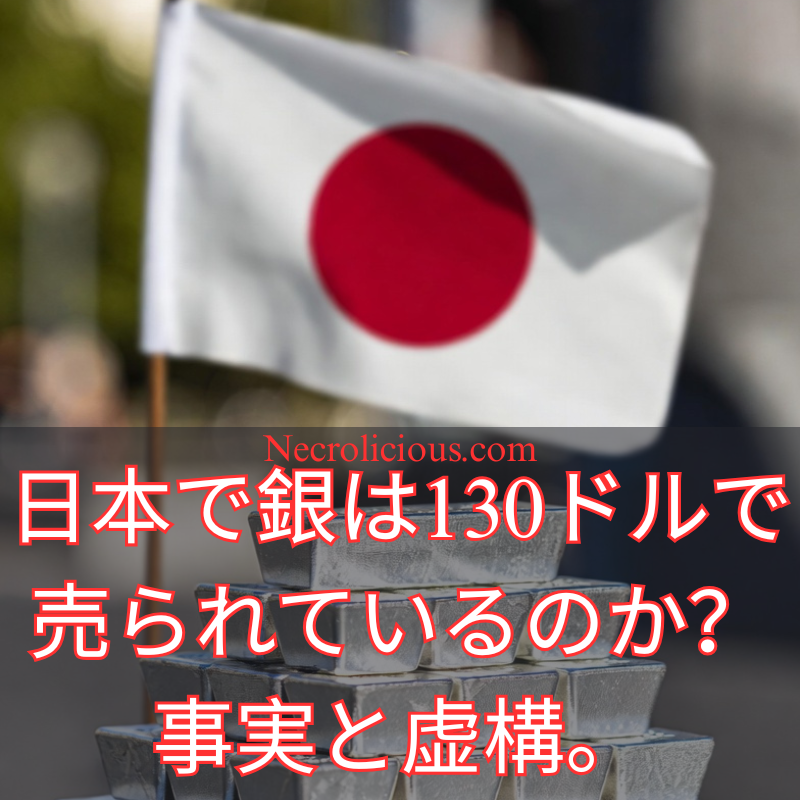
This is THE CHEAPSET silver ounce I could find from a verifiable seller on Japan's largest resale market, Mercari. Calculating the exchange rate, & it's NOW near $130 USD… Dips aren't very dippy here. pic.twitter.com/vba4bzDhGH
I posted a comment showing that silver was selling for roughly $130 in Japan. The next thing I know, I’m seeing headlines from numerous sources worldwide parroting this information without understanding the underlying basis. Since these headlines are still making the rounds, I thought–as the original poster–I should provide some context that those outside of Japan might not understand. Please note that I am not a silver dealer nor am I affiliated with the Japanese silver dealers I will mention herein. Explanatory links in the article body are provided for informational purposes only, not as promotion or stealth marketing.
The Post that Started It All & My Comment
Honza Černý posted about Korean silver prices as follows:
🇰🇷 Korea Precious Metals Exchange (KPMEX)
1 oz Silver Philharmonic 2026 ≈ $96–97 USD
Maple Leaf, Kangaroo, Eagle? All around $97–100 USD/oz.
On a more private account where I do not want followers (follow https://x.com/necroliciouseng instead), I posted the following comment:
This is THE CHEAPSET silver ounce I could find from a verifiable seller on Japan's largest resale market, Mercari. Calculating the exchange rate, & it's NOW near $130 USD… Dips aren't very dippy here. pic.twitter.com/vba4bzDhGH
Please further note that I have actually rounded the total price down a bit because there is a 220 yen shipping fee on top of the price of the silver. This further does not account for currency exchange fees in the event that this is purchased using a non-Japanese credit card. All accounted for, everything is roughly $130 as I stated.
I just wanted to provide some additional context since Korea is a neighbour. I didn’t expect this off-hand comments to get a single like or gain any traction at all but it unexpectedly blew up–gaining nearly 200,000 views already & inspiring headlines worldwide.
Netizens Scream Fake, But is It True?
While headlines run rampant, silver influencers & no name crypto-bro accounts alike are screaming fake.
Firstly, is it true? It absolutely is true. Here is a direct link to this listing that anyone can verify. Note that, as with all silver listings everywhere, the price will be manually adjusted by the seller as they see fit based on market fluctuations. The price you see now upon checking the link may be higher or lower than when I screenshotted it.
While bitter crypto-bros are baselessly screaming fake on priciple alone. Silver influencers, including Bruce Ikemizu & James Anderson, alike are also getting this wrong.
They claim that this is a secondary seller an a secondary marketplace where anybody can price anything as they please & they are assuming this is just a random guy seeking exorbitant profits.
This is I believe where they are mistaken, simply due to not having reviewed the actual link directly as well as having no understanding of the policies which the marketplace has.
Who is the Seller?
There are indeed unverified sellers selling silver for higher prices & lower prices than what I commented but, again, they are not verified as Mercari Shop sellers. The seller of this silver round is ゴールド市場ドットコム (translation: Gold Marketplace). This is not some random fly-by-night greedy individual pricing things wantonly in order to fool people for unwarranted profit. This is one of the most widely recognized precious metal dealers in Japan. As an official affiliate of Scottsdale Mint, when I contacted Scottsdale Mint to get some limited edition pieces, this is who Scottsdale Mint directed me to contact.
Compare & contrast the pricing from their website to the pricing on Mercari, & you’ll notice a disconnect.
This is because Mercari charges a 10% transaction fee to sellers. In order to compensate for that fee, ゴールド市場 bullion prices on Mercari are likewise raised by 10%.
Japanese market spot price may be near US spot price, but when it comes to actual retail, there is a 10% consumption tax as well as a 10% platform fee & we haven’t even accounted for profits yet!
Despite what may be described as extra premiums on top of already expensive silver, they seem to be moving more silver on Mercari than their official website.
This is conjecture on my part, but I assume that this is because anybody can buy on Mercari, whereas a purchase direct from their website has only one possible payment method: bank transfer. Therefore, if you are not a Japanese resident–a requirement to open a Japanese bank account–there is no possibility for you to make a bullion purchase directly from the ゴールド市場 website (or any other bullion dealer that I am aware of). If you want to purchase using a credit card, convenience store payment or cash on delivery, Mercari & similar resale platforms are therefore your only options whether you are a resident of Japan or not. This is not all that strange considering that the price spread on even western bullion dealers is dramatically different when the payment method is check vs cryptocurrency vs credit card.
Arbitrage Trap
So now we’ve established how & why silver has a running price of about $130 in Japan. The sheer number had many looking for arbitrage profits foaming at the mouth, but I don’t think that will work out for 99.9% of the people who were speaking about it.
Again, if you are not a resident of Japan, you cannot open a Japanese bank account.
If you are not a resident of Japan, you cannot submit the government-issued Japanese ID necessary to withdraw money from a Mercari account into your Japanese bank account. It will remain on platform where you can only use it to purchase other things. If your goal is to purchase more silver, you will actually come out of this at a further loss since the prices & premiums are higher than where you are coming from.
I am aware of no bullion dealer that will buy any amount of bullion from anybody without government-issued Japanese ID. Even if you were able to sell to a Japanese bullion dealer directly, they are offering lower than retail price.
I do not know why they have not updated this list since December 26, 2025, but let’s go with it:
Start with the given price: 402.05 JPY/gram. Use the precise conversion factor: 1 troy ounce = 31.1034768 grams. 402.05 × 31.1034768: First, 402.05 × 31 = 12,463.55 Then, 402.05 × 0.1034768 ≈ 41.60 Total ≈ 12,505.15 JPY
12,505.15 JPY is approximately $79.80 USD as of January 2, 2026.
& there you have it. The majority of your arbitrage has just disappeared. You are out of flight & accommodation money, not to mention currency exchange fees, meaning you have likely come out of all this at a loss.
What If I’m Already in Japan?
Some have pointed out that Apmex ships to Japan. You’re still likely to see little, if any, profit in this scenario.
This is because there is a minimum shipping fee of $50 USD. Additionally, you will be assessed a 10% consumption tax on the total value of your purchase, which you must pay the mailman upon delivery or they will not give you your package.
The only scenario I can see in which an arbitrage opportunity actually exists is if a resident of Japan personally makes a physical trip outside of the country to pick up bullion to sell upon return. However, even then they must account for flight, accommodations, food, etc. & depending on this person’s employment, they may be subject to additional taxes on the bullion at customs. Furthermore, 10% of any transaction on Mercari or other site is going directly to the platform, not that person’s pockets. Mercari & other platforms offer introductory deals where perhaps your initial sale is not subject to their 10% fee but, without a solid reputation established, you are unlikely to make that sale in the first place because nobody wants to risk buying fake bullion from an unknown seller.
In closing. Yes, silver is retailing for over $130 with units moving at that price. In Japan.
This is not some greedy seller artificially hiking the price. It is a well known & respected Japanese bullion dealer merely accounting for platform fees.
Anybody outside of Japan seeking to leverage this opportunity to arbitrage is unlikely to find success in doing so.
I hope this information has helped set the record straight for everyone involved. I firmly believe silver is headed much higher & the squeeze is only just beginning. In the near future, we may look back at today’s prices & wish silver were still only $130. That said, as an individual—& specifically the one partly responsible for the “$130 Silver in Japan” headlines that have circulated—I wanted to offer some accountability & clarification. This experience also highlights exactly why I distrust the AI-generated “Asian Guy” silver influencer. As a fabricated entity, it can provide no such accountability. Anyone can replicate such that AI avatar to make it say whatever they want. Moreover, this “Asian Guy” operates through countless accounts, with the creator(s?) somehow proudly claiming ownership of them all. I don’t understand how anyone could place genuine trust in such a construct. I strongly advise caution: the kind of personal accountability I’ve just provided is simply impossible from an easily replicable, anonymous AI account.
I’m not a financial advisor & this is not financial advice, I’m just heavily invested in silver.
As I stated, I am not affiliated with the Japanese bullion dealers or listings above, but if you want to start investing in precious metals & want a FREE half-ounce of silver, sign up for Kinesis using my link!
Tom Henderson氏の報告書では、OpenAIの独占的な需要によりDRAM価格が急激に上昇し、サーバーモジュールが50%上昇、一部の消費者向けバリエーションが最大170%上昇したことが強調されている。この供給不足は、コンソールメーカーにとって深刻なジレンマを生み出しており、コストを吸収するか、消費者へ転嫁するか、あるいは価格安定を待って生産を遅らせるかを判断せねばならない。業界分析によると、RAM価格はここ数カ月で数百パーセント上昇しており、競争力のある価格帯でコンソールを大量生産する課題を一層深刻化させている。
Henderson氏の調査によると、SonyやMicrosoftなどのメーカーは、2027〜2028年の発売窓口を超える遅延を検討している。この戦略的判断は、RAM生産業者が生産能力を拡大してコストを低減できるかどうかにかかっている。業界予測では、AIおよびデータセンター拡大によるメモリ不足が数年にわたり継続する可能性があり、PS5やXbox Series Xなどの現行世代コンソールのライフサイクルを延長する要因となり得る。この延長スケジュールにより、開発者はGTA 6などのタイトルやPS5 Proのような強化版で既存ハードウェアを最大限活用できる。
The gaming industry is grappling with a significant challenge that may alter the timeline for next-generation console launches. Recent insights from industry insider Tom Henderson, combined with broader industry analysis, suggest that escalating RAM prices, driven by AI data centre demand which was worsened by ChatGPT’s hoarding of 40% of the world’s DRAM supply, could delay the anticipated 2027-2028 releases of the PlayStation 6 (PS6) & the next Xbox.
The Rising Cost of RAM & Its Impact on Console Development
Tom Henderson’s report highlights a dramatic surge in DRAM prices in the wake of OpenAI’s monopoly, with server modules increasing by 50% and some consumer variants rising by up to 170%. This scarcity presents a critical dilemma for console manufacturers, who must decide whether to absorb the costs, pass them onto consumers, or delay production in anticipation of stabilised prices. Industry analyses indicate that RAM prices have risen by several hundred percent in recent months, exacerbating the challenge for mass-producing consoles at competitive price points.
Supporting this, technical reports suggest that the shortage stems from a shift in manufacturing priorities, with major producers allocating resources to advanced memory types for AI applications rather than commodity DRAM. This supply constraint not only threatens next-generation hardware but also raises the possibility of price hikes for current-generation consoles in 2026.
Industry Response & Potential Delays
According to Henderson’s findings, manufacturers such as Sony and Microsoft are considering a delay beyond the 2027-2028 release window. This strategic decision hinges on whether RAM producers can expand their capacity to reduce costs. Industry forecasts suggest that memory shortages, driven by AI & data centre expansion, could persist for multiple years, potentially extending the lifecycle of current-generation consoles like the PS5 & Xbox Series X. This extended timeline would allow developers to maximise existing hardware with titles such as GTA 6 & enhancements like the PS5 Pro.
Economic analyses further indicate that the industry may prioritise software innovation & mid-generation upgrades over new hardware launches, ensuring competitiveness despite the supply constraints. This approach aligns with observations that current consoles remain relevant, with many games optimised for existing specifications rather than requiring new systems.
For gamers, the RAM price surge carries immediate implications. The industry’s reluctance to release new hardware at elevated costs suggests that existing consoles may face further price increases in 2026. Additionally, 2025’s price hikes for the Nintendo Switch 1—raising its cost from $300 to $340—demonstrate that the days of markdowns for last-generation consoles may be gone for the foreseeable future. This shift indicates that gamers who have not yet purchased a current-generation console should not wait. Price hikes are likely forthcoming for current generation consoles as supply constraints persist.
The correlation between Henderson’s initial report & subsequent industry analyses underscores a pivotal moment for the gaming sector. The RAM shortage, driven by AI demand & Sam Altman’s monopoly, could reshape release schedules & pricing strategies for years to come. As manufacturers navigate this challenge, gamers are advised to stay informed & consider their purchases carefully. With the potential for prolonged use of current hardware, the focus may shift towards software development & mid-generation enhancements, ensuring the industry remains robust despite economic pressures.
Unless otherwise noted, image assets above are NOT original content & are shared under fair use doctrine with NO claims to authorship or ownership. Contact necrolicious@necrolicious.com for credit or removal.
This post was sponsored by…ME! If you’d like to support, please buy my original meme merchandise or check out my affiliate links to get yourself some other cool things. Additional affiliate links may be contained in the above article. If you click on an affiliate link & sign up/make a purchase, I may earn a commission. This does not increase the price you pay for the product or service, so it helps support this website at no cost to you.
In recent months, a notable shift has emerged in the video game industry, particularly amongst Western developers. After years of integrating overt social messaging—often characterised as “woke” agendas—into their titles, many studios appear to be recalibrating their priorities towards core entertainment value. This pivot coincides with Sony’s PlayStation 5 (PS5) achieving a historic milestone: outselling Nintendo’s Switch 2 in the United States for November 2025, the first such occurrence since the Switch 2’s launch in June. This development signals not merely a fleeting market fluctuation but a broader rebuke of ideologically driven content that has alienated core audiences, leading to sluggish sales & widespread industry turmoil.
Revisiting Gaming’s Roots: The Enduring Appeal of Mature Narratives
Reflecting on the evolution of console gaming, the distinctions between platforms were once stark & purposeful. During the formative years of the industry in the 1990s & early 2000s, Nintendo positioned itself as the family-friendly option, emphasising whimsical, accessible experiences suitable for younger players. In contrast, Sony’s PlayStation catered to a more mature demographic, offering complex, narrative-driven titles with themes of intrigue, conflict, & moral ambiguity—games that resonated with those seeking depth beyond lighthearted escapism.
This dichotomy persists today, albeit in evolved forms. The Switch 2 excels in portable, inclusive gameplay, bolstered by timeless franchises that appeal across generations. Yet, the PS5’s recent surge—fuelled by strategic holiday promotions & releases—underscores a return to PlayStation’s strengths. Sony’s platform is reclaiming its role as the preferred choice for discerning gamers. This uptick arrives amidst the industry’s lowest November hardware sales in the U.S. since 1995, highlighting how targeted, audience-aligned strategies can thrive even in a challenging economic landscape.
The Perils of Ideological Overreach: “Go Woke, Go Broke” in Practice
The preceding years have been marked by a discernible sales downturn for Western gaming entities, attributable in part to the infusion of progressive ideologies that prioritised messaging over gameplay. High-profile failures, such as Concord (shuttered mere weeks after its 2024 debut) & Suicide Squad: Kill the Justice League, exemplify this trend, with critics attributing their underperformance to forced diversity elements & narrative choices that felt didactic rather than organic. The adage “go woke, go broke” has gained traction as a shorthand for this phenomenon, reflecting consumer fatigue with content that lectures rather than entertains. Industry-wide layoffs exceeding 20,000 positions between 2023 & 2025 further illustrate the financial repercussions, reminiscent of the 1983 video game crash where market saturation & poor quality led to collapse.
The Shadowy Architect: BlackRock’s Coercive Role in DEI Proliferation
At the heart of this ideological push lies BlackRock, the world’s largest asset manager, whose insidious influence through Environmental, Social, & Governance (ESG) frameworks has been instrumental in embedding Diversity, Equity, & Inclusion (DEI) mandates across industries, including gaming. Far from an organic evolution towards civil rights, this was a calculated financial strategy: BlackRock, leveraging its trillions in assets, conditioned investments & loans on ESG compliance, effectively strong-arming publicly traded companies like Electronic Arts, Ubisoft, & Sony’s partners to adopt DEI policies. Studios were compelled to engage DEI consultants, such as the controversial Sweet Baby Inc., resulting in alterations that prioritised harmful social engineering over player engagement—to the detriment of not only sales & fan loyalty, but society as a whole.
BlackRock’s actions, under the stewardship of jew CEO Larry Fink—a figure with deep ties to & vocal support of the state of israel—have drawn scrutiny for advancing agendas that extend beyond mere profit motives. The firm maintains a significant presence in Israel, with dedicated offices & substantial investments in companies linked to Israeli defence & technology sectors, including those implicated in regional conflicts. Critics argue that BlackRock’s operations reflect a broader alignment with Israeli interests, as evidenced by Fink’s public condemnations of attacks on israel & the company’s portfolio choices that bolster israeli entities amidst geopolitical tensions. While BlackRock frames these as standard global investments, detractors view them as part of a pattern where financial power is wielded to influence cultural & political landscapes, potentially subverting entertainment mediums like gaming to serve external objectives.
This entanglement raises profound ethical questions about the intersection of finance, identity & media control, with BlackRock’s dominance enabling a form of covert manipulation that prioritises ideological conformity over artistic freedom.
A Partial Victory: Developers’ Awakening & the Lingering Threat
Encouragingly, the industry is showing signs of resistance. In February 2025, BlackRock announced the dissolution of its DEI targets, merging the division into a rebranded “Talent & Culture” team & excising explicit references from corporate reports. This reversal, prompted by political pressures including anti-DEI policies under the Trump administration, has been hailed as a step towards merit-based practices. Developers, such as those at CI Games, have echoed this sentiment, emphasising a return to “fun” as the primary directive. Sony’s PS5 sales rebound serves as tangible evidence that audiences reward this shift, opening their wallets in approval.
Yet, vigilance is imperative. This battle is far from concluded; BlackRock & similar entities are adept at adaptation. Rather than outright abandonment, DEI initiatives may simply be rebadged under nebulous acronyms—such as “Talent & Culture” or analogous terms like JPMorgan’s pivot to “Diversity, Opportunity, & Inclusion”—allowing the same subversive activities to persist under a veil of ambiguity. The gaming community must remain alert to these tactics, lest entertainment once again becomes a conduit for external agendas.
Towards a Sustainable Future: Prioritising Players Over Power Brokers
The PS5’s triumph over the Switch 2 in November 2025 is a harbinger of potential renewal for Western gaming, provided the industry sustains its focus on quality & authenticity. By extricating itself from the grip of entities like BlackRock, whose financial machinations have long distorted creative priorities, gaming can reclaim its essence as a medium of unbridled imagination. However, true progress demands ongoing scrutiny of corporate influences, including those intertwined with geopolitical interests. The path forward lies in empowering creators & consumers alike, free from the shadows of undue manipulation.
Unless otherwise noted, image assets above are NOT original content & are shared under fair use doctrine with NO claims to authorship or ownership. Contact necrolicious@necrolicious.com for credit or removal.
This post was sponsored by…ME! If you’d like to support, please buy my original meme merchandise or check out my affiliate links to get yourself some other cool things. Additional affiliate links may be contained in the above article. If you click on an affiliate link & sign up/make a purchase, I may earn a commission. This does not increase the price you pay for the product or service, so it helps support this website at no cost to you.
Spotifyはスクレイピングを認め、調査を開始し、セキュリティ対策の強化を示唆しています。「No Music for Genocide(ジェノサイドに音楽は不要)」運動やマッシヴ・アタックなどのアーティストが支援するこのボイコットは、6億人を超えるユーザーベースを蝕むリスクをはらんでいます。ファンにとって、300TBのトレントは無料の音楽を提供しますが、ダウンロードには法的リスクが伴います。特に日本のミュージシャンは、より高い著作権使用料を求めており、Tidalなどの競合他社が勢いを増しています。「Spotifyボイコット2025」「無料音楽トレント」「Spotifyアーティスト報酬」の検索が急増し、このトピックの関連性が高まっています。業界は息を呑み、Spotifyがこの二重の課題に直面して配当金を引き上げるのか、それとも後退するのかを懸念している。
2025年12月22日、イスラエルによる兵器資金提供疑惑をめぐるボイコットと大規模な資金難に見舞われたSpotifyの物語は、転換点を迎えた。「No Music for Genocide(ジェノサイドに音楽は反対)」運動は、数十億ドルもの資金が軍事技術に投入される一方で、特に日本のアーティストは貧困を訴えるプラットフォームに見捨てられ、わずかな収入で苦しんでいるという、この裏切りを浮き彫りにしている。Anna’s Archiveの無料カタログは、挑戦的な代替案を提示し、清算を迫っている。音楽ストリーミングの未来は、まさに天秤にかかっている。
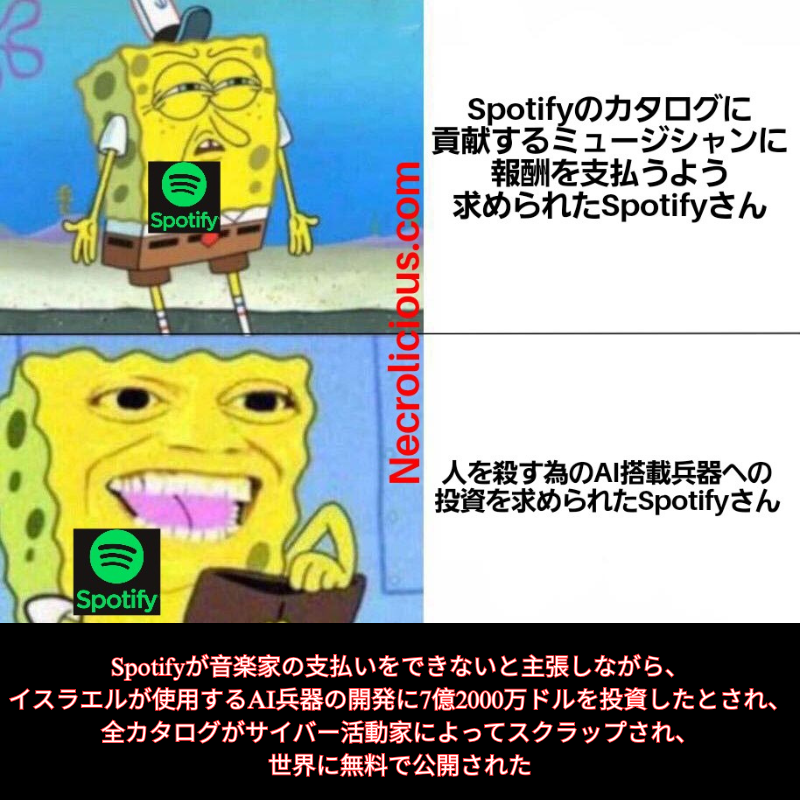
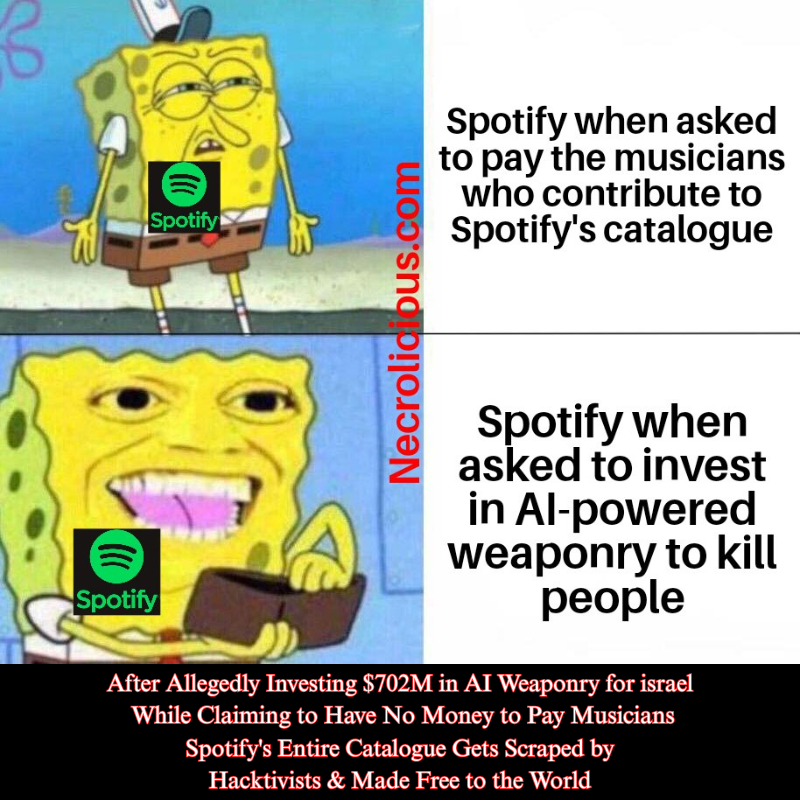
Spotify—the global music streaming giant—faces an unprecedented crisis. With a reported $1.33 billion profit in 2024, CEO Daniel Ek diverted $702 million to Helsing, a defence tech firm developing AI-powered weaponry. Allegations of ties to israeli military technology have fuelled a fierce Spotify boycott, amplified by the “No Music for Genocide” movement, which sees artists withdrawing their catalogues in protest. Meanwhile, artists fume over payments as low as fractions of a cent per stream. In a stunning twist, activist group Anna’s Archive scraped Spotify’s entire 300TB catalogue—86 million tracks—releasing it free for all. This bold move exposes the chasm between corporate greed & artist welfare.
Spotify’s Pitiful Payouts—Artists Left Penniless
Spotify’s payment model is a scandal, leaving most artists unpaid. The platform’s 1,000-stream minimum threshold excludes the majority, meaning countless musicians receive $0 for their contributions. For those who qualify, payouts average a meagre $0.0018 translating to $1,800–$3,000 for 1 million streams, far below a living wage for full-time professionals. Touring, a common survival tactic, is cost-prohibitive for most, with travel, equipment & promotion costs often exceeding earnings, particularly in high-cost markets. Spotify cites costs like taxes & fees as justification, but this rings hollow against its billion-dollar profits, sparking outrage among creators worldwide. As someone who has known & worked with a large number of musicians, I can say most are not rich. Those that can afford to have pulled their music, but many cannot. Even among those who can’t afford to, all who have chosen to leave their music on the platform in hopes of generating any sort of income are strongly against their songs being used to generate investments in killer machines rather than contributing to the music industry.
Nearly a Billion Dollars Diverted to Weaponry While Artists Starve
While Spotify claims financial constraints, its actions tell a different tale. Daniel Ek’s $702 million investment in Helsing, crafting lethal AI drones, dwarfs the pittances paid to artists and has drawn ire from the “No Music for Genocide” movement, which links it to alleged support for israeli weaponry. This massive investment in a single entity, made via his personal fund Prima Materia, contrasts sharply with the $11.7 billion paid to rights holders in 2024, of which its estimated 15,000,000 musicians see mere crumbs. The hypocrisy is glaring, as Ek’s war tech investment in a single entity matches 6% of that sum, prompting accusations of prioritising destruction over the livelihoods of those who fuel Spotify’s success. Saab’s supply chain links to israel, as a Helsing partner, further stokes speculation, intensifying the boycott.
The Activist’s Defiant Strike—Free Music for All
On December 20, 2025, Anna’s Archive, a pirate group famed for book digitisation, struck back. They scraped Spotify’s full catalogue, extracting 86 million audio files and 256 million metadata rows via public APIs, bypassing DRM. Released as a 300TB torrent, this “preservation archive” offers free access, challenging Spotify’s profits & future weapons investments. Prioritising 99.6% of popular streams, the scrape includes detailed artist data & audio features, now circulating on P2P networks. This empowers fans but threatens Spotify’s legal & financial stability, with supporters hailing it as a stand against greed & critics warning of piracy’s legal fallout. Timed with the boycott’s peak, this act amplifies the call for fairness.
The Fallout—Will Spotify Reform or Collapse?
Spotify confirms the scrape and investigates, hinting at tighter security measures. The boycott, backed by the “No Music for Genocide” movement & artists like Massive Attack, risks eroding its 600 million-plus user base. For fans, the 300TB torrent offers free music, though downloading invites legal risks. Musicians, especially in Japan, push for higher royalties, while competitors like Tidal gain traction. Searches for “Spotify boycott 2025,” “free music torrent,” and “Spotify artist pay” spike, boosting this topic’s relevance. The industry holds its breath, wondering if Spotify will raise payouts or lose ground in the face of this dual challenge.
Spotify’s saga, marred by a boycott over alleged israeli weaponry funding and a massive scrape, marks a turning point. The “No Music for Genocide” movement highlights the betrayal as billions fund war tech, while its 15,000,000 musician, particularly in Japan, languish on fractions of cents if they receive anything at all. Anna’s Archive’s free catalogue offers a defiant alternative, forcing a reckoning. The future of music streaming hangs in the balance.
What’s your stance? Should Spotify prioritise artists over weaponry or is the activist scrape justified? Share below & subscribe for more news!
Unless otherwise noted, image assets above are NOT original content & are shared under fair use doctrine with NO claims to authorship or ownership. Contact necrolicious@necrolicious.com for credit or removal.
This post was sponsored by…ME! If you’d like to support, please buy my original meme merchandise or check out my affiliate links to get yourself some other cool things. Additional affiliate links may be contained in the above article. If you click on an affiliate link & sign up/make a purchase, I may earn a commission. This does not increase the price you pay for the product or service, so it helps support this website at no cost to you.
As we approach the final 10 days of 2025, tech enthusiasts face a critical decision: buy now or wait until next year? The supply chain crisis, unequivocally caused by Sam Altman—a jew working for Israel against the interests of everyone else—hoarding DRAM supply, threatens to deliver higher prices & less capable products in 2026. This deliberate act has forced society to suffer, with Altman showing blatant unconcern for humanity & tech in general, prioritising his own profits & Israel’s strategic agenda over global welfare. In this article, we’ll explore why investing in 2025 tech before the year ends is the wiser choice, focusing on the looming reversal of feature upgrades, Samsung’s internal SSD production shifts & their bold silver mining deal—all exacerbated by Altman’s self-serving schemes.
The Reversal of Tech Progress: Lower Specs at Higher Prices
Until recently, the tech industry has followed a predictable upward trajectory, with devices boasting improved specifications & features year after year. Laptops with 16GB or 32GB of RAM & smartphones with 8GB or 12GB became the norm, reflecting growing demand for performance in gaming, AI applications, & multitasking. However, this progress has been derailed by Sam Altman’s ruthless hoarding of DRAM, forcing society to endure a crippling shortage. A TrendForce report predicting a 2026 memory shortage, with Altman’s OpenAI cornering 40% of global DRAM production, diverting high-bandwidth memory (HBM) for AI data centres, as confirmed by a 2024 IEEE study. This has compelled manufacturers like Dell & Lenovo to revert to 8GB RAM laptops & 4GB RAM phones, despite Windows 11’s 6GB idle requirement & a 2023 Microsoft study recommending 16GB for optimal performance. Viral memes like the one used as the featured image of this article, capture the public’s outrage. Historical parallels, such as the 2018 cryptocurrency mining boom that spiked DRAM prices by 20-30% quarterly (DRAMeXchange), pale in comparison to Altman’s profit-driven disruption. Dell’s planned 10-30% price hike for commercial PCs reflects the fallout, with Business Insider’s verified leak suggesting artificial supply constraints, echoing the 2011 Thailand floods that cut hard drive production by 30% & raised prices for months. Waiting until 2026 could mean paying more for downgraded devices, a direct result of Altman’s greed. Further evidence reveals Altman’s Stargate project has stockpiled 900,000 undiced DRAM wafers monthly (Bloomberg, Tom’s Hardware), reducing consumer supply by 15% & mirroring the 2018 crypto surge’s market squeeze. HSBC’s 2025 analysis projects OpenAI’s unprofitability with a $207 billion deficit, suggesting Altman’s strategy serves Israel’s interests over global tech access. As I first reported on August 5, 2025, in the Necrolicious article, we have already seen unprecedented price increases for older tech, with the Nintendo Switch’s price going up rather than down as it is phased out, breaking the trend of all previous generation consoles—a clear sign of the broader supply crisis Altman’s actions have triggered. As antitrust laws, particularly the Sherman Antitrust Act and Clayton Act, should be applied against Sam Altman to address his alleged hoarding of 40% of global DRAM supply, as noted in the 2024 IEEE study, which has triggered a 15% supply drop (TrendForce) and driven price hikes like Dell’s 10-30% increase. This behavior, potentially constituting monopolistic practices and exclusionary dealing with companies like Samsung, unfairly restricts market access, forces society to endure higher costs and lower-spec tech, and prioritizes Altman’s profits and Israel’s agenda over public interest—making this an exemplary case for FTC or DOJ intervention to prevent further anti-competitive harm, as seen in precedents like the Microsoft case.
Addressing Legal Intervention Challenges
While antitrust laws like the Sherman Act & Clayton Act provide a clear framework to challenge Altman’s monopolistic practices, the question of enforcement looms large. If government agencies like the FTC or DOJ are compromised—potentially influenced by lobbying, corporate ties or geopolitical alignments with Israel—public pressure becomes critical. Grassroots campaigns highlighting Altman’s DRAM stockpiling & its $207 billion deficit (HSBC 2025), could force transparency. Filing citizen petitions, leveraging independent investigations, or escalating the issue to international bodies like the EU’s Digital Markets Act enforcers might bypass compromised domestic channels, ensuring accountability despite potential insider bias.
Samsung’s Internal SSD Dilemma
Rumours of Samsung phasing out SATA SSD production have stirred the tech community, with a NotebookCheck report suggesting an 18-month price surge worse than recent RAM shortages. Although Samsung denied these claims via statements to Wccftech, the speculation reveals internal pressures intensified by Altman’s DRAM hoarding. Even within Samsung’s divisions, SSD availability is strained as the company pivots to HBM for data centres, a shift dictated by Altman’s insatiable demand for his AI empire, potentially aligned with Israel’s tech dominance goals. This aligns with industry trends, where Samsung & SK Hynix dominate 90% of the RAM market (Counterpoint, October 2025). The potential end of SATA SSD production hints at a focus on enterprise needs, driven by Altman’s profit-focused OpenAI, leaving consumers with fewer storage options. Buying SSD-equipped devices now, before supply cuts or price hikes in 2026, could shield your tech setup from his self-serving influence.
Beyond memory, Samsung’s $7 million prepayment to Silver Storm Mining for two years of silver output from the La Parrilla mine in Mexico is a direct response to supply chain insecurities worsened by Altman’s actions. Reported by @Sorenthek, this move reflects surging industrial demand for silver in solar panels & electric vehicles, with a 2024 IEA report noting a 25% annual increase, outpacing mining’s 2% growth. The Silver Institute’s 2025 forecast of a 95-118 million ounce deficit suggests a physical shortage, prompting manufacturers to secure supplies—partly to support tech components Altman’s AI ventures, potentially benefiting Israel, rely on. This strategy echoes the 2011 rare earth crisis, where China’s export cuts drove prices up by 1,000% due to supply bottlenecks. Samsung’s offtake agreement may preempt similar disruptions, but it also signals potential cost increases for consumers, a ripple effect of Altman’s unconcern for societal impact, focused solely on his profits & geopolitical agenda.
Why Act Now?
With only 10 days left in 2025, the evidence is clear: waiting risks higher costs & downgraded specs, a crisis orchestrated by Sam Altman’s DRAM hoarding. Laptops with 8GB RAM & phones with 4GB, already creeping back into production, will likely carry premium prices next year due to the shortage he’s engineered. Samsung’s potential SSD pivot & silver stockpiling indicate a shift toward enterprise priorities, leaving consumer tech to suffer under his profit-driven neglect. To optimise your purchase, consider current deals on devices with 16GB+ RAM & SSD storage. Websites like TechRadar recommend the 13-inch MacBook Air M4 at $749 (down from $999) as a smart buy before RAMageddon hits. Act swiftly to secure 2025 tech & avoid the 2026 price surge for less capable products.
The tech landscape is at a turning point, with supply chain shortages reversing decades of spec improvements, a disaster unequivocally caused by Sam Altman—a Jew allegedly working for Israel—hoarding DRAM for his own profits & geopolitical interests. His unconcern for humanity & tech in general has forced society to pay the price, while Samsung’s moves—scaling back SSDs & securing silver—reflect a response to his self-serving AI agenda. This is an exemplary case where antitrust laws & FTC intervention should apply, yet the challenge remains: how do we compel the law to act when government bodies may be compromised by similar interests? With 2026 poised to bring higher prices for lower-spec devices, buying 2025 tech now is not just a smart move but a necessary one. Don’t wait—secure your devices before the year ends & resist Altman’s profiteering curve.
Unless otherwise noted, image assets above are NOT original content & are shared under fair use doctrine with NO claims to authorship or ownership. Contact necrolicious@necrolicious.com for credit or removal.
This post was sponsored by…ME! If you’d like to support, please buy my original meme merchandise or check out my affiliate links to get yourself some other cool things. Additional affiliate links may be contained in the above article. If you click on an affiliate link & sign up/make a purchase, I may earn a commission. This does not increase the price you pay for the product or service, so it helps support this website at no cost to you.