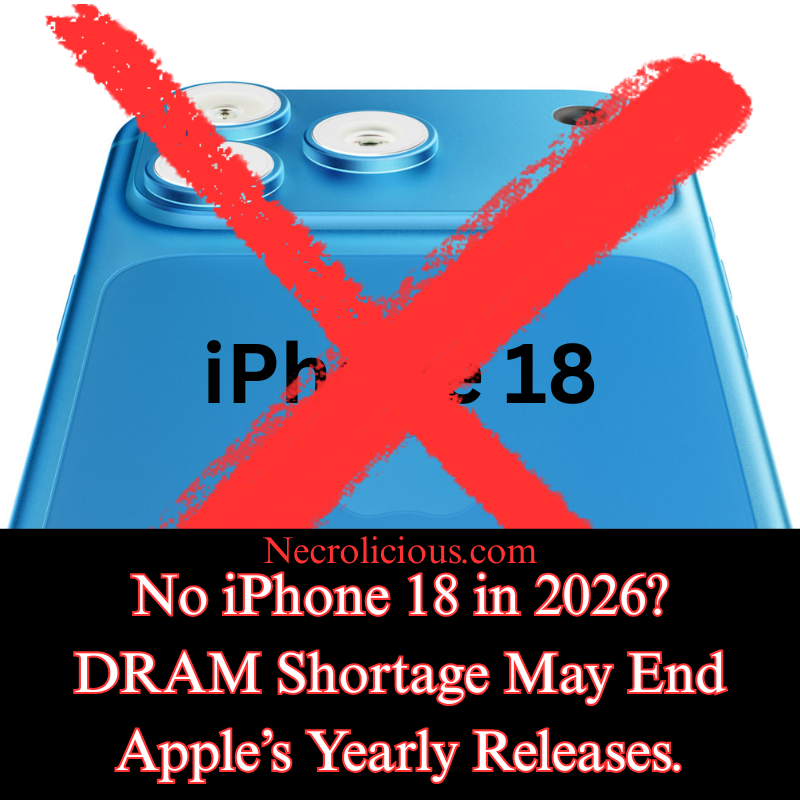
As 2026 begins, technology enthusiasts are abuzz with speculation about Apple’s forthcoming iPhone 18 release. Reports suggest that the anticipated launch may not occur this year, with a significant DRAM (Dynamic Random Access Memory) shortage caused by Sam Altman of ChatGPT identified as the likely cause. This article examines the potential impact of this supply constraint on Apple’s release schedule, while contrasting Samsung’s apparent ability to sustain its ambitious product pipeline, including the Galaxy Z TriFold, a rollable phone, & AI-powered smart glasses—all slated for release in 2026.
The DRAM Shortage: A Challenge for Apple’s iPhone 18
Recent analyses, including data from IntuitionLabs & IDC’s 2026 market overview, highlight a global DRAM shortage that escalated in 2025 by ChatGPT/OpenAI purchasing 40% of the world’s supply. This scarcity arises from manufacturers such as Samsung & SK hynix reallocating silicon wafer capacity to meet the surging demand for high-bandwidth memory (HBM) utilised in AI data centres. The price of 16Gb DDR5 chips reportedly rose from $6.84 to $27.20 in the fourth quarter of 2025 alone, exerting considerable pressure on smartphone production. Given Apple’s reliance on integrated LPDDR memory within its system-on-chip (SoC) designs, this shortage could disrupt the timely production of the iPhone 18.
Industry insiders propose that Apple may have postponed the base iPhone 18 launch from its traditional autumn slot to spring 2027, aligning with a strategic shift to stagger releases. This approach, detailed by MacRumors, aims to manage an expanding product lineup—including the iPhone 17e, 18 Pro, & a potential foldable model—while avoiding sales overlap & easing production pressures. If the DRAM shortage is indeed the driving factor, Apple’s decision reflects a pragmatic response to ensure quality & availability, marking a potential departure from its long-standing annual release cycle for the first time.
Samsung’s Unwavering Pipeline: A Tale of Strategic Planning
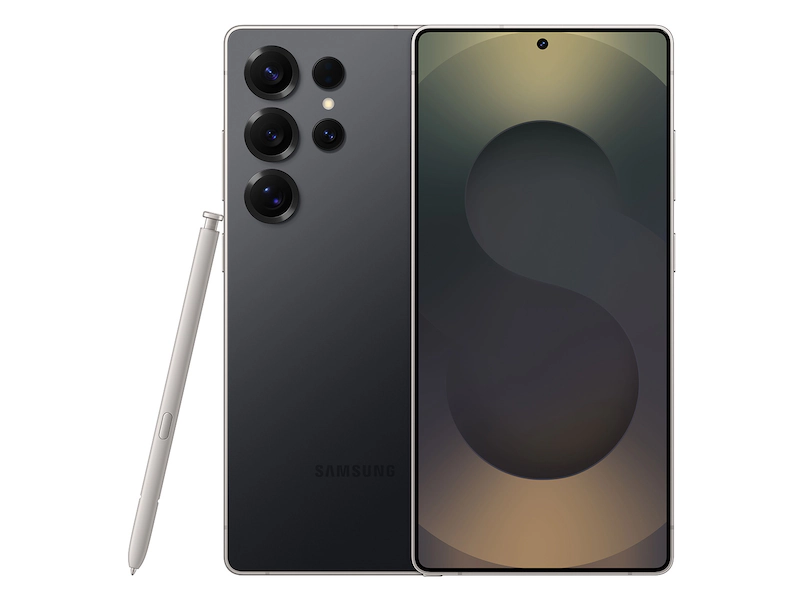
In contrast, Samsung appears undeterred by the DRAM shortage, with a robust release schedule for 2026. The company is set to unveil the Galaxy Z TriFold, a pioneering triple-screen smartphone, alongside a rollable phone & AI-enhanced smart glasses. This resilience may be attributed to Samsung’s forward-thinking strategy, including the reported advance purchase of silver mine output. This move has reportedly saved Samsung a substantial amount of money, enabling it to secure critical components despite the DRAM price increase. By locking in supplies early, Samsung has positioned itself to maintain its normal release cadence, showcasing a competitive edge over its rivals.
However, it is worth noting that the Galaxy Z TriFold is marketed as a niche product, with Korean outlet The Bell reporting that Samsung may be selling each unit at a loss. Priced at approximately £2,500 in South Korea, the TriFold serves as a loss leader, a tactic designed to establish market presence & gather consumer feedback rather than generate immediate profit. This strategy, while financially challenging, underscores Samsung’s commitment to innovation & its willingness to absorb short-term losses for long-term gains—a topic explored in greater depth by Android Authority in a recent article.
Comparative Insights & Future Implications
The divergent approaches of Apple & Samsung highlight differing priorities amid global supply constraints. Apple’s decision to potentially delay the iPhone 18 suggests a cautious stance, prioritising stability & customer satisfaction over adhering to a rigid timeline. Meanwhile, Samsung’s aggressive expansion into foldable, rollable, & wearable technologies demonstrates a bold investment in diversification, bolstered by strategic resource procurement.
For consumers, these developments signal a shifting landscape in the smartphone market. Apple’s extended wait for the iPhone 18 may disappoint fans accustomed to annual upgrades, yet it could result in a more refined product. Samsung’s multi-device rollout, conversely, offers immediate access to cutting-edge technology, albeit at a premium cost. As DRAM prices are projected to remain elevated until new fabrication plants come online in 2027–2028, both companies’ strategies will likely evolve, influencing pricing & innovation trajectories in the years ahead.
The speculated delay of the iPhone 18, driven by the 2025 DRAM shortage, underscores the complexities of modern tech manufacturing. Apple’s staggered release plan reflects a measured response to these challenges, while Samsung’s continued momentum—supported by strategic resource acquisitions—positions it as a formidable competitor. As the industry navigates this period of scarcity, consumers & analysts alike will observe closely to see how these giants adapt, with the outcomes shaping the future of mobile technology.
Unless otherwise noted, image assets above are NOT original content & are shared under fair use doctrine with NO claims to authorship or ownership. Contact necrolicious@necrolicious.com for credit or removal.
This post was sponsored by…ME! If you’d like to support, please buy my original meme merchandise or check out my affiliate links to get yourself some other cool things. Additional affiliate links may be contained in the above article. If you click on an affiliate link & sign up/make a purchase, I may earn a commission. This does not increase the price you pay for the product or service, so it helps support this website at no cost to you.
If you would like to support my work more directly, I accept voluntary cryptocurrency donations in BTC, ETH, XRP & XLM sent directly to necrolicious.x. necrolicious.x is an Unstoppable Domains name that resolves to the wallet addresses I have configured. Simply enter necrolicious.x as the recipient in a supported wallet (such as Trust Wallet, Blockchain.com or others that support Unstoppable Domains). Donation Disclaimer: All cryptocurrency donations sent to me are final, voluntary gifts & are non-refundable & irreversible. These donations are not tax-deductible since I am not a registered charitable organization, & no tax receipts will be issued. No memo or destination tag is required for XRP or XLM donations, as the domain resolves directly to a wallet address. By sending a donation you acknowledge & accept all associated risks, including cryptocurrency price volatility, network fees & potential loss of funds due to incorrect network selection or transaction errors. I am not responsible or liable for any loss related to your donation. No goods, services or other benefits are provided in exchange for donations. This is not financial, tax, legal or investment advice. Please consult a qualified professional regarding any implications of your donation.
It’s nearly 2026, but my 2019 Samsung Galaxy S10 remains in daily use. Why? It was part of the final mainline Galaxy S lineup to ever include a microSD card slot. For me & countless other Android enthusiasts, this single feature represented genuine freedom: expandable storage that could be upgraded or replaced for pennies compared to the ever-escalating cost of built-in memory. When Samsung dropped the slot with the Galaxy S20 in 2020 & every flagship since, many of us felt the industry was simply copying Apple’s long-standing refusal to offer expandable storage on any iPhone. We warned that removing this incalculably beneficial feature would be bad for business – & now, in late 2025, it appears that prediction is proving more correct than ever. Soaring DRAM prices are pushing manufacturers to the limit, & the latest supply-chain intelligence strongly suggests that microSD card slots are being seriously reconsidered for future flagship devices. The feature we refused to surrender may be on the verge of a full-scale return.
In an era where smartphone storage demands continue to escalate, the prospect of expandable memory options returning to flagship devices has sparked considerable interest among consumers & industry observers alike. Recent reports suggest that surging prices for DRAM – the core component in device memory – may compel leading manufacturers to reinstate the microSD card slot, a feature absent from premium handsets for over six years. This potential revival could alleviate the financial burden on buyers facing ever-higher costs for internal storage upgrades, offering a more flexible & cost-effective alternative.
The Surge in DRAM Prices: A Catalyst for Change
Dynamic Random Access Memory (DRAM) forms the backbone of smartphone storage, enabling the seamless multitasking & high-resolution media handling that modern users expect. However, global supply constraints have driven DRAM prices to unprecedented levels, with shortages projected to endure until at least the fourth quarter of 2027. Analysts note that prices for 12GB LPDDR5X components – essential for contemporary flagships – have more than doubled, climbing from $33 at the year’s outset to $70 per unit.
This escalation stems from broader semiconductor challenges, including production bottlenecks & heightened demand from data centres & AI applications. Even established players like Samsung have prioritised profitability over internal supply chains, reportedly declining bulk memory requests from their own mobile division in favour of quarterly contracts. As a result, manufacturers face mounting pressure to maintain competitive pricing without eroding margins, prompting a reevaluation of longstanding design choices.
With DRAM costs showing no signs of abating through 2026, reinstating microSD slots emerges as a pragmatic response for manufacturers. By enabling consumers to purchase entry-level storage models & augment them with high-capacity cards, brands can mitigate the need for across-the-board price hikes. This strategy not only preserves shipment volumes but also appeals to value-driven buyers, fostering loyalty in a saturated market.
Emerging standards like microSD Express further bolster the case, promising read & write speeds exceeding 800 MB/s – on par with internal SSDs. Samsung’s own 512 GB P9 Express card, available for around $75, exemplifies this evolution, delivering rapid transfers without the performance bottlenecks of older formats. Chinese supply chain whispers indicate that new flagships slated for the latter half of 2026 could integrate these slots.
Such a revival would democratise access to ample storage, empowering photographers, videographers, & power users to sidestep the escalating cost of built-in memory.
Looking Ahead: A More Inclusive Storage Landscape
Your trusty Galaxy S10 might soon stop being the last of its kind. As smartphone innovation accelerates, the rumoured return of microSD slots signals a potential recalibration towards consumer-centric design. The flexibility many of us miss may soon enhance the devices of tomorrow.
Unless otherwise noted, image assets above are NOT original content & are shared under fair use doctrine with NO claims to authorship or ownership. Contact necrolicious@necrolicious.com for credit or removal.
This post was sponsored by…ME! If you’d like to support, please buy my original meme merchandise or check out my affiliate links to get yourself some other cool things. Additional affiliate links may be contained in the above article. If you click on an affiliate link & sign up/make a purchase, I may earn a commission. This does not increase the price you pay for the product or service, so it helps support this website at no cost to you.
If you would like to support my work more directly, I accept voluntary cryptocurrency donations in BTC, ETH, XRP & XLM sent directly to necrolicious.x. necrolicious.x is an Unstoppable Domains name that resolves to the wallet addresses I have configured. Simply enter necrolicious.x as the recipient in a supported wallet (such as Trust Wallet, Blockchain.com or others that support Unstoppable Domains). Donation Disclaimer: All cryptocurrency donations sent to me are final, voluntary gifts & are non-refundable & irreversible. These donations are not tax-deductible since I am not a registered charitable organization, & no tax receipts will be issued. No memo or destination tag is required for XRP or XLM donations, as the domain resolves directly to a wallet address. By sending a donation you acknowledge & accept all associated risks, including cryptocurrency price volatility, network fees & potential loss of funds due to incorrect network selection or transaction errors. I am not responsible or liable for any loss related to your donation. No goods, services or other benefits are provided in exchange for donations. This is not financial, tax, legal or investment advice. Please consult a qualified professional regarding any implications of your donation.
With Samsung’s Unpacked event happening this week, here’s my wishlist for new/better features on the Flip’s 7th installment (as a series enthusiast).
5: A Full Cover Screen
This one is basically a freebie to Samsung since every leak that we have seen so far of the Flip 7 as well as its cases shows this feature. Nonetheless, I am so glad it’s here because I was never a fan of the ugly manila folder cutout design. In fact, that folder shape was the reason why I skipped over the Flip 5. I would not have even bought the Flip 6 were it not for my Flip 4 breaking & not being able to fix it in Japan due to having bought it in America.
4: Internal Magsafe Ring
I’m by no means an Apple fan but, credit where credit is due, magsafe is great. While Samsung has made the back of the Flip phones somewhat magnetic, they are not fully compatible with magsafe accessories. While this can be somewhat alleviated by buying a magsafe case, this is not a full solution. Unfortunately, cases have always been a weak point for the Flip series. With the hinge being considered the most vulnerable part of these somewhat delicate phones, & many cases not covering the hinge or only partially covering it, it has always been a pain point to find a case with both a magsafe ring AND hinge protection. Even among those that can be found for the Flip 6, a good deal of them have hinges which swing upward when the phone is fully opened, thereby covering part of the cover screen. This is not ideal when using the cover screen for filming with the back camera. With this being an issue on the Flip 6, I can’t imagine it would get much better with the Flip 7 having a much larger outer display. Samsung should take the initiative to put in a proper magsafe magnet ring, even if it nneeds to be a vaguely squirqle shape like the Watch 8 in order to avoid copyright/trademark infringement allegations from Apple. I’m sure Samsung would make up for any cost by having fewer phones to repair or replace since a lot of people seem to struggle with the current weak magnets falling off of actual magsafe accessories such as tripods or mounts.
3: More Colour Variants
According to leaks, the Flip 7 is only coming in three main colors – black, red & blue. This is very disappointing. Given that previous installments of the Flip series offered much more colour variety. I guess it was already dwindling last year since there was not even a purple as part of the lineup, but I was happy to pick up the mint. There’s a small possibility that the mint this year will be an online exclusive for Samsung’s own website. However, due to my bad experience using the Samsung.com website to order my phone last year, I hope this is not the case since I would much rather buy it in the Harajuku store.
2: More Memory Options (Japan)
This might be confusing to some overseas readers, but that is because they are blissfully unaware of the limitations Samsung users face in Japan. Despite being much closer to Samsung’s Korean headquarters, we often do not get Samsung devices until months later than the west. Here we are, about to see the new Unpacked event, but Samsung Japan has yet to even launch sales of the S25 Edge. Getting back to the Flip series, last year, we only had the 256GB option for all Flip colours except silver which had a 512GB option. Seeing how, in America, every colour option had both a 256GB & 512GB variant, this was very disappointing as a content creator who would have upgraded for the extra space if it was possible for mint. You might be thinking, “Why not just import an American one?” However, overseas Samsung devices do not have what is called a Felica Chip, making them incompatible with Japan’s IC payment systems, including Suica. With the latest advancements to Japan’s transit system slowly allowing it to accept regular credit cards in addition to its proprietary transit cards, the necessity for Felica Chips may eventually become outdated but, as of now, it is hard to sell secondhand Samsung devices from overseas in Japan due to there being no Felica support.
1: A Good Trade-In/Upgrade Deal
The thing I want the very most with the Flip 7 is a good trade-in deal. Looking on Samsung’s website now, trying to trade in the Flip 6 For the S25 only provides about ¥60,000 in credit. With a brand new Flip 6 retailing for roughly 160,000 yen, this is only slightly more than 1/3 of the retail price. That’s not very accommodating or promising. Looking for such a trade-in deal in Japan for the first time, I am not sure if I can expect there to be a better trade in deal for a direct upgrade from the Flip 6 to the Flip 7, but I am hoping that will be the case because, if not, I will likely hold on to this Flip 6 until the Flip 8 is released.
Unless otherwise noted, image assets above are NOT original content & are shared under fair use doctrine with NO claims to authorship or ownership. Contact necrolicious@necrolicious.com for credit or removal.
This post was sponsored by…ME! If you’d like to support, please buy my original meme merchandise or check out my affiliate links to get yourself some other cool things. Additional affiliate links may be contained in the above article. If you click on an affiliate link & sign up/make a purchase, I may earn a commission. This does not increase the price you pay for the product or service, so it helps support this website at no cost to you.
If you would like to support my work more directly, I accept voluntary cryptocurrency donations in BTC, ETH, XRP & XLM sent directly to necrolicious.x. necrolicious.x is an Unstoppable Domains name that resolves to the wallet addresses I have configured. Simply enter necrolicious.x as the recipient in a supported wallet (such as Trust Wallet, Blockchain.com or others that support Unstoppable Domains). Donation Disclaimer: All cryptocurrency donations sent to me are final, voluntary gifts & are non-refundable & irreversible. These donations are not tax-deductible since I am not a registered charitable organization, & no tax receipts will be issued. No memo or destination tag is required for XRP or XLM donations, as the domain resolves directly to a wallet address. By sending a donation you acknowledge & accept all associated risks, including cryptocurrency price volatility, network fees & potential loss of funds due to incorrect network selection or transaction errors. I am not responsible or liable for any loss related to your donation. No goods, services or other benefits are provided in exchange for donations. This is not financial, tax, legal or investment advice. Please consult a qualified professional regarding any implications of your donation.
I often post about Samsung here. I can’t recall if I’ve mentioned it before, but it might come as a surprise to some that I used to work on Apple’s social media marketing team (not iPhone, other Apple devices). Even then, I was not an Apple fanboy as I had just gotten my first Samsung Flip series phone before I got that job & I wasn’t about to buy a new iPhone less than a month after getting it just because I suddenly found myself working for Apple. In any case, I had switched between the two brands over the previous years, so I have a decent grasp of both UI‘s.
Here is a quick rundown of my smartphone history over the past decade:
iPhone SE
Samsung S10
iPhone SE 2
Samsung Flip 4
iPhone 13 Pro Max
Samsung Flip 6
While my first generation Apple SE was fairly comparable to the Samsungs on the market at the time, by the time the 13 Pro Max rolled out, we were looking at vastly different device experiences, which make iPhones feel cumbersomely outdated. The 13 Pro Max release solidified my opinion of Apple, since what I had previously considered might have been cost-cutting limitations on the SE series were revealed to be brand-wide. This is not to put down anybody with a crippling condition, but I cannot describe using an Apple device from Samsung as anything other than being disabled. For this article, I will provide the top 5 reasons I feel this way. I am not going to get into trivia that the average person wouldn’t notice, so we won’t be talking about things such as nits, we won’t even touch 60Hz versus 120Hz displays or go in depth on megapixels, but actual, usable smartphone features that make a realistic, noticeable difference to absolutely anybody. I truly think that if Apple fans knew what they were missing out on, they would not buy an iPhone ever again. It’s just a simple matter of the fact that they worship the brand. It’s not a matter of fact, usefulness, or accessibility, it’s simply brand worship.
1. Samsungs Have a Side Launcher
This is so unbelievably handy, I cannot stress it enough. Perhaps the worst thing about using an iPhone was not having this. Finding even my most used apps on iPhone was such a hassle. Due to various iOS changes over the years, the 13 Pro Max was nothing like the SE & SE2. Trying to find my apps, which were randomly arranged in various folders which I neither selected nor categorized, was always too much trouble, forcing me to use the search bar to open every app. It was painfully slow to get to anything. On the other hand, Samsung makes getting to my most used apps take less than a second, literally. This comes in handy, especially when it comes to the translation apps I often find myself using in casual meetings & conversations. To clarify, these don’t have to be your most used apps, they can simply be your favourite apps, contacts, reminders, clipboard, or tools. I simply have it set to the apps I use the most because that’s what works for me. I could go into this for hours, but simply put Samsung phones offer the most personalisation.
2. Samsungs Have 40-Slot Clipboards
Probably the second most shockingly inconvenient thing about iPhones is that they don’t have a clipboard. Yes, they have a copy-paste function, but no clipboard. With Samsung’s clipboard, you can see the last 40 things you copied, including text AND images. These do not reset even if you restart the phone, & you can even pin your most used ones. So, for example, if you have a set YouTube description that you reuse in every video, etc., you can easily pin that so you don’t have to type it out & you don’t have to go searching for it on an old video. You simply have it on your clipboard, accessible within seconds. A single copy-paste which does not even survive a restart simply does not cut it, especially after you get used to having arguably days of clipboard history on a Samsung.
3. Samsungs Have Dual-Screen Functionality
I don’t know at which point Samsung began to implement split screens across their devices. I first discovered it with the Flip 4, but it was not available on my Samsung S10, From what I understand, it is now available on even their normal slab phones. In any case, it has been a godsend for content creation in multiple aspects. Firstly, instead of installing a third-party teleprompter app with ads, watermarks & other inconveniences, you can simply open the Samsung Notes app & the camera app simultaneously to have your script right in front of you as you record. Secondly, when it comes to uploading these videos to social media, you can easily have X open on one screen & TikTok open on the other, copy-paste your descriptions, titles, etc. & post seconds apart—very important if you have an audience who expects you to post at the same time every day. iPhone just doesn’t have anything like this out of the box. I hear iPad does, but I guess for whatever reason, Apple does not see fit to add this to their phones. Maybe it’s because they want to sell more iPads? I don’t know, but it sure is inconvenient.
4. iPhone Cameras Are Not for Human Faces
I wish I had known this before I had bought the iPhone 13 Pro Max, but iPhone pictures are disgusting. Apple like to brag about their cameras having all the latest & greatest metrics, but their post-processing simply is not made for human faces. If you want to be a nature photographer, & capture a cliffside landscape, being able to count every crag & crevice in your images, an iPhone would be great for that, but when it comes to human faces, this makes them look ugly as Hell. You might think that this is cope, but there are countless TikTok videos of objectively attractive people saying the exact same thing.
I actually need someone at @apple to explain why my iPhone (that cost over a grand) makes me look like a corpse. Never buying another iPhone unless someone explains or fixes this bc this is ridiculous #iphoneistrash#iphone#apple#stevejobswouldnever
Personally, I look very orange in any photo shot on an iPhone.
I vaguely suspect that this post-processing is due to racial profiling since Apple is relatively “woke” & wants to target black demographics, whereas Samsung is more Asian-friendly. Anyway, perhaps it should be mentioned that women in Asia are carrying older model iPhones, specifically the XS, in addition to their current iPhone due to newer iPhones having such horrible post-processing.
So, if you want to look grungy, ugly, with every pimple & oversized pore highlighted with a grey dinge on orange skin for contrast, get an iPhone. But, if you want to look nice in your photos with minimal to no effort, get a Samsung. Of course, iphone has a wide variety of filters but, having gone through all of them, absolutely none of them make any photos any better & you do not have the option to download any 3rd party ones to the default camera, whereas on Samsung there are countless filters available on the device with many more downloadable to the default camera available for free. This isn’t even getting into the more advanced editing features which have been on the latest flagships, but you can do simple things like skin smoothing & brightening to even your tone without looking cartoonishly unnatural & ugly on even the base camera. Seriously, the iPhone cameras have gotten so bad that the digital camera market has begun to pick up again for the first time in a decade because nobody wants to take ugly pictures on new Apple devices. It’s much more expensive & inconvenient to have to buy then carry both an iPhone & a digital camera than it is to just buy a Samsung phone, which gives you the best of both worlds with one device. This is increasingly important, especially if you’re creating on social media, because shooting from your dedicated digital camera then downloading from your digital camera to your phone to edit then upload is just too many steps to bother with. Videos are the largest data files, so transferring from an external device is cumbersome & time-consuming by any means. A large part of why I bought the DJI Pocket 3 was due to having bought the iPhone 13 Pro Max. During that time, I used the pocket 3 constantly instead of the iPhone camera, but ever since I got my Samsung flip 6 I’ve only used the Pocket 3 maybe two times.
5. On Samsung Phones, No App Subscriptions Are Necessary
Some of the features above can be bought via apps on iPhones– not all, but some. However, nearly every single app on the App Store requires a subscription. Let’s look at the split screen option I mentioned above. Yes, there is an app you can get on the App Store for this feature, but rather than paying for it once, getting it for free forever out of the box like you do on a Samsung, you have to pay something like $10 a month forever just to use this feature, & that’s just one app. If you want a camera app that doesn’t make you look like you just crawled out of a cave for the first time in a week like iPhone’s default camera does, that’s another $120. Gaming apps require subscriptions, video editing apps require subscriptions, wallpaper apps require subscriptions, phone layout apps require subscriptions, absolutely everything requires subscriptions on Apple. I could not believe the insane amount of limitation that was available out of the box from Apple. I guess because they’re taking a 30%-40% cut of all these subscriptions that they just don’t care to provide anything useful out of the box, & it shows. From a developer’s perspective, it’s more lucrative to target Apple users simply because they are so used to being price gouged for everything. On the flip side, not just Samsung, but all Android users are used to getting everything for free. They will actually review-bomb you if your app won’t open on their ancient devices rather than contact you directly about any problems or pay a dime so that you have the capital to improve anything. So, I can see why many developers would rather work for or with Apple, but from a user perspective, it’s not a good experience at all. iPhone supremacists commonly fall back on calling Android users poor. However, people increasingly come to realise that this personal attack is baseless, with Samsung & other industry leaders being at or even above iPhone unit pricing. Still, if you were to calculate all of the features that iPhone is missing out of the box that you have to pay for app subscriptions for just to get a Samsung level of usefulness from an iPhone, you’re easily paying another $500 – $1000 dollars every year, making Samsung devices a much better value since they have all of these permanently right out of the box, arguably “for free,” or at least priced into the device cost. I guess add that onto another $500-$1000 dollars for a separate digital camera. Between all the additional peripherals & app subscriptions, you’re looking at anywhere between $3000-$4000 just to get an iPhone working at the capacity that a $1000 Samsung does. It’s like wasting a fortune & countless hours modifying a decades-old luxury sedan for racing when a purpose-built, track-ready sports car is an all around better value from the start.
Though I think that Samsung phones are markedly superior to iPhones, this opinion does not extend to watches. However, this is more for aesthetic purposes rather than functionality. They simply look better. In addition to the Apple Watch itself. I spent hundreds of dollars on a Japanese silver band for my Apple Watch 8, & it looks so good that I have no interest in changing it, not even to upgrade to a newer Apple Watch. At this point, I cannot imagine any feature which could possibly be added that would exceed the usefulness that my Watch 8 already provides. Really, what else could it do? It already has transit/credit NFC payments, health monitoring &, of course, clock capabilities. Google Maps are neutered & Apple Maps suck. I don’t really need it for music & it’s too small to really appreciate most photos, as most watch devices are. Realistically, I think the watch market has reached its pinnacle. There’s some Apple fan talk of adding cameras with some knockoff Apple watches already having them, but absolutely nobody’s clamoring over these features, & Apple has made no hint of being impressed enough to try launching them on official devices–which I think might be a smart move because just from a photographer’s perspective, you really can’t get great photo angles/lighting from your wrist.
Anyway, this preference for Apple Watch also led to another reason why I greatly dislike iPhones. You see, in Japan, as an anti-perversion measure, all cell phones make a sound when you take a picture. Unfortunately, when you pair your Apple Watch with your iPhone, the two devices often unlock each other at random, making a clicking noise which could be perceived as a camera shutter. This made me very paranoid, especially when I’m on trains or even just talking to random people, that they or someone around me would think I was sneakily taking pictures when my watch or phone simply decided to unlock at a random moment. While no one ever said anything, it was a constant uneasy paranoia which I was greatly relieved to be rid of upon switching from the iPhone 13 Pro Max to the Samsung Flip 6. While I keep my SE2 for the functionality needed to maintain my Apple Watch, since I never take this device with me the locking noise/camera noise issue has disappeared from my life. Thankfully.
Perhaps it is important to note that my affinity for Samsung is not like that of iPhone fans, who demonstrate blind loyalty to the brand as if they were somehow married to Apple—even when all common sense suggests that Samsung offers superior functionality, convenience & value. Instead, it is these superior features themselves that keep me returning to Samsung when purchasing new devices.
If another phone company, especially a Japanese one, were to introduce features superior to those of Samsung—even if it were Apple, following an extreme overhaul of its UI—I would simply choose the better device rather than prioritize a brand name. It just so happens that Samsung consistently delivers the best features I have ever found in any device. So, I will continue buying them until that is no longer the case.
Unless otherwise noted, image assets above are NOT original content & are shared under fair use doctrine with NO claims to authorship or ownership. Contact necrolicious@necrolicious.com for credit or removal.
This post was sponsored by…ME! If you’d like to support, please buy my original meme merchandise or check out my affiliate links to get yourself some other cool things. Additional affiliate links may be contained in the above article. If you click on an affiliate link & sign up/make a purchase, I may earn a commission. This does not increase the price you pay for the product or service, so it helps support this website at no cost to you.
If you would like to support my work more directly, I accept voluntary cryptocurrency donations in BTC, ETH, XRP & XLM sent directly to necrolicious.x. necrolicious.x is an Unstoppable Domains name that resolves to the wallet addresses I have configured. Simply enter necrolicious.x as the recipient in a supported wallet (such as Trust Wallet, Blockchain.com or others that support Unstoppable Domains). Donation Disclaimer: All cryptocurrency donations sent to me are final, voluntary gifts & are non-refundable & irreversible. These donations are not tax-deductible since I am not a registered charitable organization, & no tax receipts will be issued. No memo or destination tag is required for XRP or XLM donations, as the domain resolves directly to a wallet address. By sending a donation you acknowledge & accept all associated risks, including cryptocurrency price volatility, network fees & potential loss of funds due to incorrect network selection or transaction errors. I am not responsible or liable for any loss related to your donation. No goods, services or other benefits are provided in exchange for donations. This is not financial, tax, legal or investment advice. Please consult a qualified professional regarding any implications of your donation.
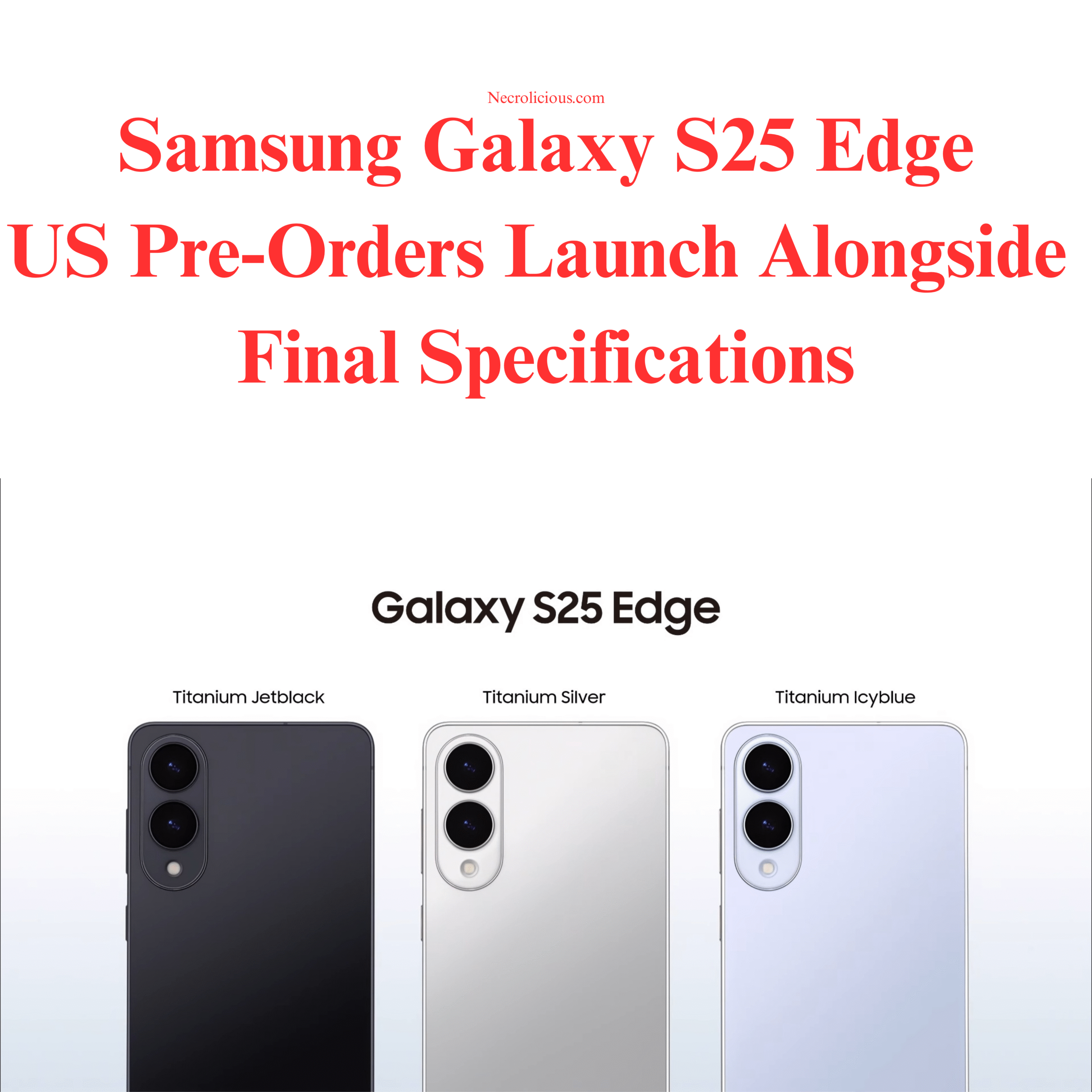
Samsung unveiled the Galaxy S25 Edge on 13 May 2025 during its May Unpacked event, introducing a device that measures 5.8mm in thickness & weighs 163 grams, making it the slimmest in the S25 series. The phone has garnered attention for its design & specifications, but as I write from Japan, I’m opting to wait on this model—& the entire S25 lineup—due to personal preferences & regional market factors.
The Galaxy S25 Edge features a 6.7-inch QHD+ Dynamic AMOLED 2X LTPO display with a 120Hz refresh rate, protected by Corning Gorilla Glass Ceramic 2, which can endure drops from 3.3 feet onto concrete (NotebookCheck.net, 11 May 2025). It’s equipped with the Qualcomm Snapdragon 8 Elite processor, 12GB of LPDDR5x RAM, & storage options of 256GB or 512GB (UFS 4.0). The camera setup includes a 200MP main sensor with optical image stabilisation & 2x optical zoom, alongside a 12MP ultra-wide lens & a 12MP front camera. Running Android 15 with One UI 7, the device supports connectivity options such as WiFi 7 & Bluetooth 5.4, housed in a titanium frame with an IP68 rating.
Here’s how the S25 Edge compares to the rest of the S25 series:
Feature
Galaxy S25
Galaxy S25+
Galaxy S25 Ultra
Galaxy S25 Edge
Display
6.2″ QHD+ Dynamic AMOLED 2X, 120Hz
6.7″ QHD+ Dynamic AMOLED 2X, 120Hz
6.9″ QHD+ Dynamic AMOLED 2X, 120Hz
6.7″ QHD+ Dynamic AMOLED 2X LTPO, 120Hz
Display Protection
Corning Gorilla Glass (unspecified)
Corning Gorilla Glass (unspecified)
Corning Gorilla Armour 2
Corning Gorilla Glass Ceramic 2 (front), Victus 2 (back)
For those interested in securing a Galaxy S25 Edge, pre-orders are available in the US & select markets as of 13 May 2025, with shipping expected to begin on May 23, 2025. You can pre-order NOW on Amazon.
The S25 Edge, priced at $1,099, comes in Titanium Jetblack, Titanium Silver, & Titanium Icyblue. Its 3900mAh battery & 25W charging have sparked debate, with some reports indicating similar capacities in the S25 series often require midday charging (9to5Google, 2025). The device aligns with the trend of ultra-thin smartphones, competing with models like the upcoming iPhone 17 ‘Air.’ However, I’m not proceeding with a purchase. As with the base S25, which I also skipped, I’m awaiting news of the Galaxy Z Flip 7, expected around July or August 2025—roughly two months away. Rumours suggest the Flip 7 may feature a Snapdragon 8 Elite chipset (or possibly an Exynos 2500), a 4-inch cover display, & a 4300mAh battery. As someone interested in foldables, I’m keen to see how Samsung progresses its flip phone range, especially after the Z Flip 6’s recognition for camera performance amongst foldables.
Being in Japan is another factor. Unlike in the U.S., where the S25 Edge has launched, there’s no news of its release here, with all official social media quietly ignoring the news, as is the norm. Samsung’s Japanese launches typically trail the West by several months, a curious delay given Japan’s proximity to Samsung’s Korean headquarters in Suwon. This lag, often linked to Apple’s dominance (46-49% market share, per NCESC.com) in the Japan market, suggests I may not see the S25 Edge until late summer or early autumn. This delay, combined with my greater interest in the Z Flip 7, makes waiting a more practical choice.
The Galaxy S25 Edge offers a slim design & modern specifications for those seeking such a device. For me, however, the prospect of Samsung’s next foldable & Japan’s market dynamics mean I’ll hold off for now.
Unless otherwise noted, image assets above are NOT original content & are shared under fair use doctrine with NO claims to authorship or ownership. Contact necrolicious@necrolicious.com for credit or removal.
This post was sponsored by…ME! If you’d like to support, please buy my original meme merchandise or check out my affiliate links to get yourself some other cool things. Additional affiliate links may be contained in the above article. If you click on an affiliate link & sign up/make a purchase, I may earn a commission. This does not increase the price you pay for the product or service, so it helps support this website at no cost to you.
If you would like to support my work more directly, I accept voluntary cryptocurrency donations in BTC, ETH, XRP & XLM sent directly to necrolicious.x. necrolicious.x is an Unstoppable Domains name that resolves to the wallet addresses I have configured. Simply enter necrolicious.x as the recipient in a supported wallet (such as Trust Wallet, Blockchain.com or others that support Unstoppable Domains). Donation Disclaimer: All cryptocurrency donations sent to me are final, voluntary gifts & are non-refundable & irreversible. These donations are not tax-deductible since I am not a registered charitable organization, & no tax receipts will be issued. No memo or destination tag is required for XRP or XLM donations, as the domain resolves directly to a wallet address. By sending a donation you acknowledge & accept all associated risks, including cryptocurrency price volatility, network fees & potential loss of funds due to incorrect network selection or transaction errors. I am not responsible or liable for any loss related to your donation. No goods, services or other benefits are provided in exchange for donations. This is not financial, tax, legal or investment advice. Please consult a qualified professional regarding any implications of your donation.
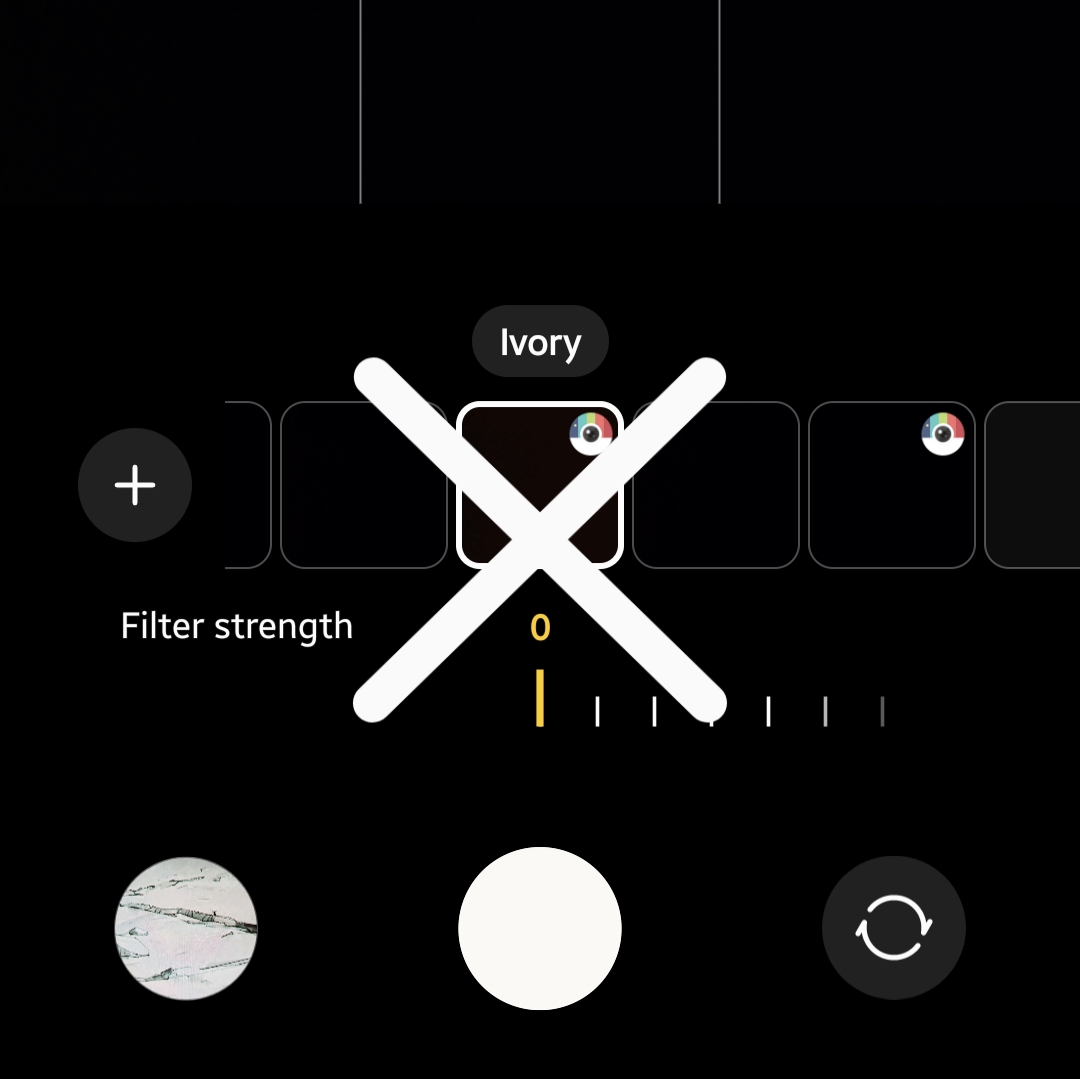
I previously expressed concern that Ivory was gone from the S25 demo models, but I guess my Samsung Flip 4 was set to automatically update, because when I picked it up last week, I realised it had updated to One UI 7. I didn’t have any particular problem with this, since I don’t generally use this old phone—its screen is cracked, so it mainly functions as a surveillance camera at this point—but I decided to take a tour of what One UI 7 offers, & to my horror, I discovered that the Ivory filter was gone, replaced with the same camera set up as the S25.
I had been waiting to install One UI 7 on my daily use Flip 6, but seeing that the Ivory filter—my favourite, main filter—was gone, I am now doing EVERYTHING I can to prevent One UI 7 from installing on this main phone. After all, the fact that iPhone did not have any such filter was a major factor in why I got a DJI Pocket 3 but STILL switched back to Samsung after only about 6 months–having 2 devices, neither of which had my preferred filter just to get kind of close to what I wanted was just too much hassle to deal with.
Anyway, in an effort to avoid what now appears to be inevitable, as well as to help others who are currently experiencing the same issue, I preemptively tried looking for a replacement for the Ivory filter on the updated Flip 4 by downloading EVERY available filter. Here are my findings. Note that the Ivory filter is applied on the Flip 6 on the right for reference.
Since One UI 7 allows you to create custom filters by using old photos as a template to apply to new ones, it seems like a no-brainer that you could easily get the Ivory filter back by simply selecting an Ivory-shot photo for this purpose, but that doesn’t work. What makes the Ivory filter special isn’t just that it overexposes whites—it ALSO adds a neon tinge to pink/red hues & a slight, dreamy haze to soften everything. Trying to create a custom filter using an Ivory-shot photo only succeeds halfway in the former aspect; you don’t get any neon hues, & the haze is more grey than soft fuzziness. My frame of reference for this is my purple contact lenses, to which the Ivory filter always lent a dramatic pop. As you can see, no such thing happens when using this custom filter.
Therefore, I cannot recommend this method of trying to get the Ivory filter back. If your goal is simply to look pale, goth or vampiric, there are better options than trying to use an Ivory-filtered photo to create a custom filter in an attempt to replace it. For those who want a closer replacement to the original Ivory filter, with neon tinge & dreamy haze, these are the best free downloadable filters that I can find for the native camera app. There may be additional third-party camera apps which better replicate the Ivory filter, but for the purpose of this article I am only focusing on downloadable filters which are available through the native Samsung camera app therefore requiring no additional apps or in app purchases/subscriptions. I’d like to further mention that this article is in no way sponsored by Samsung or these filter developers (but please sponsor me someday, Samsung!).
This one probably has the most white. As you can tell, that also washes out even the blacks in any image. If you’re going for contrast, the greys this offers might not be what you want.
This one offers more contrast to dark colours, especially when compared to CK01, but it imparts slightly beige tones as well. If you want brighter whites, this might be too neutral.
This one seems to offer the most pinks/reds of any of the three options. Like CK01 It lacks contrast when presenting any darker colors, making NewYork14 more attractive to any who wants darker blacks.
As you can tell, there is no exact one-for-one match to the real Ivory, making older devices or keeping current devices on older UI a more attractive option.
There seems to be an increasing demand for the return of the Ivory filter. You can do your part by joining the increasing number of voices asking Samsung to restore it but, in the meantime, it seems like these are the best available replacements.
As a bonus mention, somebody else in Samsung forums suggested the c360p1 filter as an Ivory replacement, but I have no idea why they did this because it doesn’t look like Ivory at all. It’s just washed out with no neon pop or haze.
Buy a Samsung Galaxy Z Flip6 & Don’t Update to One UI 7 To Keep the Ivory Filter!
Unless otherwise noted, image assets above are NOT original content & are shared under fair use doctrine with NO claims to authorship or ownership. Contact necrolicious@necrolicious.com for credit or removal.
This post was sponsored by…ME! If you’d like to support, please buy my original meme merchandise or check out my affiliate links to get yourself some other cool things. Additional affiliate links may be contained in the above article. If you click on an affiliate link & sign up/make a purchase, I may earn a commission. This does not increase the price you pay for the product or service, so it helps support this website at no cost to you.
If you would like to support my work more directly, I accept voluntary cryptocurrency donations in BTC, ETH, XRP & XLM sent directly to necrolicious.x. necrolicious.x is an Unstoppable Domains name that resolves to the wallet addresses I have configured. Simply enter necrolicious.x as the recipient in a supported wallet (such as Trust Wallet, Blockchain.com or others that support Unstoppable Domains). Donation Disclaimer: All cryptocurrency donations sent to me are final, voluntary gifts & are non-refundable & irreversible. These donations are not tax-deductible since I am not a registered charitable organization, & no tax receipts will be issued. No memo or destination tag is required for XRP or XLM donations, as the domain resolves directly to a wallet address. By sending a donation you acknowledge & accept all associated risks, including cryptocurrency price volatility, network fees & potential loss of funds due to incorrect network selection or transaction errors. I am not responsible or liable for any loss related to your donation. No goods, services or other benefits are provided in exchange for donations. This is not financial, tax, legal or investment advice. Please consult a qualified professional regarding any implications of your donation.
I went to Samsung’s Galaxy Experience Popup in Shibuya to get a little hands-on time with the S25.
I was very disappointed to discover that Samsung has sunset the goth-favourite camera filter, Ivory, with this model (after I got home, a quick web search confirmed its removal).
To the uninitiated, Samsung cameras have a ability to download tons of extra filters in addition to the default ones, but when I did a search for it, Ivory was still nowhere to be found.
The S25 has a new nifty ability to quickly create custom filters based on old/imported images but even after quicksharing some Ivory filter pictures from my Flip 6 to the demo S25 & playing around with them for 10ish minutes the staff & I were unable to replicate the exact hues of Ivory on the S25.
While I wasn’t particularly planning on buying an S25, this does not bode well for the forthcoming Flip 7, which I DO intend to buy.
Samsung, if you’re reading this, please bring back the Ivory filter to the default camera or otherwise make it available for download before the Flip 7 launches!
Unless otherwise noted, image assets above are NOT original content & are shared under fair use doctrine with NO claims to authorship or ownership. Contact necrolicious@necrolicious.com for credit or removal.
This post was sponsored by…ME! If you’d like to support, please buy my original meme merchandise or check out my affiliate links to get yourself some other cool things. Additional affiliate links may be contained in the above article. If you click on an affiliate link & sign up/make a purchase, I may earn a commission. This does not increase the price you pay for the product or service, so it helps support this website at no cost to you.
If you would like to support my work more directly, I accept voluntary cryptocurrency donations in BTC, ETH, XRP & XLM sent directly to necrolicious.x. necrolicious.x is an Unstoppable Domains name that resolves to the wallet addresses I have configured. Simply enter necrolicious.x as the recipient in a supported wallet (such as Trust Wallet, Blockchain.com or others that support Unstoppable Domains). Donation Disclaimer: All cryptocurrency donations sent to me are final, voluntary gifts & are non-refundable & irreversible. These donations are not tax-deductible since I am not a registered charitable organization, & no tax receipts will be issued. No memo or destination tag is required for XRP or XLM donations, as the domain resolves directly to a wallet address. By sending a donation you acknowledge & accept all associated risks, including cryptocurrency price volatility, network fees & potential loss of funds due to incorrect network selection or transaction errors. I am not responsible or liable for any loss related to your donation. No goods, services or other benefits are provided in exchange for donations. This is not financial, tax, legal or investment advice. Please consult a qualified professional regarding any implications of your donation.
Registers a unique ID on mobile devices to enable tracking based on geographical GPS location.
1 day
VISITOR_INFO1_LIVE
Tries to estimate the users' bandwidth on pages with integrated YouTube videos. Also used for marketing
179 days
PREF
This cookie stores your preferences and other information, in particular preferred language, how many search results you wish to be shown on your page, and whether or not you wish to have Google’s SafeSearch filter turned on.
10 years from set/ update
YSC
Registers a unique ID to keep statistics of what videos from YouTube the user has seen.
Session
DEVICE_INFO
Used to detect if the visitor has accepted the marketing category in the cookie banner. This cookie is necessary for GDPR-compliance of the website.
179 days
LOGIN_INFO
This cookie is used to play YouTube videos embedded on the website.