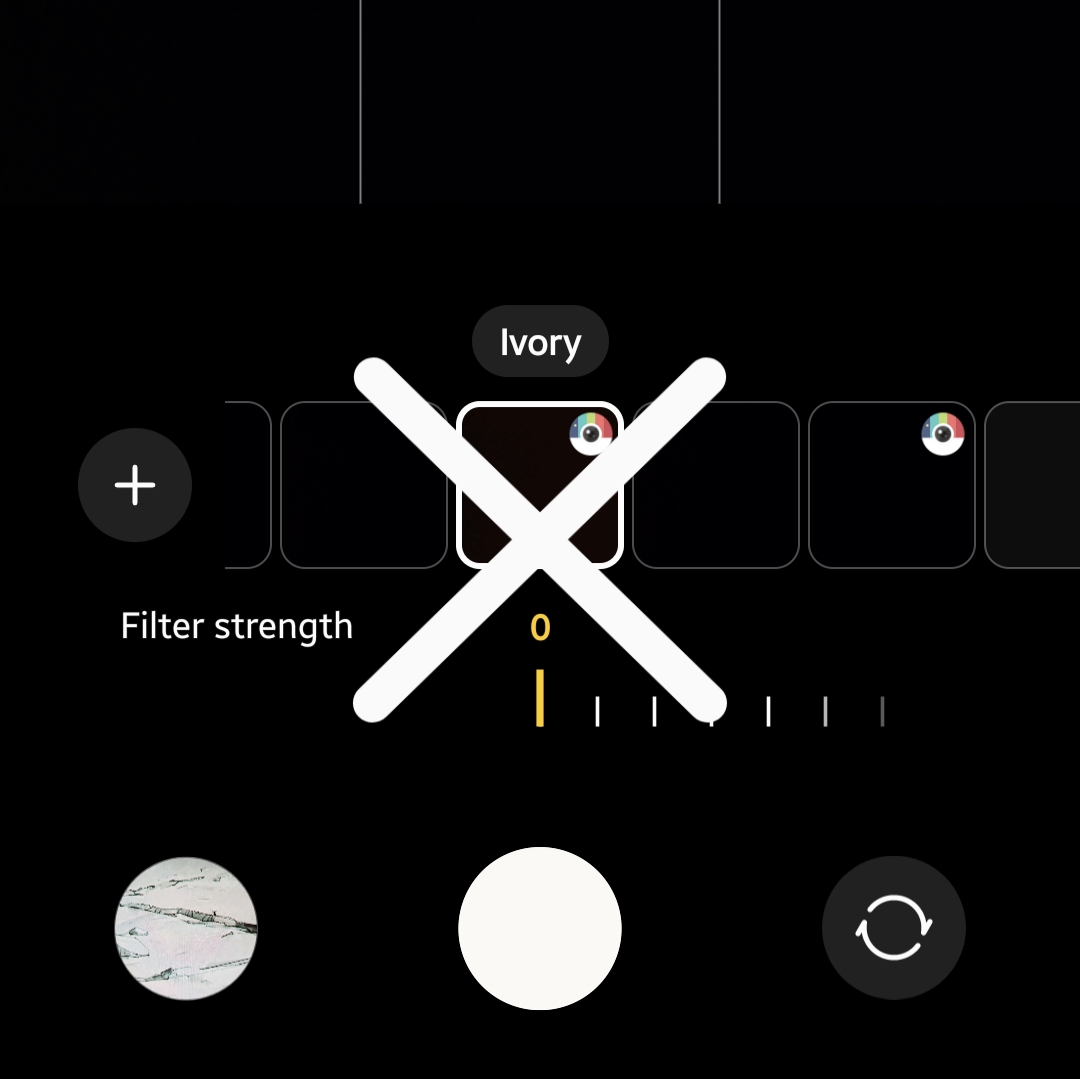
One UI 7では、古い写真をテンプレートとして使用してカスタムフィルターを作成できるため、アイボリーで撮影した写真を選択すれば簡単にアイボリーフィルターを再現できるように思えます。しかし、これはうまくいきません。アイボリーフィルターの特徴は、単に白を過度に露出させるだけでなく、ピンクや赤の色調にネオンのような輝きを加え、全体を柔らかくする夢のような霞を施す点にあります。アイボリーで撮影した写真を使ってカスタムフィルターを作成すると、白の露出は半分程度再現されるものの、ネオンの色調は得られず、霞も柔らかなぼかしではなく灰色がかってしまいます。この点は、私の紫色のコンタクトレンズを基準に評価しました。アイボリーフィルターではレンズに劇的な鮮やかさが加わるのに対し、カスタムフィルターではその効果がありません。
I previously expressed concern that Ivory was gone from the S25 demo models, but I guess my Samsung Flip 4 was set to automatically update, because when I picked it up last week, I realised it had updated to One UI 7. I didn’t have any particular problem with this, since I don’t generally use this old phone—its screen is cracked, so it mainly functions as a surveillance camera at this point—but I decided to take a tour of what One UI 7 offers, & to my horror, I discovered that the Ivory filter was gone, replaced with the same camera set up as the S25.
I had been waiting to install One UI 7 on my daily use Flip 6, but seeing that the Ivory filter—my favourite, main filter—was gone, I am now doing EVERYTHING I can to prevent One UI 7 from installing on this main phone. After all, the fact that iPhone did not have any such filter was a major factor in why I got a DJI Pocket 3 but STILL switched back to Samsung after only about 6 months–having 2 devices, neither of which had my preferred filter just to get kind of close to what I wanted was just too much hassle to deal with.
Anyway, in an effort to avoid what now appears to be inevitable, as well as to help others who are currently experiencing the same issue, I preemptively tried looking for a replacement for the Ivory filter on the updated Flip 4 by downloading EVERY available filter. Here are my findings. Note that the Ivory filter is applied on the Flip 6 on the right for reference.
Since One UI 7 allows you to create custom filters by using old photos as a template to apply to new ones, it seems like a no-brainer that you could easily get the Ivory filter back by simply selecting an Ivory-shot photo for this purpose, but that doesn’t work. What makes the Ivory filter special isn’t just that it overexposes whites—it ALSO adds a neon tinge to pink/red hues & a slight, dreamy haze to soften everything. Trying to create a custom filter using an Ivory-shot photo only succeeds halfway in the former aspect; you don’t get any neon hues, & the haze is more grey than soft fuzziness. My frame of reference for this is my purple contact lenses, to which the Ivory filter always lent a dramatic pop. As you can see, no such thing happens when using this custom filter.
Therefore, I cannot recommend this method of trying to get the Ivory filter back. If your goal is simply to look pale, goth or vampiric, there are better options than trying to use an Ivory-filtered photo to create a custom filter in an attempt to replace it. For those who want a closer replacement to the original Ivory filter, with neon tinge & dreamy haze, these are the best free downloadable filters that I can find for the native camera app. There may be additional third-party camera apps which better replicate the Ivory filter, but for the purpose of this article I am only focusing on downloadable filters which are available through the native Samsung camera app therefore requiring no additional apps or in app purchases/subscriptions. I’d like to further mention that this article is in no way sponsored by Samsung or these filter developers (but please sponsor me someday, Samsung!).
This one probably has the most white. As you can tell, that also washes out even the blacks in any image. If you’re going for contrast, the greys this offers might not be what you want.
This one offers more contrast to dark colours, especially when compared to CK01, but it imparts slightly beige tones as well. If you want brighter whites, this might be too neutral.
This one seems to offer the most pinks/reds of any of the three options. Like CK01 It lacks contrast when presenting any darker colors, making NewYork14 more attractive to any who wants darker blacks.
As you can tell, there is no exact one-for-one match to the real Ivory, making older devices or keeping current devices on older UI a more attractive option.
There seems to be an increasing demand for the return of the Ivory filter. You can do your part by joining the increasing number of voices asking Samsung to restore it but, in the meantime, it seems like these are the best available replacements.
As a bonus mention, somebody else in Samsung forums suggested the c360p1 filter as an Ivory replacement, but I have no idea why they did this because it doesn’t look like Ivory at all. It’s just washed out with no neon pop or haze.
Buy a Samsung Galaxy Z Flip6 & Don’t Update to One UI 7 To Keep the Ivory Filter!
Unless otherwise noted, image assets above are NOT original content & are shared under fair use doctrine with NO claims to authorship or ownership. Contact necrolicious@necrolicious.com for credit or removal.
This post was sponsored by…ME! If you’d like to support, please buy my original meme merchandise or check out my affiliate links to get yourself some other cool things. Additional affiliate links may be contained in the above article. If you click on an affiliate link & sign up/make a purchase, I may earn a commission. This does not increase the price you pay for the product or service, so it helps support this website at no cost to you.
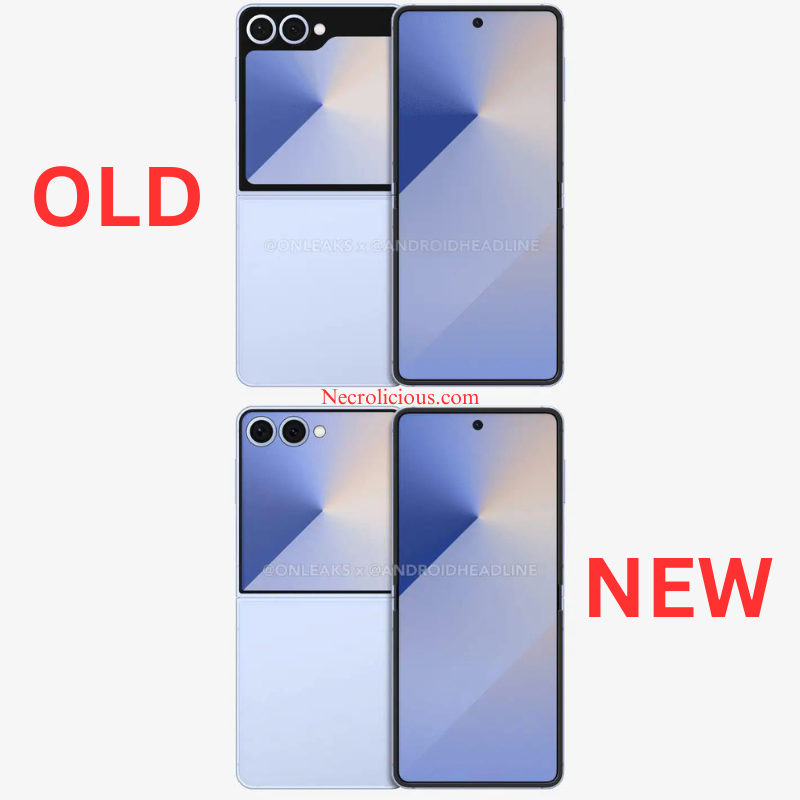
@OnLeaks in cooperation with Android Headlines reported a new Flip 7 design leak to the celebration of many Samsung enthusiasts, myself included!
Personally, I was never a fan of the shape of the screens of the Flip 5 & 6. Having joined the Flip series on its 4th iteration, I would say that the unattractive manila folder emoji design (📁) was a big factor in why I skipped over the Flip 5. However, when my Flip 4 broke, I HAD TO get the Flip 6 while still somewhat unhappy with this continued motif.
The new design is so much better that I am actually excited for an upgrade to this 7th generation of the Flip series, which I view as an inevitability at this point since I have learned just how delicate these devices are and do not expect them to last longer than maybe a year or two—making annual upgrades something of a necessary evil for fans of this form factor.
The full-faced design seems heavily inspired by Motorola’s latest line of Razr phones. When shopping for my last device, I tried one of the Razr phones in a local store, but the outer screen UI somehow just felt cheap compared to the more premium experience on Samsung’s device. This ultimately contributed to my decision, along with my familiarity with Samsung’s UI, to remain loyal to the Samsung brand. However, that is not to say that Motorola’s full-faced outer screen was unattractive, merely that the UI felt something like a website out of the 1990s.
Even if this rumoured redesign has no merit, I hope that Samsung takes note of the many comments providing extremely positive feedback & moves forward to make this full-faced design real. If this is actually what the Flip 7 will look like, I’m sold (provided they bring back the ivory camera filter).
Unless otherwise noted, image assets above are NOT original content & are shared under fair use doctrine with NO claims to authorship or ownership. Contact necrolicious@necrolicious.com for credit or removal.
This post was sponsored by…ME! If you’d like to support, please buy my original meme merchandise or check out my affiliate links to get yourself some other cool things. Additional affiliate links may be contained in the above article. If you click on an affiliate link & sign up/make a purchase, I may earn a commission. This does not increase the price you pay for the product or service, so it helps support this website at no cost to you.
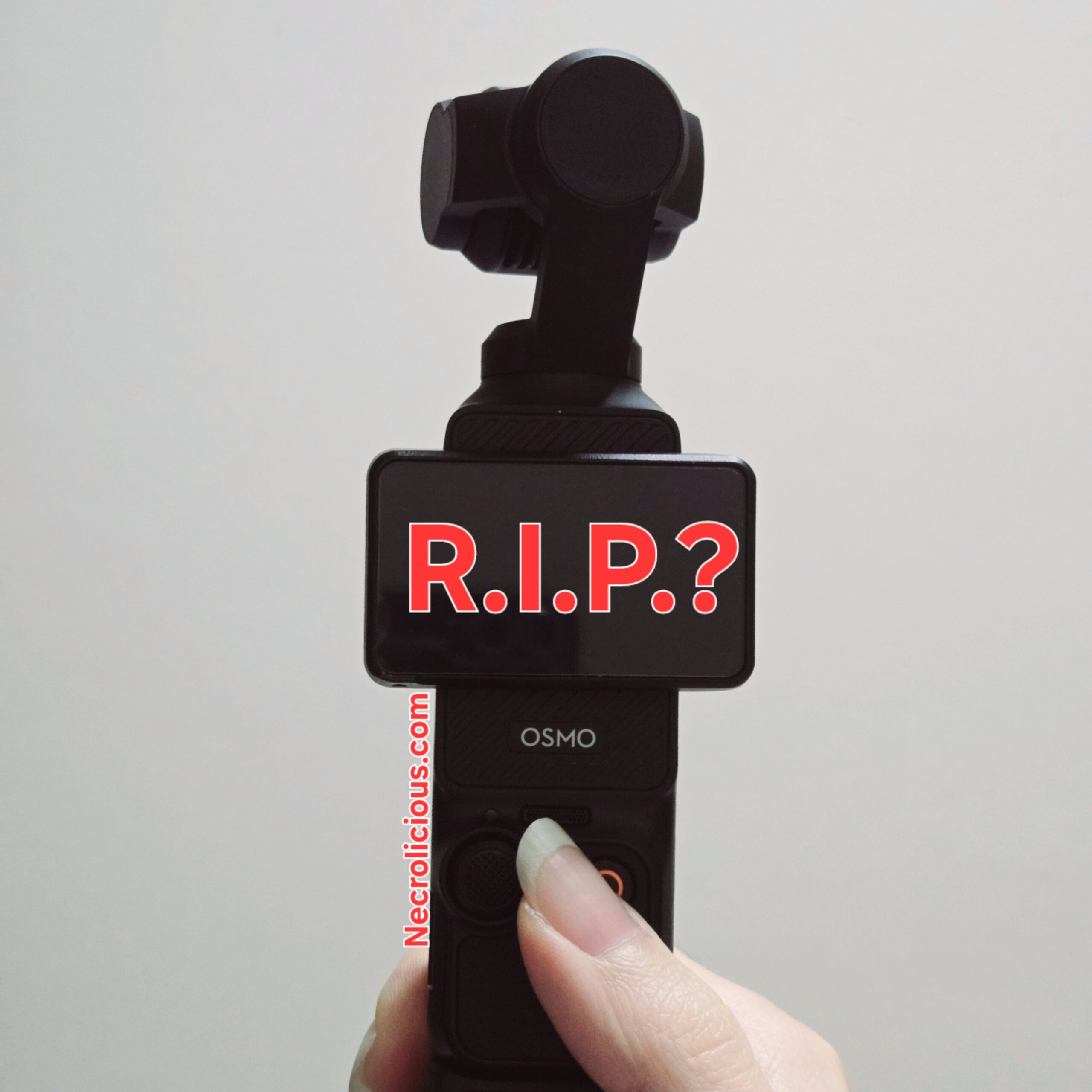
The DJI Osmo Pocket 3 worked fine with the Samsung Flip 6…until the Mic Mini update hit the Mimo app, then things went south fast. Is anyone else having these issues?
First symptoms
At first, the only issue I noticed was a slight 0.5s-1.0s lag in the audio. I mistakenly attributed this to the DJI Mic 2. This seemed annoying, but it wasn’t too major. However, as time went on, additional issues became apparent.
On further inspection
Additional testing, however, showed that it was not the Mic 2. Playback on the Pocket 3 directly had no lag, neither did my phone’s native camera app when connected to the Mic 2. At this point I contacted DJI customer service. They requested a video of the audio lag. In attempting to shoot this requested video, we noticed that the mode had changed from standard video mode to low light on its own. Later attempts to capture more such videos had similar issues with the device switching itself from standard video mode to panoramic shot all by itself.
Additionally, on the Mimo app, not on the device directly, I repeatedly got SD card errors which alternated between saying that there was either an issue with the SD card or that there was no SD card inserted when there was.
Mimo Osmo 7 update saving grace?
In between my back & forth with their customer service, DJI announced the Osmo 7 gimbal, & a related update hit the Mimo app. At first I was excited, hoping that they had patched the Samsung compatibility issues with this update. However, after updating, things were not better but worse, with even video playback being extremely hit or miss & connection stability worse than ever.
My attempted fixes
I’m not a tech noob, so I know the basics. I performed both a factory reset of the Pocket 3 as well as clearing the Mimo caches &, when that didn’t work, a complete uninstall/reinstall of the Mimo app. However, nothing had any effect on the issues above.
Not optimized for Samsung
In conducting some online research to try to determine the cause and fix for these issues. it seems apparent that most of the people with who have issues with this camera are users of Samsung & other Android devices. It seems that DJI does not care about Samsung users. This is made apparent by the fact that they have released the Mimo app directly on the Apple App Store, whereas Android users must download an APK file instead of using the more regulated Google Play store. Given that DJI is a Chinese company, & China’s most popular phones are not iPhones but Androids, it really makes me wonder why they would choose to prioritize iPhone users instead.
Why I bought the DJI Pocket 3
I had gone from being a longtime Samsung user (even when I worked for Apple) to trying to use an iPhone 13 Pro Max here in Japan, since most people use iPhones here, but I only lasted a few months before selling that iPhone & buying a Samsung Flip 6. I bought the Pocket 3 during that period because I was extremely dissatisfied with the iPhone. Apart from the extreme inconvenience of iPhones missing a multitude of basic features (quick launchers/clipboard/dual-screening to name a few). the native iPhone camera is just disgusting. Often applying a strange orange filter to everything, especially pictures of people. Of course, you can try to use iPhone’s other filters, but rather than fixing issues, those tend to make people look dull/ruddy. I actually can’t even recognize myself in a lot of iPhone shot pictures or video. I look fine & like myself in Samsung-shot pictures. Polaroid pictures are very popular here in Japan, & I like fine/like myself in those as well. iPhone pictures just do not look like me. I’m not the only one saying this There are more multitudes of videos across social media complaining of the same thing, saying that the iPhone camera is not designed for people especially the internal camera. Not enough people are talking about this but the iPhone’s cameras have gotten so bad that many are choosing to buy vintage digital cameras rather than use the iPhone camera. It was due to issues like this, but I decided I needed an entirely separate camera. which is why I bought the Pocket 3. It was a nice fix that I continued to use even after buying my Samsung Flip 6 until these latest Mimo updates broke it.
Still waiting on a resolution
It seems unlikely that. I will be able to continue using the DJI Pocket 3. My conversations with customer support are not giving me a lot of confidence. They say they want to pull the logs, which I have no problem with, but does not seem to indicate that they can or will do anything for me directly. It might be for the benefit of Samsung users somewhere in the distant future. Emphasis on “Might.” However, it seems likely that it won’t solve my immediate issues. While you can transfer the files from the Pocket 3 to a device directly without the Mimo app, any sort of filters will not be applied. Everything must be done through the Mimo app if you wish to use them. I do not want to buy a new iPhone so that I can continue using this Pocket 3, which I really don’t need now that I have a Samsung phone again. While I have an old iphone without service laying around, I do not want to carry it around with me just to transfer files to it, then fiddle around with hotspots/SIM-cards to send it to a cloud & then download it to my Samsung. It’s just such an extreme time-wasting inconvenience. The Pocket 3 was fine when I had a lousy iPhone, but now that I have a Samsung phone again, I simply don’t have much need for this camera anymore as it is, let alone with the added extreme inconvenience of having to move video files between 3 just devices just to have any use of it. I have asked if DJI will provide me a refund. I am awaiting their reply as of this writing.
Unless otherwise noted, image assets above are NOT original content & are shared under fair use doctrine with NO claims to authorship or ownership. Contact necrolicious@necrolicious.com for credit or removal.
This post was sponsored by…ME! If you’d like to support, please buy my original meme merchandise or check out my affiliate links to get yourself some other cool things. Additional affiliate links may be contained in the above article. If you click on an affiliate link & sign up/make a purchase, I may earn a commission. This does not increase the price you pay for the product or service, so it helps support this website at no cost to you.
I went to Samsung’s Galaxy Experience Popup in Shibuya to get a little hands-on time with the S25.
I was very disappointed to discover that Samsung has sunset the goth-favourite camera filter, Ivory, with this model (after I got home, a quick web search confirmed its removal).
To the uninitiated, Samsung cameras have a ability to download tons of extra filters in addition to the default ones, but when I did a search for it, Ivory was still nowhere to be found.
The S25 has a new nifty ability to quickly create custom filters based on old/imported images but even after quicksharing some Ivory filter pictures from my Flip 6 to the demo S25 & playing around with them for 10ish minutes the staff & I were unable to replicate the exact hues of Ivory on the S25.
While I wasn’t particularly planning on buying an S25, this does not bode well for the forthcoming Flip 7, which I DO intend to buy.
Samsung, if you’re reading this, please bring back the Ivory filter to the default camera or otherwise make it available for download before the Flip 7 launches!
Unless otherwise noted, image assets above are NOT original content & are shared under fair use doctrine with NO claims to authorship or ownership. Contact necrolicious@necrolicious.com for credit or removal.
This post was sponsored by…ME! If you’d like to support, please buy my original meme merchandise or check out my affiliate links to get yourself some other cool things. Additional affiliate links may be contained in the above article. If you click on an affiliate link & sign up/make a purchase, I may earn a commission. This does not increase the price you pay for the product or service, so it helps support this website at no cost to you.
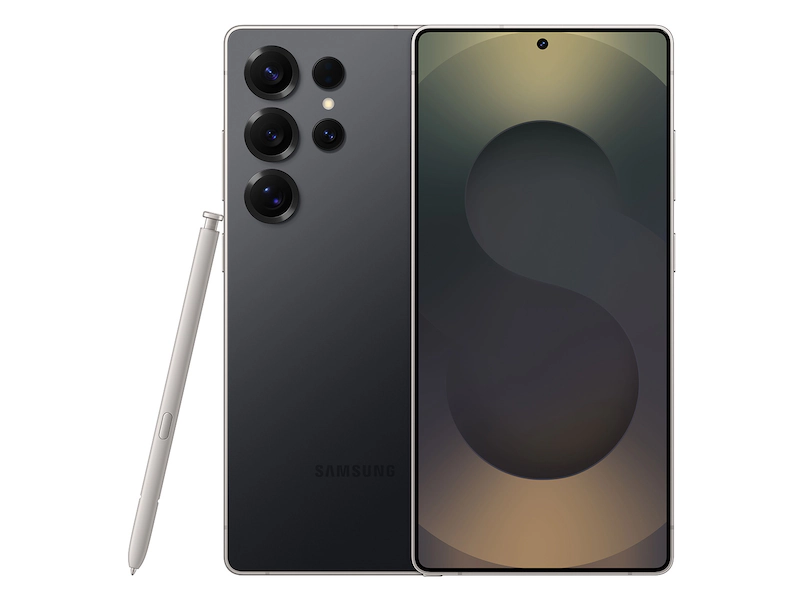
Camera 50MP AF OIS, 30x Space Zoom, 12MP UW Rear / 12MP Front
Camera 50MP AF OIS, 30x Space Zoom, 12MP UW Rear / 12MP Front
Camera 200MP Wide AF OIS, 100x Space Zoom, 50MP UW, 10MP Tele Rear / 12MP Front
Storage | Memory 128GB & 256 GB | 12GB RAM
Storage | Memory 256GB & 512GB | 12GB RAM
Storage | Memory 256GB & 512GB | 12GB RAM
Processor Snapdragon 8 Elite for Galaxy (3nm)
Processor Snapdragon 8 Elite for Galaxy (3nm)
Processor Snapdragon 8 Elite for Galaxy (3nm)
S Pen Support NA
S Pen Support NA
S Pen Support Yes
These are some pretty snazzy specifications. Of course, as is the norm these day, Samsung also leaned heavily in Galaxy AI enhancements.
As a longtime Samsung user, I am excited to see so much progress, but these models are not yet available in here in Japan. It may be shocking due to Japan’s proximity to Samsung’s headquarters in South Korea, but Samsung generally releases devices here months later than they do in the U.S.
Due to this, I am not personally in the market for a new device, having gotten my Samsung Galaxy Flip 6 just last Halloween. While I am very tempted by the increased power & features on these latest models (not to mention the fancy jade green option!), & would recommend a new Samsung device all day, every day over even the latest, greatest iPhone, I am just such a fan of the form factor of the Flip series, I don’t see myself even considering changing until the next Flip model is announced, likely in July.
If you are in the market for a new device, by all means use my affiliate links below to pre-order from Amazon for delivery on February 7, 2025. You can get up to $200 in Amazon gift cards with the current offers featured in my links.
I will update this post when Samsung Japan announces the local S25 release.
Until then, happy buying abroad!
Unless otherwise noted, image assets above are NOT original content & are shared under fair use doctrine with NO claims to authorship or ownership. Contact necrolicious@necrolicious.com for credit or removal.
This post was sponsored by…ME! If you’d like to support, please buy my original meme merchandise or check out my affiliate links to get yourself some other cool things. Additional affiliate links may be contained in the above article. If you click on an affiliate link & sign up/make a purchase, I may earn a commission. This does not increase the price you pay for the product or service, so it helps support this website at no cost to you.