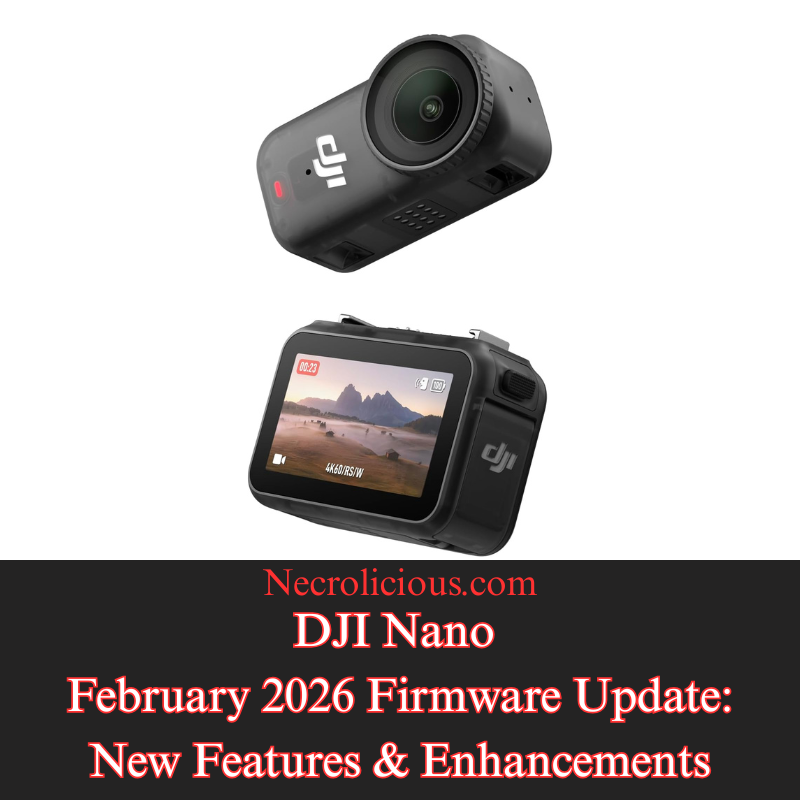
DJI Nano February 2026 Firmware Update: New Features & Enhancements

In the rapidly evolving world of portable photography & videography, DJI continues to refine its offerings through regular firmware updates. The most recent update for the DJI Nano, just released in February 2026, brings the firmware version to v01.01.27.51. Available via the DJI Mimo app for both iOS (v2.6.12) & Android (v2.6.12), this update introduces practical improvements designed to enhance creative flexibility & device reliability. For users encountering installation issues, DJI advises restarting the camera & app, ensuring Wi-Fi & Bluetooth are enabled, & reconnecting before attempting the update again. Persistent problems should prompt contact with DJI Support. This follows a prior update in November 2025 (v01.01.16.50), which added features such as Natural Wide FOV, HorizonCorrection, & improved microphone integration with the vision dock. Below, we explore the new additions in detail, highlighting how they benefit content creators & enthusiasts.

Native 9:16 Aspect Ratio Support in Video Mode

The addition of support for a 9:16 aspect ratio in video mode represents a user-focused enhancement tailored to the growing demand for vertical content in social media & short-form video platforms. This feature allows the DJI Nano to natively capture footage in a portrait orientation, which aligns perfectly with formats used on apps like TikTok, Instagram Reels, & Snapchat, eliminating the need for post-production cropping that could degrade image quality or alter the intended composition. By adjusting the sensor’s output to prioritise height over width, users can achieve fuller utilisation of the camera’s resolution—typically up to 4K in this mode—resulting in sharper, more immersive vertical videos. This is especially beneficial for creators on the go, such as vloggers or social influencers, as it streamlines the workflow from capture to upload, saving time while maintaining professional-grade results. Additionally, it opens up creative possibilities for storytelling, like emphasising tall subjects or vertical panning shots, without compromising on the device’s gimbal stabilisation or intelligent shooting modes.

Introduction of Film Tone in Photo & Video Modes

The introduction of the “Film Tone” option to image parameters in both photo & video modes brings a layer of cinematic sophistication to the DJI Nano’s capabilities, allowing users to apply pre-set colour grading effects that mimic the aesthetic of traditional film. This mode adjusts key elements such as colour balance, contrast, & saturation to produce a more dramatic & evocative look, often with warmer tones, deeper shadows, & controlled highlights that evoke the feel of classic cinema. Unlike standard colour profiles, Film Tone is designed for users who want to infuse their content with artistic flair right at the point of capture, reducing reliance on editing software for basic corrections. It can be particularly advantageous in low-light scenarios or when shooting narrative content, as it enhances dynamic range & preserves details in highlights & shadows. Creators can toggle this option via the DJI Mimo app, experimenting with it alongside other parameters like sharpness or exposure to customise the output, making the Nano a more versatile tool for aspiring filmmakers or photographers seeking a polished, ready-to-share result.

Resolution of Minor Bugs for Improved Performance

The fixing of minor bugs in this firmware update underscores DJI’s commitment to ongoing device optimisation, addressing subtle issues that could impact user experience without introducing major disruptions. These corrections typically target areas like software stability, such as resolving occasional app crashes during live previews, improving Bluetooth connectivity reliability for smoother remote control, or refining algorithm accuracy in features like subject tracking or auto-exposure. While the specifics are often kept general to protect against potential exploits, such updates collectively enhance the Nano’s performance, leading to fewer interruptions during shoots & more consistent battery efficiency. For users, this means a more dependable tool in real-world scenarios, whether filming action sequences or casual clips, & it helps prevent cumulative frustrations that might arise from unaddressed glitches over time. Overall, these bug fixes contribute to the longevity & resale value of the device by ensuring it remains responsive & up-to-date with evolving user needs.

Buy on Rakuten Japan

This firmware update positions the DJI Nano as a competitive choice in the compact camera market, catering to both amateur & professional users who value portability without sacrificing quality. By incorporating vertical video support, cinematic colour options, & essential stability improvements, DJI addresses key trends in content creation while maintaining the device’s core strengths in gimbal technology & ease of use. Users are encouraged to update promptly to access these features, & those new to the DJI ecosystem may find the Nano’s blend of innovation & reliability particularly appealing. For the latest details & troubleshooting, refer to the official DJI website or community forums.

Buy on Suzuri

Unless otherwise noted, image assets above are NOT original content & are shared under fair use doctrine with NO claims to authorship or ownership.
Contact necrolicious@necrolicious.com for credit or removal.

This post was sponsored by…ME! If you’d like to support, please buy my original meme merchandise or check out my affiliate links to get yourself some other cool things. Additional affiliate links may be contained in the above article. If you click on an affiliate link & sign up/make a purchase, I may earn a commission. This does not increase the price you pay for the product or service, so it helps support this website at no cost to you.
Share this:

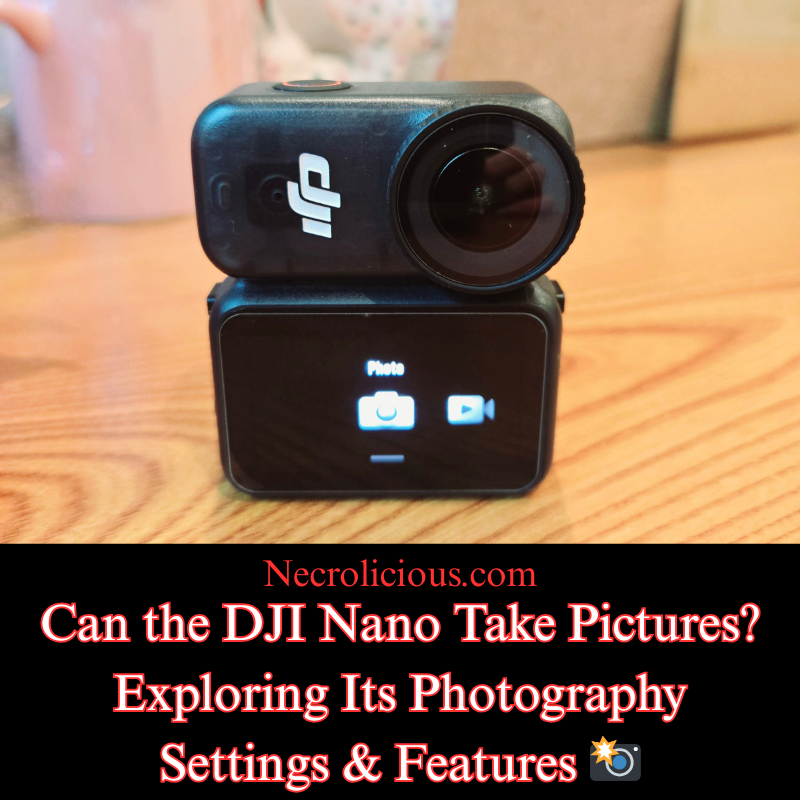
Can the DJI Nano Take Pictures? Exploring Its Photography Settings & Features 📸

In the realm of compact action cameras, the DJI Osmo Nano stands out for its versatility & portability. Designed for adventurers & content creators alike, this device combines advanced video recording with robust still photography capabilities. If you have been wondering whether the DJI Osmo Nano can take pictures, the short answer is yes. Beyond that, it offers a range of settings & features that make it a compelling choice for capturing high-quality images on the go. This article delves into the specifics, highlighting how these elements enhance your photographic experience.

An Overview of the DJI Osmo Nano

The DJI Osmo Nano is an ultra-compact, wearable action camera featuring a modular design with a 1/1.3-inch sensor & a 143° wide field of view. Weighing just 52 grams for the camera unit, it is ideal for mounting in various positions, whether for sports, travel or everyday documentation. While primarily known for its 4K/60fps video recording & 10-bit D-Log M colour performance, the device’s photography functions provide professional-grade results in a diminutive form factor.

8% off until February 2, 2026!
Buy on Rakuten Japan

Key Photography Settings & Features

The DJI Osmo Nano excels in still photography thanks to its dedicated sensor & lens configuration, which support detailed image capture across diverse conditions. Below is a summary of the primary photo specifications:

SpecificationDetails
Sensor1/1.3″ CMOS
LensFOV: 143°, Aperture: f/2.8, Focus Range: 0.35 m to ∞
ISO Range100-25600
Electronic Shutter Speed1/8000-30 s
Max Photo Resolution6880 × 5160 (approximately 35 MP)
Still Photography ModesSingle, Countdown (Off/0.5/1/2/3/5/10 s), Burst (up to 30 images in 3 s)
Photo FormatsJPEG/RAW

These settings allow users to adapt to various lighting scenarios & creative needs. For instance, the wide ISO range facilitates low-light photography, while the burst mode is particularly useful for action shots where timing is critical. The option to shoot in RAW format provides greater flexibility in post-production, enabling adjustments to exposure & colour without loss of quality.

Additionally, the camera’s 13.5 stops of dynamic range ensure that images retain detail in both highlights & shadows, making it suitable for landscapes & high-contrast environments. Features such as Horizon Balancing & stabilisation, borrowed from DJI’s broader ecosystem, further aid in producing sharp, level photographs even during movement.

Practical Applications for Photography

With its magnetic mounting system & waterproof design (up to 10 m for the camera), the DJI Osmo Nano is well-suited for capturing stills in challenging settings. Whether documenting a hike, a pet’s adventures or urban scenes, the device’s photo modes integrate seamlessly with its video functions, allowing for hybrid content creation. Users can switch effortlessly between modes via the 1.96-inch touchscreen or the companion app, ensuring that spontaneous moments are never missed.

The DJI Osmo Nano not only answers the question of whether it can take pictures with a resounding yes but also delivers a suite of advanced settings & features that rival larger cameras. From its high-resolution sensor to versatile modes & formats, it empowers photographers to capture compelling images with ease. If you are seeking a compact yet capable device for your next project, the Osmo Nano merits consideration.

Buy on SUZURI

Unless otherwise noted, image assets above are NOT original content & are shared under fair use doctrine with NO claims to authorship or ownership.
Contact necrolicious@necrolicious.com for credit or removal.

This post was sponsored by…ME! If you’d like to support, please buy my original meme merchandise or check out my affiliate links to get yourself some other cool things. Additional affiliate links may be contained in the above article. If you click on an affiliate link & sign up/make a purchase, I may earn a commission. This does not increase the price you pay for the product or service, so it helps support this website at no cost to you.
Share this:

Samsung x DJI: Did Samsung Make a Bigger, Better Vision Dock for the DJI Nano?

To be clear, Samsung has not officially made any new hardware in partnership with DJI. This “bigger, better” experience stems from DJI Mimo app compatibility with the cover screens featured on Samsung’s Z Flip lineup. The Mimo app connects wirelessly to the Osmo Nano via Wi-Fi & Bluetooth, supporting full functionality including Pro mode on the cover screen, providing a larger, but still palm-sized, means to remotely access the camera preview & more advanced Mimo features that are not as easily accessed on the Nano’s Vision Dock. This setup proves particularly useful for POV shooting with the Nano magnetically mounted, allowing quick framing, parameter tweaks & monitoring on Samsung’s more spacious & vibrant Super AMOLED displays.

The DJI Osmo Nano pairs exceptionally well with Samsung’s Galaxy Z Flip series from the Z Flip5 onwards, where the outer cover screen serves as a larger, more capable alternative to the official Multifunctional Vision Dock’s 1.96-inch OLED touchscreen. By running the DJI Mimo app on the closed phone’s cover display (enabled via Samsung’s Good Lock or native customisations for any app support), users gain a bigger portable viewing & control interface for live preview, remote operation & granular settings adjustments – all without unfolding the device or relying on the smaller, somewhat harder to see & operate dock.

Contrasting Cover Screen Operation of the DJI Mimo App on Galaxy Z Flip5, Flip6 & Flip7

The cover screen experience evolves across models, with progressive improvements in size, resolution & usability for app-based control of the Osmo Nano.

Galaxy Z Flip5 Cover Screen Operation

Buy on Rakuten Japan

The 3.4-inch Super AMOLED cover display (720 × 748 resolution) provides a solid step up from the Vision Dock’s 1.96-inch screen, offering roughly 70% more diagonal area for clearer live previews & easier touch interactions.
Mimo app runs effectively when forced to the cover screen (via Good Lock or settings), enabling real-time viewing, basic remote start/stop & access to Pro mode parameters.
Navigation feels more comfortable than on the dock for sliders & menus, though the resolution & brightness limit fine colour judgement in bright conditions compared to later models.
Ideal for quick checks during action but may require occasional unfolding for the most detailed edits.

Galaxy Z Flip6 Cover Screen Operation

Buy on Rakuten Japan

Retains the same 3.4-inch Super AMOLED size & 720 × 748 resolution as the Flip5, with enhancements in overall phone performance (better battery, processing & brightness).
Mimo app operation mirrors the Flip5 closely on the cover screen – reliable wireless connection, live feed & granular controls – but benefits from improved touch response & outdoor visibility.
Users report smoother app performance & less lag in previews, making it marginally preferable for extended monitoring without the dock.
The experience remains compact yet noticeably larger than the Vision Dock, prioritising portability over expansive real estate.

Galaxy Z Flip7 Cover Screen Operation

Buy on Rakuten Japan

Features a significantly enlarged 4.1-inch Super AMOLED cover display (1048 × 948 resolution, up to 120Hz refresh rate), representing the largest & highest-resolution cover screen in the series to date – with reduced bezels for edge-to-edge usability & approximately double the usable area of predecessors.
This delivers the most compelling alternative to the Vision Dock: substantially bigger live previews, more precise touch targets for sliders/numeric inputs, superior colour accuracy & brightness (up to 2600 nits peak in some modes), & fluid navigation of Pro mode settings even in challenging lighting.
Mimo app excels here for detailed tweaks, with real-time feedback on exposure, stabilisation & more feeling far less constrained.
The larger interface supports better multitasking glimpses (e.g., quick parameter checks mid-shoot) & positions the Flip7 as the standout for app-driven Osmo Nano control.

Viewing Area Comparison Table

Device/ModelCover Screen TypeDiagonal SizeResolution (approx.)Key Advantages for DJI Mimo App Operation on Cover Screen
DJI Osmo Nano Vision DockOLED Touchscreen1.96 inches314 × 556Compact & integrated; phone-free basics; 800 nits typical brightness
Galaxy Z Flip5Super AMOLED Cover3.4 inches720 × 748Larger preview area; good for quick Pro mode access; vibrant but standard resolution
Galaxy Z Flip6Super AMOLED Cover3.4 inches720 × 748Same size as Flip5; enhanced brightness & performance for smoother app use
Galaxy Z Flip7Super AMOLED Cover4.1 inches1048 × 948Biggest & sharpest; edge-to-edge design; superior visibility & precision for detailed controls

The Mimo app unlocks superior granular adjustments on these cover screens compared to the Vision Dock, thanks to larger interfaces & precise controls. Key parameters easier to manage include:

Core Exposure Parameters (Pro mode > Manual “M”)

  • Shutter Speed – Large sliders & real-time preview judge motion blur instantly; dock feels cramped.
  • ISO – Precise selection with visible noise impact on bigger display.
  • Exposure Compensation (EV) – Intuitive live tweaks for balanced brightness.
  • Exposure Mode – Tap-to-toggle with full context visible.

Other Image & Advanced Parameters

  • White Balance – Sliders/presets with accurate colour judgement outdoors.
  • Color Profile – Clear toggle to D-Log M with previews.
  • Bitrate – Easy comparison of quality vs storage.
  • Stabilisation (EIS) – Mode switch with FOV previews.
  • Field of View (FOV) – Better composition on larger framing.

Additional Granular/Custom Settings

  • Custom Mode Saving – Easier naming & management of presets.
  • Pre-Rec (Buffer Recording) – Clear toggles & status.
  • Audio Settings – Detailed sliders for mic gain & wind reduction.

Lastly, let’s not forget your phone’s ability to upload directly to social media–something the DJI Vision Dock just can’t do!

Overall, Samsung’s Galaxy Z Flip cover screen workflow – especially on the Flip7 – offers a bigger, often more practical way to operate the Mimo app for the Osmo Nano, blending foldable convenience with enhanced control. The Vision Dock retains advantages for fully standalone use (extended battery & direct mounts), but for app-centric precision & visibility, the Flip series stands out. For compatibility confirmation & updates, refer to DJI’s Mimo download page & Samsung device specs. The Osmo Nano’s 4K/60fps, 143° FOV & 10-bit D-Log M continue to deliver excellent results in this ecosystem. As a Flip6 owner, I can say that this works with these devices. It may also work with other flip-style phone models, such as those made by Motorola, but since I do not possess such a device, I personally cannot confirm.

As a small side note, DJI is presently offering an 8% discount on the Nano until February 2, 2026. Bundled with point back campaigns & other credit card rewards, this can jump up to about 10%, so get it while the getting is good!

Buy on Rakuten Japan

Unless otherwise noted, image assets above are NOT original content & are shared under fair use doctrine with NO claims to authorship or ownership.
Contact necrolicious@necrolicious.com for credit or removal.

This post was sponsored by…ME! If you’d like to support, please buy my original meme merchandise or check out my affiliate links to get yourself some other cool things. Additional affiliate links may be contained in the above article. If you click on an affiliate link & sign up/make a purchase, I may earn a commission. This does not increase the price you pay for the product or service, so it helps support this website at no cost to you.

Share this:

DJI NANO Action Camera: Unbiased First Thoughts & Impressions

@necroliciouseng

I got the DJI NANO but Tiktok blocks duplicate uploads, so I reversed the video to avoid the flag 🤣 Check out my Japanese channel if you want to see the unboxing 🇯🇵 #dji #djinano #djinanoactioncamera #actioncamera #reboxing

♬ Take A Picture – Filter

I just got ahold of the DJI NANO action camera. As my first action camera, I thought I would share my initial thoughts & impressions of it. This post is not sponsored by DJI, so I am sharing my own unbiased opinion.

Buy on Rakuten Japan

Why Did I Buy the DJI Nano?

Why now & why this specific model? There are several reasons. Firstly, as I have repeatedly warned, electronic prices have been trending upward. Even last-generation devices are being marked up rather than priced down as they are phased out like they used to be. It may be years before we see the type of price decreases that we use to as items were phased out. Additionally, there have been intensifying rumours of supply constraints specific to Japan in the form of import restrictions. Overall, I wanted to beat the market & get the NANO while I could before it gets marked up or otherwise becomes unavailable. As for why I got this specific model, already having the DJI Pocket 3 as well as my Samsung Flip 6, the reason is that it is compact & discreet in comparison to those. I primarily intend to use the NANO to shoot hands-free, utilising the included necklace attachment for easy point-of-view recording. I find that getting out my phone is intrusive since I have to hold it & draw attention to the fact that I am recording. Same with the DJI Pocket 3. For first-person-perspective shots with either of those devices, I need to carry around a chest harness mount then strap it on when I want to shoot. The result is much bulkier & ungainly, drawing undue attention to the fact that I am recording. Specific to my phone, I always worry that I might drop & seriously damage it in the process. As cool as they are, Samsung’s Flip series aren’t known for durability or ruggedness at all, & being without a phone for weeks due to an accident is not a position I wish to put myself in. With the NANO, I can easily wear it & nobody even knows that I’m recording. I also don’t have to worry that an accidental drop will cut me off from the world as it would with my phone. It is still a fairly large lens, so I think anybody paying attention would notice it immediately. I would not recommend it for 100% covert recording for that reason, but spying like that is not my intent. I simply want an unobtrusive, discreet way to record various events & attractions that I visit or overhead views of product unboxing/testing. At this point of what I suppose you would call my video career, it seems that the faceless videos I post get more traction than those of me talking. Maybe one day I will surpass this level, but in the meantime, I think this camera will give me a great edge in recording the types of videos that seem to perform best on my TikTok, YouTube, etc. Lastly, I am already somewhat locked into the DJI ecosystem, possessing not only the Pocket 3 but also the Mic 2. Therefore, buying another brand without the compatibility was less appealing than just sticking to something I was already familiar with & had both hardware/software for.

What Is the Performance Like?

So far, so good. I had been worried since numerous reports of overheating issues occurring within less than 10 minutes were rampant at release, but this does not seem to be the case with my model. Whether that is due to an upgrade of the hardware or firmware, I am not sure, but in my initial testing I got over 20 minutes shooting at maximum settings with no signs of overheating. Feeling safe, since I personally never record any longer than that, I cut off the overheat testing at that point to check out other features. I had initially mistaken the screen timeout for overheating. This occurred less than two minutes in, but after a slight bit of research, I realised all I needed to do was swipe right on the screen to set the timeout to “never” & the issue has not returned. I should also note that there is on-board memory capacity so, unlike the Pocket 3, you do not need an SD card before you can record anything. I opted for the 128GB, rather than the 64GB model, due to memory shortages being a driving force in global technology price increases. I tend to shoot everything in 1080p, but it is good to know that I have the 4K option there if I ever happen to want or need it. I do not think that we are at the point where most platforms fully welcome 4K, but since I am uploading to social media in an effort to become monetised, I do not think wasting space to have a 4K video that only anyone at my own home can see is worth the sacrifice. Just to mention the one real problem I’ve had so far, the DJI Mimo app not exporting my edited videos to my phone. The app will say that it is exported, but it does not appear in the DJI Exports album or anywhere else in my gallery. It takes several tries to push it through &, however many tries it takes, that many copies are pushed to the album when it finally does work (today, I had to push it through 7 times &, when it finally went through, I ended up with 7 copies of the same video). This is annoying & frustrating, but I cannot blame it on the NANO particularly since I am not sure if it is the camera, the Mimo app or even my phone itself. I intend to contact DJI support to see if they can provide some help with this.

Do I Recommend This Camera?

I do. Many reviews that I watched & read prior to making my own purchase warned that it is not a true action camera, but that is not my intended purpose anyway. I do not plan to take my NANO kayaking, rock-climbing or on a motorcycle (especially since I no longer have one). I simply want to use it for both event videos & product unboxing/review videos. If your intentions are the similar mine, I would definitely recommend it. A closed model such as the DJI Action series would likely be better for you if you are planning to partake in more extreme activities such as outdoor sports, etc.

As I mentioned above, prices may soon go up due to shortages of memory at an industrial scale &, if you are in Japan, additional import restrictions may further limit or cease availability. Therefore, I would advise getting it sooner rather than later.

Buy on SUZURI

Unless otherwise noted, image assets above are NOT original content & are shared under fair use doctrine with NO claims to authorship or ownership.
Contact necrolicious@necrolicious.com for credit or removal.

This post was sponsored by…ME! If you’d like to support, please buy my original meme merchandise or check out my affiliate links to get yourself some other cool things. Additional affiliate links may be contained in the above article. If you click on an affiliate link & sign up/make a purchase, I may earn a commission. This does not increase the price you pay for the product or service, so it helps support this website at no cost to you.

Share this:

DJI Osmo Pocket 4 Launch Delayed?

The highly anticipated DJI Osmo Pocket 4, the next iteration of DJI’s popular ultra-compact 3-axis gimbal camera, has encountered a setback in its release schedule. Initially rumoured to launch as early as 18 December 2025, the device is now expected to arrive in the latter half of January 2026, according to reliable industry sources.

Reasons Behind the DJI Osmo Pocket 4 Delay

Insider reports from Photorabz indicate that the postponement stems from unprepared accessories for the new model. The core camera is reportedly ready, but ensuring a complete and polished ecosystem has led to the shift. Recent updates suggest the release is slated for January 2026, likely towards the latter half of the month.

Potential Teaser & Ongoing Preparations

Action camera outlets report that DJI may unveil a teaser page by the end of December 2025. While a December launch is now ruled out, preparations continue – the device has secured FCC certification in the United States, clearing regulatory pathways.

What to Expect from the DJI Osmo Pocket 4

As the successor to the acclaimed Osmo Pocket series, the DJI Osmo Pocket 4 is poised to feature enhancements such as a larger battery, potential dual-camera setup & improved stabilisation for portable videography.

Plenty of Recent DJI Releases for Enthusiasts

DJI fans are far from short of new gear. The company has delivered several notable launches in recent months, including the compact DJI Osmo Nano wearable camera (launched September 2025), the flagship Osmo Action 6 action camera (launched November 2025), & the advanced DJI Mic 3 wireless microphone system (released August 2025). Additionally, the innovative Osmo 360 panoramic camera debuted in July 2025, expanding options for immersive content creation.

Advice for Osmo Pocket 3 Owners Looking to Upgrade

Buy on Rakuten Japan

Those considering selling their Osmo Pocket 3 to fund the Pocket 4 & secure the best resale value should act promptly. The delay provides an extra grace period before the new model’s arrival potentially impacts second-hand prices. Listing on resale platforms now could yield stronger returns ahead of the January 2026 launch.

Unless otherwise noted, image assets above are NOT original content & are shared under fair use doctrine with NO claims to authorship or ownership.
Contact necrolicious@necrolicious.com for credit or removal.

This post was sponsored by…ME! If you’d like to support, please buy my original meme merchandise or check out my affiliate links to get yourself some other cool things. Additional affiliate links may be contained in the above article. If you click on an affiliate link & sign up/make a purchase, I may earn a commission. This does not increase the price you pay for the product or service, so it helps support this website at no cost to you.

Buy on SUZURI
Share this:

Samsung One UI 7 Deletes the Ivory Filter, Here Are the Top 3 Free Replacements for the Ivory Filter

I previously expressed concern that Ivory was gone from the S25 demo models, but I guess my Samsung Flip 4 was set to automatically update, because when I picked it up last week, I realised it had updated to One UI 7. I didn’t have any particular problem with this, since I don’t generally use this old phone—its screen is cracked, so it mainly functions as a surveillance camera at this point—but I decided to take a tour of what One UI 7 offers, & to my horror, I discovered that the Ivory filter was gone, replaced with the same camera set up as the S25.

I had been waiting to install One UI 7 on my daily use Flip 6, but seeing that the Ivory filter—my favourite, main filter—was gone, I am now doing EVERYTHING I can to prevent One UI 7 from installing on this main phone. After all, the fact that iPhone did not have any such filter was a major factor in why I got a DJI Pocket 3 but STILL switched back to Samsung after only about 6 months–having 2 devices, neither of which had my preferred filter just to get kind of close to what I wanted was just too much hassle to deal with.

Anyway, in an effort to avoid what now appears to be inevitable, as well as to help others who are currently experiencing the same issue, I preemptively tried looking for a replacement for the Ivory filter on the updated Flip 4 by downloading EVERY available filter. Here are my findings. Note that the Ivory filter is applied on the Flip 6 on the right for reference.

@necrolicious

Samsung Flip 4をOne UI 7にアップデートしたのですが、残念ながらお気に入りのアイボリーフィルターが消えてしまったので、代わりのフィルターを探しています。 記事全文は私のブログでご覧いただけます。 @Samsung Japan もしご覧になっていたら、アイボリーフィルターを復活させてください! One Ui 7 が Flip 6 にインストールされないように、あらゆる手段を講じてアイボリーフィルターを失わないようにしています。 #サムスン #samsung #oneui7 #samsunggalaxy #samsungflip4 #samsungflip6 #スマホ #スマートフォン #スマホカメラ #カメラ #フィルター

♬ ドアを開けなさい (Instrumental) – K-FORCE Samplate

Since One UI 7 allows you to create custom filters by using old photos as a template to apply to new ones, it seems like a no-brainer that you could easily get the Ivory filter back by simply selecting an Ivory-shot photo for this purpose, but that doesn’t work. What makes the Ivory filter special isn’t just that it overexposes whites—it ALSO adds a neon tinge to pink/red hues & a slight, dreamy haze to soften everything. Trying to create a custom filter using an Ivory-shot photo only succeeds halfway in the former aspect; you don’t get any neon hues, & the haze is more grey than soft fuzziness. My frame of reference for this is my purple contact lenses, to which the Ivory filter always lent a dramatic pop. As you can see, no such thing happens when using this custom filter.

Therefore, I cannot recommend this method of trying to get the Ivory filter back. If your goal is simply to look pale, goth or vampiric, there are better options than trying to use an Ivory-filtered photo to create a custom filter in an attempt to replace it. For those who want a closer replacement to the original Ivory filter, with neon tinge & dreamy haze, these are the best free downloadable filters that I can find for the native camera app. There may be additional third-party camera apps which better replicate the Ivory filter, but for the purpose of this article I am only focusing on downloadable filters which are available through the native Samsung camera app therefore requiring no additional apps or in app purchases/subscriptions. I’d like to further mention that this article is in no way sponsored by Samsung or these filter developers (but please sponsor me someday, Samsung!).

1. STUDIO SJ – CK01 (Filter #49)

Get it on the Galaxy Store here: https://apps.samsung.com/appquery/appDetail.as?appId=com.candycamera.android.filter.CK01

This one probably has the most white. As you can tell, that also washes out even the blacks in any image. If you’re going for contrast, the greys this offers might not be what you want.

2. STUDIO SJ – NewYork14 (Filter #42)

Get it on the Galaxy Store here: https://apps.samsung.com/appquery/appDetail.as?appId=com.candycamera.android.filter.NewYork14

This one offers more contrast to dark colours, especially when compared to CK01, but it imparts slightly beige tones as well. If you want brighter whites, this might be too neutral.

3. STUDIO SJ – Rainbow07 (Filter #29)

Get it on the Galaxy Store here: https://apps.samsung.com/appquery/appDetail.as?appId=com.candycamera.android.filter.Rainbow07

This one seems to offer the most pinks/reds of any of the three options. Like CK01 It lacks contrast when presenting any darker colors, making NewYork14 more attractive to any who wants darker blacks.

As you can tell, there is no exact one-for-one match to the real Ivory, making older devices or keeping current devices on older UI a more attractive option.

There seems to be an increasing demand for the return of the Ivory filter. You can do your part by joining the increasing number of voices asking Samsung to restore it but, in the meantime, it seems like these are the best available replacements.

As a bonus mention, somebody else in Samsung forums suggested the c360p1 filter as an Ivory replacement, but I have no idea why they did this because it doesn’t look like Ivory at all. It’s just washed out with no neon pop or haze.

Buy a Samsung Galaxy Z Flip6 & Don’t Update to One UI 7 To Keep the Ivory Filter!

Buy from Amazon US

Buy from Amazon JP

Buy from Rakuten JP

Unless otherwise noted, image assets above are NOT original content & are shared under fair use doctrine with NO claims to authorship or ownership.
Contact necrolicious@necrolicious.com for credit or removal.

This post was sponsored by…ME! If you’d like to support, please buy my original meme merchandise or check out my affiliate links to get yourself some other cool things. Additional affiliate links may be contained in the above article. If you click on an affiliate link & sign up/make a purchase, I may earn a commission. This does not increase the price you pay for the product or service, so it helps support this website at no cost to you.

Share this:

Samsung Quietly Removed the Ivory Filter From the Galaxy S25 Camera

@necrolicious

今日は渋谷サムスンのポップアップでGalaxy S25を使ってみた。カメラのアプリでゴシックな方の一番好きなフィルター、「アイボリー」、が無かった。ダウンロード事も出来無い。スタッフと作ってみたが結局それも出来なかった。超がっかりしてた。今年のFlip 7でアイボリーフィルターが有ります用に。 無い場合はFlip 7を買いたく無い。 #サムスン #samsung #s25 #s25ultra #カメラ #フィルター #ゴシック #技術 #tech @Samsung @samsung.jpn

♬ original sound – Necrolicious

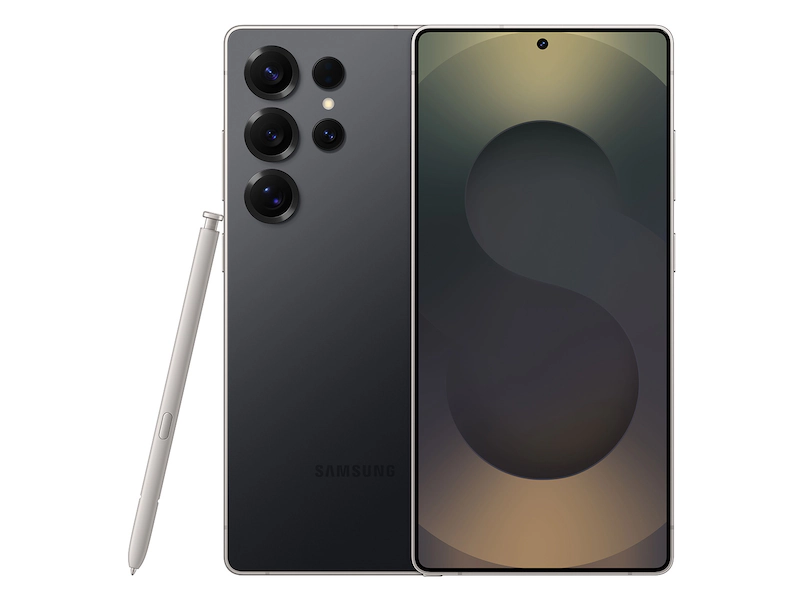
I went to Samsung’s Galaxy Experience Popup in Shibuya to get a little hands-on time with the S25.

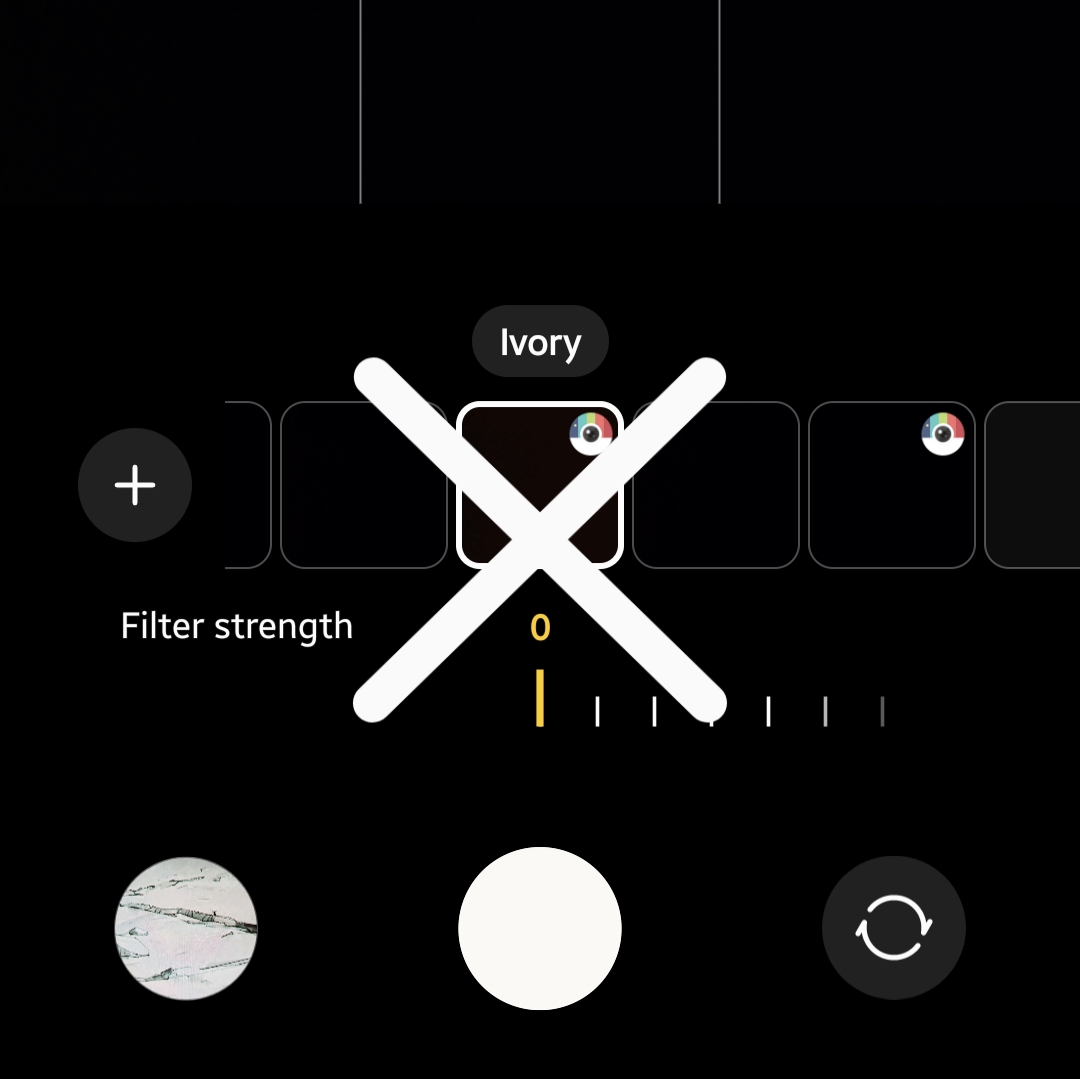
I was very disappointed to discover that Samsung has sunset the goth-favourite camera filter, Ivory, with this model (after I got home, a quick web search confirmed its removal).

To the uninitiated, Samsung cameras have a ability to download tons of extra filters in addition to the default ones, but when I did a search for it, Ivory was still nowhere to be found.

The S25 has a new nifty ability to quickly create custom filters based on old/imported images but even after quicksharing some Ivory filter pictures from my Flip 6 to the demo S25 & playing around with them for 10ish minutes the staff & I were unable to replicate the exact hues of Ivory on the S25.

While I wasn’t particularly planning on buying an S25, this does not bode well for the forthcoming Flip 7, which I DO intend to buy.

Samsung, if you’re reading this, please bring back the Ivory filter to the default camera or otherwise make it available for download before the Flip 7 launches!

Unless otherwise noted, image assets above are NOT original content & are shared under fair use doctrine with NO claims to authorship or ownership.
Contact necrolicious@necrolicious.com for credit or removal.

This post was sponsored by…ME! If you’d like to support, please buy my original meme merchandise or check out my affiliate links to get yourself some other cool things. Additional affiliate links may be contained in the above article. If you click on an affiliate link & sign up/make a purchase, I may earn a commission. This does not increase the price you pay for the product or service, so it helps support this website at no cost to you.

Share this: