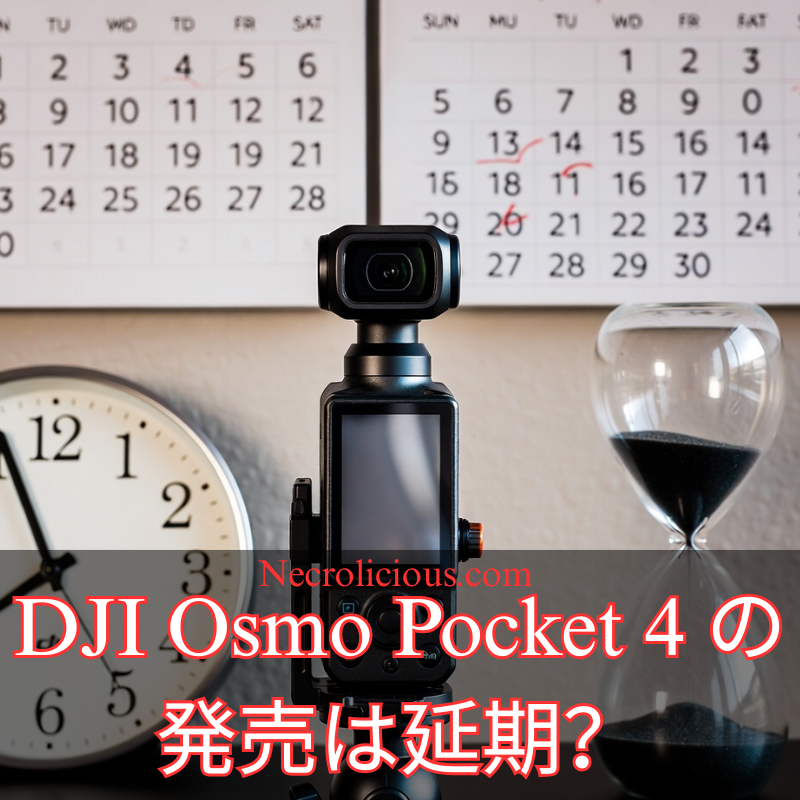
The highly anticipated DJI Osmo Pocket 4, the next iteration of DJI’s popular ultra-compact 3-axis gimbal camera, has encountered a setback in its release schedule. Initially rumoured to launch as early as 18 December 2025, the device is now expected to arrive in the latter half of January 2026, according to reliable industry sources.
Reasons Behind the DJI Osmo Pocket 4 Delay
Insider reports from Photorabz indicate that the postponement stems from unprepared accessories for the new model. The core camera is reportedly ready, but ensuring a complete and polished ecosystem has led to the shift. Recent updates suggest the release is slated for January 2026, likely towards the latter half of the month.
Potential Teaser & Ongoing Preparations
Action camera outlets report that DJI may unveil a teaser page by the end of December 2025. While a December launch is now ruled out, preparations continue – the device has secured FCC certification in the United States, clearing regulatory pathways.
What to Expect from the DJI Osmo Pocket 4
As the successor to the acclaimed Osmo Pocket series, the DJI Osmo Pocket 4 is poised to feature enhancements such as a larger battery, potential dual-camera setup & improved stabilisation for portable videography.
DJI fans are far from short of new gear. The company has delivered several notable launches in recent months, including the compact DJI Osmo Nano wearable camera (launched September 2025), the flagship Osmo Action 6 action camera (launched November 2025), & the advanced DJI Mic 3 wireless microphone system (released August 2025). Additionally, the innovative Osmo 360 panoramic camera debuted in July 2025, expanding options for immersive content creation.
Advice for Osmo Pocket 3 Owners Looking to Upgrade
Those considering selling their Osmo Pocket 3 to fund the Pocket 4 & secure the best resale value should act promptly. The delay provides an extra grace period before the new model’s arrival potentially impacts second-hand prices. Listing on resale platforms now could yield stronger returns ahead of the January 2026 launch.
Unless otherwise noted, image assets above are NOT original content & are shared under fair use doctrine with NO claims to authorship or ownership. Contact necrolicious@necrolicious.com for credit or removal.
This post was sponsored by…ME! If you’d like to support, please buy my original meme merchandise or check out my affiliate links to get yourself some other cool things. Additional affiliate links may be contained in the above article. If you click on an affiliate link & sign up/make a purchase, I may earn a commission. This does not increase the price you pay for the product or service, so it helps support this website at no cost to you.
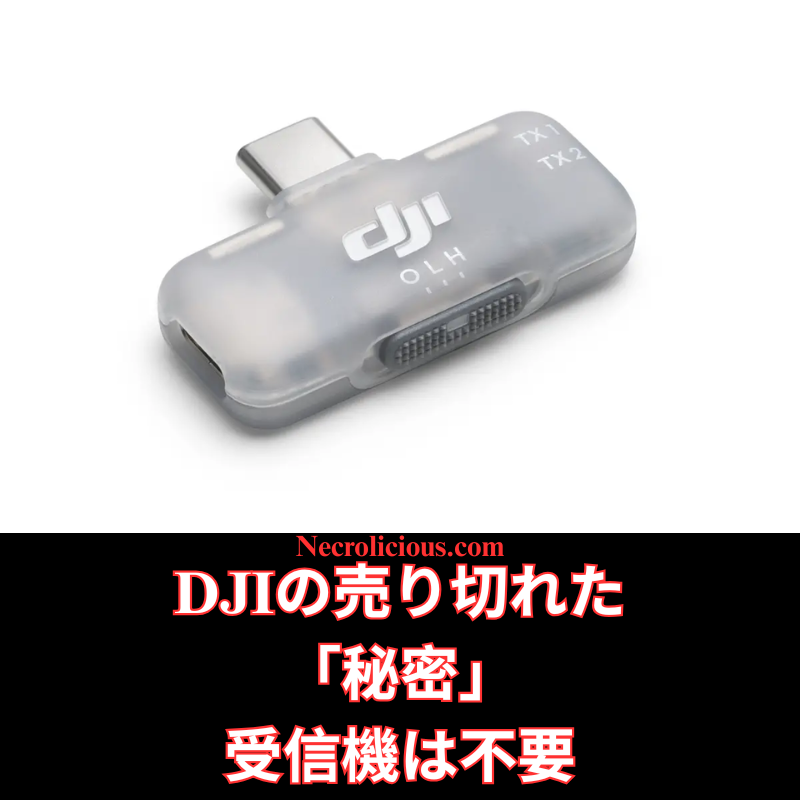
ついこの間まで、俺は「DJI Mic を受信機なしで使う方法」を記事&動画で紹介していました。 ところがここ数週間、特にYouTubeで多くのクリエイターが「DJIがこっそり出した“秘密のモバイル受信機”」に大騒ぎしています。スマホ撮影向けに静かに発売されたこのアイテム、頻繁に完売しており、メルカリなどで法外な転売価格で取引されている状況です。
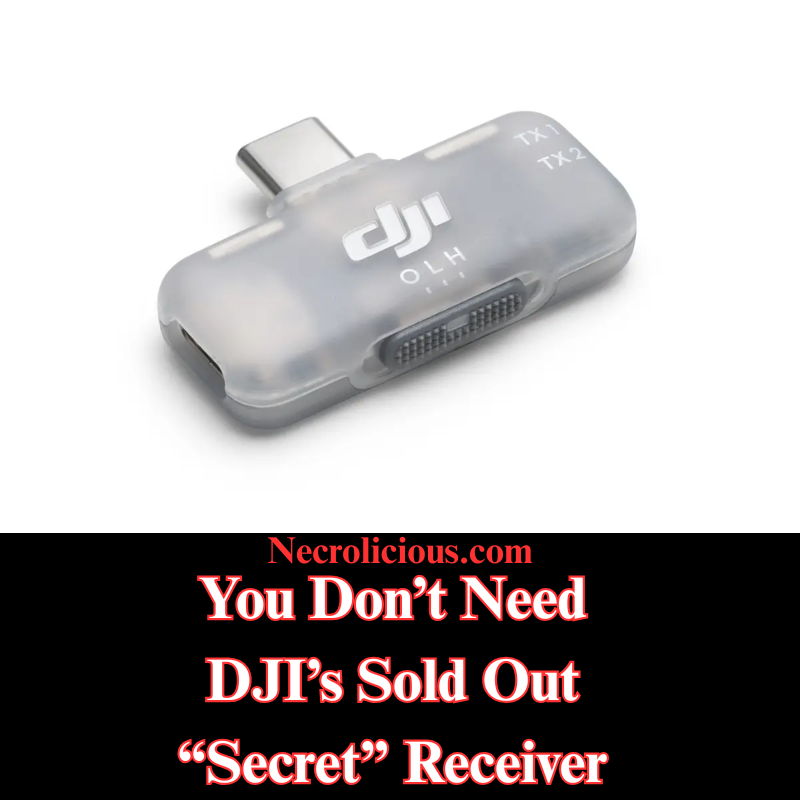
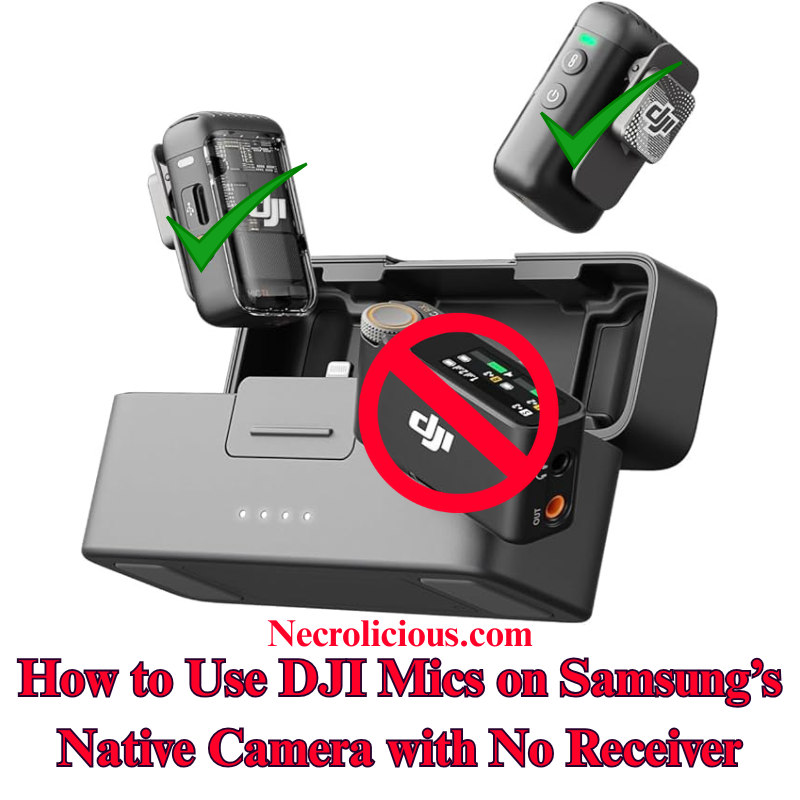
Not even all that long ago, I wrote & provided video instructions for how to use DJI Mic devices without receivers. However, in recent weeks, many content creators, particularly on Youtube, have been going crazy over a supposedly “secret” item: a mobile receiver that DJI quietly released for content creators who use their phones to record.
This secret item has frequently sold out to the point that many people are paying exorbitantly high markups on eBay & the like just to get their hands on one. So I’m here to remind you that you don’t actually need this device. I don’t say that just in the general sense that you should forgo all worldly possessions, give up on your content creation dreams & become a monk, but to show you again how you can get this device’s functionality, FOR FREE, without the need or use of any external receiver.
Starting off with iPhone since you people may well not be able to use this receiver, should you even be able to get your hands on one, due to the fact that it only comes in a USB-C configuration & is incompatible with older iPhone devices with Lightning ports.
Install RØDE Reporter: Search for “RØDE Reporter” in the App Store (don’t worry, it’s free–no signup or subscription necessary), download it, & grant microphone permissions when prompted.
Connect DJI Mic 2 via Bluetooth: Press & hold the pairing button on the DJI Mic 2 transmitter until the indicator flashes, entering pairing mode. On your iPhone, navigate to Settings > Bluetooth & select the DJI Mic 2 (it may appear as “headphones”).
Confirm Connection in RØDE Reporter: Launch the app & verify it displays “External Microphone” rather than “Internal Microphone,” indicating the DJI Mic 2 is connected.
Open the Native Camera App: Keep RØDE Reporter running in the background. Launch the iPhone’s Camera app, select Video mode, & the DJI Mic 2 will capture audio wirelessly.
Record Your Video: Begin recording. Create a short test clip to ensure audio quality & levels are satisfactory.
NOTE: The Bluetooth connection may route audio output to the DJI Mic 2, which lacks speakers. Disable Bluetooth or power off the Mic 2 to hear playback through your iPhone speakers after recording.
Much easier than iPhone, there’s no need for you to download anything, simply go to your native camera app & enter Pro Video mode to pair your DJI Mic via Bluetooth.
Connect DJI Mic 2 via Bluetooth: Power on the DJI Mic 2 transmitter. Press and hold the record button (link button) for three seconds until the status indicator flashes blue, entering Bluetooth pairing mode. On your Samsung Galaxy device, navigate to Settings > Connections > Bluetooth, ensure Bluetooth is enabled & select “DJI Mic 2” from the list of available devices (it may appear as a headset or microphone). Confirm any pairing prompts. The indicator will turn solid blue once connected.
Launch the Native Camera Application in Pro Video Mode: Open the stock Camera application on your Samsung Galaxy device. Swipe left or tap “MORE” at the bottom, then select “PRO VIDEO”. This mode provides advanced controls, including the ability to select external audio inputs.
Select the DJI Mic 2 as Audio Input: In Pro Video mode, locate the audio settings icon (typically a microphone symbol) above or near the record button on the right side of the screen. Tap it to access the audio source menu. Choose “Bluetooth” or “External Mic” (it may list the DJI Mic 2 directly). Ensure the internal microphone is disabled if prompted. The application will now utilise audio from the DJI Mic 2.
Record Your Video: Adjust video parameters such as resolution, frame rate, or exposure as required. Press the record button to begin capturing video. The DJI Mic 2 will wirelessly record high-quality audio synchronised with your footage. Record a short test clip to verify audio levels and clarity.
At its original $15 MSRP this mobile receiver that DJI released was generously priced. However, generous pricing proves futile with minimal supply, as evidenced by the secondary market AKA scalpers selling the DJI mobile receiver several times its original price. Still, armed with my how-to instructions above, you no longer need to purchase one at all so you can use that money you saved to buy yourself a shirt on the Necrolicious Store to look cool in all the videos you record.
Unless otherwise noted, image assets above are NOT original content & are shared under fair use doctrine with NO claims to authorship or ownership. Contact necrolicious@necrolicious.com for credit or removal.
This post was sponsored by…ME! If you’d like to support, please buy my original meme merchandise or check out my affiliate links to get yourself some other cool things. Additional affiliate links may be contained in the above article. If you click on an affiliate link & sign up/make a purchase, I may earn a commission. This does not increase the price you pay for the product or service, so it helps support this website at no cost to you.
広範なオンライン調査とテストを経て、DJI Mic 2をSamsung Galaxyデバイスのネイティブカメラアプリケーションにワイヤレスで接続することが、他のプラットフォームに比べて格段に簡単であることを確認しました。iOSではカメラアプリでのBluetoothオーディオ入力が制限されていますが、SamsungのOne UIでは、標準のカメラアプリのプロビデオモード内で外部Bluetoothマイクを直接選択できます。これにより、サードパーティ製アプリや追加のアダプターが不要となり、高品質なオーディオを求めるクリエイターにとって、余分な機器なしでシームレスなソリューションを提供します。この方法は、Samsung Galaxyの最新モデル(S23およびS24シリーズ)でDJI Mic 2のトランスミッターを直接使用してテストおよび検証済みです。この方法は他のブランドのBluetoothマイクでも機能する可能性がありますが、DJI Mic MiniやMic 3などの代替品についてはテストしていません。他のBluetoothマイクで試した場合は、コメント欄で結果を共有してください。
この方法の価値
DJI Mic 2は、32ビットフロート内部録音やインテリジェントノイズキャンセリングなどの優れたオーディオ品質を提供します。しかし、レシーバーはモバイルビデオ制作において不要なコストと複雑さを追加します。SamsungのプロビデオモードでのBluetoothマイクのネイティブサポートは、コスト効果が高く、持ち運びが簡単で、プロフェッショナルなオーディオ基準を維持するソリューションを提供し、クリエイターの録音プロセスを簡素化します。
DJI Mic 2をレシーバーなしでビデオ録画するためのステップごとのガイド
DJI Mic 2をBluetoothで接続する: DJI Mic 2トランスミッターの電源を入れます。録音ボタン(リンクボタン)を3秒間長押しし、ステータスインジケーターが青く点滅してBluetoothペアリングモードに入るのを確認します。Samsung Galaxyデバイスで、設定 > 接続 > Bluetoothに移動し、Bluetoothが有効になっていることを確認し、利用可能なデバイスリストから「DJI Mic 2」(ヘッドセットまたはマイクとして表示される場合があります)を選択します。ペアリングのプロンプトを承認します。接続が完了すると、インジケーターが青く点灯します。
DJI Mic 2をオーディオ入力として選択する: プロビデオモードで、画面右側の録画ボタンの上または近くにあるオーディオ設定アイコン(通常はマイクのシンボル)を探します。それをタップしてオーディオソースメニューにアクセスします。「Bluetooth」または「外部マイク」を選択(DJI Mic 2が直接表示される場合があります)。必要に応じて内部マイクを無効にしてください。アプリはこれでDJI Mic 2からのオーディオを使用します。
ビデオを録画する: 解像度、フレームレート、露出などのビデオパラメータを必要に応じて調整します。録画ボタンを押してビデオ撮影を開始します。DJI Mic 2はワイヤレスで高品質なオーディオを映像と同期して録音します。オーディオレベルと明瞭さを確認するために、短いテストクリップを録画することをお勧めします。
仕組み
SamsungのOne UIは、AndroidのBluetoothオーディオフレームワークを基盤としており、プロビデオモードでiOSに見られる制限なしに外部マイク入力をサポートします。ペアリングが完了すると、DJI Mic 2は標準のBluetoothオーディオデバイスとして機能し、プロビデオモードでは入力ソースを明示的に選択できます。これにより、追加のソフトウェアやハードウェアを必要とせずに、ネイティブアプリ内でリアルタイムのワイヤレスオーディオキャプチャが実現します。
追加のガイダンス
ゲイン調整: 録画前にDJI Mic 2のタッチスクリーンまたはDJI Mimoアプリ(インストールされている場合)を使用してゲイン設定を調整します。さまざまな環境で最適なオーディオレベルを確認するためにテストクリップを録画することをお勧めします。
ファームウェアおよびソフトウェアのアップデート: DJI Mimoアプリを通じてDJI Mic 2のファームウェアを最新に保ち、Samsung Galaxyデバイスが最新のAndroid/One UIバージョンを実行していることを確認して、接続の問題を防ぎます。
この方法により、クリエイターはSamsungのネイティブカメラアプリを使用して、DJI Mic 2でプロフェッショナルグレードのビデオとオーディオをレシーバーなしでキャプチャできます。あなたのGalaxyデバイスでこの方法を試しましたか?または別のソリューションを発見しましたか?コメントでフィードバックを共有し、志望するビデオグラファーを支援するためにこのガイドを広めてください。
完全なセットアップを希望する場合は、レシーバーを含むフルDJI Mic 2キットがより幅広い互換性を確保します。最近のMic 3のリリースに伴い、Mic 2の価格は過去最低レベルに達しており、購入を検討する絶好の機会です。
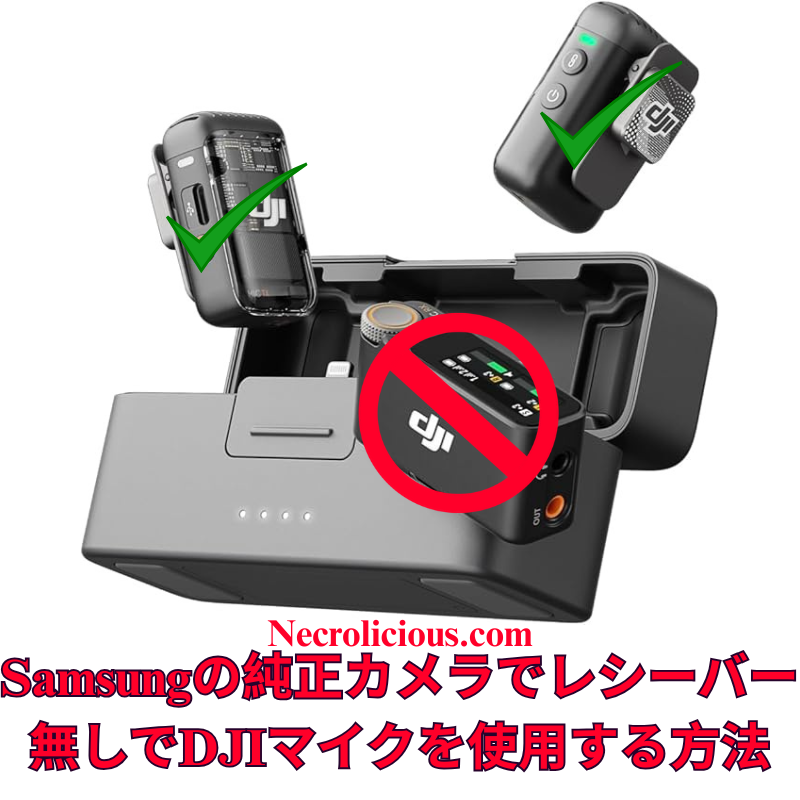
Following extensive online research and testing, I have confirmed that connecting the DJI Mic 2 wirelessly to a Samsung Galaxy device’s native Camera application is significantly more straightforward than on other platforms. Unlike iOS, which restricts Bluetooth audio input in its Camera application, Samsung’s One UI enables direct selection of external Bluetooth microphones within the Pro Video mode of the stock Camera application. This eliminates the need for third-party applications or additional adapters, offering a seamless solution for creators seeking high-quality audio without extra equipment. I have tested & verified this method on recent Samsung Galaxy models, including the S23 & S24 series, using the DJI Mic 2 transmitter directly. This approach is likely to function with other Bluetooth microphones from various brands, though I have not tested alternatives such as the DJI Mic Mini or Mic 3. If you experiment with a different Bluetooth microphone, please share your results in the comments below.
Why This Method is Valuable
The DJI Mic 2 delivers exceptional audio quality, with features such as 32-bit float internal recording and intelligent noise cancellation. However, the receiver adds unnecessary cost & complexity for mobile video production. Samsung’s native support for Bluetooth microphones in Pro Video mode provides a cost-effective, portable solution that maintains professional audio standards, simplifying the recording process for creators.
Step-by-Step Guide to Recording Video with DJI Mic 2, No Receiver
Connect DJI Mic 2 via Bluetooth: Power on the DJI Mic 2 transmitter. Press and hold the record button (link button) for three seconds until the status indicator flashes blue, entering Bluetooth pairing mode. On your Samsung Galaxy device, navigate to Settings > Connections > Bluetooth, ensure Bluetooth is enabled & select “DJI Mic 2” from the list of available devices (it may appear as a headset or microphone). Confirm any pairing prompts. The indicator will turn solid blue once connected.
Launch the Native Camera Application in Pro Video Mode: Open the stock Camera application on your Samsung Galaxy device. Swipe left or tap “MORE” at the bottom, then select “PRO VIDEO”. This mode provides advanced controls, including the ability to select external audio inputs.
Select the DJI Mic 2 as Audio Input: In Pro Video mode, locate the audio settings icon (typically a microphone symbol) above or near the record button on the right side of the screen. Tap it to access the audio source menu. Choose “Bluetooth” or “External Mic” (it may list the DJI Mic 2 directly). Ensure the internal microphone is disabled if prompted. The application will now utilise audio from the DJI Mic 2.
Record Your Video: Adjust video parameters such as resolution, frame rate, or exposure as required. Press the record button to begin capturing video. The DJI Mic 2 will wirelessly record high-quality audio synchronised with your footage. Record a short test clip to verify audio levels and clarity.
How It Works
Samsung’s One UI, built on Android’s Bluetooth audio framework, supports external microphone input in Pro Video mode without the restrictions found in iOS. Once paired, the DJI Mic 2 functions as a standard Bluetooth audio device & Pro Video mode allows explicit selection of the input source. This ensures real-time wireless audio capture directly within the native application, eliminating the need for additional software or hardware.
Additional Guidance
Gain Adjustment: Adjust the DJI Mic 2’s gain settings via its built-in touchscreen or the DJI Mimo application (if installed) before recording. Test clips are recommended to ensure optimal audio levels in varied environments.
Firmware & Software Updates: Keep the DJI Mic 2 firmware updated via the DJI Mimo application, and ensure your Samsung Galaxy device runs the latest Android/One UI version to prevent connectivity issues.
Limitations for Live Streaming: This Bluetooth method may introduce slight latency, making it less suitable for live streaming. For such applications, consider using the wired receiver connected via a USB-C adapter.
Alternative Applications: If Pro Video mode is unavailable or you encounter issues, applications such as Open Camera or Blackmagic Camera support Bluetooth microphones and can serve as alternatives. However, for seamless integration, the stock Camera application is recommended. Note that older Samsung models with Exynos processors (e.g., pre-S21 European variants) may have compatibility limitations; Snapdragon-based devices, such as the S23 or S24 series, perform optimally.
Stereo Recording: For dual transmitters, pair both via Bluetooth, but verify stereo support in Pro Video settings, as mono is the default. Full stereo recording may require the receiver.
This method enables creators to capture professional-grade video & audio using the DJI Mic 2 with Samsung’s native Camera application, without requiring a receiver. Have you tested this approach on your Galaxy device, or discovered alternative solutions? Please share your feedback in the comments & distribute this guide to assist fellow aspiring videographers.
For those preferring a complete setup, the full DJI Mic 2 kit, including the receiver, ensures broader compatibility. With the recent release of the Mic 3, prices for the Mic 2 have reached their lowest levels, making it an excellent time to consider purchasing.
Unless otherwise noted, image assets above are NOT original content & are shared under fair use doctrine with NO claims to authorship or ownership. Contact necrolicious@necrolicious.com for credit or removal.
This post was sponsored by…ME! If you’d like to support, please buy my original meme merchandise or check out my affiliate links to get yourself some other cool things. Additional affiliate links may be contained in the above article. If you click on an affiliate link & sign up/make a purchase, I may earn a commission. This does not increase the price you pay for the product or service, so it helps support this website at no cost to you.
広範なオンライン調査を行いましたが、DJI Mic 2をiPhoneのネイティブカメラアプリでワイヤレスに使用するための明確な手順は見つかりませんでした。Grokに相談し、Bluetoothを活用した簡単な方法を開発しました。このガイドを共有し、クリエイターが高品質なオーディオをDJI Mic 2とiPhoneの標準カメラアプリで実現し、追加の機器コストを回避できるよう支援します。この方法はDJI Mic 2でテスト済みであり、動作が確認されています。他のブランドのBluetoothマイクでも動作する可能性が高いと考えられますが、DJI Mic MiniやDJI Mic 3、他のブランドのマイクはテストしていません。他のBluetoothマイクをお持ちの方は、ぜひ試してみて、以下にコメントで結果を共有してください。
この方法の価値
DJI Mic 2は優れた音質を提供しますが、iPhoneのカメラアプリはBluetooth機能をネイティブにサポートしていません。レシーバーの購入は費用とセットアップの複雑さを増加させます。この無料のソリューションは、RØDE Reporterアプリを活用し、ポータブルでワイヤレスな録音体験を保証します。
ネイティブカメラアプリを開く:RØDE Reporterをバックグラウンドで実行したまま、iPhoneのカメラアプリを起動し、ビデオモードを選択。DJI Mic 2がワイヤレスで音声をキャプチャします。
ビデオを録画:録画を開始し、短いテストクリップを作成して音質とレベルを確認してください。 注:Bluetooth接続により音声出力がDJI Mic 2にルーティングされる場合がありますが、スピーカーはありません。録画後にiPhoneのスピーカーで再生するには、Bluetoothを無効にするか、Mic 2の電源を切ってください。
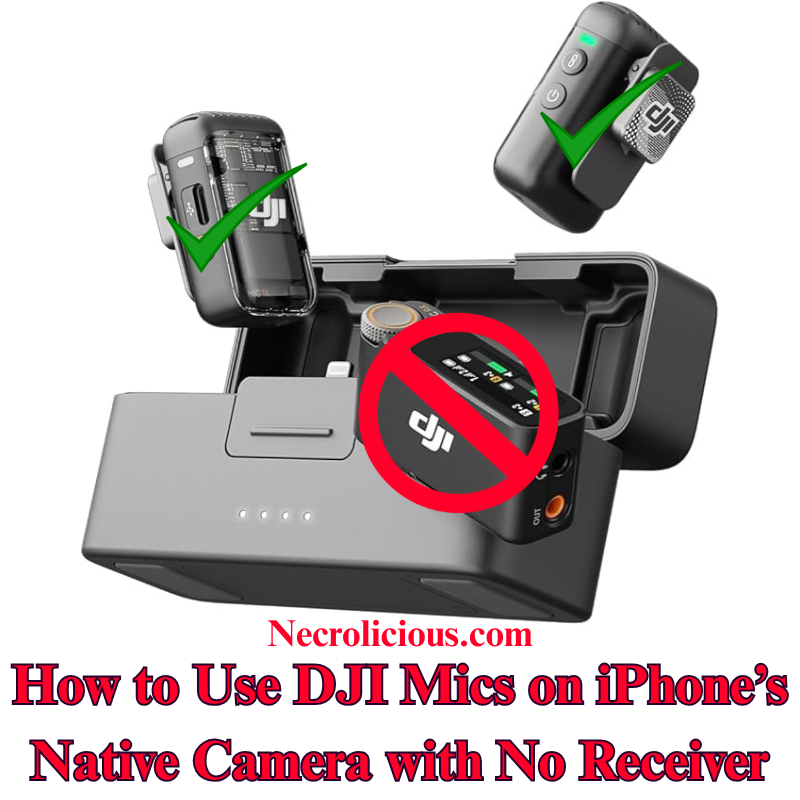
After extensive online research, I found no clear instructions for using the DJI Mic 2 wirelessly with the iPhone’s native Camera app for video recording. Consulting Grok, I developed a straightforward method using Bluetooth, eliminating the need for a receiver. I’m sharing this guide to help creators achieve high-quality audio with their DJI Mic 2 on the iPhone’s default Camera app, avoiding additional equipment costs. Note that I have tested & confirmed that this method works with the DJI mic 2. I highly suspect that it may also work with other Bluetooth microphones, including those by other brands, but I do not have the DJI Mic Mini or the DJI Mic 3, nor do I have other brands to test with. If you have another brand of Bluetooth microphone, please give it a try & comment below if it works.
Why This Method is Valuable
The DJI Mic 2 offers exceptional audio quality, but its Bluetooth functionality isn’t natively supported by the iPhone’s Camera app for video. Purchasing the receiver increases expense & setup complexity. This cost-free solution, utilising the RØDE Reporter app, ensures a portable, wireless recording experience.
Step-by-Step Guide to Recording Video with DJI Mic 2 with no Receiver
Install RØDE Reporter: Search for “RØDE Reporter” in the App Store, download it, & grant microphone permissions when prompted.
Connect DJI Mic 2 via Bluetooth: Press & hold the pairing button on the DJI Mic 2 transmitter until the indicator flashes, entering pairing mode. On your iPhone, navigate to Settings > Bluetooth & select the DJI Mic 2 (it may appear as “headphones”).
Confirm Connection in RØDE Reporter: Launch the app & verify it displays “External Microphone” rather than “Internal Microphone,” indicating the DJI Mic 2 is connected.
Open the Native Camera App: Keep RØDE Reporter running in the background. Launch the iPhone’s Camera app, select Video mode, & the DJI Mic 2 will capture audio wirelessly.
Record Your Video: Begin recording. Create a short test clip to ensure audio quality & levels are satisfactory.
NOTE: The Bluetooth connection may route audio output to the DJI Mic 2, which lacks speakers. Disable Bluetooth or power off the Mic 2 to hear playback through your iPhone speakers after recording.
How It Works
iOS restricts Bluetooth microphones in the native Camera app. By activating the Bluetooth audio session in RØDE Reporter, the connection persists when switching to the Camera app, enabling wireless audio capture.
Additional Tips
Record a test clip to adjust the mic’s gain via its settings.
Ensure the DJI Mic 2 firmware & iOS are updated to prevent connectivity issues.
For live streaming, this method is unreliable; use the wired receiver instead.
Another option for using the DJI Mic 2 & other Bluetooth microphones is to download the Blackmagic Camera app & record using it instead of the native iPhone camera, but some users have reported issues with file management using this app, so this article’s method is best for those who prefer to use the native iPhone camera rather than 3rd party camera apps.
This method enables creators to record professional-grade video audio with the DJI Mic 2 on the iPhone’s native Camera app, without a receiver. Have you tested this approach or discovered other solutions? Share your feedback below & distribute this guide to assist fellow creators.
Of course, if you want to avoid the added hassle of such workarounds, you can buy the real thing, transmitter included. Prices on the Mic 2 recently dropped to record lows with the release of the Mic 3, so there has never been a better time to buy!
Unless otherwise noted, image assets above are NOT original content & are shared under fair use doctrine with NO claims to authorship or ownership. Contact necrolicious@necrolicious.com for credit or removal.
This post was sponsored by…ME! If you’d like to support, please buy my original meme merchandise or check out my affiliate links to get yourself some other cool things. Additional affiliate links may be contained in the above article. If you click on an affiliate link & sign up/make a purchase, I may earn a commission. This does not increase the price you pay for the product or service, so it helps support this website at no cost to you.
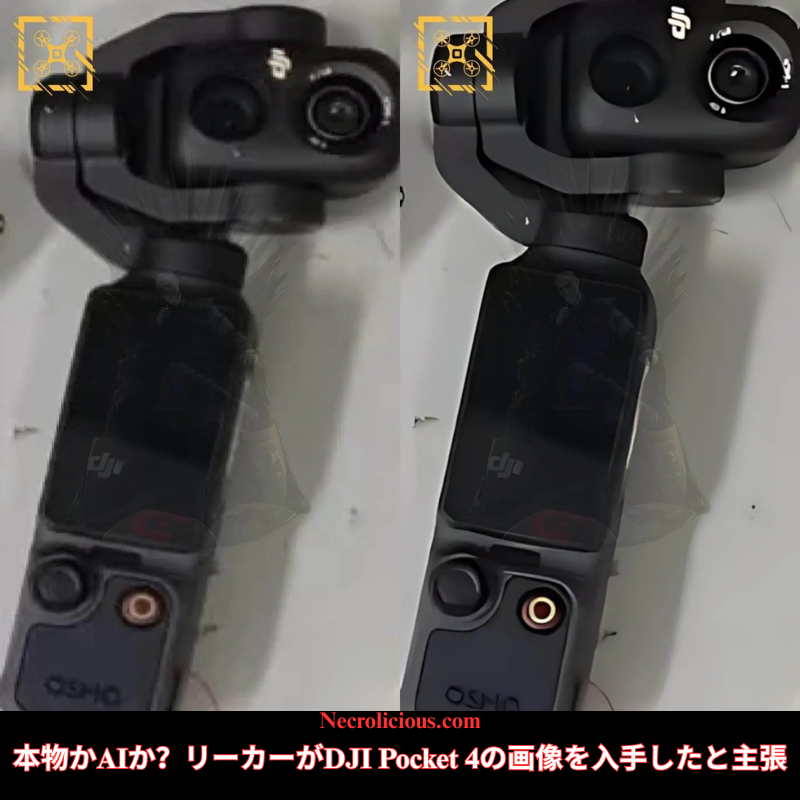
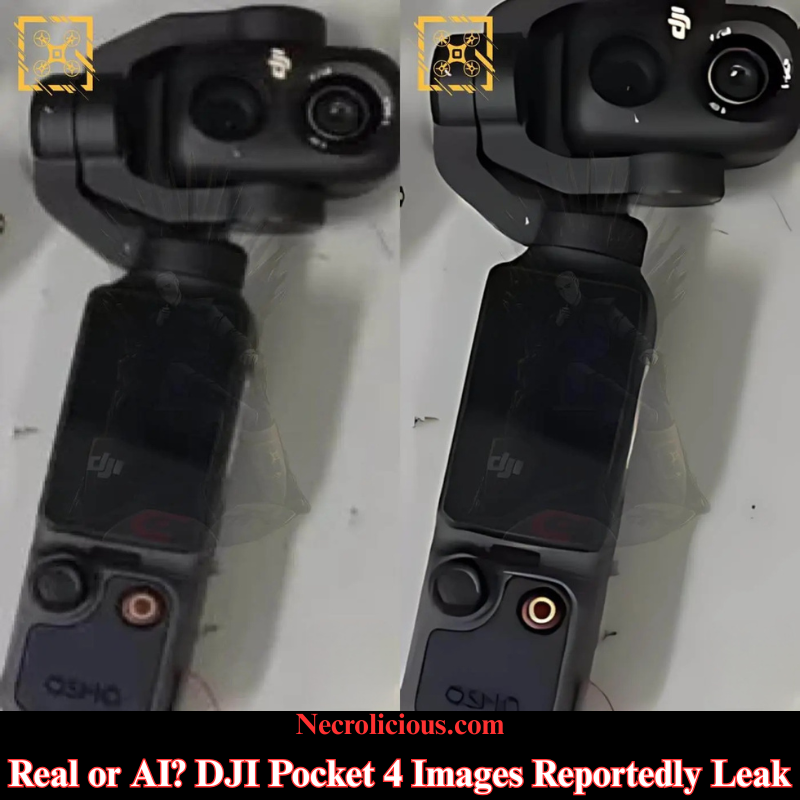
In a recent post on X, leaker Igor Bogdanov of Quadro News claims to have released exclusive photos of the DJI Osmo Pocket 4.
Purportedly, it sports 2 cameras. However, I am not convinced these images are real at all.
A closer look at his main post shows the kind of text rendering commonly found on AI generated images. Specifically, if you look at the word “OSMO” on the handle, you can tell that it is entirely inorganic as is the text found around the lens of the camera, which appears to be a random combination of the DJI logo as well as non existent letters & numbers in no particular sequence.
In the comments of his original post, he added an additional photo, which he claims was unedited.
Still, the question remains–was the photo he originally posted just an AI enhancement of his later image or was this story entirely fabricated?
Look closely at the images & comment your thoughts.
Unless otherwise noted, image assets above are NOT original content & are shared under fair use doctrine with NO claims to authorship or ownership. Contact necrolicious@necrolicious.com for credit or removal.
This post was sponsored by…ME! If you’d like to support, please buy my original meme merchandise or check out my affiliate links to get yourself some other cool things. Additional affiliate links may be contained in the above article. If you click on an affiliate link & sign up/make a purchase, I may earn a commission. This does not increase the price you pay for the product or service, so it helps support this website at no cost to you.