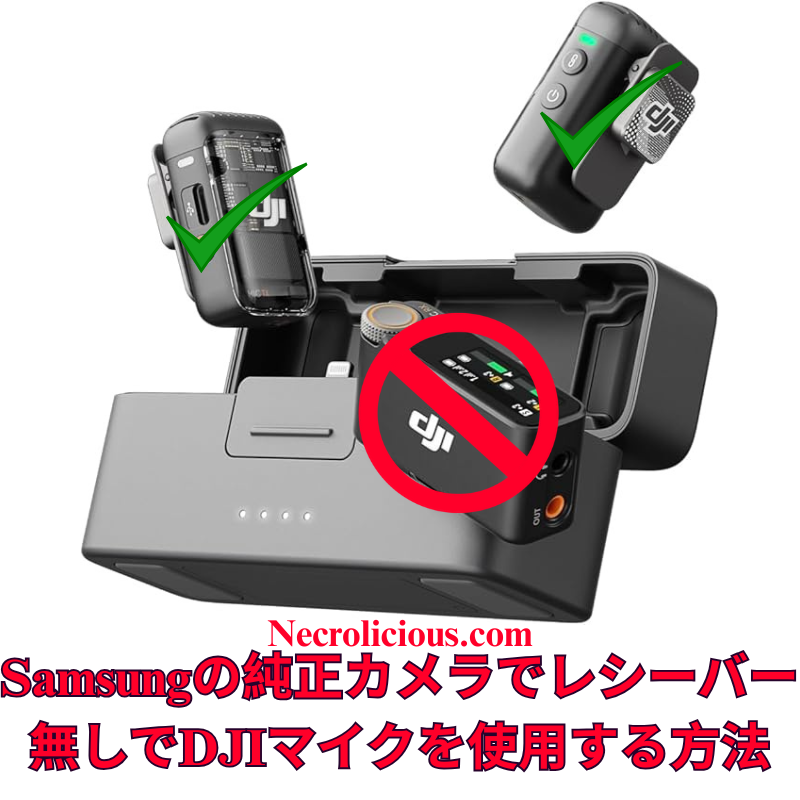
広範なオンライン調査とテストを経て、DJI Mic 2をSamsung Galaxyデバイスのネイティブカメラアプリケーションにワイヤレスで接続することが、他のプラットフォームに比べて格段に簡単であることを確認しました。iOSではカメラアプリでのBluetoothオーディオ入力が制限されていますが、SamsungのOne UIでは、標準のカメラアプリのプロビデオモード内で外部Bluetoothマイクを直接選択できます。これにより、サードパーティ製アプリや追加のアダプターが不要となり、高品質なオーディオを求めるクリエイターにとって、余分な機器なしでシームレスなソリューションを提供します。この方法は、Samsung Galaxyの最新モデル(S23およびS24シリーズ)でDJI Mic 2のトランスミッターを直接使用してテストおよび検証済みです。この方法は他のブランドのBluetoothマイクでも機能する可能性がありますが、DJI Mic MiniやMic 3などの代替品についてはテストしていません。他のBluetoothマイクで試した場合は、コメント欄で結果を共有してください。
この方法の価値
DJI Mic 2は、32ビットフロート内部録音やインテリジェントノイズキャンセリングなどの優れたオーディオ品質を提供します。しかし、レシーバーはモバイルビデオ制作において不要なコストと複雑さを追加します。SamsungのプロビデオモードでのBluetoothマイクのネイティブサポートは、コスト効果が高く、持ち運びが簡単で、プロフェッショナルなオーディオ基準を維持するソリューションを提供し、クリエイターの録音プロセスを簡素化します。
DJI Mic 2をレシーバーなしでビデオ録画するためのステップごとのガイド
DJI Mic 2をBluetoothで接続する: DJI Mic 2トランスミッターの電源を入れます。録音ボタン(リンクボタン)を3秒間長押しし、ステータスインジケーターが青く点滅してBluetoothペアリングモードに入るのを確認します。Samsung Galaxyデバイスで、設定 > 接続 > Bluetoothに移動し、Bluetoothが有効になっていることを確認し、利用可能なデバイスリストから「DJI Mic 2」(ヘッドセットまたはマイクとして表示される場合があります)を選択します。ペアリングのプロンプトを承認します。接続が完了すると、インジケーターが青く点灯します。
DJI Mic 2をオーディオ入力として選択する: プロビデオモードで、画面右側の録画ボタンの上または近くにあるオーディオ設定アイコン(通常はマイクのシンボル)を探します。それをタップしてオーディオソースメニューにアクセスします。「Bluetooth」または「外部マイク」を選択(DJI Mic 2が直接表示される場合があります)。必要に応じて内部マイクを無効にしてください。アプリはこれでDJI Mic 2からのオーディオを使用します。
ビデオを録画する: 解像度、フレームレート、露出などのビデオパラメータを必要に応じて調整します。録画ボタンを押してビデオ撮影を開始します。DJI Mic 2はワイヤレスで高品質なオーディオを映像と同期して録音します。オーディオレベルと明瞭さを確認するために、短いテストクリップを録画することをお勧めします。
仕組み
SamsungのOne UIは、AndroidのBluetoothオーディオフレームワークを基盤としており、プロビデオモードでiOSに見られる制限なしに外部マイク入力をサポートします。ペアリングが完了すると、DJI Mic 2は標準のBluetoothオーディオデバイスとして機能し、プロビデオモードでは入力ソースを明示的に選択できます。これにより、追加のソフトウェアやハードウェアを必要とせずに、ネイティブアプリ内でリアルタイムのワイヤレスオーディオキャプチャが実現します。
追加のガイダンス
ゲイン調整: 録画前にDJI Mic 2のタッチスクリーンまたはDJI Mimoアプリ(インストールされている場合)を使用してゲイン設定を調整します。さまざまな環境で最適なオーディオレベルを確認するためにテストクリップを録画することをお勧めします。
ファームウェアおよびソフトウェアのアップデート: DJI Mimoアプリを通じてDJI Mic 2のファームウェアを最新に保ち、Samsung Galaxyデバイスが最新のAndroid/One UIバージョンを実行していることを確認して、接続の問題を防ぎます。
この方法により、クリエイターはSamsungのネイティブカメラアプリを使用して、DJI Mic 2でプロフェッショナルグレードのビデオとオーディオをレシーバーなしでキャプチャできます。あなたのGalaxyデバイスでこの方法を試しましたか?または別のソリューションを発見しましたか?コメントでフィードバックを共有し、志望するビデオグラファーを支援するためにこのガイドを広めてください。
完全なセットアップを希望する場合は、レシーバーを含むフルDJI Mic 2キットがより幅広い互換性を確保します。最近のMic 3のリリースに伴い、Mic 2の価格は過去最低レベルに達しており、購入を検討する絶好の機会です。
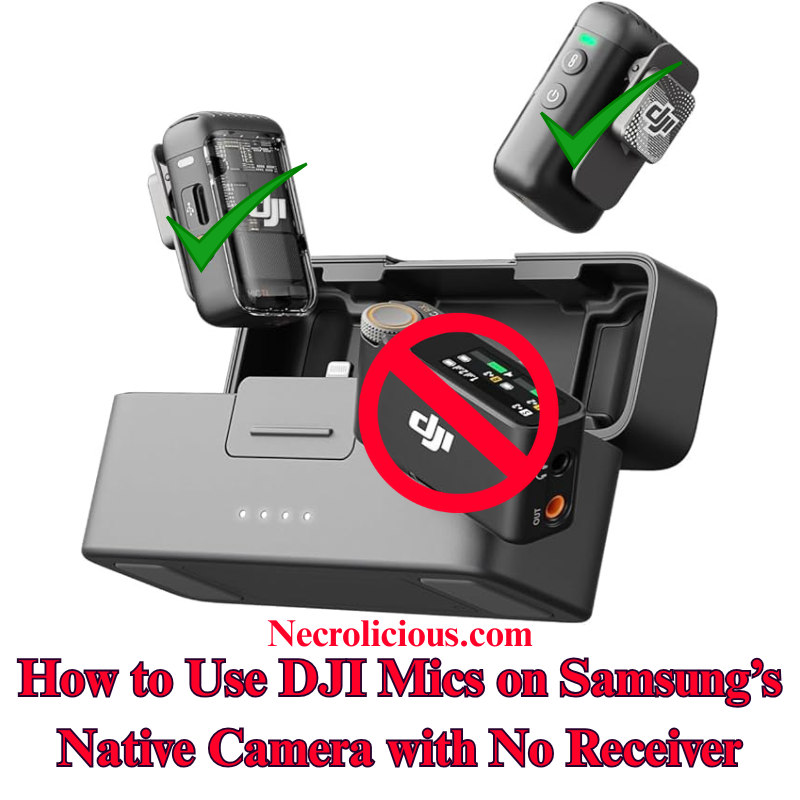
Following extensive online research and testing, I have confirmed that connecting the DJI Mic 2 wirelessly to a Samsung Galaxy device’s native Camera application is significantly more straightforward than on other platforms. Unlike iOS, which restricts Bluetooth audio input in its Camera application, Samsung’s One UI enables direct selection of external Bluetooth microphones within the Pro Video mode of the stock Camera application. This eliminates the need for third-party applications or additional adapters, offering a seamless solution for creators seeking high-quality audio without extra equipment. I have tested & verified this method on recent Samsung Galaxy models, including the S23 & S24 series, using the DJI Mic 2 transmitter directly. This approach is likely to function with other Bluetooth microphones from various brands, though I have not tested alternatives such as the DJI Mic Mini or Mic 3. If you experiment with a different Bluetooth microphone, please share your results in the comments below.
Why This Method is Valuable
The DJI Mic 2 delivers exceptional audio quality, with features such as 32-bit float internal recording and intelligent noise cancellation. However, the receiver adds unnecessary cost & complexity for mobile video production. Samsung’s native support for Bluetooth microphones in Pro Video mode provides a cost-effective, portable solution that maintains professional audio standards, simplifying the recording process for creators.
Step-by-Step Guide to Recording Video with DJI Mic 2, No Receiver
Connect DJI Mic 2 via Bluetooth: Power on the DJI Mic 2 transmitter. Press and hold the record button (link button) for three seconds until the status indicator flashes blue, entering Bluetooth pairing mode. On your Samsung Galaxy device, navigate to Settings > Connections > Bluetooth, ensure Bluetooth is enabled & select “DJI Mic 2” from the list of available devices (it may appear as a headset or microphone). Confirm any pairing prompts. The indicator will turn solid blue once connected.
Launch the Native Camera Application in Pro Video Mode: Open the stock Camera application on your Samsung Galaxy device. Swipe left or tap “MORE” at the bottom, then select “PRO VIDEO”. This mode provides advanced controls, including the ability to select external audio inputs.
Select the DJI Mic 2 as Audio Input: In Pro Video mode, locate the audio settings icon (typically a microphone symbol) above or near the record button on the right side of the screen. Tap it to access the audio source menu. Choose “Bluetooth” or “External Mic” (it may list the DJI Mic 2 directly). Ensure the internal microphone is disabled if prompted. The application will now utilise audio from the DJI Mic 2.
Record Your Video: Adjust video parameters such as resolution, frame rate, or exposure as required. Press the record button to begin capturing video. The DJI Mic 2 will wirelessly record high-quality audio synchronised with your footage. Record a short test clip to verify audio levels and clarity.
How It Works
Samsung’s One UI, built on Android’s Bluetooth audio framework, supports external microphone input in Pro Video mode without the restrictions found in iOS. Once paired, the DJI Mic 2 functions as a standard Bluetooth audio device & Pro Video mode allows explicit selection of the input source. This ensures real-time wireless audio capture directly within the native application, eliminating the need for additional software or hardware.
Additional Guidance
Gain Adjustment: Adjust the DJI Mic 2’s gain settings via its built-in touchscreen or the DJI Mimo application (if installed) before recording. Test clips are recommended to ensure optimal audio levels in varied environments.
Firmware & Software Updates: Keep the DJI Mic 2 firmware updated via the DJI Mimo application, and ensure your Samsung Galaxy device runs the latest Android/One UI version to prevent connectivity issues.
Limitations for Live Streaming: This Bluetooth method may introduce slight latency, making it less suitable for live streaming. For such applications, consider using the wired receiver connected via a USB-C adapter.
Alternative Applications: If Pro Video mode is unavailable or you encounter issues, applications such as Open Camera or Blackmagic Camera support Bluetooth microphones and can serve as alternatives. However, for seamless integration, the stock Camera application is recommended. Note that older Samsung models with Exynos processors (e.g., pre-S21 European variants) may have compatibility limitations; Snapdragon-based devices, such as the S23 or S24 series, perform optimally.
Stereo Recording: For dual transmitters, pair both via Bluetooth, but verify stereo support in Pro Video settings, as mono is the default. Full stereo recording may require the receiver.
This method enables creators to capture professional-grade video & audio using the DJI Mic 2 with Samsung’s native Camera application, without requiring a receiver. Have you tested this approach on your Galaxy device, or discovered alternative solutions? Please share your feedback in the comments & distribute this guide to assist fellow aspiring videographers.
For those preferring a complete setup, the full DJI Mic 2 kit, including the receiver, ensures broader compatibility. With the recent release of the Mic 3, prices for the Mic 2 have reached their lowest levels, making it an excellent time to consider purchasing.
Unless otherwise noted, image assets above are NOT original content & are shared under fair use doctrine with NO claims to authorship or ownership. Contact necrolicious@necrolicious.com for credit or removal.
This post was sponsored by…ME! If you’d like to support, please buy my original meme merchandise or check out my affiliate links to get yourself some other cool things. Additional affiliate links may be contained in the above article. If you click on an affiliate link & sign up/make a purchase, I may earn a commission. This does not increase the price you pay for the product or service, so it helps support this website at no cost to you.
If you would like to support my work more directly, I accept voluntary cryptocurrency donations in BTC, ETH, XRP & XLM sent directly to necrolicious.x. necrolicious.x is an Unstoppable Domains name that resolves to the wallet addresses I have configured. Simply enter necrolicious.x as the recipient in a supported wallet (such as Trust Wallet, Blockchain.com or others that support Unstoppable Domains). Donation Disclaimer: All cryptocurrency donations sent to me are final, voluntary gifts & are non-refundable & irreversible. These donations are not tax-deductible since I am not a registered charitable organization, & no tax receipts will be issued. No memo or destination tag is required for XRP or XLM donations, as the domain resolves directly to a wallet address. By sending a donation you acknowledge & accept all associated risks, including cryptocurrency price volatility, network fees & potential loss of funds due to incorrect network selection or transaction errors. I am not responsible or liable for any loss related to your donation. No goods, services or other benefits are provided in exchange for donations. This is not financial, tax, legal or investment advice. Please consult a qualified professional regarding any implications of your donation.
広範なオンライン調査を行いましたが、DJI Mic 2をiPhoneのネイティブカメラアプリでワイヤレスに使用するための明確な手順は見つかりませんでした。Grokに相談し、Bluetoothを活用した簡単な方法を開発しました。このガイドを共有し、クリエイターが高品質なオーディオをDJI Mic 2とiPhoneの標準カメラアプリで実現し、追加の機器コストを回避できるよう支援します。この方法はDJI Mic シリーズでテスト済みであり、動作が確認されています。他のブランドのBluetoothマイクでも動作する可能性が高いと考えられますが、他のブランドのマイクはテストしていません。他のBluetoothマイクをお持ちの方は、ぜひ試してみて、以下にコメントで結果を共有してください。
この方法の価値
DJI Mic 2は優れた音質を提供しますが、iPhoneのカメラアプリはBluetooth機能をネイティブにサポートしていません。レシーバーの購入は費用とセットアップの複雑さを増加させます。この無料のソリューションは、RØDE Reporterアプリを活用し、ポータブルでワイヤレスな録音体験を保証します。
ネイティブカメラアプリを開く:RØDE Reporterをバックグラウンドで実行したまま、iPhoneのカメラアプリを起動し、ビデオモードを選択。DJI Mic 2がワイヤレスで音声をキャプチャします。
ビデオを録画:録画を開始し、短いテストクリップを作成して音質とレベルを確認してください。 注:Bluetooth接続により音声出力がDJI Mic 2にルーティングされる場合がありますが、スピーカーはありません。録画後にiPhoneのスピーカーで再生するには、Bluetoothを無効にするか、Mic 2の電源を切ってください。
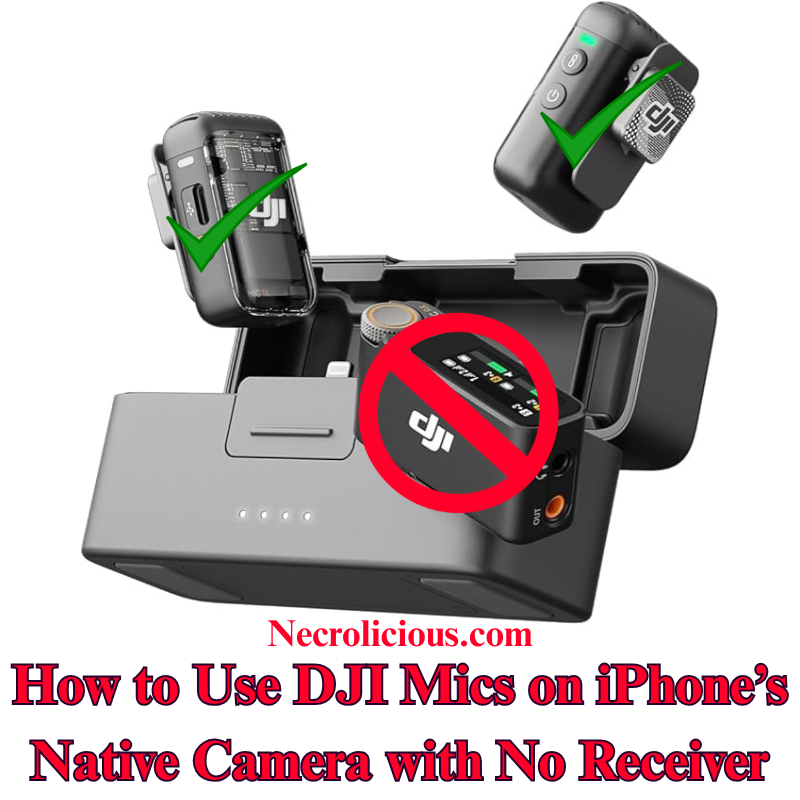
After extensive online research, I found no clear instructions for using the DJI Mic 2 wirelessly with the iPhone’s native Camera app for video recording. Consulting Grok, I developed a straightforward method using Bluetooth, eliminating the need for a receiver. I’m sharing this guide to help creators achieve high-quality audio with their DJI Mic 2 on the iPhone’s default Camera app, avoiding additional equipment costs. Note that I have tested & confirmed that this method works with the DJI mic 2. I highly suspect that it may also work with other Bluetooth microphones, including those by other brands, but I do not have the DJI Mic Mini or the DJI Mic 3, nor do I have other brands to test with. If you have another brand of Bluetooth microphone, please give it a try & comment below if it works.
Why This Method is Valuable
The DJI Mic 2 offers exceptional audio quality, but its Bluetooth functionality isn’t natively supported by the iPhone’s Camera app for video. Purchasing the receiver increases expense & setup complexity. This cost-free solution, utilising the RØDE Reporter app, ensures a portable, wireless recording experience.
Step-by-Step Guide to Recording Video with DJI Mic 2 with no Receiver
Install RØDE Reporter: Search for “RØDE Reporter” in the App Store, download it, & grant microphone permissions when prompted.
Connect DJI Mic 2 via Bluetooth: Press & hold the pairing button on the DJI Mic 2 transmitter until the indicator flashes, entering pairing mode. On your iPhone, navigate to Settings > Bluetooth & select the DJI Mic 2 (it may appear as “headphones”).
Confirm Connection in RØDE Reporter: Launch the app & verify it displays “External Microphone” rather than “Internal Microphone,” indicating the DJI Mic 2 is connected.
Open the Native Camera App: Keep RØDE Reporter running in the background. Launch the iPhone’s Camera app, select Video mode, & the DJI Mic 2 will capture audio wirelessly.
Record Your Video: Begin recording. Create a short test clip to ensure audio quality & levels are satisfactory.
NOTE: The Bluetooth connection may route audio output to the DJI Mic 2, which lacks speakers. Disable Bluetooth or power off the Mic 2 to hear playback through your iPhone speakers after recording.
How It Works
iOS restricts Bluetooth microphones in the native Camera app. By activating the Bluetooth audio session in RØDE Reporter, the connection persists when switching to the Camera app, enabling wireless audio capture.
Additional Tips
Record a test clip to adjust the mic’s gain via its settings.
Ensure the DJI Mic 2 firmware & iOS are updated to prevent connectivity issues.
For live streaming, this method is unreliable; use the wired receiver instead.
Another option for using the DJI Mic 2 & other Bluetooth microphones is to download the Blackmagic Camera app & record using it instead of the native iPhone camera, but some users have reported issues with file management using this app, so this article’s method is best for those who prefer to use the native iPhone camera rather than 3rd party camera apps.
This method enables creators to record professional-grade video audio with the DJI Mic 2 on the iPhone’s native Camera app, without a receiver. Have you tested this approach or discovered other solutions? Share your feedback below & distribute this guide to assist fellow creators.
Of course, if you want to avoid the added hassle of such workarounds, you can buy the real thing, transmitter included. Prices on the Mic 2 recently dropped to record lows with the release of the Mic 3, so there has never been a better time to buy!
Unless otherwise noted, image assets above are NOT original content & are shared under fair use doctrine with NO claims to authorship or ownership. Contact necrolicious@necrolicious.com for credit or removal.
This post was sponsored by…ME! If you’d like to support, please buy my original meme merchandise or check out my affiliate links to get yourself some other cool things. Additional affiliate links may be contained in the above article. If you click on an affiliate link & sign up/make a purchase, I may earn a commission. This does not increase the price you pay for the product or service, so it helps support this website at no cost to you.
If you would like to support my work more directly, I accept voluntary cryptocurrency donations in BTC, ETH, XRP & XLM sent directly to necrolicious.x. necrolicious.x is an Unstoppable Domains name that resolves to the wallet addresses I have configured. Simply enter necrolicious.x as the recipient in a supported wallet (such as Trust Wallet, Blockchain.com or others that support Unstoppable Domains). Donation Disclaimer: All cryptocurrency donations sent to me are final, voluntary gifts & are non-refundable & irreversible. These donations are not tax-deductible since I am not a registered charitable organization, & no tax receipts will be issued. No memo or destination tag is required for XRP or XLM donations, as the domain resolves directly to a wallet address. By sending a donation you acknowledge & accept all associated risks, including cryptocurrency price volatility, network fees & potential loss of funds due to incorrect network selection or transaction errors. I am not responsible or liable for any loss related to your donation. No goods, services or other benefits are provided in exchange for donations. This is not financial, tax, legal or investment advice. Please consult a qualified professional regarding any implications of your donation.
本作は過去にも再構築されており、2012年のWii版リメイク(日本限定、欧州・豪州では『Project Zero 2: Wii Edition』として発売)は、グラフィックと操作性を『零~月蝕の仮面~』のメカニクスを基に更新しました。しかし、現代のハードウェアを活用した本格的な次世代リメイクを求めるファンの声に応え、コーエーテクモの今回の発表はまさにその決定版となるものです。
『零~紅い蝶~』リメイクの新要素
このリメイクは単なるリマスターではなく、オリジナルを尊重しつつ現代の基準を取り入れた完全な再構築です。パブリッシャーのコーエーテクモと、アクションホラーで知られるチームニンジャ(『Dead or Alive』や近年の『零』シリーズを手掛ける)が、恐怖を高めるために主要な要素を刷新します:
ジャンプスケアやアクション重視のタイトルが主流の現代において、『零~紅い蝶~』リメイクは心理的恐怖と文化的深みを重視することで際立ちます。2021年の『零~濡鴉ノ巫女~』リマスターでシリーズ復活の兆しが見られ、幽霊狩りアドベンチャーへの需要が証明されました。『Silent Hill 2』と並び称される本作は、シリーズ最高傑作として、さらなるリメイク(『零』のリメイクなど)の道を開く可能性があります。
The world of survival horror is about to get a spine-tingling upgrade, as Koei Tecmo & Team Ninja have officially unveiled the remake of Fatal Frame II: Crimson Butterfly. Announced during a Nintendo Direct presentation on 12 September 2025, this full remake promises to breathe new life into one of the most beloved entries in the iconic Japanese horror series. If you’re a fan of ghostly encounters, atmospheric dread, & the thrill of snapping spirits with a spectral camera, this is the news you’ve been waiting for. Let’s dive into the eerie details of this haunting revival.
The Haunting Legacy of Fatal Frame II: Crimson Butterfly
Originally released in 2003 for the PlayStation 2 (known as Zero ~Akai Chō in Japan & Project Zero II: Crimson Butterfly in Europe), Fatal Frame II: Crimson Butterfly quickly established itself as a cornerstone of the survival horror genre. The story centres on twin sisters Mio & Mayu Amakura, who return to a childhood spot only to be lured by a mysterious crimson butterfly into the fog-shrouded Minakami Village – a place doomed to be submerged by a dam & now lost to maps.
In the village, the sisters uncover a dark ritual called the Crimson Sacrifice, where participants are brutally slain to appease restless spirits. Players control Mio as she searches for Mayu, using the legendary Camera Obscura – a haunted antique camera that captures & exorcises ghosts. The game’s fixed-camera exploration, tense combat, & psychological horror elements made it a standout, earning praise for its narrative depth, emotional sibling bond, & unforgettable scares like the infamous “Bloody Kimono” ghost.
This isn’t the first time Crimson Butterfly has been revisited; a Wii remake in 2012 (Japan-only, with European & Australian releases as Project Zero 2: Wii Edition) updated the graphics & controls using mechanics from Fatal Frame IV: Mask of the Lunar Eclipse. Yet, with modern hardware now available, fans have clamoured for a proper next-gen overhaul. Koei Tecmo’s announcement delivers just that, positioning this as the definitive way to experience the classic.
What’s New in the Fatal Frame 2: Crimson Butterfly Remake?
This remake isn’t a mere remaster – it’s a complete reimagining designed to honour the original while embracing contemporary standards. Publisher Koei Tecmo & developer Team Ninja (known for action-horror hits like Dead or Alive & recent Fatal Frame revivals) are overhauling key aspects to heighten the terror:
Stunning Visuals & Audio Overhaul: Expect breathtaking graphics that capture the misty, decaying beauty of Minakami Village in high definition. The trailer showcases improved lighting, detailed environments, & more lifelike animations for the vengeful ghosts. Audio enhancements will amplify the creaking floors, distant whispers, & heart-pounding soundtrack, including the haunting theme song “Chō” by singer-songwriter Tsukiko Amano.
Updated Gameplay & Controls: The core Camera Obscura mechanics return, but with refinements for smoother combat & exploration. Modern controls make aiming & evasion more intuitive, reducing clunkiness from the PS2 era. Pacing tweaks ensure the story flows better, while expanded features might include quality-of-life improvements like adjustable difficulty or new collectibles. The over-the-shoulder camera from the Wii version is likely retained for immersion.
Faithful Yet Fresh Narrative: The emotional core – the sisters’ bond amid supernatural horror – remains intact, complete with multiple endings (including the canon one tying into Fatal Frame III: The Tormented). Subtle additions could enhance the lore, but the developers emphasise staying true to the 2003 vision.
The announcement trailer, which you can find on the official Koei Tecmo site or YouTube, teases these upgrades with glimpses of crimson butterflies fluttering through darkened halls & ghostly apparitions lunging from the shadows. It’s a perfect blend of nostalgia & innovation, ensuring the remake feels both timeless & terrifyingly current.
Platforms, Release Date, & Languages
Fatal Frame II: Crimson Butterfly Remake is coming to a wide array of platforms, making it accessible to horror enthusiasts everywhere:
PlayStation 5
Xbox Series X|S
Nintendo Switch 2
PC (via Steam)
A release window of early 2026 has been confirmed, though an exact date is yet to be revealed. This timing positions it as a prime Halloween-season contender, potentially clashing with heavyweights like the rumoured Resident Evil: Requiem but carving out its niche in Japanese folklore-inspired scares.
Language support includes Japanese voice acting – essential for the series’ authentic tone – alongside English, French, German, Italian, & Spanish subtitles. No word yet on additional dubs, but the focus on localisation suggests broad appeal.
Why This Remake is Pivotal for Horror Fans
In an era dominated by jump scares & action-heavy titles, Fatal Frame II: Crimson Butterfly Remake stands out by prioritising psychological dread & cultural depth. The series has seen a revival spark with the 2021 Fatal Frame: Maiden of Black Water remaster, proving there’s appetite for ghost-hunting adventures. As the most acclaimed entry (often hailed as the best alongside Silent Hill 2), this remake could reignite interest in the franchise, potentially paving the way for more – perhaps even a Fatal Frame 1 overhaul.
Fan reactions have been overwhelmingly positive, with communities on Reddit, ResetEra, & Twitter buzzing about reliving childhood nightmares. “One of the scariest games I’ve ever played,” one enthusiast noted, while others celebrate the IP’s survival after years of dormancy. Whether you’re a series veteran or new to the Camera Obscura’s flash, this remake promises to deliver chills that linger long after the credits roll.
Get Ready for the Crimson Butterfly’s Return
Mark your calendars for early 2026 – Fatal Frame II: Crimson Butterfly Remake is poised to haunt consoles & PCs alike. Head to the official website at koeitecmoamerica.com for trailers, screenshots, & updates. If survival horror with a supernatural twist is your jam, this is the remake to watch. Will you dare to follow the crimson butterfly into the unknown? The spirits are waiting.
Unless otherwise noted, image assets above are NOT original content & are shared under fair use doctrine with NO claims to authorship or ownership. Contact necrolicious@necrolicious.com for credit or removal.
This post was sponsored by…ME! If you’d like to support, please buy my original meme merchandise or check out my affiliate links to get yourself some other cool things. Additional affiliate links may be contained in the above article. If you click on an affiliate link & sign up/make a purchase, I may earn a commission. This does not increase the price you pay for the product or service, so it helps support this website at no cost to you.
If you would like to support my work more directly, I accept voluntary cryptocurrency donations in BTC, ETH, XRP & XLM sent directly to necrolicious.x. necrolicious.x is an Unstoppable Domains name that resolves to the wallet addresses I have configured. Simply enter necrolicious.x as the recipient in a supported wallet (such as Trust Wallet, Blockchain.com or others that support Unstoppable Domains). Donation Disclaimer: All cryptocurrency donations sent to me are final, voluntary gifts & are non-refundable & irreversible. These donations are not tax-deductible since I am not a registered charitable organization, & no tax receipts will be issued. No memo or destination tag is required for XRP or XLM donations, as the domain resolves directly to a wallet address. By sending a donation you acknowledge & accept all associated risks, including cryptocurrency price volatility, network fees & potential loss of funds due to incorrect network selection or transaction errors. I am not responsible or liable for any loss related to your donation. No goods, services or other benefits are provided in exchange for donations. This is not financial, tax, legal or investment advice. Please consult a qualified professional regarding any implications of your donation.
As of today, September 13, 2025, TikTok’s 170 million American users are being involuntarily shifted to M2, a U.S.-exclusive app launched by ByteDance on September 5 to comply with U.S. data security laws. This forced migration isolates U.S. users from the global TikTok community, likely curbing creators’ international reach & drawing sharp criticism for fracturing a platform once celebrated for its global connectivity.
During the brief January 2025 blackout, frustrated users flocked to Red Note, a Chinese app similar to TikTok, to protest, voicing distrust in the app’s future & government oversight, with some suspecting an attempt to conceal Israel’s actions in Palestine & Gaza as well as censor American voices critiquing them—concerns heightened by the recent appointment of Erica Mindel, a former IDF soldier, as TikTok’s Public Policy Manager for Hate Speech to oversee content moderation.
With ByteDance facing a September 17, 2025, deadline to sell TikTok’s U.S. operations to an American buyer, failure to do so could trigger a permanent blackout of American accounts in early 2026. Many users & creators now question whether M2 is a genuine solution or a superficial fix that risks eroding TikTok’s vibrant ecosystem under the weight of regulatory pressures.
In the months leading up to this forced migration, I made many attempts to reach out to TikTok support in order to change my Necrolicious account location from the US to Japan since the option to do so manually disappeared on this account. I created numerous support tickets. Each ticket received canned replies of “If we need anything else, we’ll contact you” & simply closed without any resolution, no matter how many follow-up messages I sent. I recently gave up & simply started a new account for the Japan region, which you can find here:
Additionally, I have been uploading copies of my videos to YouTube & actually have much better reach on that platform, with one recent video breaking out to nearly 110,000 views.
I also made a counterpart account for English uploads on both platforms, but have not yet utilised them. I am simply unsure if the demand for English content is insufficient to warrant doubling my video creation workload. Besides that, there are so many English content creators in Japan already. It seems like the market is saturated & I would rather connect with Japanese audiences. If you think I should start creating content in English, tell me in the comments below.
Unless otherwise noted, image assets above are NOT original content & are shared under fair use doctrine with NO claims to authorship or ownership. Contact necrolicious@necrolicious.com for credit or removal.
This post was sponsored by…ME! If you’d like to support, please buy my original meme merchandise or check out my affiliate links to get yourself some other cool things. Additional affiliate links may be contained in the above article. If you click on an affiliate link & sign up/make a purchase, I may earn a commission. This does not increase the price you pay for the product or service, so it helps support this website at no cost to you.
If you would like to support my work more directly, I accept voluntary cryptocurrency donations in BTC, ETH, XRP & XLM sent directly to necrolicious.x. necrolicious.x is an Unstoppable Domains name that resolves to the wallet addresses I have configured. Simply enter necrolicious.x as the recipient in a supported wallet (such as Trust Wallet, Blockchain.com or others that support Unstoppable Domains). Donation Disclaimer: All cryptocurrency donations sent to me are final, voluntary gifts & are non-refundable & irreversible. These donations are not tax-deductible since I am not a registered charitable organization, & no tax receipts will be issued. No memo or destination tag is required for XRP or XLM donations, as the domain resolves directly to a wallet address. By sending a donation you acknowledge & accept all associated risks, including cryptocurrency price volatility, network fees & potential loss of funds due to incorrect network selection or transaction errors. I am not responsible or liable for any loss related to your donation. No goods, services or other benefits are provided in exchange for donations. This is not financial, tax, legal or investment advice. Please consult a qualified professional regarding any implications of your donation.
Appleは、AirPods Pro 3の心拍数トラッキング&Apple Watch Series 11の血圧モニタリングを含む健康重視のアップデートを披露しました。AirPods Pro 3の心拍数センサーは、赤外線を使用して血流を測定し、フィットネスアプリと同期して50種類以上のワークアウトを追跡します。一方、Apple Watch Series 11は高血圧検出&スリープスコア機能(FDA承認待ち)を導入しています。Apple Watch Ultra 3は衛星接続&高速充電を追加し、価格は749ドルから始まります。しかし、サムスンはこれらの健康機能を長年提供しています。Galaxy Buds(Buds3 Proなど)は、2024年の発売以来、特にS24やZ Fold6などの互換デバイスとペアリングした場合、心拍数モニタリングを搭載しています。サムスンのGalaxy Watchシリーズ(2025年のGalaxy Watch7を含む)は、Galaxy Watch4(2021)以来、血圧モニタリング&詳細なスリープスコアを含む睡眠追跡を提供しており、一部のモデルはAppleのFDA承認計画よりかなり前にこれらの機能でFDA承認を受けています。さらに、サムスンのウェアラブルはSamsung Healthアプリと統合されており、Appleのエコシステムロックされたアプローチとは異なり、非サムスンAndroidデバイスを含む幅広いエコシステム互換性を提供します。
アクティブノイズキャンセリング&オーディオ品質
AppleはAirPods Pro 3のアクティブノイズキャンセリング(ANC)を強調し、AirPods Pro 2の2倍、初代AirPods Proの4倍のノイズ除去を主張しています。イヤホンはフィット感を向上させる更新されたデザイン&強化された空間オーディオも備えています。しかし、サムスンのGalaxy Buds3 Proは、2024年の発売以来、警報やサイレンなどの環境音に適応する適応型ノイズキャンセリングを提供しています。Buds3 Proは、互換デバイスでBluetooth経由で最大24ビット/96kHzをサポートする2ウェイスピーカー&平面磁気ツイーターを備え、Appleの空間オーディオ機能に匹敵するか、それを上回る機能を備えています。
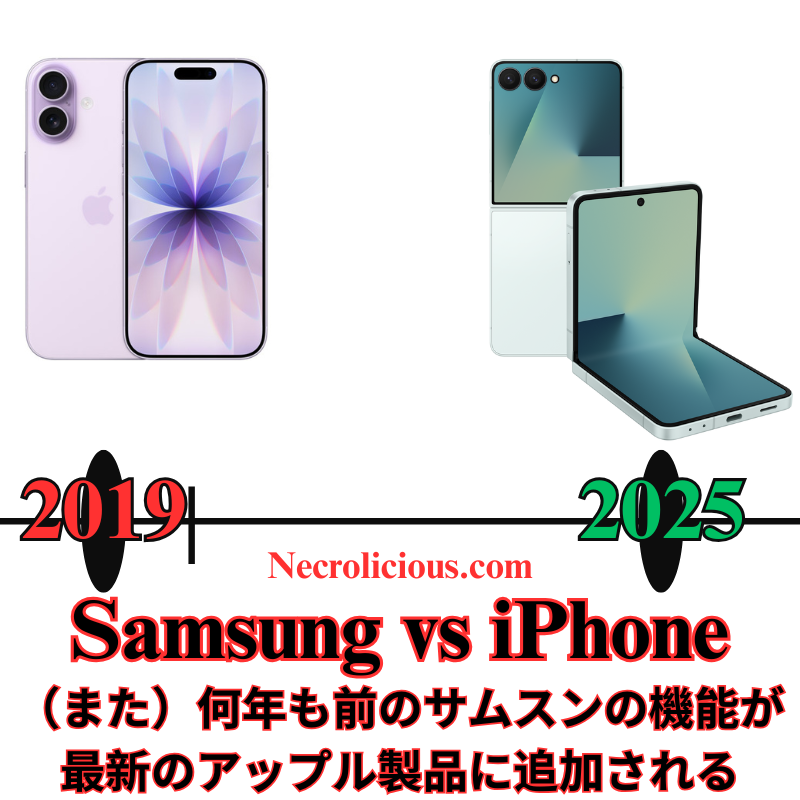
Appleはイベントで折り畳み式iPhoneを発表しませんでしたが、iPhone Airの超薄型デザインは、2026年にサムスンのGalaxy Z Foldシリーズに似たブックスタイルの折り畳み式iPhoneの舞台を設定するとアナリストは示唆しています。サムスンは2019年のGalaxy Fold以来、折り畳み式スマートフォンで先駆者であり、2025年までに7世代の改良を重ねています。2025年半ばに発売されたGalaxy Z Fold7&Z Flip7は、耐久性のあるヒンジ、7.8インチのインナーディスプレイ(Fold)、&Galaxy AIを搭載した高度なマルチタスク機能を備えています。サムスンの折り畳み式デバイスは、Appleの噂される折り畳み式がようやく取り組もうとしている、より大きく、汎用性の高いディスプレイ&生産性機能を提供してきました。
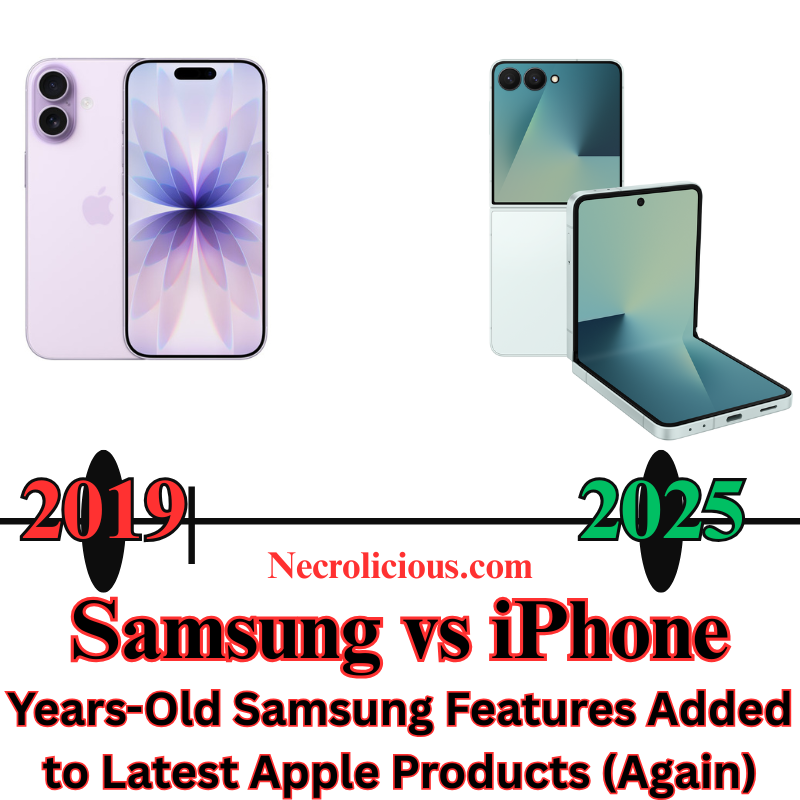
At Apple’s highly anticipated “Awe Dropping” event on 9 September 2025, the tech giant unveiled a slew of new products & features, including the iPhone 17 series (with the all-new iPhone Air), Apple Watch Series 11, Apple Watch Ultra 3, Apple Watch SE 3, & AirPods Pro 3. Held at its Cupertino headquarters, the event generated significant buzz around hardware refinements & incremental AI updates. However, several showcased features have been available on Samsung devices for some time. From live translation in earbuds to AI-powered functionalities, Samsung has been setting the pace in these areas, whilst Apple’s recent innovations, including its much-touted Apple Intelligence, appear to be playing catch-up. This article explores the key features Apple promoted at its latest event & how Samsung has long offered similar capabilities in its Galaxy ecosystem.
Live Translation: AirPods Pro 3 vs Galaxy Buds
One of the standout features Apple highlighted for the AirPods Pro 3 was Live Translation, a capability that allows users to hear real-time translations of in-person conversations directly through their earbuds. Powered by Apple Intelligence & iOS 26, this feature enables users to communicate across select languages (such as English, French, German, Portuguese, & Spanish) by translating speech into the user’s preferred language in their earbuds, whilst the iPhone displays or speaks the translated response for the other party. Apple positioned this as a transformative tool for travel, work, & cross-lingual communication, available in beta with the AirPods Pro 3, AirPods Pro 2, & AirPods 4 with Active Noise Cancellation (ANC).
However, Samsung has offered a similar feature, called Live Translate, on its Galaxy Buds series since early 2024. Compatible with devices like the Galaxy S24, Galaxy Z Fold6, & Galaxy Z Flip6, Samsung’s Live Translate works through the Galaxy Wearable app & Galaxy AI suite, enabling real-time translation during phone calls & in-person conversations. Users can hear translations through their Galaxy Buds, Buds Pro, or Buds FE, with the phone displaying or speaking the translated text for the other party. Unlike Apple’s implementation, which requires specific AirPods models with the H2 chip, Samsung’s feature supports a broader range of its earbuds & works offline with pre-downloaded language packs, offering greater versatility for users in areas with limited connectivity.
Samsung’s Interpreter Mode, another Galaxy AI feature, further enhances this capability by providing split-screen translations for in-person conversations, making it a robust tool for multilingual interactions. Whilst Apple’s Live Translation is a welcome addition, it’s not a novel concept, as Samsung has been refining this technology for over a year, with support for 13 languages & counting.
Apple Intelligence vs Galaxy AI: A Delayed Promise
Apple’s event also emphasised Apple Intelligence, the company’s AI platform, which powers features like Live Translation, Workout Buddy for fitness motivation, & visual intelligence for tasks like calendar integration. However, Apple Intelligence was notably understated during the event, with CEO Tim Cook focusing more on hardware improvements than AI as a consumer-facing feature. Reports suggest Apple is still catching up in the AI race, with some of its promised features from WWDC 2025, such as advanced Siri upgrades, delayed or scaled back—pushing key capabilities like enhanced Siri to 2026.
In contrast, Samsung’s Galaxy AI, introduced with the Galaxy S24 series in late 2023, has been a cornerstone of its ecosystem for nearly two years. Galaxy AI powers a wide range of features, including Live Translate, Interpreter Mode, Chat Assist for message tone-checking, Transcript Assist for multilingual summaries, & Circle to Search for translating on-screen content. These tools are deeply integrated across Samsung’s flagship devices, including the Galaxy S25, Z Fold7, & Z Flip7, & are available both on-device & via the cloud, with offline functionality for many features. Samsung’s head start in AI development has allowed it to offer a more mature & versatile suite compared to Apple Intelligence, which is still in beta & limited to select devices & languages. Features like Magic Cue—proactively surfacing information across apps—& advanced photo search via Google Gemini integration feel futuristic, leaving Apple’s current offerings, like basic Genmoji, several steps behind.
iPhone Air vs Galaxy S25 Edge: The Thin Phone Race
Apple’s introduction of the iPhone Air, a 5.5mm-thick model billed as the thinnest iPhone ever, was a headline-grabbing moment at the event. Marketed as a sleek addition to the iPhone 17 lineup at $999, it aims to compete in the ultrathin smartphone market with a 6.5-inch display & Ceramic Shield 2 protection.
However, Samsung beat Apple to the punch with the Galaxy S25 Edge, launched in May 2025, which measures just 5.4mm thick—0.2mm slimmer than the iPhone Air. Samsung’s device also integrates bold AI features &, in some configurations, foldable screen technology, offering a unique form factor that Apple’s iPhone Air does not match. Whilst Apple’s design is undeniably elegant, Samsung’s earlier entry into the thin-phone market & its incorporation of foldable displays in devices like the Galaxy Z Fold7 & Z Flip7 demonstrate a more ambitious approach to hardware innovation. Apple’s rumoured foldable iPhone, expected in 2026, suggests it’s still a year behind Samsung in this space.
Vapour Chamber Cooling: iPhone 17 Pro vs Galaxy Devices
The iPhone 17 Pro & Pro Max introduced a vapour chamber cooling system to manage heat dissipation during high-performance tasks like gaming & video capture. This marks a shift from Apple’s traditional graphite-based cooling, aligning with high-end Android competitors. The vapour chamber, combined with an aluminium frame, enhances thermal performance, preventing throttling & supporting demanding workloads.
Samsung, however, has implemented vapour chamber cooling in its flagship devices since the Galaxy S20 series (2020). Models like the Galaxy S24 Ultra, Z Fold6, & S25 Edge use advanced vapour chambers to dissipate heat from high-performance chips, enabling sustained performance during gaming & multitasking. Samsung’s cooling systems have been optimised for foldable devices, which face unique thermal challenges due to their compact designs, giving Samsung a five-year head start over Apple’s adoption of this technology.
Camera Systems: 48MP Across the Board vs Samsung’s High-Resolution Sensors
The iPhone 17 series features a 48MP Fusion Main camera, a 48MP Fusion Ultra Wide camera, & an 18MP Center Stage front camera across all models, with the Pro models adding a 48MP telephoto lens supporting 4x-8x optical zoom. These upgrades enable advanced computational photography & macro photography, powered by an updated image signal processor (ISP).
Samsung has offered high-resolution camera sensors for years, with the Galaxy S23 Ultra (2023) & S24 Ultra (2024) featuring a 200MP main camera using the ISOCELL HP2 sensor. This allows for greater detail & cropping flexibility compared to Apple’s 48MP sensors, which are only now catching up in resolution but lack the pixel density of Samsung’s offerings. The Galaxy S25 series continues this trend, with a 200MP main sensor & a 50MP ultra-wide lens, outpacing Apple’s ultra-wide camera in resolution. Additionally, Samsung’s periscope telephoto lenses, introduced in the Galaxy S20 Ultra (2020), have offered 5x-10x optical zoom, surpassing Apple’s 8x zoom cap until the iPhone 17 Pro’s recent upgrade.
Health & Fitness Features: Apple Watch & AirPods vs Galaxy Wearables
Apple showcased health-focused updates, including heart rate tracking on the AirPods Pro 3 & blood pressure monitoring on the Apple Watch Series 11. The AirPods Pro 3’s heart rate sensor, which uses infrared light to measure blood flow, syncs with the Fitness app to track over 50 workout types, whilst the Apple Watch Series 11 introduces hypertension detection & a sleep score feature (pending FDA clearance). The Apple Watch Ultra 3 adds satellite connectivity & faster charging, with pricing starting at $749.
Samsung, however, has offered similar health features for some time. Galaxy Buds, such as the Buds3 Pro, have included heart rate monitoring since their 2024 release, particularly when paired with compatible Galaxy devices like the S24 or Z Fold6. Samsung’s Galaxy Watch series, including the Galaxy Watch7 (2025), has provided blood pressure monitoring & sleep tracking, including detailed sleep scores, for years, with some models receiving FDA clearance for these features well before Apple’s announced plans for FDA approval. Additionally, Samsung’s wearables integrate with the Samsung Health app, which offers broader ecosystem compatibility, including with non-Samsung Android devices, unlike Apple’s ecosystem-locked approach.
Active Noise Cancellation & Audio Quality
Apple touted the AirPods Pro 3’s Active Noise Cancellation (ANC), claiming it removes up to twice the noise of the AirPods Pro 2 & four times that of the original AirPods Pro. The earbuds also feature an updated design for better fit & enhanced spatial audio. Samsung’s Galaxy Buds3 Pro, however, have offered comparable ANC since their 2024 launch, with adaptive noise cancellation that adjusts to environmental sounds like alarms or sirens. The Buds3 Pro also include two-way speakers & planar magnetic tweeters for high-quality audio, supporting up to 24-bit/96kHz over Bluetooth on compatible devices—features that rival or surpass Apple’s spatial audio capabilities.
Foldable Devices: Apple’s Tease vs Samsung’s Dominance
Whilst Apple didn’t unveil a foldable iPhone at the event, analysts suggest the iPhone Air’s ultrathin design sets the stage for a foldable iPhone in 2026, likely adopting a book-style design similar to Samsung’s Galaxy Z Fold series.
Samsung has been a pioneer in foldable smartphones since the Galaxy Fold in 2019, with seven generations of refinement by 2025. The Galaxy Z Fold7 & Z Flip7, launched in mid-2025, feature durable hinges, 7.8-inch inner displays (Fold), & advanced multitasking capabilities powered by Galaxy AI. Samsung’s foldables have consistently offered larger, more versatile displays & productivity features that Apple’s rumoured foldable is only beginning to approach.
Whilst Apple’s “Awe Dropping” event showcased impressive hardware & promising AI-driven features, it’s clear that Samsung has been ahead in several key areas. Live Translate, a flagship feature for the AirPods Pro 3, has been a staple in Samsung’s Galaxy Buds since 2024, with broader language support & offline capabilities. Galaxy AI, now nearly two years old, offers a more mature & versatile suite of tools compared to the still-evolving Apple Intelligence. The iPhone Air, though sleek, follows in the footsteps of the Galaxy S25 Edge, & Samsung’s health & fitness features in its wearables have long matched or exceeded those introduced in Apple’s latest devices. Vapour chamber cooling, high-resolution 200MP cameras, & foldable devices have been staples of Samsung’s lineup since 2020 or earlier, whilst Apple is only now adopting these technologies.
Apple’s ecosystem integration & polish remain strong selling points, but Samsung’s earlier adoption of these technologies highlights its leadership in innovation. As Apple continues to roll out Apple Intelligence & refine its offerings, it will need to bring more unique features to the table to close the gap with Samsung’s established advancements. For now, Samsung’s Galaxy devices & wearables continue to set a high bar that Apple is striving to meet.
Unless otherwise noted, image assets above are NOT original content & are shared under fair use doctrine with NO claims to authorship or ownership. Contact necrolicious@necrolicious.com for credit or removal.
This post was sponsored by…ME! If you’d like to support, please buy my original meme merchandise or check out my affiliate links to get yourself some other cool things. Additional affiliate links may be contained in the above article. If you click on an affiliate link & sign up/make a purchase, I may earn a commission. This does not increase the price you pay for the product or service, so it helps support this website at no cost to you.
If you would like to support my work more directly, I accept voluntary cryptocurrency donations in BTC, ETH, XRP & XLM sent directly to necrolicious.x. necrolicious.x is an Unstoppable Domains name that resolves to the wallet addresses I have configured. Simply enter necrolicious.x as the recipient in a supported wallet (such as Trust Wallet, Blockchain.com or others that support Unstoppable Domains). Donation Disclaimer: All cryptocurrency donations sent to me are final, voluntary gifts & are non-refundable & irreversible. These donations are not tax-deductible since I am not a registered charitable organization, & no tax receipts will be issued. No memo or destination tag is required for XRP or XLM donations, as the domain resolves directly to a wallet address. By sending a donation you acknowledge & accept all associated risks, including cryptocurrency price volatility, network fees & potential loss of funds due to incorrect network selection or transaction errors. I am not responsible or liable for any loss related to your donation. No goods, services or other benefits are provided in exchange for donations. This is not financial, tax, legal or investment advice. Please consult a qualified professional regarding any implications of your donation.
Share this:
Cookie Consent
We use cookies to improve your experience on our site. By using our site, you consent to cookies.
Registers a unique ID on mobile devices to enable tracking based on geographical GPS location.
1 day
VISITOR_INFO1_LIVE
Tries to estimate the users' bandwidth on pages with integrated YouTube videos. Also used for marketing
179 days
PREF
This cookie stores your preferences and other information, in particular preferred language, how many search results you wish to be shown on your page, and whether or not you wish to have Google’s SafeSearch filter turned on.
10 years from set/ update
YSC
Registers a unique ID to keep statistics of what videos from YouTube the user has seen.
Session
DEVICE_INFO
Used to detect if the visitor has accepted the marketing category in the cookie banner. This cookie is necessary for GDPR-compliance of the website.
179 days
LOGIN_INFO
This cookie is used to play YouTube videos embedded on the website.