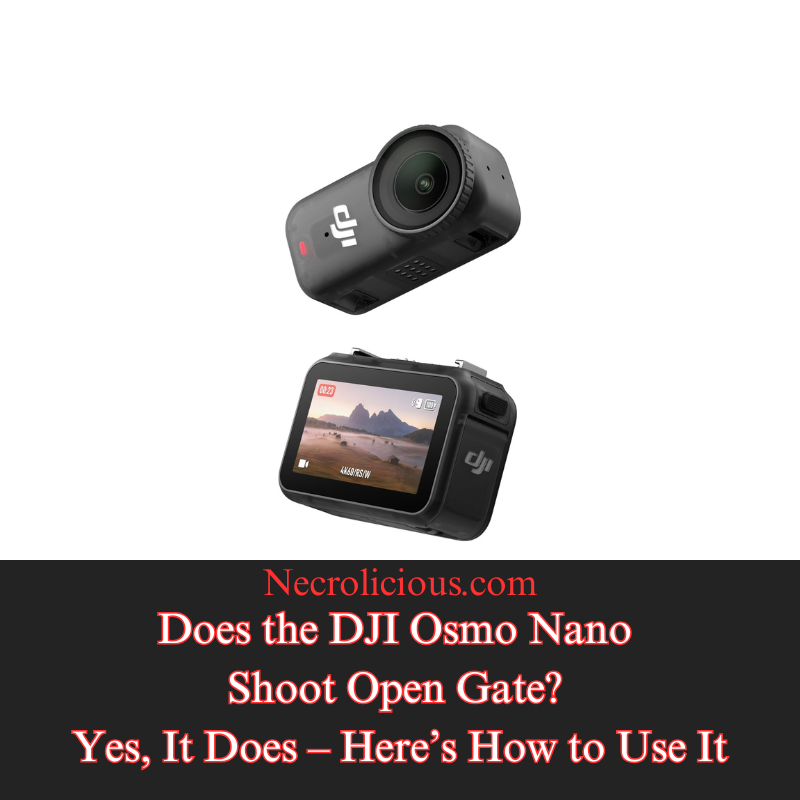
For a company as big as DJI & a camera as prestigious as the Osmo Nano, there is surprisingly little information available when searching for answers to the question “Can the DJI Nano shoot open gate?”. The short answer is yes, & the Osmo Nano does so with impressive results through its full-sensor 4K 4:3 recording capability. If you are not familiar with open gate, it is the most versatile format that anyone can shoot in. The key advantage of shooting open gate is the versatility it offers when editing as it gives you a much wider field from which to choose when downsizing your video to meet ratio limitations enforced by social media platforms. If you are having trouble understanding this simply recognise most devices especially phone cameras force you to choose between 9:16 ratio, 16:9 ratio or 1:1 square ratio. With open gate rather than locking yourself to a dedicated frame you utilise your camera’s entire sensor. You get the entire width of 16:9 & the entire height of 9:16. This full-sensor approach opens up creative possibilities that feel liberating once experienced, transforming a single take into multiple polished deliverables ready for any platform.

Buy on Rakuten Japan
What Is Open Gate Shooting on the DJI Osmo Nano?
Open gate shooting refers to capturing video using the full readout of the camera’s sensor without applying any in-camera crop. On the DJI Osmo Nano this is achieved through its 1/1.3-inch CMOS sensor which records in native 4:3 resolution at up to 4K. The result is footage that preserves maximum pixel information across both the horizontal & vertical axes. Unlike traditional locked aspect ratios that discard sensor data at the point of capture open gate defers all framing decisions to post-production. This approach mirrors professional cinema workflows where the full negative or digital sensor is exposed first & then cropped or reframed as needed. For the Osmo Nano the open gate mode effectively combines the benefits of a wide horizontal field with an extended vertical canvas allowing creators to extract multiple deliverables from a single take without quality loss. It is this flexibility that makes open gate particularly exciting for creators who value efficiency & creative control in fast-paced or unpredictable shooting environments.
Open Gate Use Cases for Content Creators
The practical applications of open gate on the DJI Osmo Nano extend across diverse shooting scenarios where flexibility is paramount. Walk-and-talk vloggers & run-and-gun filmmakers benefit from the ability to capture dynamic movement without committing to a specific orientation upfront. Action & POV filming benefit immensely because the camera’s magnetic mounting system & compact form factor encourage spontaneous angles, yet open gate ensures footage can later be reframed for any orientation. Travel vloggers & documentary makers use it to capture immersive wide scenes that can be repurposed into both landscape hero shots & portrait social clips. In automotive or product cinematography, including reviews & unboxings, a single pass records full-resolution horizontal & vertical versions simultaneously, eliminating the need for multiple setups or retakes. Even for corporate or event videography where deliverables must serve both widescreen presentations & vertical social stories, open gate streamlines workflow & reduces storage demands. The DJI Osmo Nano’s RockSteady stabilisation pairs naturally with this format ensuring that reframed extracts remain smooth & professional regardless of the final ratio chosen in editing software.
The 4:3 Ratio in Open Gate Workflow
The 4:3 ratio serves as the foundation for open gate shooting on the DJI Osmo Nano because it closely matches the sensor’s native proportions. At 4K resolution this translates to 3840 by 2880 pixels, providing a balanced canvas (wider than it is tall). When shooting in 4:3 open gate you retain the full horizontal width required for cinematic landscape shots while gaining extra vertical pixels that can be used for cropping. In post-production editors simply mask or crop the top & bottom to produce a clean 16:9 frame or retain more of the height for vertical compositions. This ratio maximises creative freedom without compromising resolution & it future-proofs footage against evolving platform requirements. For users of the Osmo Nano selecting 4:3 in the camera’s video settings unlocks the true potential of the sensor & transforms a single recording into a multi-format asset ready for any distribution channel.
The 3:4 Ratio & Its Role in Vertical Content
While 4:3 is the horizontal open gate baseline the 3:4 ratio represents its vertical counterpart & proves equally valuable for portrait-oriented deliverables. Essentially a 90-degree rotation of 4:3 (taller than it is wide), the 3:4 frame utilises the sensor’s full height while narrowing the width to create a taller composition ideal for certain social formats. On the DJI Osmo Nano open gate footage shot in 4:3 can be rotated & cropped in editing to achieve a native 3:4 output at high resolution. This is particularly useful for platforms that favour slightly less extreme vertical framing than 9:16 or for hybrid projects that mix landscape & portrait elements within the same timeline. Creators working on Instagram carousels, YouTube community posts or legacy broadcast formats appreciate 3:4 because it offers a more classical proportion than ultra-tall 9:16 yet still delivers the pixel density needed for sharp downscaling. The ability to extract 3:4 from open gate footage eliminates guesswork at capture time & ensures consistent quality across mixed-media campaigns.
Social Media Ratio Standards & Optimisation for X
Social media platforms enforce specific aspect ratios for optimal display & performance & open gate shooting on the DJI Osmo Nano provides the most efficient way to satisfy them all from one master file. Horizontal 16:9 remains the standard for YouTube long-form & traditional video ads while vertical 9:16 dominates TikTok, Instagram Reels & YouTube Shorts. Square 1:1 continues to perform well for certain Instagram & Facebook posts. The 3:4 ratio fits niche applications such as Pinterest or older mobile feeds. X, formerly Twitter has evolved its video standards to support a wide range of ratios but performs best with 16:9 for desktop viewing, 9:16 for mobile-first scrolling & 1:1 for quick engagement. X recommends uploading at 1920 by 1080 for horizontal or 1080 by 1920 for vertical to avoid compression artefacts & it automatically detects & displays the correct orientation. Because open gate on the Osmo Nano captures surplus pixels in both dimensions, creators can export platform-specific versions without re-shooting or losing detail. Notably the 3:4 extracts from open gate footage deliver videos that are taller than wide while avoiding the pronounced shrinking effect often seen with 9:16 content. In the latest X mobile feed these proportions create a more balanced & visually appealing presence that fills the screen elegantly without feeling overly constrained. This single-source workflow saves time, reduces editing overhead & ensures maximum reach across X & competing networks where vertical video now drives the majority of impressions.
How to Access & Use Open Gate Mode on the DJI Osmo Nano
Now that you have read all about open gate you are probably eager to try it yourself. The process is straightforward but if you have already updated to the latest DJI Nano firmware this unfortunately may have complicated matters slightly. What came with the latest firmware update was a ratio lock. This lock means that you no longer have to rely solely on camera orientation in order to film in 9:16 or 16:9 & can instead move the camera body as freely as you wish without having to worry about output orientation. However, if you utilise 9:16 or 16:9 locked orientation modes you will not see any open gate option. This might prompt you to think “Is my model too old to include open gate?” or “Did DJI remove this feature?” The answer is neither. You can still access open gate but what you must first do is go back to the orientation menu where you pick 16:9 or 9:16 & instead pick the very first option of “Automatic.” Only then will you be able to see the 3:4 open gate option for 1080p, 2.7K & 4K. In case it was not abundantly clear, being in automatic mode means that you are absolutely not frame locked & must position the camera body yourself if you wish to have 4:3 or 3:4 orientation. While it is a little unfortunate that it has become somewhat more difficult to find open gate, rest assured that it is there. Perhaps in a future firmware update DJI will add it to the ratio lock alongside the 9:16 & 16:9 to make it just a little bit easier for everyone to find.
To access open gate mode follow these steps:
- Open the orientation menu in the camera settings.
- Select Automatic instead of the locked 9:16 or 16:9 modes.
- The 3:4 open gate option will now appear for 1080p, 2.7K. & 4K.
By leveraging the DJI Osmo Nano’s open gate capability, content creators gain unprecedented control over final framing & distribution. The camera’s full-sensor approach combined with its portable design & robust stabilisation positions it as a strategic tool for anyone producing video across multiple platforms.
The content of this article pertains specifically to the DJI Osmo Nano. Some readers may wonder “Does the world-famous DJI Pocket 3 also shoot in open gate?: Unfortunately, it does not, as of the time of this writing. However, the potential exists should DJI ever opt to include it in a future firmware update. In the meantime anyone that wishes to have the 4:3 or 3:4 open gate ratio can also export any video in this format using the DJI Mimo app. However, this is a little bit of a backward concept because the point of recording in open gate is to have a wider space to zoom in on specific details such as a particular filming subject being tracked. Therefore there is little point in this feature apart from nicely filling out the space allotted to videos in posts on the X feed.

Unless otherwise noted, image assets above are NOT original content & are shared under fair use doctrine with NO claims to authorship or ownership.
Contact necrolicious@necrolicious.com for credit or removal.
This post was sponsored by…ME! If you’d like to support, please buy my original meme merchandise or check out my affiliate links to get yourself some other cool things. Additional affiliate links may be contained in the above article. If you click on an affiliate link & sign up/make a purchase, I may earn a commission. This does not increase the price you pay for the product or service, so it helps support this website at no cost to you.