『Journal of Medical Internet Research』(2022年)の研究が、この原因を明らかにしています。クラッシュ検出は、加速度計と機械学習を用いて急激で高衝撃の動きを識別します。車両事故では有効ですが、モッシュピットの動的かつ合意に基づくカオスでは機能が低下します。特にApple Watchが問題視されており、2022年に導入されたクラッシュ検出機能がシンシナティのテーマパークでも誤報を引き起こしました。これにより、現在のウェアラブル技術が、オフィスワーカーからハードコアな音楽ファンまで多様なライフスタイルに対応できるのかという疑問が浮上しています。
If you’ve ever found yourself lost in the chaos of a mosh pit at a UK festival like Download, you might not have expected your smartwatch to become the unexpected hero—or villain—of the day. On 16 June 2025, just as the festival season heats up, a peculiar story has emerged from Leicestershire’s Donington Park. Last year, nearly 700 false 999 calls flooded emergency services during the Download Festival, all thanks to smartwatches mistaking the vigorous movements of metal fans for serious collisions. Leicestershire police have since urged festival-goers to switch their devices to aeroplane mode or disable emergency alerts to avoid a repeat performance.
This bizarre tech glitch stems from crash detection features embedded in popular wearables, designed to dial emergency services during car accidents. However, the intense, intentional bumping of mosh pits confused these algorithms, leading to an alarming 117% spike in calls over a typical weekend. The Guardian reported that police had to make three outbound call attempts per incident to confirm no real harm, diverting resources from genuine emergencies.
The Science Behind the Slip-Up
Research from the Journal of Medical Internet Research (2022) sheds light on why this happens. Crash detection relies on accelerometers and machine learning to identify sudden, high-impact movements. While effective for vehicular incidents, these systems falter when faced with the dynamic, consensual chaos of a mosh pit. Apple Watches, in particular, have been implicated, with their 2022 introduction of crash detection also sparking false alarms at a Cincinnati theme park. This raises questions about whether current wearable tech is adaptable enough for diverse lifestyles, from office workers to hardcore music fans.
A Call for Customisation
The tech industry faces a growing challenge: creating safety features that don’t overreact. Apple’s support page notes that crash detection triggers a 30-second countdown before automatically contacting emergency services, but there’s no option to tweak sensitivity for non-driving scenarios. This lack of customisation has led to calls for smarter, context-aware settings. Festival attendees, for instance, could benefit from a “concert mode” to prevent unnecessary alerts, ensuring peace of mind without overwhelming emergency lines.
The Missing Brands: Too Clever to Call?
Interestingly, related reports focus heavily on Apple Watches, with little mention of other brands like Garmin, Fitbit or Samsung. Could it be that these alternatives are too intelligent to misfire in a mosh pit? Garmin’s emphasis on rugged outdoor tracking & Fitbit’s health-focused design suggest their algorithms might prioritise different data, potentially avoiding false positives. Samsung’s Galaxy Watch, with its customisable health features, might also sidestep the issue. Without data on these brands, it’s tempting to speculate whether their absence from the narrative indicates superior AI or simply less aggressive emergency protocols. Further investigation is needed to confirm if they’re dodging the spotlight or truly outsmarting the competition.
As Download 2025 approaches, headlined by Green Day, Sleep Token, & nu-metal legends Korn, fans are left wondering how to enjoy the pit without triggering a tech tantrum. Leicestershire police’s advice is clear: disable alerts or leave smartwatches at home. Yet, this solution feels like a step backward in an era of wearable innovation. The onus should fall on manufacturers to refine their tech, offering users control over when & how emergency features activate.
A Tech Tweak for the Future
The mosh pit mishap underscores a broader need for wearable tech to evolve with its users. As festivals like Download draw 75,000 attendees, the pressure is on brands to deliver smarter, more adaptable devices. Whether Apple or others step up remains to be seen, but for now, UK metalheads might need to choose between their wrist tech & their wall of death. Stay tuned for updates, & let us know your thoughts—should smartwatches get a festival-friendly upgrade?
Unless otherwise noted, image assets above are NOT original content & are shared under fair use doctrine with NO claims to authorship or ownership. Contact necrolicious@necrolicious.com for credit or removal.
This post was sponsored by…ME! If you’d like to support, please buy my original meme merchandise or check out my affiliate links to get yourself some other cool things. Additional affiliate links may be contained in the above article. If you click on an affiliate link & sign up/make a purchase, I may earn a commission. This does not increase the price you pay for the product or service, so it helps support this website at no cost to you.
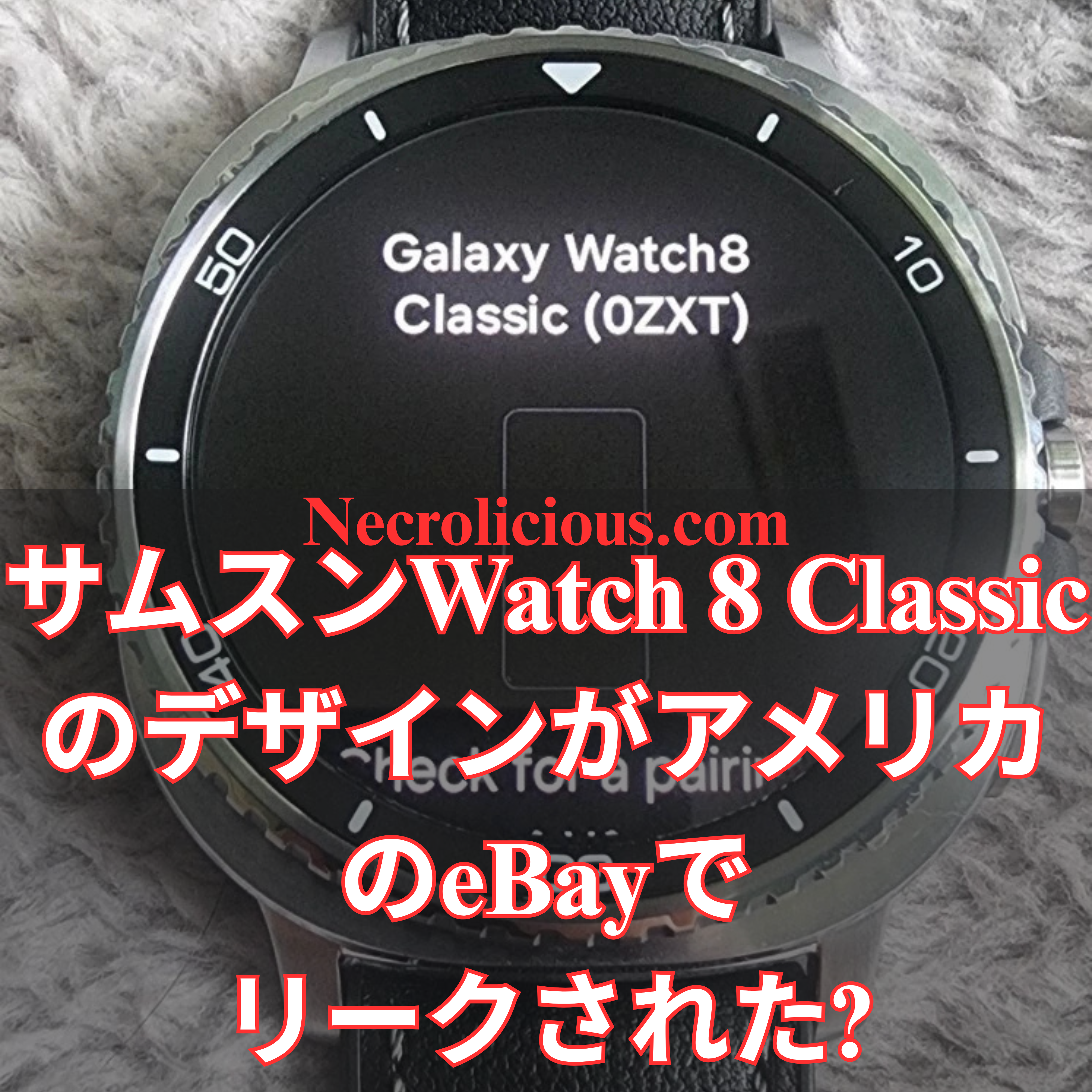
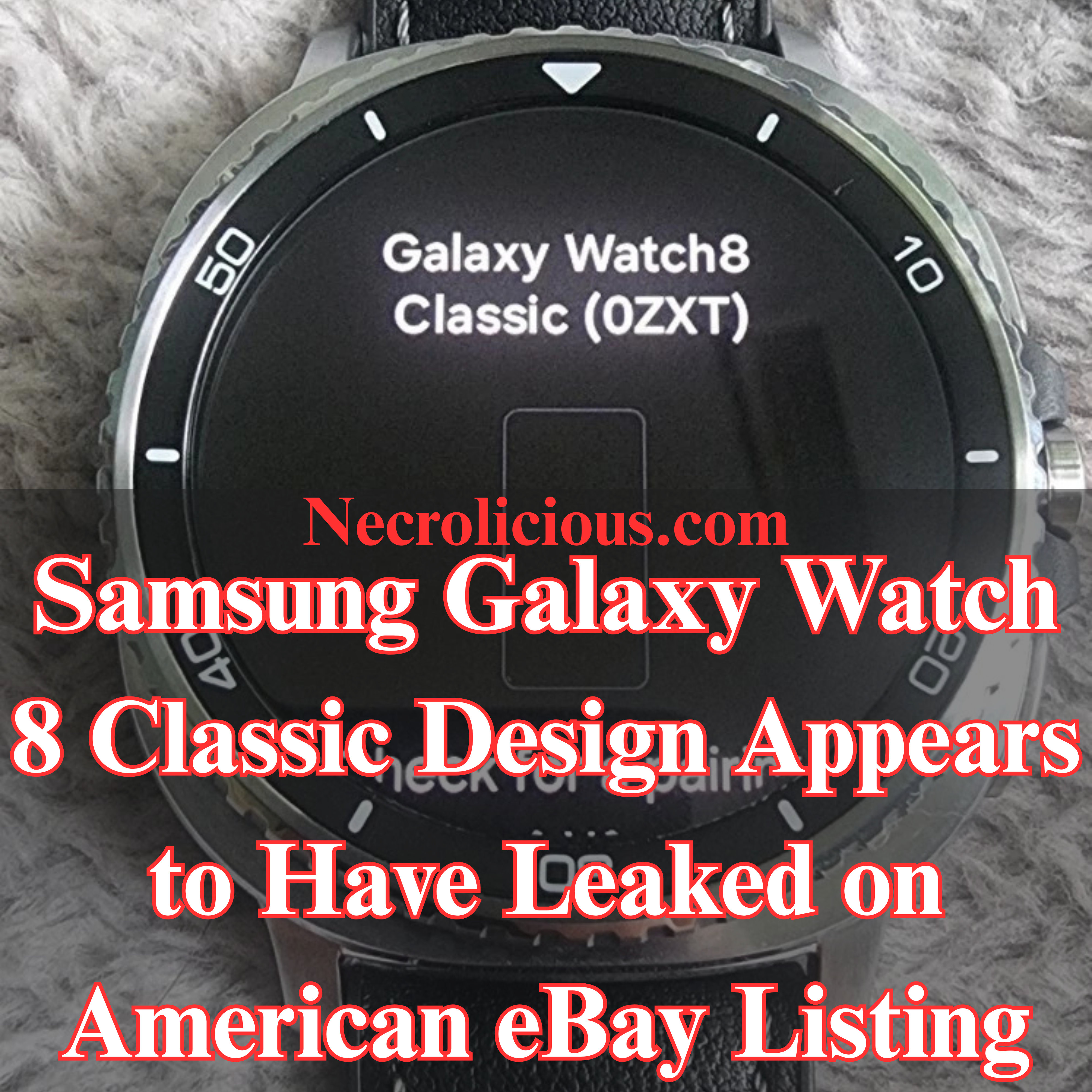
The highly anticipated Samsung Galaxy Watch 8 Classic is making waves ahead of its official launch, with a listing on eBay offering the first hands-on glimpse of its revamped design, upgraded specs, & innovative features. It is unknown how this seller has obtained the watch or if it’s authentic, but here’s everything you need to know about this exciting find.
A Fresh Look at the Galaxy Watch 8 Classic
We now have purportedly real-world images of the Galaxy Watch 8 Classic, showcasing its sleek & modern aesthetic. The smartwatch sports a distinctive “squircle” shape, a design element hinted at in earlier leaks. This hybrid square-circle form gives the device a bold yet refined look, setting it apart from its predecessors.
The raised bezel, a hallmark of Samsung’s Classic series, is prominently featured & supports rotation, as the listing was updated to confirm this functionality. The watch’s premium build is complemented by a leather strap, likely included as standard, enhancing its sophisticated appeal.
Key Specifications & Upgrades
One of the standout revelations from the eBay listing is the Galaxy Watch 8 Classic’s impressive 64GB of internal storage—double the capacity of last year’s Galaxy Watch Ultra. This substantial upgrade makes it ideal for storing apps, music, & offline content, catering to users who demand more from their wearable tech.
Another notable change is the adoption of the band connection system introduced with the Galaxy Watch Ultra. This means traditional pin-based bands won’t be compatible without an adapter, a shift that may require some adjustment for long-time Samsung watch users. However, the new system promises greater versatility & durability.
What’s Not Working Yet?
While the eBay listing provides a tantalising preview, the Galaxy Watch 8 Classic isn’t fully functional yet. According to the seller, the Galaxy Wearable app cannot complete the setup process, suggesting that Samsung is still fine-tuning the software ahead of the official release.
If you don’t want to risk buying a sketchy eBay item, Samsung is gearing up to unveil the Galaxy Watch 8 series in early July 2025, alongside its latest foldable smartphones. The timing aligns with the company’s typical summer launch window, & excitement is building for what promises to be a stellar lineup of devices.
Why the Galaxy Watch 8 Classic Matters
The Galaxy Watch 8 Classic combines cutting-edge technology with a timeless design, making it a top contender in the smartwatch market. Its enhanced storage, updated band system, & sleek squircle aesthetic position it as a must-have for tech-savvy buyers looking to upgrade their wristwear.
Stay tuned for more updates as Samsung’s launch event approaches, & let me know in the comments how you’re liking the new design!
Unless otherwise noted, image assets above are NOT original content & are shared under fair use doctrine with NO claims to authorship or ownership. Contact necrolicious@necrolicious.com for credit or removal.
This post was sponsored by…ME! If you’d like to support, please buy my original meme merchandise or check out my affiliate links to get yourself some other cool things. Additional affiliate links may be contained in the above article. If you click on an affiliate link & sign up/make a purchase, I may earn a commission. This does not increase the price you pay for the product or service, so it helps support this website at no cost to you.
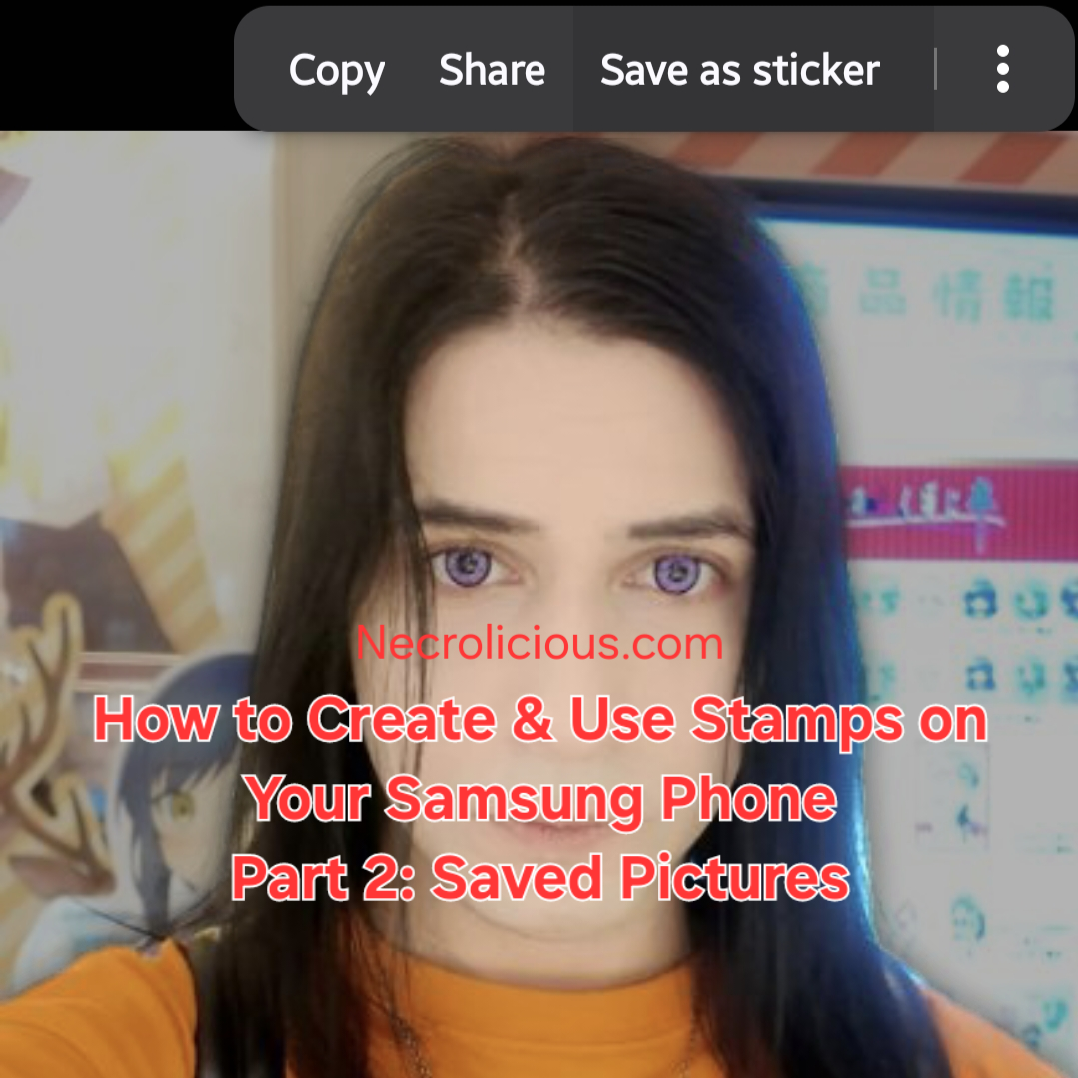
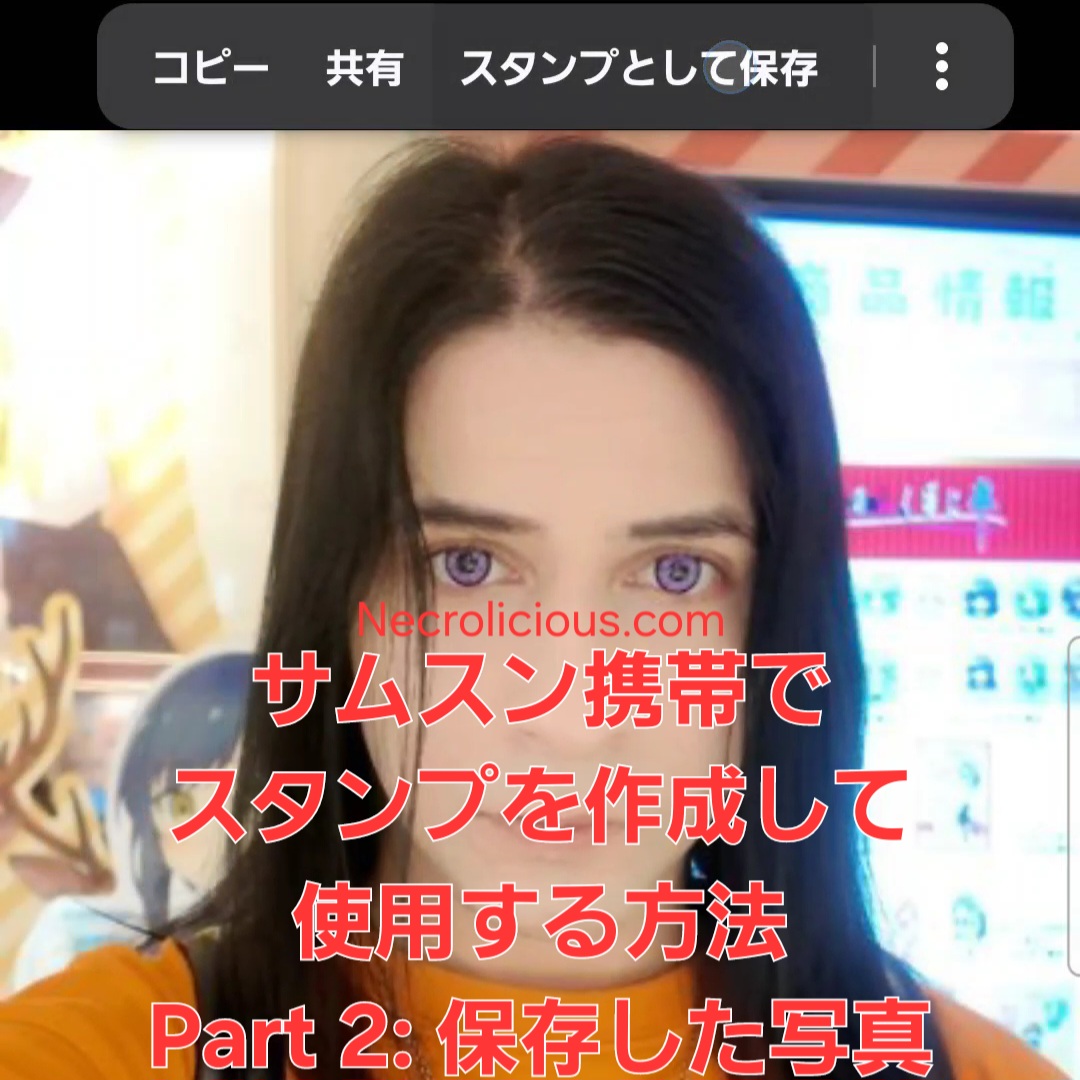
In yesterday’s part 1, I showed you how to create stamps using your Samsung phone’s camera. Today, I will teach you how to do it using ANY picture you find on the internet & save to your Samsung phone.
How to Create & Use Stamps on Your Samsung Phone
Step 1. Find a picture you like online & save it:
Save the picture of the idol, character or other item you want to make into a stamp.
Step 2. Open the photo:
Use Samsung Gallery to open the picture of the person or object you selected.
Step 3. Select the object:
Touch and hold the person or object in the photo on the screen for a few seconds and wait for the stamp creation options to appear.
Step 4. Save as stamp:
Select the “Save as stamp” option, choose your preferred style the tap “Done”.
How to Access & Select Stamps Saved on your Samsung Phone
As we discussed yesterday, to access stamps, tap the button with the flower-like icon above the keyboard to open the stamp menu.
To use stamps, choose a saved stamp to add it to your social media comments/messages, E-mails, notes or use it to decorate your photos. You can use up to 10 stamps at a time.
Get creative: Have fun experimenting with different people & objects! Whose stamp would you like to create? Let me know in the comments!
Note: This feature is available on Samsung phones that support stamp creation. My model is a Samsung Flip 6. See part 1 for a full list of compatible devices as of this writing.
Unless otherwise noted, image assets above are NOT original content & are shared under fair use doctrine with NO claims to authorship or ownership. Contact necrolicious@necrolicious.com for credit or removal.
This post was sponsored by…ME! If you’d like to support, please buy my original meme merchandise or check out my affiliate links to get yourself some other cool things. Additional affiliate links may be contained in the above article. If you click on an affiliate link & sign up/make a purchase, I may earn a commission. This does not increase the price you pay for the product or service, so it helps support this website at no cost to you.
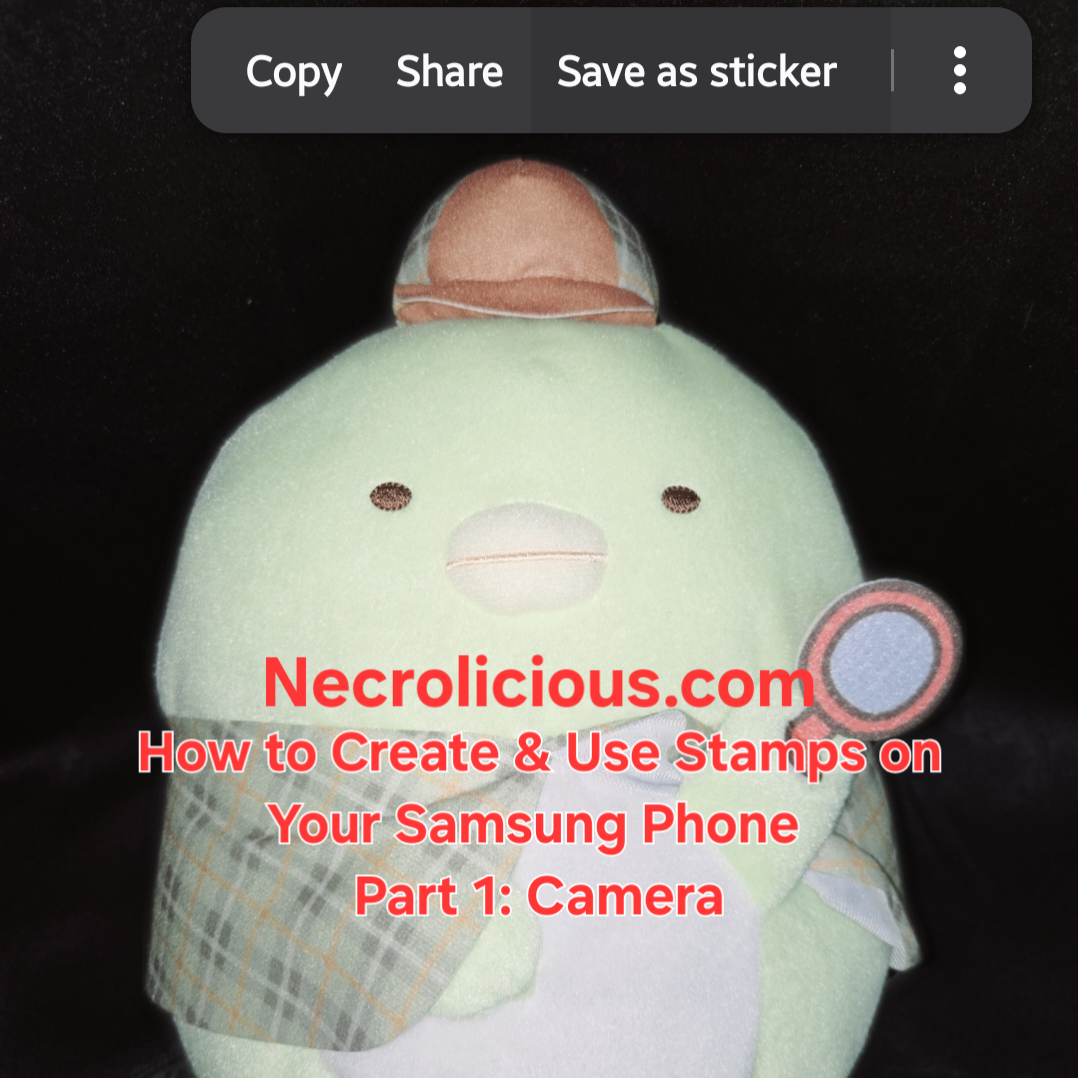
Are you sad that there is no official stamp for your favorite idol or character? If you have a Samsung phone, you can make anyone & anything into a stamp. Today in part 1, I will teach you how to do it using your Samsung phone’s camera.
How to create and use stamps on your Samsung phone
Step 1. Choose an object:
Choose an idol, character or other item you want to make into a stamp.
Step 2. Take a photo:
Use your Samsung phone’s camera to take a clear photo of the object you selected.
Step 3. Select the object:
Touch and hold the object in the photo on the screen for a few seconds and wait for the stamp creation options to appear.
Step 4. Save as stamp:
Select the “Save as stamp” option, choose your preferred style the tap “Done”.
To access stamps, tap the button with the flower-like icon above the keyboard to open the stamp menu.
To use stamps, choose a saved stamp to add it to your social media comments/messages, E-mails, notes or use it to decorate your photos. You can use up to 10 stamps at a time.
Get creative: Have fun experimenting with different objects! Whose stamp would you like to create? Let me know in the comments!
Note: This feature is available on Samsung phones that support stamp creation. My model is a Samsung Flip 6.
Samsung Phones Supporting Stamp Creation The stamp creation feature is available on Galaxy devices running One UI 5.0, One UI 6.0, or One UI 7.0. The following models are confirmed to support or are capable of running these software versions, making them compatible with the stamp creation feature: Galaxy S Series Galaxy S25 Series: S25, S25+, S25 Ultra, S25 Edge (released with One UI 7.0)
Galaxy S24 Series: S24, S24+, S24 Ultra, S24 FE (supports One UI 6.0 and later)
Galaxy S23 Series: S23, S23+, S23 Ultra, S23 FE (supports One UI 5.0 and later)
Galaxy S22 Series: S22, S22+, S22 Ultra (supports One UI 5.0 and later)
Galaxy S21 Series: S21, S21+, S21 Ultra, S21 FE (supports One UI 5.0 and later)
Galaxy S20 Series: S20, S20+, S20 Ultra, S20 FE (supports One UI 5.0 on most models)
Galaxy S10 Series: S10, S10+, S10e, S10 5G (some models support One UI 5.0, depending on region)
Galaxy Note Series (select models): Galaxy Note 20, Note 20 Ultra (supports One UI 5.0 and later)
Galaxy Note 10, Note 10+, Note 10 Lite (some models support One UI 5.0, depending on region)
Galaxy Z Series (Foldables) Galaxy Z Fold Series: Z Fold 6, Z Fold 5, Z Fold 4 (supports One UI 5.0 and later)
Galaxy Z Flip Series: Z Flip 6, Z Flip 5, Z Flip 4 (supports One UI 5.0 and later)
Earlier Foldables: Z Fold 3, Z Flip 3 (supports One UI 5.0 and later)
Galaxy A Series (Mid-Range) Galaxy A16 5G, A26 5G, A36 5G (supports One UI 6.0 and later)
Galaxy A55 5G, A35 5G (supports One UI 6.0 and later)
Galaxy A54 5G, A34 5G (supports One UI 5.0 and later)
Galaxy A53 5G, A33 5G (supports One UI 5.0 and later)
Galaxy A52, A52 5G, A52s 5G (supports One UI 5.0 and later)
Galaxy A51, A51 5G (some models support One UI 5.0, depending on region)
Galaxy A32 5G (supports One UI 5.0 and later)
Other A-Series Models: Select models like A73, A72, A71, A42 5G, and A41 may support One UI 5.0, depending on region and update availability
Galaxy M Series (Budget) Galaxy M55, M35, M34, M33 (supports One UI 5.0 or later, depending on region)
Galaxy M54, M53, M52 5G (supports One UI 5.0 and later)
Other M-Series Models: Some models like M32, M31, and M51 may support One UI 5.0 in select regions
Galaxy F Series Galaxy F54, F34, F23 (supports One UI 5.0 and later)
Other F-Series Models: Select models may support One UI 5.0, depending on region
Additional Notes Software Dependency: The stamp creation feature requires One UI 5.0 or later. Devices must be updated to at least Android 13 to access this feature. Some older models (e.g., Galaxy S10, A51) may not receive One UI 5.0 in all regions, so compatibility depends on the software update status. Check your device’s software version in Settings > About Phone > Software Information.
Feature Availability: The primary method for creating stamps is through the Gallery app (as described in the provided guide) or via the Lift Object feature (long-press on a subject in a photo). The Gallery app method is detailed in sources & works on One UI 5.0 and above. The Lift Object method, available on One UI 6.0 and later, allows saving objects as stamps with a transparent background for use in messaging apps like WhatsApp, Instagram, and Samsung Notes.
Samsung Keyboard Integration: To use custom stamps in messaging apps, they must be added to the Samsung Keyboard. This requires setting the Samsung Keyboard as the default and accessing the stamps via the emoji/sticker menu.
Limitations: Stamps created in the Gallery app are primarily for use within the Gallery or Samsung Notes. For broader use in apps like WhatsApp, the stamps need to be saved to the Samsung Keyboard or exported as PNGs with a transparent background. Some apps may add a black background when sharing, which is a known limitation.
AR Emoji and Galaxy Avatar: Starting with the Galaxy S25 series and One UI 7.0, AR Emoji features are renamed to Galaxy Avatar, which also supports stamp creation. This is available on select models running Android 15 and One UI 7.0.
Device Exclusions: Older models (e.g., Galaxy S9, A50, or earlier) or devices with limited specifications may not support One UI 5.0 or the stamp creation feature due to hardware or software limitations.
Verification
To confirm if your Samsung phone supports stamp creation: Check the One UI version in Settings > About Phone > Software Information.
Open the Gallery app, select a photo, tap Edit (pencil icon), then look for the Decorations (smiley face) icon & Stickers option. If available, tap the Gallery icon and look for Create sticker.
Alternatively, try the Lift Object method: open a photo in the Gallery, long-press on a subject to check if the Save as sticker option appears (One UI 6.0 or later).
Unless otherwise noted, image assets above are NOT original content & are shared under fair use doctrine with NO claims to authorship or ownership. Contact necrolicious@necrolicious.com for credit or removal.
This post was sponsored by…ME! If you’d like to support, please buy my original meme merchandise or check out my affiliate links to get yourself some other cool things. Additional affiliate links may be contained in the above article. If you click on an affiliate link & sign up/make a purchase, I may earn a commission. This does not increase the price you pay for the product or service, so it helps support this website at no cost to you.
I often post about Samsung here. I can’t recall if I’ve mentioned it before, but it might come as a surprise to some that I used to work on Apple’s social media marketing team (not iPhone, other Apple devices). Even then, I was not an Apple fanboy as I had just gotten my first Samsung Flip series phone before I got that job & I wasn’t about to buy a new iPhone less than a month after getting it just because I suddenly found myself working for Apple. In any case, I had switched between the two brands over the previous years, so I have a decent grasp of both UI‘s.
Here is a quick rundown of my smartphone history over the past decade:
iPhone SE
Samsung S10
iPhone SE 2
Samsung Flip 4
iPhone 13 Pro Max
Samsung Flip 6
While my first generation Apple SE was fairly comparable to the Samsungs on the market at the time, by the time the 13 Pro Max rolled out, we were looking at vastly different device experiences, which make iPhones feel cumbersomely outdated. The 13 Pro Max release solidified my opinion of Apple, since what I had previously considered might have been cost-cutting limitations on the SE series were revealed to be brand-wide. This is not to put down anybody with a crippling condition, but I cannot describe using an Apple device from Samsung as anything other than being disabled. For this article, I will provide the top 5 reasons I feel this way. I am not going to get into trivia that the average person wouldn’t notice, so we won’t be talking about things such as nits, we won’t even touch 60Hz versus 120Hz displays or go in depth on megapixels, but actual, usable smartphone features that make a realistic, noticeable difference to absolutely anybody. I truly think that if Apple fans knew what they were missing out on, they would not buy an iPhone ever again. It’s just a simple matter of the fact that they worship the brand. It’s not a matter of fact, usefulness, or accessibility, it’s simply brand worship.
1. Samsungs Have a Side Launcher
This is so unbelievably handy, I cannot stress it enough. Perhaps the worst thing about using an iPhone was not having this. Finding even my most used apps on iPhone was such a hassle. Due to various iOS changes over the years, the 13 Pro Max was nothing like the SE & SE2. Trying to find my apps, which were randomly arranged in various folders which I neither selected nor categorized, was always too much trouble, forcing me to use the search bar to open every app. It was painfully slow to get to anything. On the other hand, Samsung makes getting to my most used apps take less than a second, literally. This comes in handy, especially when it comes to the translation apps I often find myself using in casual meetings & conversations. To clarify, these don’t have to be your most used apps, they can simply be your favourite apps, contacts, reminders, clipboard, or tools. I simply have it set to the apps I use the most because that’s what works for me. I could go into this for hours, but simply put Samsung phones offer the most personalisation.
2. Samsungs Have 40-Slot Clipboards
Probably the second most shockingly inconvenient thing about iPhones is that they don’t have a clipboard. Yes, they have a copy-paste function, but no clipboard. With Samsung’s clipboard, you can see the last 40 things you copied, including text AND images. These do not reset even if you restart the phone, & you can even pin your most used ones. So, for example, if you have a set YouTube description that you reuse in every video, etc., you can easily pin that so you don’t have to type it out & you don’t have to go searching for it on an old video. You simply have it on your clipboard, accessible within seconds. A single copy-paste which does not even survive a restart simply does not cut it, especially after you get used to having arguably days of clipboard history on a Samsung.
3. Samsungs Have Dual-Screen Functionality
I don’t know at which point Samsung began to implement split screens across their devices. I first discovered it with the Flip 4, but it was not available on my Samsung S10, From what I understand, it is now available on even their normal slab phones. In any case, it has been a godsend for content creation in multiple aspects. Firstly, instead of installing a third-party teleprompter app with ads, watermarks & other inconveniences, you can simply open the Samsung Notes app & the camera app simultaneously to have your script right in front of you as you record. Secondly, when it comes to uploading these videos to social media, you can easily have X open on one screen & TikTok open on the other, copy-paste your descriptions, titles, etc. & post seconds apart—very important if you have an audience who expects you to post at the same time every day. iPhone just doesn’t have anything like this out of the box. I hear iPad does, but I guess for whatever reason, Apple does not see fit to add this to their phones. Maybe it’s because they want to sell more iPads? I don’t know, but it sure is inconvenient.
4. iPhone Cameras Are Not for Human Faces
I wish I had known this before I had bought the iPhone 13 Pro Max, but iPhone pictures are disgusting. Apple like to brag about their cameras having all the latest & greatest metrics, but their post-processing simply is not made for human faces. If you want to be a nature photographer, & capture a cliffside landscape, being able to count every crag & crevice in your images, an iPhone would be great for that, but when it comes to human faces, this makes them look ugly as Hell. You might think that this is cope, but there are countless TikTok videos of objectively attractive people saying the exact same thing.
I actually need someone at @apple to explain why my iPhone (that cost over a grand) makes me look like a corpse. Never buying another iPhone unless someone explains or fixes this bc this is ridiculous #iphoneistrash#iphone#apple#stevejobswouldnever
Personally, I look very orange in any photo shot on an iPhone.
I vaguely suspect that this post-processing is due to racial profiling since Apple is relatively “woke” & wants to target black demographics, whereas Samsung is more Asian-friendly. Anyway, perhaps it should be mentioned that women in Asia are carrying older model iPhones, specifically the XS, in addition to their current iPhone due to newer iPhones having such horrible post-processing.
So, if you want to look grungy, ugly, with every pimple & oversized pore highlighted with a grey dinge on orange skin for contrast, get an iPhone. But, if you want to look nice in your photos with minimal to no effort, get a Samsung. Of course, iphone has a wide variety of filters but, having gone through all of them, absolutely none of them make any photos any better & you do not have the option to download any 3rd party ones to the default camera, whereas on Samsung there are countless filters available on the device with many more downloadable to the default camera available for free. This isn’t even getting into the more advanced editing features which have been on the latest flagships, but you can do simple things like skin smoothing & brightening to even your tone without looking cartoonishly unnatural & ugly on even the base camera. Seriously, the iPhone cameras have gotten so bad that the digital camera market has begun to pick up again for the first time in a decade because nobody wants to take ugly pictures on new Apple devices. It’s much more expensive & inconvenient to have to buy then carry both an iPhone & a digital camera than it is to just buy a Samsung phone, which gives you the best of both worlds with one device. This is increasingly important, especially if you’re creating on social media, because shooting from your dedicated digital camera then downloading from your digital camera to your phone to edit then upload is just too many steps to bother with. Videos are the largest data files, so transferring from an external device is cumbersome & time-consuming by any means. A large part of why I bought the DJI Pocket 3 was due to having bought the iPhone 13 Pro Max. During that time, I used the pocket 3 constantly instead of the iPhone camera, but ever since I got my Samsung flip 6 I’ve only used the Pocket 3 maybe two times.
5. On Samsung Phones, No App Subscriptions Are Necessary
Some of the features above can be bought via apps on iPhones– not all, but some. However, nearly every single app on the App Store requires a subscription. Let’s look at the split screen option I mentioned above. Yes, there is an app you can get on the App Store for this feature, but rather than paying for it once, getting it for free forever out of the box like you do on a Samsung, you have to pay something like $10 a month forever just to use this feature, & that’s just one app. If you want a camera app that doesn’t make you look like you just crawled out of a cave for the first time in a week like iPhone’s default camera does, that’s another $120. Gaming apps require subscriptions, video editing apps require subscriptions, wallpaper apps require subscriptions, phone layout apps require subscriptions, absolutely everything requires subscriptions on Apple. I could not believe the insane amount of limitation that was available out of the box from Apple. I guess because they’re taking a 30%-40% cut of all these subscriptions that they just don’t care to provide anything useful out of the box, & it shows. From a developer’s perspective, it’s more lucrative to target Apple users simply because they are so used to being price gouged for everything. On the flip side, not just Samsung, but all Android users are used to getting everything for free. They will actually review-bomb you if your app won’t open on their ancient devices rather than contact you directly about any problems or pay a dime so that you have the capital to improve anything. So, I can see why many developers would rather work for or with Apple, but from a user perspective, it’s not a good experience at all. iPhone supremacists commonly fall back on calling Android users poor. However, people increasingly come to realise that this personal attack is baseless, with Samsung & other industry leaders being at or even above iPhone unit pricing. Still, if you were to calculate all of the features that iPhone is missing out of the box that you have to pay for app subscriptions for just to get a Samsung level of usefulness from an iPhone, you’re easily paying another $500 – $1000 dollars every year, making Samsung devices a much better value since they have all of these permanently right out of the box, arguably “for free,” or at least priced into the device cost. I guess add that onto another $500-$1000 dollars for a separate digital camera. Between all the additional peripherals & app subscriptions, you’re looking at anywhere between $3000-$4000 just to get an iPhone working at the capacity that a $1000 Samsung does. It’s like wasting a fortune & countless hours modifying a decades-old luxury sedan for racing when a purpose-built, track-ready sports car is an all around better value from the start.
Though I think that Samsung phones are markedly superior to iPhones, this opinion does not extend to watches. However, this is more for aesthetic purposes rather than functionality. They simply look better. In addition to the Apple Watch itself. I spent hundreds of dollars on a Japanese silver band for my Apple Watch 8, & it looks so good that I have no interest in changing it, not even to upgrade to a newer Apple Watch. At this point, I cannot imagine any feature which could possibly be added that would exceed the usefulness that my Watch 8 already provides. Really, what else could it do? It already has transit/credit NFC payments, health monitoring &, of course, clock capabilities. Google Maps are neutered & Apple Maps suck. I don’t really need it for music & it’s too small to really appreciate most photos, as most watch devices are. Realistically, I think the watch market has reached its pinnacle. There’s some Apple fan talk of adding cameras with some knockoff Apple watches already having them, but absolutely nobody’s clamoring over these features, & Apple has made no hint of being impressed enough to try launching them on official devices–which I think might be a smart move because just from a photographer’s perspective, you really can’t get great photo angles/lighting from your wrist.
Anyway, this preference for Apple Watch also led to another reason why I greatly dislike iPhones. You see, in Japan, as an anti-perversion measure, all cell phones make a sound when you take a picture. Unfortunately, when you pair your Apple Watch with your iPhone, the two devices often unlock each other at random, making a clicking noise which could be perceived as a camera shutter. This made me very paranoid, especially when I’m on trains or even just talking to random people, that they or someone around me would think I was sneakily taking pictures when my watch or phone simply decided to unlock at a random moment. While no one ever said anything, it was a constant uneasy paranoia which I was greatly relieved to be rid of upon switching from the iPhone 13 Pro Max to the Samsung Flip 6. While I keep my SE2 for the functionality needed to maintain my Apple Watch, since I never take this device with me the locking noise/camera noise issue has disappeared from my life. Thankfully.
Perhaps it is important to note that my affinity for Samsung is not like that of iPhone fans, who demonstrate blind loyalty to the brand as if they were somehow married to Apple—even when all common sense suggests that Samsung offers superior functionality, convenience & value. Instead, it is these superior features themselves that keep me returning to Samsung when purchasing new devices.
If another phone company, especially a Japanese one, were to introduce features superior to those of Samsung—even if it were Apple, following an extreme overhaul of its UI—I would simply choose the better device rather than prioritize a brand name. It just so happens that Samsung consistently delivers the best features I have ever found in any device. So, I will continue buying them until that is no longer the case.
Unless otherwise noted, image assets above are NOT original content & are shared under fair use doctrine with NO claims to authorship or ownership. Contact necrolicious@necrolicious.com for credit or removal.
This post was sponsored by…ME! If you’d like to support, please buy my original meme merchandise or check out my affiliate links to get yourself some other cool things. Additional affiliate links may be contained in the above article. If you click on an affiliate link & sign up/make a purchase, I may earn a commission. This does not increase the price you pay for the product or service, so it helps support this website at no cost to you.
Samsung unveiled the Galaxy S25 Edge on 13 May 2025 during its May Unpacked event, introducing a device that measures 5.8mm in thickness & weighs 163 grams, making it the slimmest in the S25 series. The phone has garnered attention for its design & specifications, but as I write from Japan, I’m opting to wait on this model—& the entire S25 lineup—due to personal preferences & regional market factors.
The Galaxy S25 Edge features a 6.7-inch QHD+ Dynamic AMOLED 2X LTPO display with a 120Hz refresh rate, protected by Corning Gorilla Glass Ceramic 2, which can endure drops from 3.3 feet onto concrete (NotebookCheck.net, 11 May 2025). It’s equipped with the Qualcomm Snapdragon 8 Elite processor, 12GB of LPDDR5x RAM, & storage options of 256GB or 512GB (UFS 4.0). The camera setup includes a 200MP main sensor with optical image stabilisation & 2x optical zoom, alongside a 12MP ultra-wide lens & a 12MP front camera. Running Android 15 with One UI 7, the device supports connectivity options such as WiFi 7 & Bluetooth 5.4, housed in a titanium frame with an IP68 rating.
Here’s how the S25 Edge compares to the rest of the S25 series:
Feature
Galaxy S25
Galaxy S25+
Galaxy S25 Ultra
Galaxy S25 Edge
Display
6.2″ QHD+ Dynamic AMOLED 2X, 120Hz
6.7″ QHD+ Dynamic AMOLED 2X, 120Hz
6.9″ QHD+ Dynamic AMOLED 2X, 120Hz
6.7″ QHD+ Dynamic AMOLED 2X LTPO, 120Hz
Display Protection
Corning Gorilla Glass (unspecified)
Corning Gorilla Glass (unspecified)
Corning Gorilla Armour 2
Corning Gorilla Glass Ceramic 2 (front), Victus 2 (back)
For those interested in securing a Galaxy S25 Edge, pre-orders are available in the US & select markets as of 13 May 2025, with shipping expected to begin on May 23, 2025. You can pre-order NOW on Amazon.
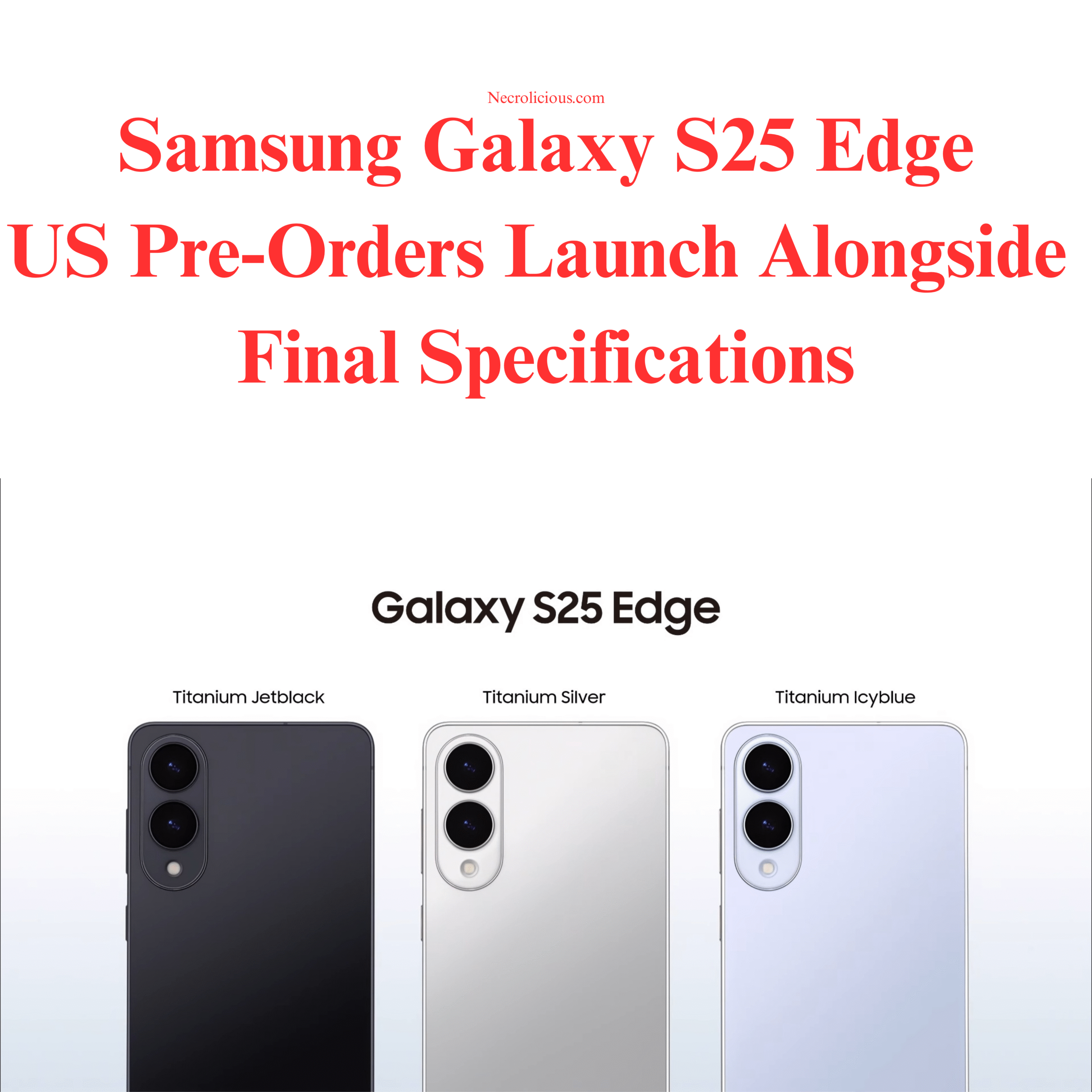
The S25 Edge, priced at $1,099, comes in Titanium Jetblack, Titanium Silver, & Titanium Icyblue. Its 3900mAh battery & 25W charging have sparked debate, with some reports indicating similar capacities in the S25 series often require midday charging (9to5Google, 2025). The device aligns with the trend of ultra-thin smartphones, competing with models like the upcoming iPhone 17 ‘Air.’ However, I’m not proceeding with a purchase. As with the base S25, which I also skipped, I’m awaiting news of the Galaxy Z Flip 7, expected around July or August 2025—roughly two months away. Rumours suggest the Flip 7 may feature a Snapdragon 8 Elite chipset (or possibly an Exynos 2500), a 4-inch cover display, & a 4300mAh battery. As someone interested in foldables, I’m keen to see how Samsung progresses its flip phone range, especially after the Z Flip 6’s recognition for camera performance amongst foldables.
Being in Japan is another factor. Unlike in the U.S., where the S25 Edge has launched, there’s no news of its release here, with all official social media quietly ignoring the news, as is the norm. Samsung’s Japanese launches typically trail the West by several months, a curious delay given Japan’s proximity to Samsung’s Korean headquarters in Suwon. This lag, often linked to Apple’s dominance (46-49% market share, per NCESC.com) in the Japan market, suggests I may not see the S25 Edge until late summer or early autumn. This delay, combined with my greater interest in the Z Flip 7, makes waiting a more practical choice.
The Galaxy S25 Edge offers a slim design & modern specifications for those seeking such a device. For me, however, the prospect of Samsung’s next foldable & Japan’s market dynamics mean I’ll hold off for now.
Unless otherwise noted, image assets above are NOT original content & are shared under fair use doctrine with NO claims to authorship or ownership. Contact necrolicious@necrolicious.com for credit or removal.
This post was sponsored by…ME! If you’d like to support, please buy my original meme merchandise or check out my affiliate links to get yourself some other cool things. Additional affiliate links may be contained in the above article. If you click on an affiliate link & sign up/make a purchase, I may earn a commission. This does not increase the price you pay for the product or service, so it helps support this website at no cost to you.