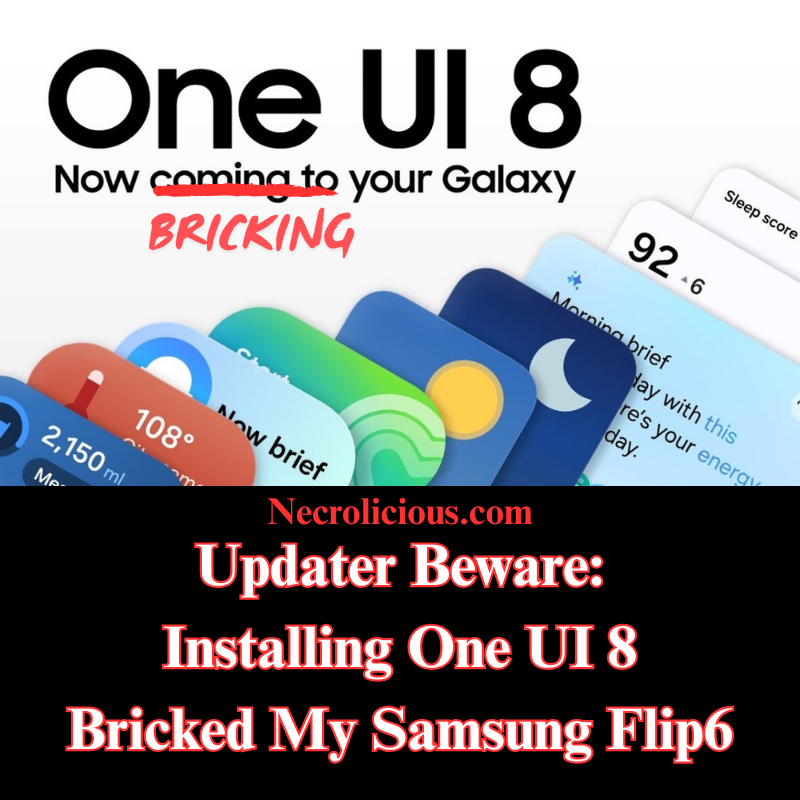
Updater Beware: Installing One UI 8 Bricked My Samsung Flip6

@necroliciouseng

I saw Samsung finally launched One UI 8 here & I installed it. As soon as it was done, I found the inner screen on my Flip6 no longer worked… #Samsung #Samsungflip6 #flip6 #Samsungflip #creatorsearchinsights

♬ オリジナル楽曲 – Necrolicious ENG🇺🇲🇬🇧 – Necrolicious ENG🇺🇲🇬🇧

As the title says, installing One UI 8 on my Samsung Galaxy Z Flip6 has bricked it.

You might be thinking, “One UI 8 came out a while ago—why post this now?” The answer is simple: in Japan, Samsung devices & updates arrive several months later than in the rest of the world, despite being neighbours with Samsung’s home country, Korea.

Anyway, I saw One UI 8 finally launched here & I installed it. As soon as it was done, I found the inner screen on my Flip6 no longer worked.

A bit of research revealed this is a regrettably common problem with Flip series phones after the update, though it was something I had never personally experienced before.

Suggested fixes online included holding the power & volume down buttons for 20 seconds to perform a soft reset. This actually worked; the inner screen came back on. However, the moment the screen turned off once, it was gone for good until another reset.

Through continual trial & error, I discovered that this soft reset method temporarily restored the inner, main screen about 30% of the time, but whether the screen timed out or was shut off manually, the only way to restore it again was yet another reset. The current condition is already bad enough, & I think continuously resetting the phone is probably even more harmful to the motherboard or other internal components, so I don’t want to keep doing resets constantly.

I went to one of the official Samsung stores, of which there are only two in the entire country of Japan. They informed me there was no capacity to even attempt a repair for weeks since there were no available reservation slots. Unlike America, which has numerous authorised third-party repair locations (uBreakiFix, etc.) under Galaxy Care, Japan appears to have no secondary repair options I’m aware of. There’s a slim chance Docomo can repair Samsung phones bought from them at their facilities, but since I bought mine directly from the Samsung store, that route doesn’t appear open to me. I hope that if Samsung comes across this post that, apart from not releasing updates that brick devices, their main takeaway is that they should expand their repair capacity, & possible include 3rd parties as Samsung facilities abroad have done for their customers.

So I have no choice but wait until a slot opens & hope Samsung can fix it.

In the meantime, I’m stuck using only the cover screen.

This means, unfortunately, you can expect content delays. I used my Flip6 for everything—writing scripts, recording & editing my videos. I can try filming on a secondary device like my DJI Pocket 3, but that removes the makeshift teleprompter features the Flip6 main display previously gave me.

This has been an incredibly frustrating experience, but there are no real alternatives except waiting for Samsung to sort it out.

Apologies to everyone for any inconvenience.

In closing, I just want to caution everyone who also has a Samsung Flip6, or any of the Flip series, to think twice & definitely back up your data before attempting to install One UI 8.

Buy on Rakuten Japan

Unless otherwise noted, image assets above are NOT original content & are shared under fair use doctrine with NO claims to authorship or ownership.
Contact necrolicious@necrolicious.com for credit or removal.

This post was sponsored by…ME! If you’d like to support, please buy my original meme merchandise or check out my affiliate links to get yourself some other cool things. Additional affiliate links may be contained in the above article. If you click on an affiliate link & sign up/make a purchase, I may earn a commission. This does not increase the price you pay for the product or service, so it helps support this website at no cost to you.

If you would like to support my work more directly, I accept voluntary cryptocurrency donations in BTC, ETH, XRP & XLM sent directly to necrolicious.x. necrolicious.x is an Unstoppable Domains name that resolves to the wallet addresses I have configured. Simply enter necrolicious.x as the recipient in a supported wallet (such as Trust Wallet, Blockchain.com or others that support Unstoppable Domains). Donation Disclaimer: All cryptocurrency donations sent to me are final, voluntary gifts & are non-refundable & irreversible. These donations are not tax-deductible since I am not a registered charitable organization, & no tax receipts will be issued. No memo or destination tag is required for XRP or XLM donations, as the domain resolves directly to a wallet address. By sending a donation you acknowledge & accept all associated risks, including cryptocurrency price volatility, network fees & potential loss of funds due to incorrect network selection or transaction errors. I am not responsible or liable for any loss related to your donation. No goods, services or other benefits are provided in exchange for donations. This is not financial, tax, legal or investment advice. Please consult a qualified professional regarding any implications of your donation.
Share this:

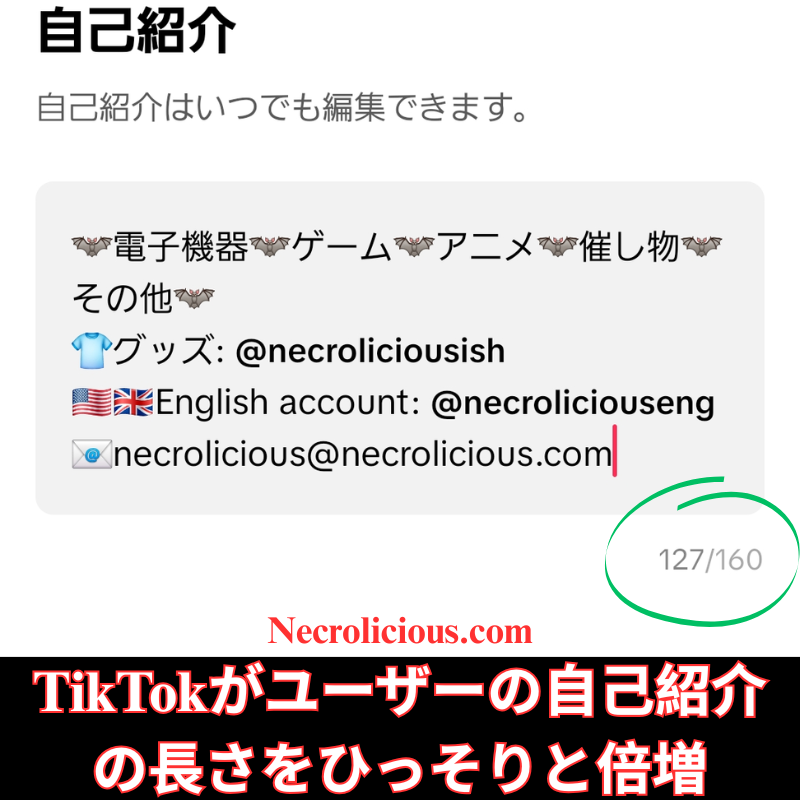
TikTokがユーザーの自己紹介の長さをひっそりと倍増

もし見逃していた方がいたら、俺のようにTikTokがひっそりとアップデートをリリースしました。ユーザー自己紹介の長さが2倍になりました。以前は80文字でしたが、今は160文字になり、比べると余裕が感じられます。このアップデートのおかげで、自分のチャンネルの内容をもっとわかりやすく説明できるようになり、他のアカウントにタグ付けもできるようになりました。なぜTikTokがこれをもっと大々的に宣伝しなかったのか不思議です。俺は通知すら受け取っておらず、昨晩たまたま知りましたが、これは本当にありがたい追加機能です。自己紹介にもっと情報を追加したいと思っていた方は、今こそアップデートのチャンスです。

特に記載がない限り、上の画像アセットはオリジナルのコンテンツではなく、著作権や所有権を主張せずに公正使用の教義に基づいて共有されています。クレジットや削除に関する問い合わせは、necrolicious@necrolicious.comまでご連絡ください。

この投稿のスポンサーは。。。俺!サポートいただける方は、俺のオリジナルミームグッズをお買い求めいただくか、アフィリエイトリンクをチェックして他の素敵なアイテムをご覧ください。上記の記事には追加の関連リンクが含まれる場合があります。関連リンクをクリックして登録や購入を行うと、コミッションを獲得する場合があります。これはあなたが製品やサービスに対して支払う価格を上げませんので、あなたに費用がかからずこのウェブサイトをサポートするのに役立ちます。

俺の活動をより直接的に支援したい場合は、BTC、ETH、XRP、XLM の暗号通貨による寄付を necrolicious.x に直接送っていただくことで受け付けています。necrolicious.x は、俺が設定したウォレット アドレスに解決される Unstoppable Domains の名前です。サポートされているウォレット (Trust Wallet、Blockchain.com など、Unstoppable Domains をサポートするウォレット) で、受取人として necrolicious.x を入力するだけです。寄付に関する免責事項: 俺へのすべての暗号通貨による寄付は最終的な任意寄付であり、返金不可かつ取り消し不可です。俺は登録慈善団体ではないため、これらの寄付は税控除の対象にはならず、領収書は発行されません。ドメインがウォレット アドレスに直接解決されるため、XRP または XLM の寄付にはメモや宛先タグは必要ありません。寄付を送信することにより、暗号通貨の価格変動、ネットワーク手数料、ネットワークの選択ミスや取引エラーによる資金の損失の可能性など、関連するすべてのリスクを認識し、受け入れることになります。ご寄付に関連するいかなる損失についても、俺は責任を負いません。ご寄付の見返りとして、商品、サービス、その他の特典は提供されません。これは、財務、税務、法律、投資に関する助言ではありません。ご寄付の影響については、資格のある専門家にご相談ください。

Share this:

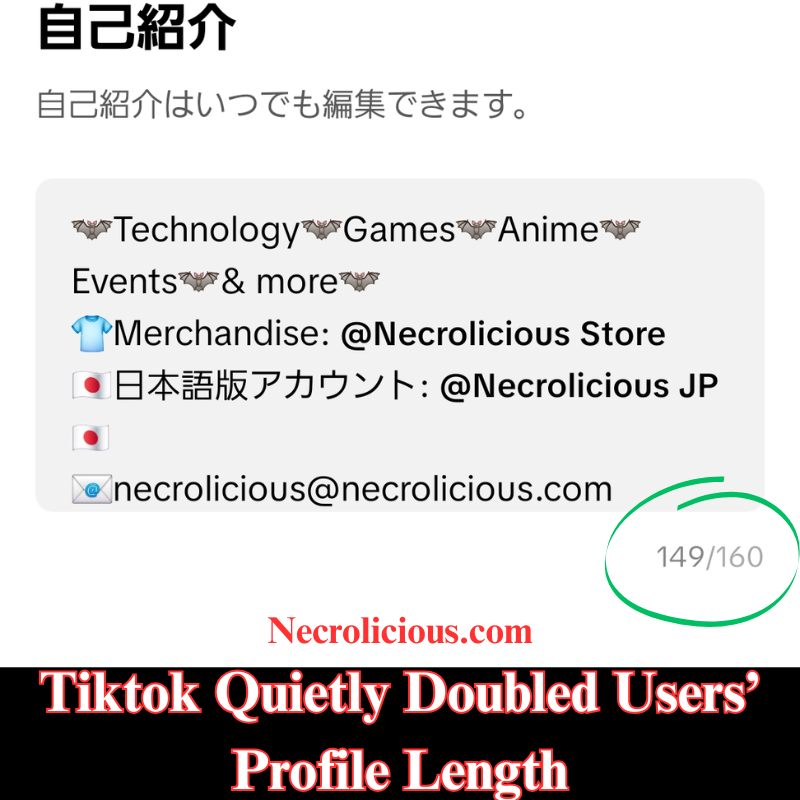
Tiktok Quietly Doubled Users’ Profile Length

In case you missed it, like I did, TikTok quietly rolled out an update that doubles the length of user bios. It was previously only 80 characters, but it is now 160 characters, which feels luxurious by comparison. Thanks to this update, I am now able to better describe what my channel is about, as well as tag my other accounts. I do not know why TikTok did not make a bigger deal out of this. I never even got a notification about it & just found out randomly last night, but it is a welcome addition. If you have always wanted to add more information to your profile, now is your chance to update it.

​Please note: I am only providing this information for TikTok users outside of the US. American TikTok is owned by a separate entity which I am boycotting. Because of this, I removed all the content from my previous channel after even support would not help me change its region to Japan.

Unless otherwise noted, image assets above are NOT original content & are shared under fair use doctrine with NO claims to authorship or ownership.
Contact necrolicious@necrolicious.com for credit or removal.

This post was sponsored by…ME! If you’d like to support, please buy my original meme merchandise or check out my affiliate links to get yourself some other cool things. Additional affiliate links may be contained in the above article. If you click on an affiliate link & sign up/make a purchase, I may earn a commission. This does not increase the price you pay for the product or service, so it helps support this website at no cost to you.

If you would like to support my work more directly, I accept voluntary cryptocurrency donations in BTC, ETH, XRP & XLM sent directly to necrolicious.x. necrolicious.x is an Unstoppable Domains name that resolves to the wallet addresses I have configured. Simply enter necrolicious.x as the recipient in a supported wallet (such as Trust Wallet, Blockchain.com or others that support Unstoppable Domains). Donation Disclaimer: All cryptocurrency donations sent to me are final, voluntary gifts & are non-refundable & irreversible. These donations are not tax-deductible since I am not a registered charitable organization, & no tax receipts will be issued. No memo or destination tag is required for XRP or XLM donations, as the domain resolves directly to a wallet address. By sending a donation you acknowledge & accept all associated risks, including cryptocurrency price volatility, network fees & potential loss of funds due to incorrect network selection or transaction errors. I am not responsible or liable for any loss related to your donation. No goods, services or other benefits are provided in exchange for donations. This is not financial, tax, legal or investment advice. Please consult a qualified professional regarding any implications of your donation.
Share this:

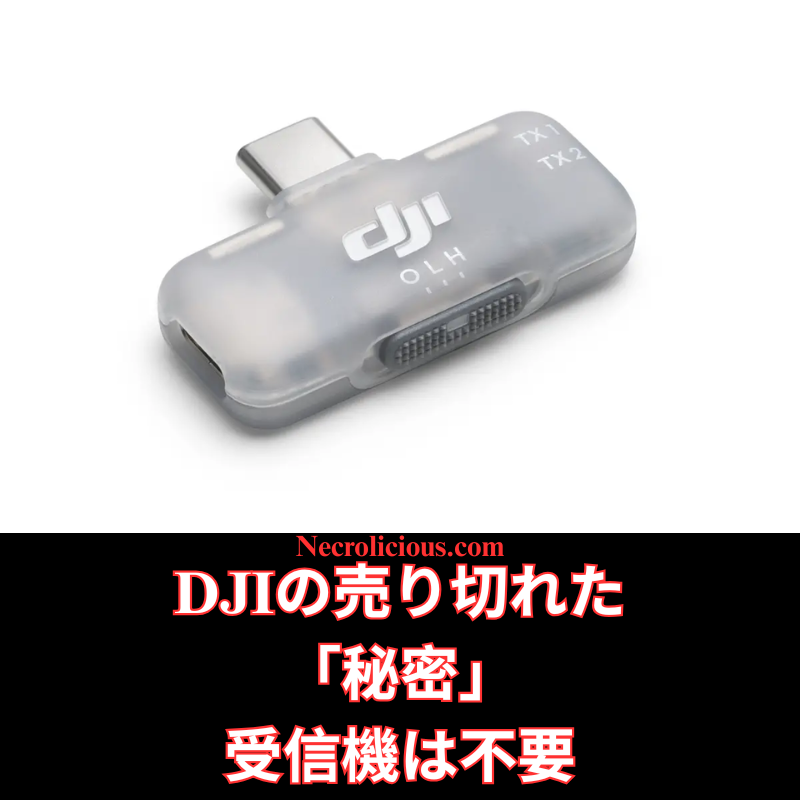
DJIの売り切れた「秘密」受信機は不要

ついこの間まで、俺は「DJI Mic を受信機なしで使う方法」を記事&動画で紹介していました。
ところがここ数週間、特にYouTubeで多くのクリエイターが「DJIがこっそり出した“秘密のモバイル受信機”」に大騒ぎしています。スマホ撮影向けに静かに発売されたこのアイテム、頻繁に完売しており、メルカリなどで法外な転売価格で取引されている状況です。

そこで改めてお伝えします――あなたはその受信機、実は全く必要ありません。
別に「すべての物欲を捨てて出家しろ」という話ではなく、外部受信機なしで、しかも無料で同じ機能を手に入れる方法をもう一度しっかりお教えします!

楽天で購入

iPhoneユーザー向け

そもそもこの「秘密の受信機」はUSB-C仕様のみで、Lightning端子の古いiPhoneとは物理的に互換性がありません(手に入っても使えない可能性大)。

  1. RØDE Reporterをインストール
    App Storeで「RØDE Reporter」を検索(完全無料・登録不要)。ダウンロード後、マイク使用許可をオンに。
  2. DJI Mic 2をBluetooth接続
    送信機(トランスミッター)のリンクボタンを長押し→インジケーターが点滅したらペアリングモードに入ります。
    iPhoneの「設定 → Bluetooth」から「DJI Mic 2」(ヘッドホンとして表示される場合あり)を選択。
  3. RØDE Reporterで接続確認
    アプリを起動し、「External Microphone」と表示されていれば接続成功。
  4. 標準カメラアプリで撮影
    RØDE Reporterをバックグラウンドで起動させたまま、標準の「カメラ」アプリを起動 → ビデオモードを選択。
    これだけでDJI Mic 2の音声がワイヤレスで録音されます!
  5. 録画スタート
    短いテスト撮影をして音質・音量を確認してください。
楽天で購入

注意点
Bluetooth接続中は再生音がDJI Mic 2側に回ってしまう(スピーカーないので無音になる)ので、再生したいときはBluetoothを切るか送信機の電源をオフにしてください。

iPhone用動画解説はこちら

@necroliciousjp

iPhoneのネイティブカメラでDJI Mic 2をBluetooth接続してビデオ撮影する方法(受信機不要) #djimic2 #mic2 #dji #電子機器 #creatorsearchinsights

♬ original sound – Necrolicious JP🇯🇵 – Necrolicious JP🇯🇵

Samsungユーザー向け(超簡単!)

アプリのインストールすら不要です!

  1. DJI Mic 2をBluetoothペアリング
    送信機の録音ボタン(リンクボタン)を3秒長押し → ステータスインジケーターが青く点滅したらペアリングモード。
    端末側:「設定 → 接続 → Bluetooth」→「DJI Mic 2」を選択(ヘッドセットやマイクとして表示されます)。接続完了でインジケーターが青く点灯。
  2. 標準カメラアプリを「プロビデオ」モードで起動
    カメラアプリを開き、下部の「MORE」→「プロビデオ」を選択。
  3. 音声入力ソースをDJI Mic 2に変更
    画面右側のマイクアイコンをタップ →「Bluetooth」または「外部マイク」(機種によってはDJI Mic 2が直接表示)を選択。
    内部マイクはオフにしてください。
  4. 録画開始
    解像度・フレームレート等を調整後、録画ボタンを押すだけ。DJI Mic 2の高音質音声が完璧に同期して録音されます。
    こちらも短いテスト撮影をおすすめします!
楽天で購入

Samsung用動画解説はこちら

@necroliciousjp

@Samsung Japan のネイティブカメラでDJI Mic 2をBluetooth接続してビデオ撮影する方法(受信機不要) #djimic2 #mic2 #dji #電子機器 #creatorsearchinsights

♬ original sound – Necrolicious JP🇯🇵 – Necrolicious JP🇯🇵

まとめ

定価たった2500円のこのモバイル受信機、価格自体は良心的だったんですが、供給不足で転売屋が暴騰させています。
でも上のやり方で完全に無料で同じことができちゃうので、もう受信機を買う必要はゼロ!
浮いたお金でNecrolicious StoreのTシャツでも買って、撮影でカッコよく決めてください(笑)

SUZURIで購入
Share this:

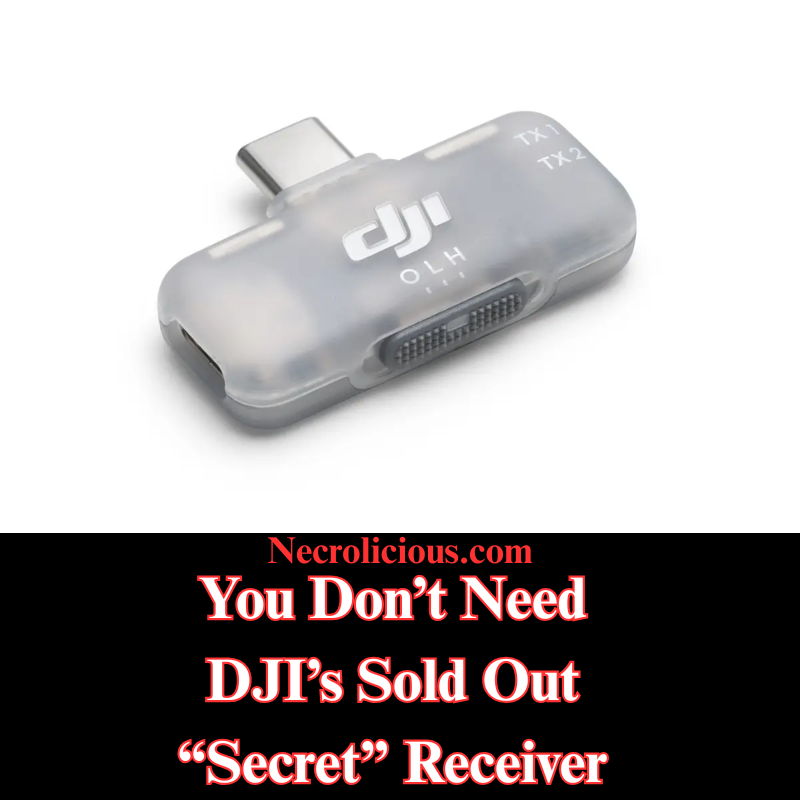
You Don’t Need DJI’s Sold Out “Secret” Receiver

Not even all that long ago, I wrote & provided video instructions for how to use DJI Mic devices without receivers. However, in recent weeks, many content creators, particularly on Youtube, have been going crazy over a supposedly “secret” item: a mobile receiver that DJI quietly released for content creators who use their phones to record.

This secret item has frequently sold out to the point that many people are paying exorbitantly high markups on eBay & the like just to get their hands on one. So I’m here to remind you that you don’t actually need this device. I don’t say that just in the general sense that you should forgo all worldly possessions, give up on your content creation dreams & become a monk, but to show you again how you can get this device’s functionality, FOR FREE, without the need or use of any external receiver.

Buy on Rakuten Japan

For iPhone

Starting off with iPhone since you people may well not be able to use this receiver, should you even be able to get your hands on one, due to the fact that it only comes in a USB-C configuration & is incompatible with older iPhone devices with Lightning ports.

  1. Install RØDE Reporter: Search for “RØDE Reporter” in the App Store (don’t worry, it’s free–no signup or subscription necessary), download it, & grant microphone permissions when prompted.
  2. Connect DJI Mic 2 via Bluetooth: Press & hold the pairing button on the DJI Mic 2 transmitter until the indicator flashes, entering pairing mode. On your iPhone, navigate to Settings > Bluetooth & select the DJI Mic 2 (it may appear as “headphones”).
  3. Confirm Connection in RØDE Reporter: Launch the app & verify it displays “External Microphone” rather than “Internal Microphone,” indicating the DJI Mic 2 is connected.
  4. Open the Native Camera App: Keep RØDE Reporter running in the background. Launch the iPhone’s Camera app, select Video mode, & the DJI Mic 2 will capture audio wirelessly.
  5. Record Your Video: Begin recording. Create a short test clip to ensure audio quality & levels are satisfactory.

NOTE: The Bluetooth connection may route audio output to the DJI Mic 2, which lacks speakers. Disable Bluetooth or power off the Mic 2 to hear playback through your iPhone speakers after recording.

Video Instructions for iPhone

Buy on Rakuten Japan

For Samsung

Much easier than iPhone, there’s no need for you to download anything, simply go to your native camera app & enter Pro Video mode to pair your DJI Mic via Bluetooth.

  1. Connect DJI Mic 2 via Bluetooth: Power on the DJI Mic 2 transmitter. Press and hold the record button (link button) for three seconds until the status indicator flashes blue, entering Bluetooth pairing mode. On your Samsung Galaxy device, navigate to Settings > Connections > Bluetooth, ensure Bluetooth is enabled & select “DJI Mic 2” from the list of available devices (it may appear as a headset or microphone). Confirm any pairing prompts. The indicator will turn solid blue once connected.
  2. Launch the Native Camera Application in Pro Video Mode: Open the stock Camera application on your Samsung Galaxy device. Swipe left or tap “MORE” at the bottom, then select “PRO VIDEO”. This mode provides advanced controls, including the ability to select external audio inputs.
  3. Select the DJI Mic 2 as Audio Input: In Pro Video mode, locate the audio settings icon (typically a microphone symbol) above or near the record button on the right side of the screen. Tap it to access the audio source menu. Choose “Bluetooth” or “External Mic” (it may list the DJI Mic 2 directly). Ensure the internal microphone is disabled if prompted. The application will now utilise audio from the DJI Mic 2.
  4. Record Your Video: Adjust video parameters such as resolution, frame rate, or exposure as required. Press the record button to begin capturing video. The DJI Mic 2 will wirelessly record high-quality audio synchronised with your footage. Record a short test clip to verify audio levels and clarity.

Video Instruction for Samsung

Buy on Rakuten Japan

At its original $15 MSRP this mobile receiver that DJI released was generously priced. However, generous pricing proves futile with minimal supply, as evidenced by the secondary market AKA scalpers selling the DJI mobile receiver several times its original price. Still, armed with my how-to instructions above, you no longer need to purchase one at all so you can use that money you saved to buy yourself a shirt on the Necrolicious Store to look cool in all the videos you record.

“Photogenic” Funny Nosferatu Vampire Meme
100% Cotton Unisex Tee

Unless otherwise noted, image assets above are NOT original content & are shared under fair use doctrine with NO claims to authorship or ownership.
Contact necrolicious@necrolicious.com for credit or removal.

This post was sponsored by…ME! If you’d like to support, please buy my original meme merchandise or check out my affiliate links to get yourself some other cool things. Additional affiliate links may be contained in the above article. If you click on an affiliate link & sign up/make a purchase, I may earn a commission. This does not increase the price you pay for the product or service, so it helps support this website at no cost to you.

If you would like to support my work more directly, I accept voluntary cryptocurrency donations in BTC, ETH, XRP & XLM sent directly to necrolicious.x. necrolicious.x is an Unstoppable Domains name that resolves to the wallet addresses I have configured. Simply enter necrolicious.x as the recipient in a supported wallet (such as Trust Wallet, Blockchain.com or others that support Unstoppable Domains). Donation Disclaimer: All cryptocurrency donations sent to me are final, voluntary gifts & are non-refundable & irreversible. These donations are not tax-deductible since I am not a registered charitable organization, & no tax receipts will be issued. No memo or destination tag is required for XRP or XLM donations, as the domain resolves directly to a wallet address. By sending a donation you acknowledge & accept all associated risks, including cryptocurrency price volatility, network fees & potential loss of funds due to incorrect network selection or transaction errors. I am not responsible or liable for any loss related to your donation. No goods, services or other benefits are provided in exchange for donations. This is not financial, tax, legal or investment advice. Please consult a qualified professional regarding any implications of your donation.

Share this:

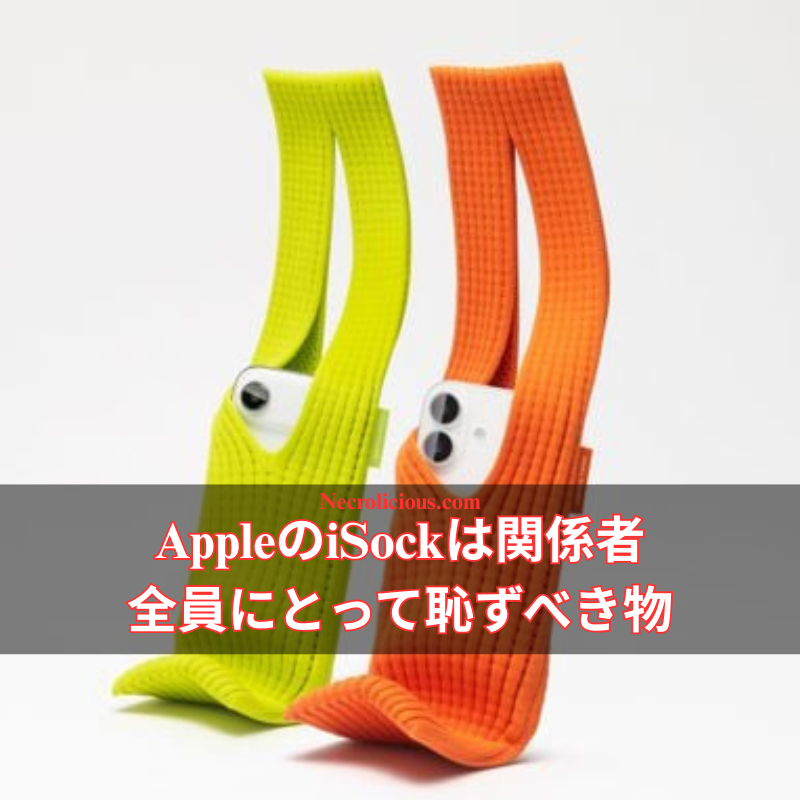
AppleのiSockは関係者全員にとって恥ずべき物

自分の元雇用主であるAppleが注目を集めている。以前のファンが当然のように期待していたような驚異的な最先端技術のリリースではなく、多くの人が「伸びた靴下」と呼んでいるものを40,000円で売っているからだ。間違いない、この靴下は新しいApple Watchよりも高い。

かつて技術革新のリーダーとして名を馳せていたAppleは、私の意見ではこの製品で本当に新たな低みに到達した。この靴下にはおそらく製造コストが10セント未満で、何の「技術」も含まれていない。希少で価値のある高級生地ですらなく、標準的な85%ポリエステル混紡だ。三宅一生のブランディング契約は、この惨めなリリースに何らかの信憑性を与えるために結ばれたものだろうが、おそらく実際の製品の材料・生産コストの合計よりも高額だったはずだ。100円ショップで買った膝丈の靴下とナイフだけで50円で数秒で自分で作れるものを、この製品を使っている人を見たら、敬意を失わずにはいられない。このApple製品を所有することは、本当に無能さと無関心の証だ。

しばしば、故人(スティーブ・ジョブズ)の逝去以来、Appleが5〜10年前のAndroid機能をコピーする以外に革新に苦しんでいるのは明らかだ。西洋には「rolling in one’s grave」(墓の中で転がる)という表現があり、これは故人が現在の出来事に激しく失望しているという意味だ。ジョブズが自分の会社がこうなったことにまさにそれをしていると言われてきたが、この最新リリースでは彼が下でルーニー・テューンズのタズマニアン・デビルに変わったと考えるのが妥当だ。

特に記載がない限り、上の画像アセットはオリジナルのコンテンツではなく、著作権や所有権を主張せずに公正使用の教義に基づいて共有されています。クレジットや削除に関する問い合わせは、necrolicious@necrolicious.comまでご連絡ください。

この投稿のスポンサーは。。。俺!サポートいただける方は、俺のオリジナルミームグッズをNecrolicious.storeでお買い求めいただくか、アフィリエイトリンクをチェックして他の素敵なアイテムをご覧ください。上記の記事には追加の関連リンクが含まれる場合があります。関連リンクをクリックして登録や購入を行うと、コミッションを獲得する場合があります。これはあなたが製品やサービスに対して支払う価格を上げませんので、あなたに費用がかからずこのウェブサイトをサポートするのに役立ちます。

Share this:

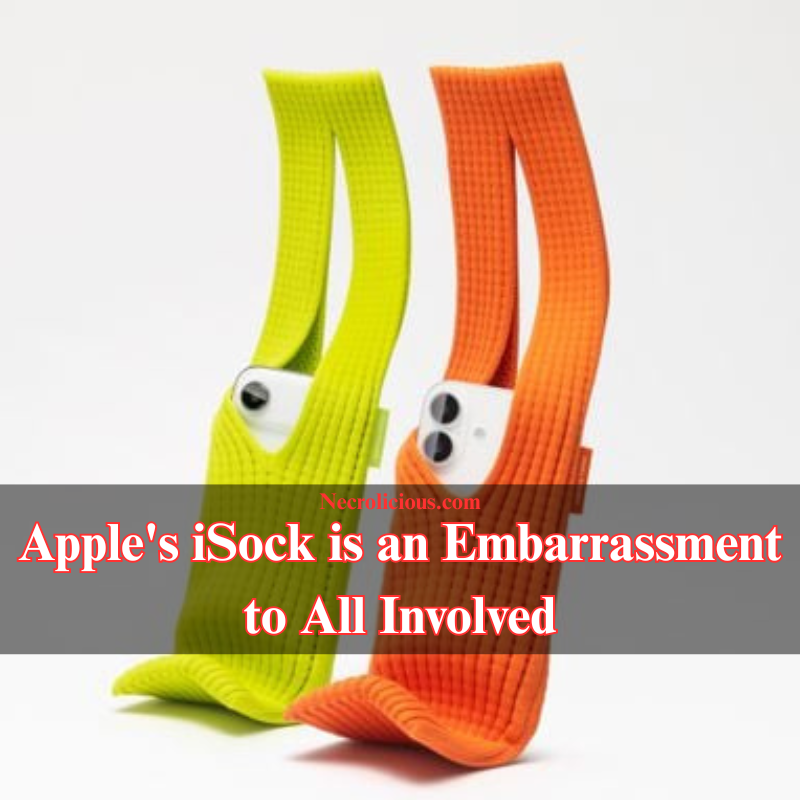
Apple’s iSock is an Embarrassment to All Involved

My former employer, Apple, is turning heads. Not for releasing amazing cutting edge technology as fans previously could have rightfully assumed, but for selling what many are calling a stretched out sock for 40,000 yen. You read that right, this sock costs more than a new Apple Watch.


Once renowned as a leader in technological innovation, Apple has really reached a new low with this in my opinion. There’s nothing “tech” about a sock that probably costs them less than 10 cents to make. It’s not even a prestigious rare, valuable fabric, but a standard 85% polyester blend. The Issey Miyake branding deal undoubtedly inked to lend this pathetic release with any sort of credence probably costed more than all of materials/production cost of the actual items combined. I wouldn’t be able to help but lose respect for anyone I see using this product that they could make for themselves in seconds for 50 yen with just a knife & a knee-high sock bought at a 100 yen store. To own this Apple product is really a testament to both incompetence & apathy.

Frequently, obviously struggling to innovate beyond copying Android features from 5-10 years prior since his passing, it has repeatedly been said that Steve Jobs has been rolling in his grave at what has become of his company, but at this point we may well assume this latest release has turned him into the Looney Tunes Tasmanian Devil down there.

Unless otherwise noted, image assets above are NOT original content & are shared under fair use doctrine with NO claims to authorship or ownership.
Contact necrolicious@necrolicious.com for credit or removal.

This post was sponsored by…ME! If you’d like to support, please buy my original meme merchandise or check out my affiliate links to get yourself some other cool things. Additional affiliate links may be contained in the above article. If you click on an affiliate link & sign up/make a purchase, I may earn a commission. This does not increase the price you pay for the product or service, so it helps support this website at no cost to you.

If you would like to support my work more directly, I accept voluntary cryptocurrency donations in BTC, ETH, XRP & XLM sent directly to necrolicious.x. necrolicious.x is an Unstoppable Domains name that resolves to the wallet addresses I have configured. Simply enter necrolicious.x as the recipient in a supported wallet (such as Trust Wallet, Blockchain.com or others that support Unstoppable Domains). Donation Disclaimer: All cryptocurrency donations sent to me are final, voluntary gifts & are non-refundable & irreversible. These donations are not tax-deductible since I am not a registered charitable organization, & no tax receipts will be issued. No memo or destination tag is required for XRP or XLM donations, as the domain resolves directly to a wallet address. By sending a donation you acknowledge & accept all associated risks, including cryptocurrency price volatility, network fees & potential loss of funds due to incorrect network selection or transaction errors. I am not responsible or liable for any loss related to your donation. No goods, services or other benefits are provided in exchange for donations. This is not financial, tax, legal or investment advice. Please consult a qualified professional regarding any implications of your donation.

Share this:

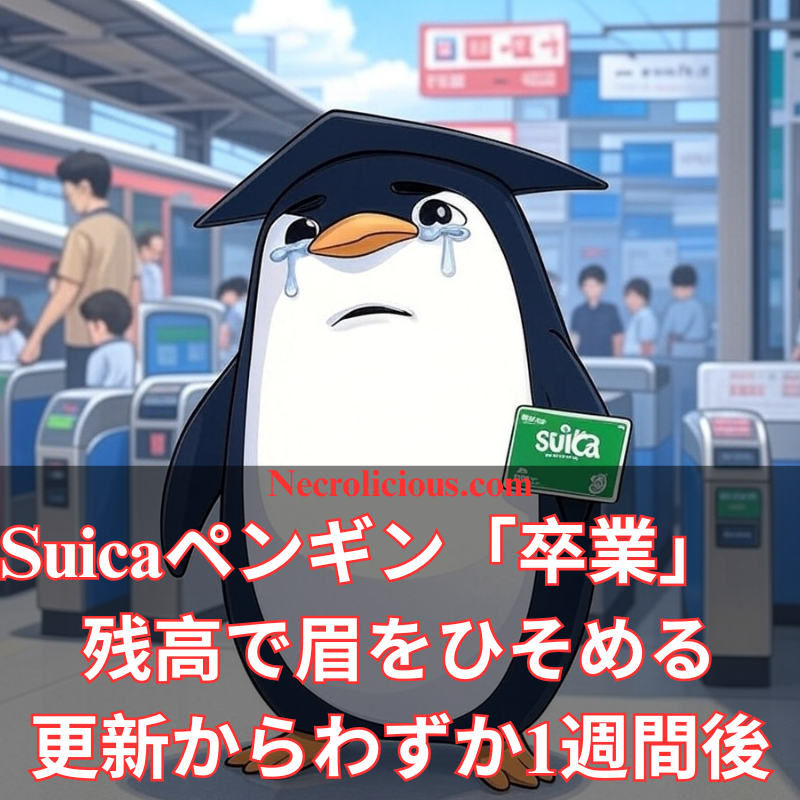
Suicaペンギン「卒業」 残高で眉をひそめる更新からわずか1週間後

2025年11月5日、モバイルSuicaが更新された。2001年に坂崎千春さんが描いたアデリーペンギンが、残高に応じて表情を変えるようになった。残高が少ないと眉をひそめる。同日、Necroliciousに掲載した記事では、この変化を「便利な案内」から「感情的な圧力」へと移行したものだと指摘した。6日後の11月11日、JR東日本はペンギンが2026年度末に「卒業」すると発表した。

時系列

  • 11月5日 表情変化機能の開始
  • 11月5~10日 SNSや当ブログで眉をひそめる顔に違和感の声
  • 11月11日 「Suica Renaissance」発表。2027年3月引退、ユーザー投票で後継、秋からQR決済開始

眉をひそめる顔がもたらした効果

25年間、ペンギンは「便利さ」を象徴し、判断を下さなかった。カード、駅の看板、グッズに登場してきた。新しい眉をひそめる表情は、通勤時の残高不足と結びつける。繰り返し見る厳しい顔は、愛着を静かにすり減らす。更新直後に引退を発表すれば、疲れたマスコットは「朗報」になる。残高不足で睨まれることに慣れた利用者は、「卒業」を安堵して受け止めるかもしれない。坂崎さん・電通へのライセンス料は継続中。社内開発の新キャラなら費用はゼロ。嫌われたキャラなら静かに去れる。

世間の反応

11月11日以降、SNSは思い出で溢れた。ペンギンケーキ、通勤定期入れ、家族でのペンスタ訪問。JR東日本は2026年を「感謝の年」と位置づけ、後継選びに利用者を巻き込むと約束した。眉をひそめる機能への言及も、オプトアウトの提案もない。

当初の願いはシンプルだった

前回の記事は「眉をひそめるのをやめてほしい」だけだった。ニュートラルな顔に戻し、表現変化は希望者のみで十分。引退は望んでいない。2019年、初めて日本を訪れた時に買ったSuicaカードは今も財布に入っている。ペンギンはそのまま残ってほしい。変わらぬ笑顔で。

シンプルな笑顔で、十分だ。

特に記載がない限り、上の画像アセットはオリジナルのコンテンツではなく、著作権や所有権を主張せずに公正使用の教義に基づいて共有されています。クレジットや削除に関する問い合わせは、necrolicious@necrolicious.comまでご連絡ください。

この投稿のスポンサーは。。。俺!サポートいただける方は、俺のオリジナルミームグッズをNecrolicious.storeでお買い求めいただくか、アフィリエイトリンクをチェックして他の素敵なアイテムをご覧ください。上記の記事には追加の関連リンクが含まれる場合があります。関連リンクをクリックして登録や購入を行うと、コミッションを獲得する場合があります。これはあなたが製品やサービスに対して支払う価格を上げませんので、あなたに費用がかからずこのウェブサイトをサポートするのに役立ちます。

Share this:

鳥仲間、顔で責める:Suicaの最新アップデートがDuolingoの罪悪感誘導戦術を彷彿とさせる仕組み

@necroliciousjp

鳥仲間、顔で責める:Suicaの最新アップデートがDuolingoの罪悪感誘導戦術を彷彿とさせる仕組み #suica #suicaペンギン #ペンギン #duolingo

♬ ギルト – Vissare-ビザール-

フィンテックアプリの世界では、ユーザーの「エンゲージメント」が神様扱いされる。そこに飛び込んできたのが、2025年11月5日、JR東日本がSuicaアプリに仕掛けた「ペンギンの表情変化」だ。残高が十分ならニッコリ、不足気味なら眉をひそめる。まるでDuolingoのフクロウがレッスンサボりを泣き顔で責める、あの悪名高きギルトトリップの焼き直しである。

Duolingoの緑のフクロウは、欠席1日で涙目になり、通知で「もう辞めるの?」と詰め寄る。単なる語学アプリが感情の監視塔に化ける瞬間だ。ユーザーは単語を覚えるためではなく、ピクセル鳥の機嫌を取るためにログインする。損失回避心理を突いた巧妙な設計だが、同時に「アプリが人の弱みにつけ込む」典型でもある。

Suicaのペンギンはもっと厄介だ。2001年のデビュー以来、坂崎千春氏が描くアデリーペンギンは「スイスイ」の象徴だった。カード、広告、駅前の公園——どこでも無垢な笑顔で迎えてくれた。それがアプリ内で残高連動の「表情管理」に降格。通勤電車で開けば、数字と一緒にペンギンが睨む。残高不足=「お前、ダメ人間」——そんな無言のレッテルを貼られる。

二重表示の無意味さ

残高はすでに数字で表示されている。赤字なら赤文字、黒字なら黒文字。それで十分だ。なぜわざわざペンギンの顔で「解釈」を重ねるのか。余計なお世話、いや、幼児扱いだ。

通勤・買い物に潜むプレッシャー

Suicaは電車賃、コンビニ、自動販売機——日常の「小さな決済」を支える。給料日前の残高不足は誰にでもある。そこにペンギンの「不機嫌」が重なる。
「チャージしないとこの子が機嫌を直さない」
そんな心理が働けば、衝動チャージは必至。貯金を崩す、カードで補填——数字の赤字を「鳥の笑顔」で埋める悪循環。短期の安心感が長期の財政健全性を食いつぶす。

エンゲージメント至上主義の落とし穴

アプリ開発者は「A/Bテストでチャージ率が上がった」と胸を張るだろう。だが、残高不足で駅の改札に止められる恐怖と、ペンギンの泣き顔のダブルパンチは、単なる「モチベーション」ではない。脆弱性をゲーム化する行為だ。Duolingoは「スペイン語を忘れても改札で詰まらない」。Suicaは違う。残高ゼロはリアルな足止めだ。

20年以上の信頼を「表情」で消費するな

ペンギンは「便利さ」のシンボルだった。それを「感情の監視員」に変えるなら、せめてオプトアウトを用意すべきだ。数字は数字、顔は顔——分離してこそ大人のツール。ユーザーは明確さを求めている。かわいい強制ではない。

アプリ戦争の勝者は、表情豊かなアバターではなく、ユーザーの自律を尊重する側だ。
ペンギンよ、ただの笑顔で十分だった。

特に記載がない限り、上の画像アセットはオリジナルのコンテンツではなく、著作権や所有権を主張せずに公正使用の教義に基づいて共有されています。クレジットや削除に関する問い合わせは、necrolicious@necrolicious.comまでご連絡ください。

この投稿のスポンサーは。。。俺!サポートいただける方は、俺のオリジナルミームグッズをNecrolicious.storeでお買い求めいただくか、アフィリエイトリンクをチェックして他の素敵なアイテムをご覧ください。上記の記事には追加の関連リンクが含まれる場合があります。関連リンクをクリックして登録や購入を行うと、コミッションを獲得する場合があります。これはあなたが製品やサービスに対して支払う価格を上げませんので、あなたに費用がかからずこのウェブサイトをサポートするのに役立ちます。

Share this:

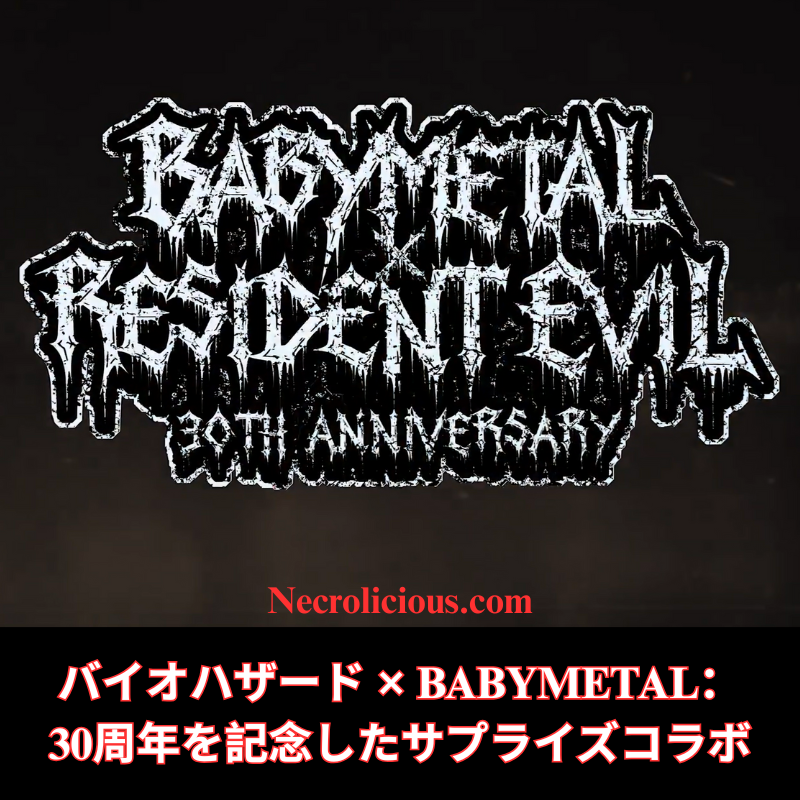
バイオハザード × BABYMETAL:30周年を記念したサプライズコラボ

カプコンは、象徴的なホラー・フランチャイズ『バイオハザード』と日本のカワイイ・メタル・バンドBABYMETALとの驚くべきコラボレーションを発表した。このパートナーシップは、BABYMETALのライブ・ビューイング・イベントで明らかにされ、『バイオハザード』の30周年を記念するもので、2026年に限定商品を展開することを約束している。発表では、圧倒的な存在感を放つレディ・アルシナ・ディミトレスクが登場し、世界中のファンに興奮と憶測の渦を巻き起こしている。

ジャンルの独自な融合

『バイオハザード』とBABYMETALのコラボレーションは、予想外であると同時に魅力的なものである。J-Popとヘヴィ・メタルの融合で知られるBABYMETALは、2010年のデビュー以来、独自のニッチを築き上げてきた。高エネルギーのパフォーマンスとアイドル文化とメタルの融合を特徴とするその音楽は、グローバルな支持を集めている。一方、1996年の誕生以来、サバイバル・ホラー・ジャンルの基盤を成す『バイオハザード』は、ナラティブ駆動型のゲームプレイとシネマティック・ホラーの限界を絶えず押し広げてきた。このパートナーシップは単なるクロスオーバーではなく、二つの異なるが補完し合う世界の祝賀である。ゴシックな設定でレディ・ディミトレスクが登場する発表動画は、『バイオハザード』の暗く不気味な美学とBABYMETALの劇的で激しいパフォーマンスのテーマ的な一致を示唆している。動画の字幕とイメージは、このコラボレーションが単なるブランディングを超え、周年記念商品のデザインとマーケティングに影響を与える可能性を示唆している。

レディ・ディミトレスクの役割

『バイオハザード ヴィレッジ』で最も記憶に残る敵役の一人であるレディ・アルシナ・ディミトレスクは、このコラボレーションの顔として登場する。彼女のそびえ立つ存在感とヴァンパイア的な魅力はファンに愛され、発表への関与はこのパートナーシップの重要性を強調している。彼女の特徴的な威圧的なトーンで語られる動画のナラティブは、「限定コラボレーション商品」と2026年のリリースを予告し、ファンをからかう。この愛されるキャラクターの戦略的な活用は、期待を高めるだけでなく、ゲームのホラー要素とBABYMETALのメタリックな鋭さを橋渡しする。

『バイオハザード』の節目

2026年は『バイオハザード』の30周年という節目であり、カプコンは明らかに盛大に祝う意向を示している。デビュー以来、フランチャイズは大きく進化し、『バイオハザード4』、『バイオハザード7 バイオハザード』、『バイオハザード ヴィレッジ』などのタイトルがジャンルを再定義してきた。BABYMETALとのコラボレーションは、カプコンが新たなエンゲージメントの道を探求する意志の証であり、バンドの国際的な魅力を活用してより広いオーディエンスにリーチするものである。この発表は、他の30周年イニシアチブに続き、2026年2月27日リリース予定の『バイオハザード レクイエム』がサマー・ゲーム・フェストで明らかにされた直後に行われた。このゲームはサバイバル・ホラーの遺産を継承することを約束しており、BABYMETALコラボレーションは周年祝賀にさらなる興奮の層を加える。

BABYMETALの継続的な影響力

BABYMETALにとって、このコラボレーションはジャンル融合の革新という彼らの継続的な物語の新たな章である。結成以来、バンドはWWEイベントへの出演や他のメタル・アクトとのパートナーシップなど、さまざまなアーティストやブランドとコラボレーションしてきた。2025年8月にリリースされた最新アルバム『Metal Forth』は、彼らの進化と実験への意欲を示しており、『バイオハザード』との提携は創造的な軌道の自然な延長線上にある。バンドの影響力は音楽を超え、ファッション、パフォーマンス・アート、さらにはビデオゲーム文化にまで及ぶ。カワイイな美学とアグレッシブなメタルを融合させる彼らの能力は、『バイオハザード』のテーマ的なニュアンスを反映しており、そこではホラーがしばしば予期せぬ美しさや人間性と並置される。

期待される内容

商品の詳細は依然として少ないが、発表動画はさまざまな可能性を示唆している。ファンは、『バイオハザード』の暗くゴシックなテーマとBABYMETALのエネルギッシュでメタリックな雰囲気を反映したアイテムを期待できる。これはアパレル、アクセサリー、さらには両ブランドの本質を凝縮した限定版コレクティブルを含む可能性がある。このコラボレーションのタイミングは、30周年と『バイオハザード レクイエム』のリリースに合わせ、影響を最大化するための戦略的な取り組みを示している。また、ゲーム内リファレンスやコンサートをテーマにしたイベントなどの将来の統合の可能性を提起し、ゲームとライブ・パフォーマンスの境界をさらに曖昧にするかもしれない。

『バイオハザード』とBABYMETALのコラボレーションは、確立されたフランチャイズが予想外のパートナーシップを通じて自らを再発明する方法の大胆な声明である。それはサバイバル・ホラーの30年間を祝う一方で、メタル音楽を再定義したバンドの革新的な精神を受け入れるものである。2026年を展望する中で、この連合は単なる商品ではなく、両世界のファンに響く文化的な瞬間を約束する。カプコンとBABYMETALがこのエキサイティングなコラボレーションの詳細を明らかにするにつれ、さらなるアップデートにご期待ください。それまでは、『バイオハザード』ゲームの緊張感のように、期待が高まり、次の啓示が影から現れるのを待つ。

特に記載がない限り、上の画像アセットはオリジナルのコンテンツではなく、著作権や所有権を主張せずに公正使用の教義に基づいて共有されています。クレジットや削除に関する問い合わせは、necrolicious@necrolicious.comまでご連絡ください。

この投稿のスポンサーは。。。俺!サポートいただける方は、俺のオリジナルミームグッズをNecrolicious.storeでお買い求めいただくか、アフィリエイトリンクをチェックして他の素敵なアイテムをご覧ください。上記の記事には追加の関連リンクが含まれる場合があります。関連リンクをクリックして登録や購入を行うと、コミッションを獲得する場合があります。これはあなたが製品やサービスに対して支払う価格を上げませんので、あなたに費用がかからずこのウェブサイトをサポートするのに役立ちます。

Share this: